Product Page SEO Checklist for Shopify Stores in India
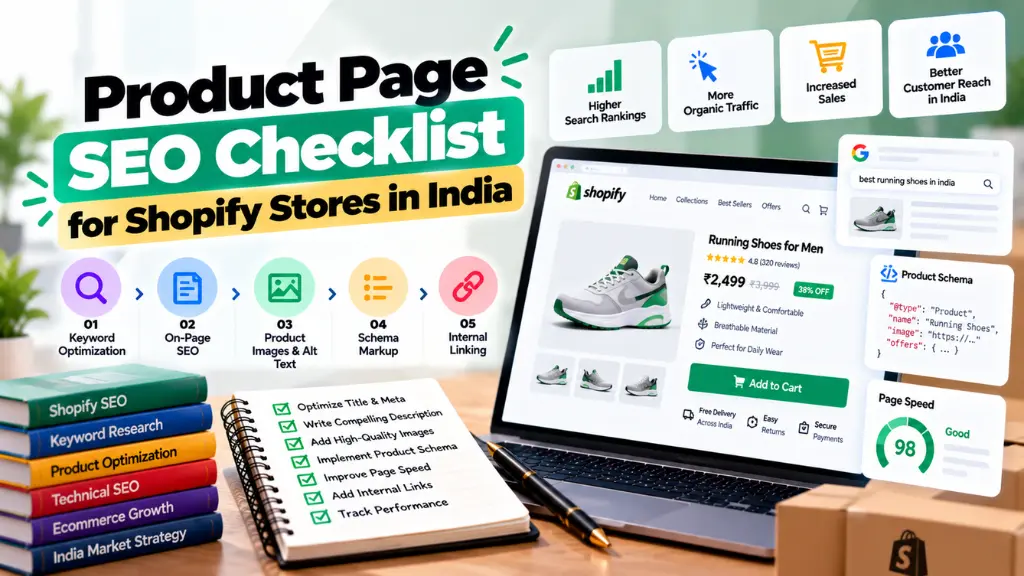

Shopify product page SEO comes down to ten checks: a unique title tag and meta description, a short product URL handle, an original product description, descriptive image alt text, valid Product schema, accurate stock and price data, fast mobile loading, useful internal links, trust information shoppers can find, and a clean product feed for Google Merchant Center. Shopify handles some technical basics for you. The rest is content and data quality, which this checklist walks through for Indian stores, as of October 2026.
In this article23 sections
What is Shopify product page SEO?#
Shopify product page SEO is the process of optimising individual product pages so they can rank for product searches, earn clicks and convert visitors. It covers on-page elements (title, description, images, URL), structured data, site speed and trust signals. For stores selling in India, it also includes local details such as INR pricing, delivery coverage and return terms.
What does Shopify handle automatically?#
Before you start editing, know what you can skip. According to a Shopify ecommerce SEO guide from the agency Anicca, Shopify generates a sitemap at /sitemap.xml, adds canonical tags when a product is reached through a collection path such as /collections/shoes/products/trainer, and offers automatic 301 redirects when you change a URL handle. Many themes also output basic Product structured data, though you should confirm yours.
| Shopify usually handles | You still need to handle |
| XML sitemap | Unique title tags and meta descriptions |
| Canonical tags for collection-path duplicates | Original descriptions |
| Redirect prompt when a handle changes | Image alt text and filenames |
| Basic Product schema in many themes | Shipping, returns and identifier data |
| HTTPS | Speed, apps and theme weight |
The Shopify product page SEO checklist#
1. Choose one primary search intent per product#
Give each product page one clear target, such as “block print cotton kurta for women”. Let collection pages target broader terms like “women’s kurtas”. If a product page and a collection page chase the same phrase, they compete.
Check the live results first. If Google shows mostly category pages for a query, a single product page is unlikely to win it.
2. Write unique title tags and Shopify meta tags#
Shopify’s default title usually follows “Product Name – Store Name”, which can waste space. In the product editor, use the search engine listing preview to write your own title and meta description. Common guidance is to keep titles near 60 characters and descriptions near 155, though Google can rewrite either.
A hypothetical example for a handloom brand:
- Title: Handloom Cotton Kurta for Women | Free Delivery India
- Description: Breathable handloom cotton kurta in sizes S to XXL. Cash on delivery and 7-day returns across India.
Only promise what you offer. Search Savvy’s free SERP preview tool lets you check truncation, and the meta tag generator helps draft tags in bulk.
3. Keep your Shopify URL structure clean#
Shopify product URLs follow /products/your-handle, and you cannot change that folder. You can edit the handle. Keep it short and descriptive, such as /products/handloom-cotton-kurta. Remove filler words, avoid changing handles on live products, and when you must, accept the redirect Shopify offers.
Always link internally to the canonical /products/ URL rather than the collection-path version, so signals stay consolidated.
4. Focus on product description optimization#
Copying manufacturer text is the quickest way to blend in. Google’s Search Quality Evaluator Guidelines describe low-quality pages as those with low effort, originality and added value, and give an example of “best” product lists built from other sources with little original input. Raters do not directly change rankings, but the standard shows what Google wants its systems to reward.
What to include:
- Specifics buyers ask about: material, dimensions, fit, care, what is in the box, warranty.
- Use cases and comparisons: who it suits and how it differs from similar items.
- India details: GST-inclusive pricing, delivery pin codes, COD availability, returns.
- Natural keyword use: put the product name and a close variation early, then write for readers.
- Scannable structure: short paragraphs, bullets, a size chart and a brief FAQ.
Aim for as long as buyers need, not a word count. Thin pages with one line of copy are the problem, not short pages that answer everything.
5. Write helpful Shopify image alt text#
Google’s image guidance says to focus on “useful, information-rich content that uses keywords appropriately” in alt text, in the context of the page. Describe the image, not the keyword list.
| Weak alt text | Better alt text |
| kurta, cotton kurta, buy kurta online | Indigo block print cotton kurta, front view |
| IMG_4821 | Model wearing handloom kurta with mandarin collar |
Also rename files before uploading (indigo-block-print-kurta-front.jpg), compress images, and give each variant colour its own descriptive alt text.
6. Add and validate product schema markup#
What is product schema markup? It is structured data, usually JSON-LD, that tells search engines the product name, image, price, currency and availability. Google supports Product markup for both product snippets and merchant listings, and merchant listings need richer data such as offers, shipping and returns.
For an Indian store:
- Set priceCurrency to INR and keep price identical to the visible price.
- Keep availability current, including for variants.
- Add shipping and return details through markup or Merchant Center. A Shopify Community thread notes Shopify does not automatically put shipping and returns into structured data, but Google can use what is configured in Merchant Center.
- Mark up reviews only if genuine reviews are visible on the page.
Build and test with a product schema generator, then run the output through a schema markup validator before publishing. Remember that markup must match what shoppers see on the page.
7. Handle variants, stock and discontinued products#
Keep one product page per product with variants inside it, unless a variant has distinct search demand. Update availability promptly. For permanently discontinued items, redirect to the closest alternative or keep the page with clear alternatives, rather than leaving a dead end.
8. Make the page fast on mobile#
Indian shoppers browse largely on phones, often on variable connections. Audit apps regularly, since each can add scripts. Compress hero images, avoid lazy-loading the main product photo, and monitor Core Web Vitals in Search Console. A slow theme can undo good on-page work.
9. Strengthen internal links and trust signals#
Link from relevant collections, blog guides and “related products” modules using descriptive anchor text. Add breadcrumbs. The Search Quality Evaluator Guidelines say pages that process payments should have enough customer service and contact information, and that stores need reliable service details. Display your business address, support contact, shipping timelines, return policy and GST invoice availability where shoppers can find them.
10. Connect Google Merchant Center#
Google’s help pages say products synced through the Google & YouTube app can appear in Shopping tab listings for free in eligible stores, and India is among the supported countries. Add GTINs where they exist; products without them need an MPN and brand, or a custom product flag. Accurate feed data supports organic listings and paid campaigns using the same catalogue.
Quick-reference table#
| Element | Target | India tip |
| Title tag | Around 60 characters, unique | Mention delivery or COD only if true |
| Meta description | Around 155 characters | Include price band or return window |
| URL handle | Short, descriptive | Avoid special characters and regional spellings that vary |
| Description | Original, specific, scannable | Add GST and delivery details |
| Alt text | Describes the image | Use the same product name consistently |
| Schema | Product with offers in INR | Validate every template |
| Feed | Complete GTIN or MPN data | Check Merchant Center diagnostics weekly |
Common Shopify product page SEO mistakes#
- Duplicate descriptions across similar variants or copied from suppliers.
- Keyword-stuffed alt text that reads like a tag cloud.
- Schema that disagrees with the page, such as an old price.
- Too many apps slowing mobile pages.
- Changing URL handles repeatedly on live products.
- Hidden policies: shoppers cannot find returns or contact details.
- Ignoring Search Console: pages with many impressions but low clicks often need better titles and descriptions.
If you need hands-on help auditing templates and feeds, Search Savvy’s ecommerce SEO services page outlines that scope, and its technical SEO services page covers crawl and speed issues.
Frequently asked questions#
How do I add product schema in Shopify?#
Check whether your theme already outputs Product JSON-LD using a structured data testing tool. If it lacks fields such as shipping or returns, add them through your theme code, a schema app or Merchant Center settings, then retest.
How long should a Shopify product description be?#
Long enough to answer buyer questions. Some guides suggest 150 to 400 words, but that is a rule of thumb, not Google guidance. Quality and specificity matter more.
Should I include keywords in the URL handle?#
Yes, naturally. Use the product name and one key descriptor, and keep it short.
Does alt text help Shopify SEO?#
Google says it uses alt text with computer vision and page content to understand images, so descriptive alt text helps image search and accessibility.
Do Shopify collection URLs hurt SEO?#
Not usually. Shopify adds canonical tags to the clean product URL, but you should still link internally to /products/ URLs.
How long does Shopify product page SEO take to work?#
It depends on competition and crawl frequency. Expect weeks to see indexing and snippet changes, and months for ranking shifts on competitive queries.
The bottom line#
Start with your ten best-selling products. Rewrite their titles and descriptions, fix alt text, validate schema, confirm your Merchant Center feed and check mobile speed. Track impressions, clicks and conversions in Search Console, then roll the same template across the catalogue. If you would rather have specialists review the build, Search Savvy’s SEO services pages explain the options.