How to Reduce Email Unsubscribe Rate (Without Sending Less)

Here is the instinct most email marketers have when unsubscribe numbers rise: send less. Cut frequency from weekly to fortnightly. Skip a campaign. Ease off.
In this article19 sections
Email unsubscribe rate is telling you something real, but “send less” is almost never the right interpretation. Unsubscribes happen because of relevance problems, not volume problems. A subscriber who finds genuine value in your emails every week is not going to unsubscribe because you are consistent. A subscriber who finds your emails irrelevant will unsubscribe regardless of whether you send once a week or once a month.
Email unsubscribe rate benchmarks in 2026 tell a more nuanced story than most marketers realise. The all-industry average sits at approximately 0.22% per campaign, with best-in-class senders using AI-driven segmentation reporting rates as low as 0.04%. That means even at the average, only 2.2 people in every 1,000 unsubscribe from any given send. The problem is rarely the total number of unsubscribes – it is the trend, the spike, and what is causing it.
Email unsubscribe rate context also changed in 2026 for a specific technical reason: Gmail’s Manage Subscriptions feature, rolled out across mid-2025, allows users to unsubscribe directly from the inbox without opening an email. This has inflated reported unsubscribe numbers for many senders – particularly US-heavy lists – and means spiking numbers since mid-2025 may reflect Gmail UI changes rather than declining content quality.
At Search Savvy, the first thing we check when an unsubscribe rate rises is whether the spike aligns with Gmail’s rollout timeline before recommending any content or frequency changes. This guide covers the real causes of high unsubscribe rates and the specific fixes that reduce them.
What Is a Good Email Unsubscribe Rate in 2026?#
Email unsubscribe rate thresholds for 2026 are defined across three performance bands, based on aggregated data from platforms including Mailchimp, HubSpot, Omnisend, and Litmus:
| Performance Band | Unsubscribe Rate | Interpretation |
| Excellent | Under 0.1% | Best-in-class; strong segmentation and relevance |
| Good | 0.1% to 0.5% | Healthy range for most opted-in lists |
| Needs attention | 0.5% to 1% | Review content relevance and audience targeting |
| Problem threshold | Above 1% | Investigate immediately – frequency, list quality, or content mismatch |
Email unsubscribe rate varies meaningfully by industry. SaaS brands average 0.14%. Retail averages approximately 0.4%. Photo and video content reaches 0.40%. Restaurants and food service sit around 0.39%. These differences reflect audience loyalty and email category expectations, not sending quality alone.
Email unsubscribe rate should always be tracked against your own historical baseline rather than just industry averages. A sudden spike from your personal 0.12% average to 0.40% is more meaningful than an absolute number that happens to be below industry average.
People Also Ask: What is a good email unsubscribe rate in 2026? Short Answer: Under 0.5% per campaign is considered healthy for opted-in marketing lists, with the all-industry average sitting at approximately 0.22%. Under 0.1% is excellent and achievable with strong segmentation. Above 1% per campaign is a consistent red flag worth investigating across content relevance, sending frequency, and list acquisition quality. Compare against your own historical baseline as a primary signal, and against industry benchmarks as a secondary context check.
What Are the Real Causes of a High Email Unsubscribe Rate?#
Email unsubscribe rate rises for four primary reasons, and most spike events trace back to one of them rather than to a combination. Identifying which one is causing the problem determines which fix to apply.
Cause 1: Content That No Longer Matches Subscriber Expectations#
Email unsubscribe rate is most consistently driven by content relevance – or the absence of it. GetResponse’s 2026 email benchmark data found that 56% of users who unsubscribed cited content that was no longer relevant to their needs.
When a subscriber signs up for a specific type of content – SEO tips, industry news, product updates – and subsequently receives a different type of content, they experience a value mismatch. The content may be perfectly good; it is simply not what they signed up for. This is the most common cause of elevated unsubscribe rates for businesses whose content strategy has evolved since their list was built.
Cause 2: Too Many Emails to a Disengaged Audience#
Email unsubscribe rate rises when volume increases – but only for the disengaged segment of a list. Active, engaged subscribers tolerate high frequency when each email delivers value. Inactive subscribers who open rarely or never experience every additional email as an incremental annoyance, and eventually unsubscribe.
The problem is not the sending frequency itself – it is applying a high frequency uniformly to an entire list that includes both highly engaged and completely inactive subscribers. The fix is segmentation, not blanket frequency reduction.
Cause 3: Poor List Acquisition Quality#
Email unsubscribe rate is partly determined before a single email is sent, by how subscribers were acquired. Subscribers who opted in through a clear, honest signup form with an explicit description of what they would receive unsubscribe at significantly lower rates than subscribers added through co-marketing arrangements, event badge scans, or content gates where the email subscription commitment was unclear or buried in terms.
If unsubscribe rates are consistently high rather than spiking on specific campaigns, list acquisition method is the first place to investigate.
Cause 4: Gmail’s Manage Subscriptions Feature (2025–2026 Context)#
Email unsubscribe rate reporting has been artificially inflated since mid-2025 for many senders, specifically due to Gmail’s Manage Subscriptions feature. This feature generates automatic one-click unsubscribes from Gmail inboxes, sometimes without the user actively choosing to leave your list, and can affect multiple campaigns simultaneously when Gmail groups different From addresses from the same brand as separate subscriptions.
Before making any strategic changes in response to a 2026 unsubscribe rate spike, compare your raw unsubscribe count against your unique-subscriber unsubscribe count to see whether Gmail inflation is distorting the headline number.
People Also Ask: Why did my email unsubscribe rate suddenly increase in 2026? Short Answer: A sudden 2026 spike in unsubscribe rates – particularly for US-heavy lists – is likely related to Gmail’s Manage Subscriptions feature rolled out in mid-2025, which makes it easier to unsubscribe without opening an email and can aggregate multiple sends from the same brand. Before making strategic content or frequency changes, check whether the spike aligns with Gmail’s rollout timeline and compare raw versus unique-subscriber unsubscribe counts.
How Do You Reduce Email Unsubscribe Rate Without Sending Less?#
Email unsubscribe rate reduction is fundamentally about improving relevance per subscriber rather than reducing total sends. These eight fixes address the causes above without requiring any reduction in sending frequency.
Fix 1: Segment Your List and Send Relevant Content to Each Segment#
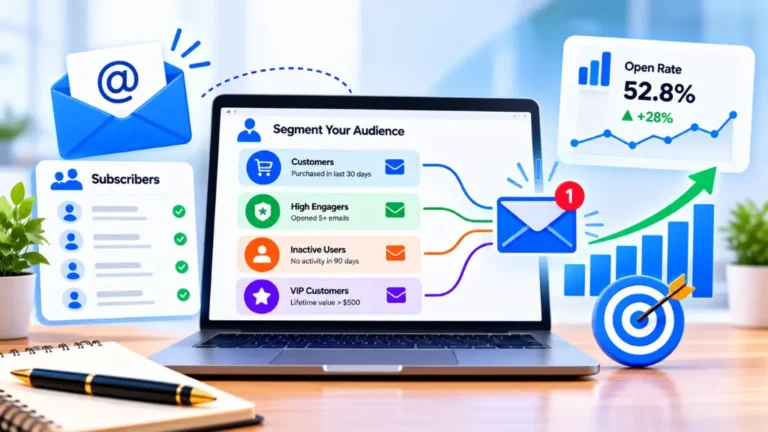
Email unsubscribe rate drops by 20 to 40% when content is segmented to match demonstrated subscriber interests rather than broadcast uniformly to the full list. Basic segmentation by engagement level (highly active, moderately active, inactive) ensures that different frequencies and content types reach the right subscribers.
Build segments based on:
- What they clicked in previous emails (topic interest signals)
- What they purchased or downloaded (lifecycle stage signals)
- Engagement recency (last open or click within 30, 60, or 90 days)
- How they joined the list (lead magnet type indicates content interest)
Fix 2: Add a Preference Centre to Your Unsubscribe Flow#
Email unsubscribe rate can be reduced by giving subscribers alternatives to a binary stay-or-leave choice. A preference centre – linked directly from the unsubscribe confirmation page – offers options to:
- Reduce frequency from weekly to monthly
- Choose specific content types they want to keep receiving
- Pause the subscription for a defined period (30 or 90 days)
- Update email address without leaving the list
Many subscribers who would have unsubscribed entirely are willing to stay on a lower-frequency cadence. The preference centre converts an exit into a re- engagement, preserving a relationship that would otherwise be lost.
Fix 3: Run a Re-Engagement Campaign Before Subscribers Disengage#
Email unsubscribe rate is reduced by intercepting at-risk subscribers before they reach the unsubscribe decision. Trigger a re-engagement sequence for any subscriber who has not opened or clicked in 60 to 90 days – before they become frustrated enough to leave.
A simple three-email re-engagement sequence:
- Email 1: “We’ve noticed you haven’t been around – here is our best content from the past 30 days” with a single CTA to the most-clicked recent piece
- Email 2 (one week later): A preference centre link with “Tell us what you want to see more of” framing
- Email 3 (one week after that): A clear “stay or leave” choice with a prominent stay-subscribed button
Subscribers who do not engage with any of the three emails should be suppressed from the active send list before they unsubscribe – removing them proactively protects both your deliverability and your unsubscribe rate.
People Also Ask: What is an email preference centre and how does it reduce unsubscribes? Short Answer: An email preference centre is a page where subscribers can manage their subscription settings – adjusting content type, send frequency, or taking a temporary pause – instead of unsubscribing completely. It reduces email unsubscribe rate by offering subscribers who are close to leaving a less final option. Many subscribers who would have unsubscribed with a single click are willing to stay when given the choice to reduce rather than eliminate email contact.
Fix 4: Align Welcome Sequence Content with What the Subscriber Expected#
Email unsubscribe rate is disproportionately elevated in the first 30 days for subscribers who discover that the ongoing newsletter does not match what they signed up for. The welcome sequence is the fix: use it to explicitly tell subscribers what they will receive, at what frequency, and why it is relevant to why they joined.
Clear expectation-setting in the first email reduces early unsubscribes by ensuring subscribers know what they have signed up for before the second email arrives.
Fix 5: Use Double Opt-In for New Subscribers#
Email unsubscribe rate is lower for lists built with double opt-in compared to single opt-in, because the confirmation step filters out subscribers who provided an address casually without genuine intent to engage. While double opt-in reduces initial list growth speed by 15 to 25%, it consistently produces higher engagement rates and lower unsubscribe rates for the subscribers who complete the confirmation.
Fix 6: Fix the Subscriber Experience on Mobile#
Email unsubscribe rate correlates with poor mobile experience. Over 65% of B2B emails are now read on mobile first; broken formatting, tiny fonts, or CTAs that require zooming create a poor experience that accumulates into unsubscribes. Audit every email template for mobile rendering using your email platform’s preview tool and send test emails to yourself on a smartphone before any major campaign goes live.
Fix 7: Send at the Right Time for Each Subscriber#
Email unsubscribe rate is influenced by delivery timing. Emails that arrive at inconvenient moments – the middle of a workday for decision-makers, or late at night for consumers – get less engagement and generate proportionally higher unsubscribes. Most modern email platforms include send-time optimisation features that use each subscriber’s historical open patterns to deliver emails when they are most likely to engage.
Fix 8: Make Unsubscribing Easy (Counterintuitively)#
Email unsubscribe rate management paradoxically benefits from a visible, accessible unsubscribe link. When the unsubscribe link is buried, hard to find, or requires multiple steps, frustrated subscribers choose the faster alternative – marking the email as spam. A spam complaint damages deliverability for your entire active list; an unsubscribe does not. Making it easy to leave cleanly protects your sender reputation and keeps your deliverability healthy for the subscribers who want to stay.
What Should You Not Do When Unsubscribe Rate Rises?#
Email unsubscribe rate responses that seem intuitive but make the situation worse:
- Cutting sending frequency as the first response – reduces exposure to engaged subscribers without fixing the relevance problem causing unsubscribes
- Removing the unsubscribe link – illegal under most anti-spam legislation and pushes unsubscribers toward spam complaints instead
- Buying a new list to replace churned subscribers – purchased lists have higher unsubscribe and spam complaint rates than organically grown lists, compounding the problem
- Ignoring the spike and hoping it passes – a rising unsubscribe rate that damages sender reputation takes 4 to 8 weeks of consistently clean sends to recover, during which deliverability for all campaigns is degraded
How Should Indian Businesses Approach Email Unsubscribe Rate?#
Email unsubscribe rate management for Indian businesses should account for WhatsApp re-engagement as an additional recovery option. For subscribers who stop opening emails but remain active WhatsApp users, a WhatsApp re-engagement message asking preferences – available through platforms like Brevo or CampaignHQ – can recover a relationship that email alone cannot re-activate.
According to Search Savvy’s insights from managing email health for Indian D2C and SMB clients, the most common cause of elevated unsubscribe rates in Indian email lists is an onboarding mismatch – subscribers who joined for a specific lead magnet and then received a generic weekly newsletter unrelated to what they initially downloaded. Aligning the first three emails specifically to the lead magnet topic consistently reduces early-list unsubscribe rates by the largest measurable margin of any single fix.
Conclusion: Relevance Is the Fix, Not Silence#
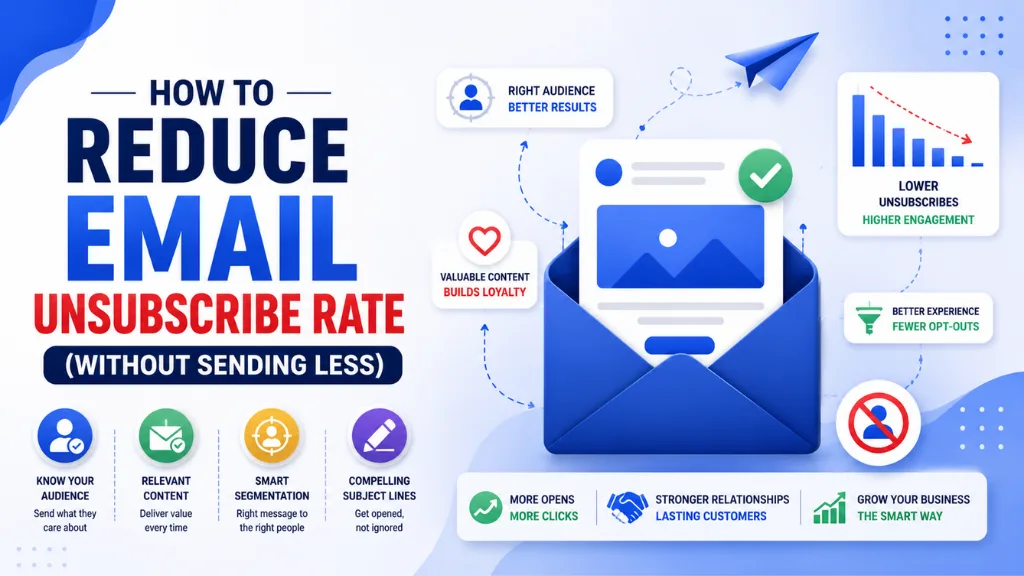
Email unsubscribe rate reduction is achieved by making every send feel relevant to every subscriber – not by sending fewer emails and hoping the problem resolves itself. Segmentation, preference centres, re-engagement sequences, and a clear welcome sequence that sets honest expectations are the fixes that address the actual cause.
Search Savvy treats email unsubscribe rate as a diagnostic signal rather than a target metric – a higher rate is telling you something specific about a mismatch between what you are sending and what your subscribers expected when they joined. Fix the mismatch, and the rate follows.
FAQ: Email Unsubscribe Rate – Your Questions Answered#
Q1: What email unsubscribe rate should I be aiming for in 2026? Under 0.5% per campaign is the healthy benchmark for opted-in lists. Under 0.1% is excellent and achievable with consistent segmentation and content relevance. Above 1% per campaign signals a problem worth investigating across content, frequency, and list acquisition. Compare your current rate against your own historical baseline as the primary signal.
Q2: Does a high unsubscribe rate hurt email deliverability? Yes, indirectly. High unsubscribe rates themselves do not directly damage deliverability, but they indicate a relevance problem that typically also produces higher spam complaint rates – and spam complaints directly damage sender reputation with inbox providers like Gmail and Outlook. The deliverability risk from an elevated unsubscribe rate is in the complaints it signals, not the unsubscribes themselves.
Q3: Is it better to remove inactive subscribers or try to re-engage them first? Always try to re-engage first. Run a three-email re-engagement sequence targeting subscribers inactive for 60 to 90 days before removing them. Those who re-engage are your most valuable recoveries. Those who do not respond to three re-engagement attempts should be removed – they are more likely to eventually mark emails as spam than to return as engaged subscribers.
Q4: Should I use double opt-in to reduce future unsubscribes? Yes, if long-term list quality is the priority over short-term growth speed. Double opt-in reduces initial list growth by 15 to 25% but produces meaningfully lower unsubscribe rates by filtering out subscribers who provided an address without genuine intent to engage.
Q5: Will adding a preference centre confuse subscribers? No. A well-designed preference centre with clear, simple options – reduce frequency, choose topics, take a break – is straightforward to use and consistently converts a portion of would-be unsubscribers into retained, lower-frequency subscribers. The link should be placed directly on the unsubscribe confirmation page rather than buried in every email footer.
Q6: Does Gmail’s 2025 Manage Subscriptions feature affect Indian email lists? Primarily for subscribers using Gmail accounts, which is common for Indian business users. If your list includes significant Gmail usage and unsubscribes spiked in late 2025 or 2026, check whether the timing aligns with Gmail’s rollout. Compare raw unsubscribe counts to unique-subscriber unsubscribe counts in your platform analytics before making strategic content or frequency changes based on inflated headline numbers.
Seeing an elevated email unsubscribe rate and unsure whether it is a content problem, a frequency problem, or a Gmail reporting issue? Visit Search Savvy for an email marketing audit that diagnoses the specific cause and maps the fixes that apply to your list.