What Is Email Automation and How to Set It Up for Your Business?

Here is the email marketing gap that separates businesses generating consistent revenue from their lists and those sending one newsletter a month and wondering why nothing converts: automation.
In this article17 sections
Email automation is the difference between manually sending every email and having a system that sends the right message to the right person at exactly the right moment – triggered by what they did, not by when you happened to have time to write something.
Email automation accounts for only 2% of total email volume globally, yet generates 37% of all email marketing revenue. One in three automated email clicks results in a purchase, compared to one in eighteen for standard campaign emails. The maths is straightforward: automated emails reach subscribers at moments of peak intent – right after they sign up, right after they abandon a cart, right before they would have churned – and that timing produces revenue no manually scheduled campaign can replicate.
Email automation in 2026 is also more accessible than at any point before. Free tiers of tools including MailerLite, Brevo, and Kit now include functional automation builders at no cost. What previously required enterprise-level platforms is now achievable for a solo founder or small team in an afternoon’s setup.
At Search Savvy, every content and digital marketing strategy we build includes at least a basic email automation layer, because the returns from a well-configured automation sequence compound continuously without additional effort after the initial setup. This guide covers exactly what email automation is and how to set it up.
What Is Email Automation?#
Email automation is a system that sends pre-written emails to subscribers automatically, triggered by specific actions they take or time intervals that pass – rather than requiring manual sending for each message.
Email automation differs from a standard email campaign in one fundamental way: campaigns are sent at a time you choose, to everyone on a list simultaneously. Automated emails are sent individually, triggered by each subscriber’s own behaviour – signing up, clicking a link, making a purchase, going inactive – at the moment that behaviour occurs.
A subscriber who signs up at 3am on a Sunday receives their welcome email immediately, not when someone in the office checks the inbox on Monday morning. A customer who abandons a cart on Friday night receives a reminder on Saturday morning, not in next month’s newsletter.
People Also Ask: What is the difference between email automation and email marketing? Short Answer: Email marketing is the broader practice of using email to communicate with subscribers and customers. Email automation is a specific type of email marketing where emails are triggered automatically by subscriber behaviour or time intervals rather than sent manually. All email automation is email marketing; most email marketing is not automated – and the automated portion generates a disproportionate share of revenue.
Why Is Email Automation Important in 2026?#
Email automation matters more in 2026 because subscriber expectations have risen and manual email management simply does not scale with modern customer journey complexity.
Automated emails generate 320% more revenue than non-automated emails, according to 2026 benchmarking data from multiple email platforms. The reason is timing – automated emails reach subscribers when intent is highest, which is rarely the same moment a mass campaign happens to be sent.
Email automation also compounds. A welcome sequence set up today will still be running for every new subscriber in three years, without a single additional hour of work. A cart abandonment flow configured this month will recover revenue from every abandoned cart for as long as the business operates. Every hour invested in automation setup produces returns indefinitely, unlike campaign emails that require ongoing effort for each send.
- Automated emails account for 37% of all email revenue from just 2% of total email volume
- One in three automated email clicks results in a purchase – six times the rate of standard campaigns
- Welcome emails have the highest open rate of any email type, averaging 40.55% globally in 2026
- Abandoned cart sequences recover an average 3 to 5% of abandoned carts as completed purchases – directly measurable revenue from setup investment
People Also Ask: Do automated emails get better open rates than regular emails? Short Answer: Yes, significantly. Automated emails average a 40.55% open rate globally, compared to an average 26.6% for standard marketing campaigns. The reason is contextual relevance – automated emails are triggered by specific subscriber behaviour, making them far more relevant to the recipient at the moment of receipt than a broadcast email sent to an entire list simultaneously.
How Does Email Automation Work?#
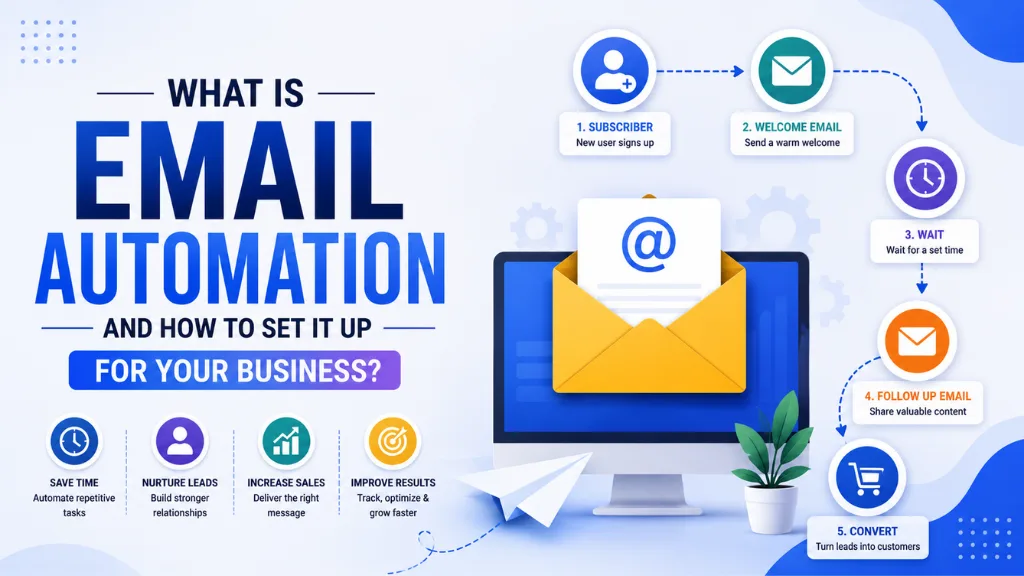
Email automation works through a trigger-condition-action structure. Every automated sequence starts with a trigger – an event that signals a specific subscriber should enter the flow. The platform then evaluates conditions – optional filters that qualify or segment which subscribers proceed – and executes the action, sending the appropriate email.
A simple example: trigger (new subscriber joins list) → condition (subscribed via the SEO guide lead magnet) → action (send welcome email with the guide attached, then send three follow-up emails over seven days sharing related tips).
Email automation can be trigger-based (event-driven) or time-based (drip sequences), and most platforms support both within the same workflow builder. Event-driven automation reacts to what subscribers do; time-based drip sequences send emails at fixed intervals after an initial trigger regardless of interim behaviour.
What Are the Most Important Email Automation Sequences to Set Up?#
Email automation should be prioritised in order of revenue and relationship impact – build the sequences that generate the most measurable return first, and expand into more sophisticated flows once the foundation is running.
1. The Welcome Sequence (Highest Priority)#
Email automation starts here. The welcome email is sent the moment a new subscriber joins a list – and it has the highest open rate of any email the business will ever send, precisely because subscriber interest is at its peak at the moment of sign-up.
A well-designed welcome sequence runs three to five emails over seven to fourteen days:
- Email 1 (immediately): Deliver the lead magnet or promised content, introduce the brand, set expectations for what subscribers will receive and how often
- Email 2 (day 2–3): Share the single most useful piece of existing content relevant to why they subscribed
- Email 3 (day 5–7): Tell a story, share a case study, or reveal something unexpected about the topic they are interested in
- Email 4 (day 10–14): Make a soft call to action – a free consultation, a resource, or a relevant offer – after trust has been built
Email automation in the welcome sequence generates 86% more revenue than single welcome emails, according to Omnisend’s 2026 automation benchmark data. A three-to-five email sequence outperforms a single welcome email every time.
2. The Abandoned Cart Sequence (Highest E-Commerce ROI)#
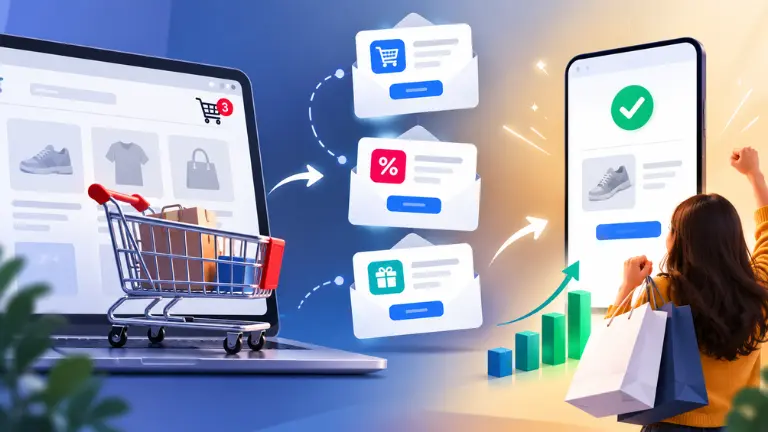
Email automation for e-commerce businesses should prioritise abandoned cart recovery as the second sequence to build. Cart abandonment rates average 70% across all e-commerce categories – meaning roughly seven in ten customers who add a product to their cart leave without purchasing.
A three-email abandoned cart sequence captures a meaningful portion of those intent-driven visitors:
- Email 1 (1 hour after abandonment): Gentle reminder showing the specific items left in the cart with a direct return link
- Email 2 (24 hours after abandonment): Address the most common objection for your product category – shipping cost, product quality concern, or size confidence – with social proof or a guarantee
- Email 3 (72 hours after abandonment): Create urgency through limited stock notification, expiring discount, or a personalised incentive
The average revenue per recipient from an abandoned cart sequence is 14.5x higher than from a standard promotional email to the same list size.
3. The Re-Engagement Sequence (List Health)#
Email automation for re-engagement targets subscribers who have not opened or clicked an email in 90 to 180 days. This sequence serves two purposes: winning back valuable subscribers before they fully disengage, and identifying inactive subscribers who should be removed before they damage deliverability metrics.
A three-email re-engagement sequence:
- Email 1: A “we’ve missed you” message with a clear value reminder and a specific single CTA
- Email 2 (one week later): A different angle – a new resource, a changed offer, or a personal question asking what they most want from the subscription
- Email 3 (one week after Email 2): A final notice that the subscription will be paused unless they confirm they want to stay, with a prominent “Keep me subscribed” button
Subscribers who do not re-engage after three emails should be removed from the active list. Sending to permanently inactive addresses harms deliverability for all future campaigns.
4. The Post-Purchase Sequence (Retention and LTV)#
Email automation for post-purchase serves a function that most businesses ignore: converting a one-time buyer into a repeat customer, which is six to seven times cheaper than acquiring a new one.
A post-purchase sequence sends over four to six weeks following a completed order:
- Email 1 (immediately): Order confirmation with full purchase summary
- Email 2 (day 3–5): Onboarding or usage tips that help the customer get maximum value from the purchase
- Email 3 (day 14–21): Social proof request – review, testimonial, or referral incentive – when the customer has had time to experience the product
- Email 4 (day 30–45): Relevant cross-sell or upsell recommendation based on what was purchased
People Also Ask: How many emails should be in an automated welcome sequence? Short Answer: Three to five emails over seven to fourteen days is the consistently best-performing range. A single welcome email generates the lowest revenue per subscriber. Five-email sequences consistently outperform three-email ones for list engagement, but sequences beyond seven emails see diminishing returns and increased unsubscribe rates. Start with three and add emails as data confirms engagement is sustained.
How Do You Set Up Email Automation for Your Business?#
Email automation setup follows a clear sequence that applies regardless of which platform you use. The planning stage takes longer than the technical setup – getting the strategy right before touching the platform prevents rebuilding workflows from scratch after launch.
Step 1: Choose the Right Email Platform#
Email automation capabilities vary significantly between platforms. MailerLite, Brevo, and Kit all include automation on their free plans – a functional starting point for small businesses. ActiveCampaign leads on automation complexity and depth for scaling businesses. Zoho Campaigns is the most practical choice for Indian businesses wanting INR billing with automation included.
Verify that the platform supports:
- Trigger-based automation (not just time-based drip)
- Branching logic (different paths for different subscriber actions)
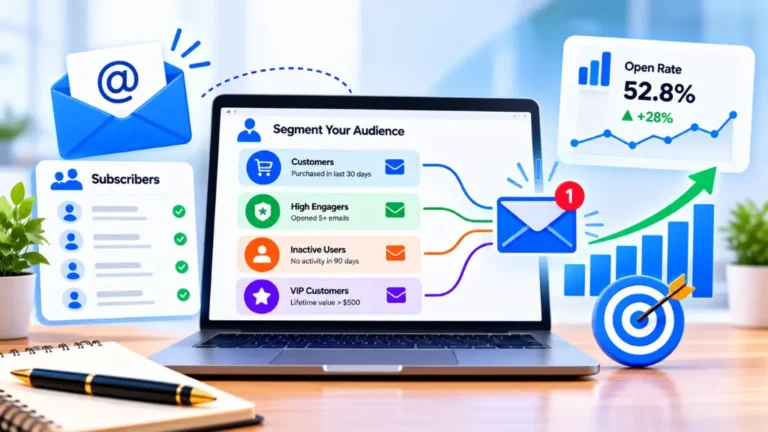
- Tag-based segmentation to personalise automation paths
- Email-level analytics showing opens and clicks within each automated sequence
Step 2: Map the Customer Journey Before Writing#
Email automation works best when designed around the specific journey a subscriber takes from discovery to purchase to retention. Before writing a single email, draw a simple flowchart showing: what triggered the entry into the automation, what the subscriber needs at each stage, and what action each email is trying to produce.
Step 3: Write the Emails#
Email automation copy follows the same principles as any effective email – a specific, compelling subject line, a clear single focus per email, and one explicit call to action. The automation context changes the writing approach slightly: each email should acknowledge where the subscriber is in their journey (“You just signed up” or “You left something in your cart”) to maintain relevance.
Step 4: Set the Triggers and Timing#
Email automation trigger setup varies by platform but always requires:
- The specific trigger event (form submission, tag applied, purchase completed)
- The timing delay between each email in the sequence
- Any conditions that qualify or exclude subscribers from entering the flow
A 24-hour delay between welcome sequence emails is standard. Abandoned cart Email 1 should be immediate (within one hour) since cart intent peaks in that window. Re-engagement emails should be spaced one week apart.
Step 5: Test Before Going Live#
Email automation should be tested by adding a test email address through the actual trigger mechanism – not just through a manual preview. Confirm every email renders correctly on both mobile and desktop, all links work, merge tags display correctly, and the sequence advances through each step as designed.
How Should Indian Businesses Approach Email Automation?#
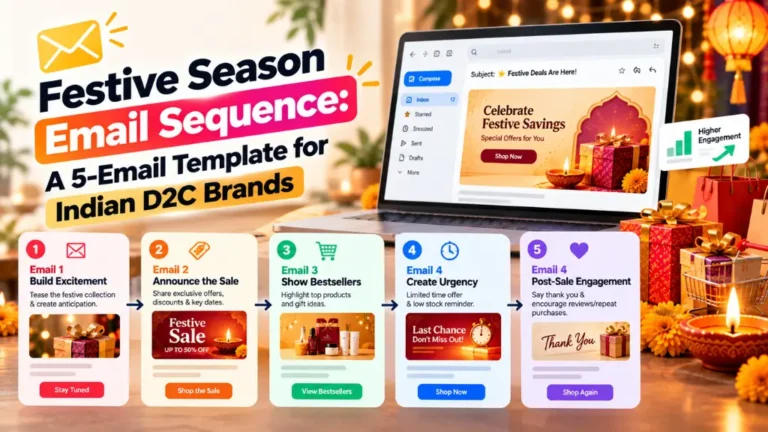
Email automation for Indian businesses benefits from one specific adaptation: WhatsApp trigger integration. For brands using Brevo or CampaignHQ, WhatsApp messages can be incorporated into automation sequences alongside emails – sending a WhatsApp reminder as a first touch for a cart abandonment flow, for example, before the email sequence begins.
According to Search Savvy’s insights from setting up email automation for Indian D2C and service businesses, the most common setup mistake is building complex automation before the welcome sequence and cart abandonment flow are live. These two sequences alone generate 60 to 70% of total email automation revenue for most businesses – getting them running first and running well consistently outperforms an elaborate automation map where no individual sequence has been optimised.
Conclusion: Set Up Once, Earn Continuously#
Email automation is the closest equivalent to a passive income mechanism in digital marketing. Built correctly, it sends the right message to every subscriber at the right moment – regardless of what time it is, what your team is doing, or how long the subscriber has been on your list.
Search Savvy recommends every business start with a three-email welcome sequence and a cart abandonment flow before building anything else, because these two automations alone generate more revenue per hour of setup than any other email marketing investment available.
FAQ: Email Automation – Your Questions Answered#
Q1: What is the best email automation platform for beginners? MailerLite and Brevo are both excellent starting points – they include automation on free plans, use visual workflow builders that are beginner-friendly, and provide enough functionality for all four core sequences (welcome, cart abandonment, re-engagement, post-purchase). MailerLite has a slightly cleaner editor; Brevo adds WhatsApp integration for Indian businesses.
Q2: How long does it take to set up email automation? A basic three-email welcome sequence with triggers correctly configured takes two to four hours for someone setting it up for the first time. An abandoned cart sequence takes a further two to three hours. Both are one-time investments that generate returns indefinitely – the setup cost per revenue generated is lower for automation than for any other email marketing activity.
Q3: Do I need a large email list to benefit from email automation? No. Email automation generates value from the first subscriber because it ensures every new subscriber receives an immediately relevant, personalised welcome experience – something that has a positive compounding effect regardless of list size. A list of 100 subscribers with proper welcome automation and cart abandonment flows will generate more revenue per subscriber than a list of 10,000 receiving only occasional broadcast campaigns.
Q4: Can email automation feel too impersonal for small businesses? Only if the automation copy reads as generic. Automated emails that use the subscriber’s first name, reference the specific lead magnet they downloaded, or acknowledge exactly what they just did feel more personal than a manually sent email to an entire list – because they are specifically relevant to that individual’s action. Personalisation in automation is about contextual relevance, not just name tokens.
Q5: How do I measure whether my email automation is working? Track four metrics per sequence: open rate (sequence health – if under 20%, subject lines or sender reputation needs attention), click rate (content relevance – if under 2%, email value or CTA clarity needs review), conversion rate (sequence effectiveness – purchases, sign-ups, or goal completions per email sent), and revenue per subscriber (the ultimate bottom-line metric for commercial sequences like cart abandonment and post-purchase).
Q6: Does email automation work alongside WhatsApp marketing in India? Yes. Platforms including Brevo and CampaignHQ support combined email and WhatsApp automation workflows. A common high-performing sequence for Indian e-commerce businesses sends a WhatsApp message as the first cart abandonment touch (since WhatsApp open rates exceed 90%) and follows up with email for subscribers who do not respond on WhatsApp – capturing the conversion across both channels for maximum recovery rate.
Not sure whether your email automation is set up correctly – or starting from scratch and want to build the highest-return sequences first? Visit Search Savvy for a digital marketing strategy session that covers email automation setup from trigger design to sequence optimisation.