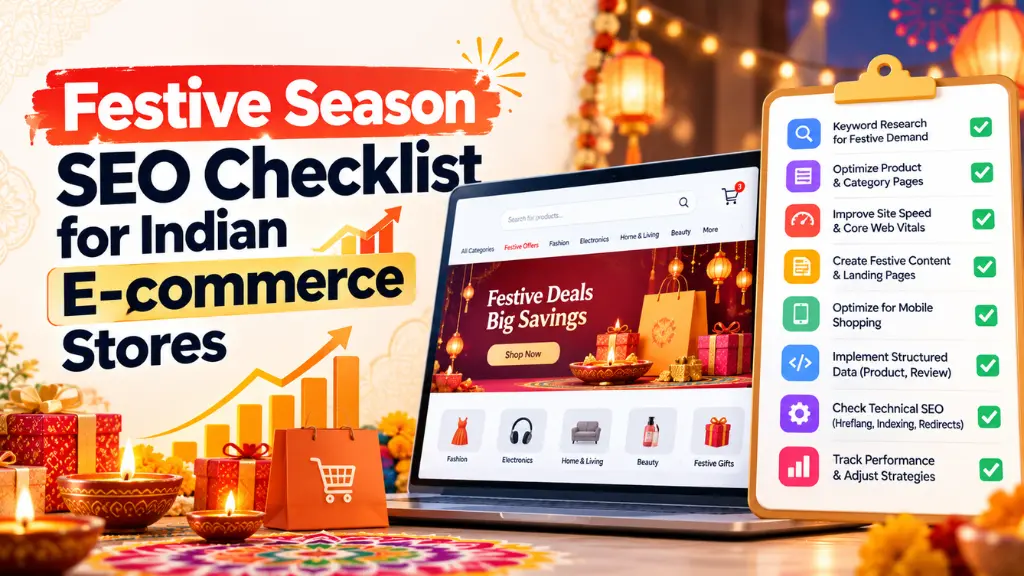
Festive Season SEO Checklist for Indian E-commerce Stores

Festive season SEO is mostly decided before the festival starts. Flipkart has announced Big Billion Days from 9 October, with early access on 8 October, Amazon’s Great Indian Festival is reported to open on 8 October, and Diwali’s main day is Sunday, 8 November 2026. In the 2024 season, Redseer found that 51% of festive GMV arrived in the first 11 days. A sale page Google discovers in November has missed much of the demand.
In this article19 sections
This checklist covers seasonal landing pages, holiday keyword targeting, festive schema markup, sale page indexing and post-sale cleanup, in the order to tackle them. The short version: publish one permanent sale URL now, mark up sale prices with start and end dates, keep your sitemap current, and never delete the page afterward.
What Is Festive Season SEO?#
Festive season SEO is preparing an online store’s pages, product data and technical setup so festival-driven searches find accurate, indexable, fast pages before demand peaks. It covers seasonal landing pages, keyword targeting, structured data, indexing and cleanup after the sale.
It is not a separate discipline. Google’s guide to generative AI features in Search says core SEO practices still apply, and notes that Merchant Center feeds can help products appear in AI responses.
The 2026 Festive Calendar and Your SEO Deadlines#
| Date (2026) | Event | SEO deadline |
| 8 to 9 Oct | Amazon and Flipkart festive sales open | Sale pages indexed, schema live |
| 11 to 20 Oct | Navratri, then Dussehra on 20 Oct | Festive wear and collection pages ready |
| 29 Oct | Karwa Chauth | Gifting pages linked from home |
| 6 Nov | Dhanteras | Feeds and stock status accurate |
| 8 Nov | Diwali (Lakshmi Puja) | Delivery cut-off messaging visible |
| 10 to 11 Nov | Bhai Dooj | Last-call gifting pages |
Dates vary slightly by source and regional panchang, so confirm them. Most 2026 festivals fall later than in 2025 because of an extra lunar month, which stretches the run between marketplace launches and Diwali.
The stakes are high. Redseer reported that the first 11 days of the 2025 festive sales generated ₹60,000 to 62,000 crore in GMV from about 90 million shoppers, with 60 to 65% from Tier 2+ cities. Flipkart and Amazon also accounted for nearly two-thirds of festive transactions in 2025, so smaller stores need sharper targeting.
The Festive Season SEO Checklist#
1. Build Seasonal Landing Pages on Permanent URLs#
A seasonal landing page is a dedicated page for one sales event, such as Diwali, that keeps the same URL every year. Reusing the URL lets it accumulate links and history instead of starting from zero each season.
Google’s deals-page advice is direct: “Create a dedicated page for each promotional event.” Its Search Central guidance also says to reuse the same URL each year, create pages early, link to them from your home page, and put the event in the title. That advice comes from a 2021 post about a US-only deals carousel, but the principles hold for any store.
- Use /diwali-sale/, not /diwali-sale-2026/.
- Go beyond a product grid: add gift guides by budget and recipient, offer terms and delivery cut-off dates.
- Link from the home page, navigation and relevant category pages. Google notes that pages with more internal links are treated as more important.
2. Target Holiday Keywords by Intent, Not Volume#
Holiday keyword targeting works best when each query type gets the right page. Map “diwali sale” searches to your sale page, “gifts for parents under ₹2,000” to a gift guide, and “silver coin for Dhanteras” to a category or product page. These are illustrative; use last year’s Search Console queries and internal site search terms to find your own.
Resist creating hundreds of near-identical pages. Google says building separate pages for every query variation mainly to manipulate results can violate its scaled content abuse policy. Structured keyword research helps you decide which intents deserve a page and which belong inside one.
3. Add Festive Schema Markup to Product Pages#
Google has no festival-specific markup, but its merchant listing documentation supports sale pricing. The active price becomes a sale price when you add the original price as a strikethrough price. You can also state when the sale runs using validFrom and either validThrough or priceValidUntil, in ISO 8601 format with a timezone. India’s is +05:30.
{
“@context”: “https://schema.org/”,
“@type”: “Product”,
“name”: “Brass Diya Set (12 pcs)”,
“image”: “https://example.com/diya.jpg”,
“offers”: {
“@type”: “Offer”,
“price”: 799,
“priceCurrency”: “INR”,
“availability”: “https://schema.org/InStock”,
“validFrom”: “2026-10-08T00:00:00+05:30”,
“priceValidUntil”: “2026-11-11T23:59:59+05:30”,
“priceSpecification”: {
“@type”: “UnitPriceSpecification”,
“priceType”: “https://schema.org/StrikethroughPrice”,
“price”: 999,
“priceCurrency”: “INR”
}
}
}
Follow these rules from Google’s documentation:
- Add Product markup to pages where shoppers can buy a product, not to category or sale listing pages.
- Put it in the initial HTML. Markup generated by JavaScript can make Shopping crawls less frequent and less reliable, which is risky for changing prices.
- Declare shipping and return policies once at organization level. If you extend festive return windows, update that policy markup, and Search Savvy’s free product schema generator and organization schema generator can help you draft the JSON-LD.
- Keep the prices in your markup, your page and your feed identical.
4. Get Your Sale Page Indexed Before Launch#
Sale page indexing is where most festive plans fail quietly. Google notes it may take several days to find and crawl a new page, and that indexing is never guaranteed. Work through this list:
- Confirm the page is not blocked by robots.txt, a noindex tag or a login wall.
- Add it to your XML sitemap; Search Savvy’s free sitemap XML generator is one option for smaller stores.
- Use the URL Inspection tool to test the page, then request a recrawl.
- Make sure product links are real <a href> links. Google’s crawlers generally do not click buttons, so “Load more” pagination needs crawlable URLs.
- If crawling or rendering problems appear, a technical SEO audit can trace them.
5. Protect Speed and Crawl Efficiency#
Filters can multiply URLs quickly. Google’s faceted navigation guidance suggests allowing crawling of individual product pages plus one listing page showing all products, and disallowing filter URLs in robots.txt if you do not need them indexed. It also advises returning a 404 for filter combinations with no results.
Also prepare for traffic spikes. Google’s guide recommends a good page experience, including reduced latency, so test mobile speed and server capacity before the marketplaces launch.
6. Sync Merchant Center and Track the Right Numbers#
Submit or update your product feed with sale_price and sale_price_effective_date before the sale opens, so Shopping results match your pages. Google’s Merchant Center documentation explains both attributes.
Then measure. Google’s Generative AI performance reports in Search Console, which Google says reached all websites worldwide on 31 August 2026, show impressions in AI Overviews and AI Mode. Check your sale URL’s impressions, clicks and indexing status daily during the first week, and compare them with last year’s festive data.
7. Clean Up Properly After the Sale#
When the sale ends, keep the URL live. Replace offers with an evergreen or “back next year” message, and update your feed. Remove expired sale markup: Google warns a listing may not display if priceValidUntil is a past date. Then review results and note lessons for 2027.
Common Mistakes to Avoid#
- Using dated URLs. They reset your history every year.
- Marking up listing pages. Merchant listing markup belongs on product pages.
- Leaving expired price dates. Past dates can suppress listings.
- Publishing at launch. Discovery takes days.
- Mass-producing thin pages. Fewer, stronger pages are safer under Google’s spam policies.
Frequently Asked Questions#
When Should I Publish My Diwali Sale Page?#
Before the marketplace sales open on 8 to 9 October, ideally this week. Google says a new page can take several days to be found and crawled, so earlier publishing leaves room to fix indexing problems before demand peaks.
Should I Create a New URL for Each Festival?#
Create one permanent URL per event, then reuse it yearly. Diwali and Navratri are separate events, so each can have its own page. Google recommends a dedicated page for each promotional event and reusing the same URL each year.
Is There Schema Markup for Sales or Festivals?#
Not for festivals specifically. Google documents Product and Offer markup for sale pricing, including strikethrough prices and sale start and end dates. Its July 2026 documentation update added formal support for sale duration properties.
How Long Does Sale Page Indexing Take?#
Google says it may take several days after publishing to find and crawl a page, and it does not guarantee indexing. Speed it up with sitemap inclusion, internal links from your home page and a recrawl request.
Can Small Stores Compete With Flipkart and Amazon?#
On broad terms like “diwali sale mobiles,” rarely. Redseer estimated horizontal platforms handle about two-thirds of festive transactions. Target specific gifting, category and brand intents, and keep product data accurate in structured data and Merchant Center.
What Should I Do With the Sale Page After Diwali?#
Keep the URL, remove expired offers and schema dates, and prepare it for next year. Deleting it discards accumulated links and forces a fresh start when the next festive season arrives.
The Bottom Line#
Festive season SEO rewards early, tidy execution: a permanent sale URL, accurate sale schema, crawlable links, a current sitemap and a clean post-sale reset. Your next step is simple. This week, choose the sale URL, publish the page, add dated product markup and request indexing before 8 October. If you would like a second pair of eyes on your setup, Search Savvy’s e-commerce SEO services are a good place to start.