WordPress vs Webflow: Which CMS Should You Choose?
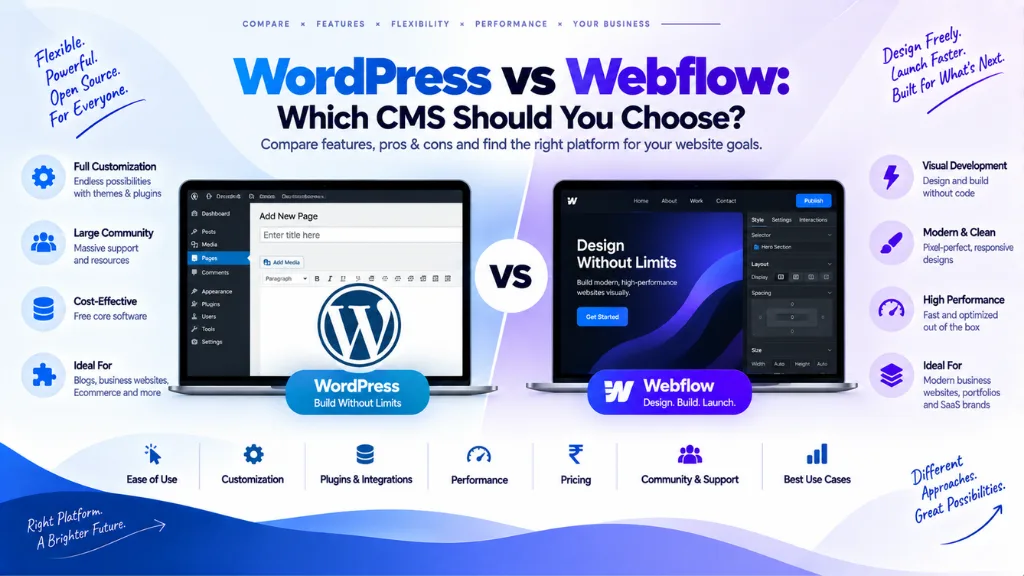

There’s no single correct answer to WordPress vs Webflow – independent comparisons published throughout 2026 don’t even agree with each other, some declaring WordPress the clear winner and others favouring Webflow, largely because they’re weighting different priorities. The honest, useful answer isn’t “which platform is better” but “which platform matches your specific content volume, technical resources, and appetite for ongoing maintenance.”
In this article15 sections
This guide breaks down the real differences across pricing, design, performance, SEO, and long-term scalability, and gives a direct decision framework rather than pretending one platform universally wins.
What Is WordPress?#
WordPress is a free, open-source content management system that powers a larger share of the web than any other CMS. It’s self-hosted by default, meaning you choose your own hosting provider, and its core strength is an enormous ecosystem of themes and plugins that extend its functionality almost indefinitely – from basic blogs to complex membership sites and large-scale e-commerce stores.
What Is Webflow?#
Webflow is a hosted, visual website-building platform that combines design tools, a built-in CMS, hosting, and site management in a single integrated environment. Rather than writing code or configuring separate plugins, users build pages through a visual canvas that generates clean HTML and CSS underneath – positioned specifically for designers and teams who want precise visual control without a full development workflow.
Pricing: Sticker Price vs. Total Cost of Ownership#
WordPress’s core software is free, but that figure alone significantly understates what a real, professional WordPress site actually costs to run. Webflow’s pricing is higher upfront but bundles hosting, security, and updates into one predictable subscription.
| WordPress Setup Tier | What’s Included | Typical Monthly Cost |
| Bare minimum | Shared hosting, free plugins only | Roughly $3–10 |
| Realistic professional setup | Managed hosting, premium SEO/security/caching plugins, page builder | Meaningfully higher than bare minimum |
| Full professional setup | Managed hosting (e.g., WP Engine/Kinsta tier), full premium plugin stack, occasional developer time | The highest tier, and the most representative of an actual business-grade WordPress site |
| Webflow Tier | What’s Included | Cost Structure |
| All plans | Hosting, CDN delivery, automatic image optimization, security, and platform updates bundled together | Predictable, all-inclusive monthly subscription with no separate plugin costs |
Several 2026 comparisons converge on the same overall conclusion: Webflow tends to win on total cost of ownership for most business sites once realistic WordPress hosting, plugin, and maintenance costs are factored in, while WordPress wins specifically at the bare-bones entry level – a comparison that comes with real performance, security, and maintenance trade-offs at that lowest tier.
Design and Ease of Use#
Webflow’s visual, canvas-based editor gives designers precise, pixel-level control without writing code, and it’s built specifically around web design concepts like CSS and responsive layout – genuinely powerful once understood, but with a real learning curve for anyone unfamiliar with those concepts. WordPress’s ease of use varies considerably depending on the theme and page builder chosen; a well-selected modern theme can be simple to manage, while an older or more complex setup can feel considerably more technical.
For a designer or small agency prioritising fast, polished, visually controlled builds without managing separate hosting and plugin decisions, Webflow’s workflow is generally the more approachable path. For non-technical content teams who mainly need to write and publish articles regularly, a well-configured WordPress install can be equally simple to use day-to-day.
Performance and Core Web Vitals Out of the Box#
Webflow’s integrated hosting delivers pages from a global CDN with automatic compression and image optimization by default, and multiple independent 2026 reviews report Webflow sites commonly achieving strong Core Web Vitals scores without additional optimization effort. This “high floor” is a genuine advantage for teams without dedicated technical resources to fine-tune performance themselves.
WordPress’s performance depends entirely on hosting choice and configuration – a well-optimised WordPress install on quality managed hosting can match or approach Webflow’s baseline, but that outcome requires deliberate technical work: fast hosting, caching configuration, and ongoing auditing to catch performance regressions introduced by accumulated plugins over time. WordPress 6.9’s performance improvements have narrowed this gap, but the fundamental difference remains: Webflow’s performance ceiling is high by default, while WordPress’s performance is a direct function of how well it’s built and maintained.
SEO Capabilities: Where Each Platform Actually Wins#
This is the area where 2026 comparisons diverge most, largely because “SEO capability” actually means two different things depending on context.
Webflow’s built-in SEO controls are strong and require no plugins: meta titles, meta descriptions, canonical tags, Open Graph fields, and custom URLs are all natively editable in the interface, and the platform’s clean, semantic HTML avoids the code bloat that can accompany heavily plugin-stacked WordPress themes. Webflow’s January 2026 “AI Optimize” tool adds AI-generated meta titles and descriptions along with automated hreflang support for international SEO, all without additional plugins – a meaningful convenience layer for teams without dedicated SEO staff.
WordPress offers deeper, more granular control for advanced technical SEO, particularly through established plugins like Yoast SEO and Rank Math, which remain widely regarded as best-in-class for structured data, advanced XML sitemap configuration, and fine-grained content optimisation guidance. Webflow’s native tools cover the essentials well but don’t make complex schema markup additions as straightforward, generally requiring custom code or an App Marketplace integration to match what a WordPress SEO plugin handles natively.
The practical split: Webflow suits teams wanting strong SEO performance without ongoing technical management; WordPress suits teams with the capacity and expertise to actively manage and optimise a more powerful, more configurable toolset. For most businesses, content quality and technical implementation ultimately matter more to actual ranking performance than the platform choice itself – the platform sets the ceiling and the floor, not the entire outcome.
AI Features in 2026#
Both platforms have been actively building AI capabilities into their core products through 2026, though these features are recent enough that it’s worth verifying their current state directly before relying on marketing descriptions alone. Webflow’s AI Optimize tool, introduced in January 2026, automates meta tag generation and hreflang setup. WordPress’s ecosystem has reportedly been building toward broader native AI tooling as part of its core release cycle, alongside the AI capabilities various premium plugins have added independently. Given how quickly this specific area is evolving, checking each platform’s current documentation directly before making a decision based on a specific AI feature is a reasonable precaution.
Content Volume and Scalability#
WordPress has no built-in content caps and an open architecture that scales from a small blog to an enterprise-level site with thousands of pages, multiple user roles and editorial workflows, and complex third-party integrations. This makes it the stronger choice specifically for content-heavy publications, large e-commerce catalogues, or sites requiring deep custom functionality.
Webflow performs well for the use cases it’s designed around – marketing sites, portfolios, landing pages, and design-focused brand presences – but multiple 2026 comparisons note it can become comparatively restrictive as a site’s content volume and structural complexity grow well beyond that scope. A business expecting to scale into hundreds of pages, large product catalogues, or complex third-party integrations has a stronger long-term case for WordPress’s more open architecture.
Security and Maintenance#
WordPress’s open, self-hosted architecture means security is a direct, ongoing responsibility – keeping core software, themes, and plugins updated, and actively managing the larger attack surface that comes with a widely used, plugin-extensible platform. Webflow’s hosted model bundles security, updates, and infrastructure management into the platform itself, meaning a team using Webflow generally doesn’t need to think about patching or plugin vulnerabilities the way a self-hosted WordPress site owner does.
This is a genuine trade-off, not a simple win for either side: WordPress’s flexibility comes with maintenance responsibility; Webflow’s managed simplicity comes with less direct control over the underlying infrastructure.
Migration and Lock-In: What Happens If You Switch Later#
This is a detail worth weighing before committing to either platform, and it isn’t symmetrical. Migrating away from Webflow exports your CMS content as a CSV file, which is importable elsewhere, but the actual visual design does not transfer – moving to another platform means rebuilding the design from scratch. WordPress’s more open architecture generally makes both migrating in and out somewhat more flexible, since content, themes, and functionality aren’t as tightly bundled into one proprietary system.
For a business that expects its platform needs to evolve significantly over the coming years, this asymmetry is worth factoring in directly, independent of which platform looks better on a feature-by-feature basis today.
Head-to-Head Comparison#
| Factor | WordPress | Webflow |
| Core software cost | Free (self-hosted) | Paid subscription (all-inclusive) |
| Realistic total cost of ownership | Often higher once hosting, plugins, and maintenance are included | Generally lower and more predictable for most business sites |
| Design control | High, theme- and page-builder-dependent | Very high, visual and precise by design |
| Default performance | Depends entirely on hosting and configuration | Strong by default, minimal extra effort needed |
| SEO depth | Deeper, more granular, plugin-dependent | Strong essentials natively, less flexible for advanced schema |
| Content scalability | Effectively unlimited, enterprise-capable | Best suited to marketing sites and moderate content volume |
| Maintenance responsibility | High – updates, security, and performance are on you | Low – bundled into the hosted platform |
| Migration flexibility | More open; easier to move content and functionality elsewhere | Content exports easily; design must be rebuilt elsewhere |
Which Should You Choose?#
Choose WordPress if:
- You publish content regularly and need long-term flexibility to add complex functionality.
- You have, or can hire, development resources to manage hosting, security, and plugins properly.
- You’re building an e-commerce store, membership site, or content-heavy publication expected to scale significantly.
- You want full code ownership and the ability to move your stack freely in the future.
Choose Webflow if:
- You value visual design control and a fast, clean build process over the lowest possible sticker price.
- You’re an agency, freelancer, startup, or small business building a marketing site, portfolio, or brand presence without in-house development capacity.
- You want hosting, security, and performance handled for you, with minimal ongoing technical management.
- Your content volume and structural complexity are expected to stay moderate rather than growing into an enterprise-scale operation.
Common Mistakes When Choosing Between Them#
- Comparing only the sticker price. WordPress’s “free” core software often costs more in realistic hosting, plugins, and maintenance than Webflow’s all-inclusive subscription, once a fair, professional-grade comparison is made.
- Choosing WordPress without the resources to maintain it properly. A neglected WordPress site – outdated plugins, no caching strategy, accumulated performance debt – underperforms Webflow’s default baseline significantly.
- Choosing Webflow for a site expected to scale far beyond a marketing presence. Large content libraries, complex e-commerce, or deep custom integrations tend to outgrow Webflow’s more integrated, less open architecture.
- Ignoring migration cost when committing to Webflow. Building extensive custom design work in Webflow without considering that a future migration means rebuilding that design from scratch can be a costly surprise later.
- Assuming one platform automatically wins on SEO. Both are genuinely capable of ranking well; content quality and technical implementation generally matter more to real-world SEO outcomes than the platform choice alone.
Frequently Asked Questions#
Is Webflow better than WordPress for SEO? It depends on what “better” means. Webflow’s native SEO controls are strong and require no plugins, and its default performance tends to support strong Core Web Vitals scores without extra effort. WordPress offers deeper, more granular SEO control through established plugins, particularly for advanced technical and structured data needs, at the cost of requiring more active management.
Is WordPress cheaper than Webflow? Only at the most basic tier. WordPress’s core software is free, but a realistic, professional setup – quality hosting, premium plugins, security, and maintenance – often costs as much as or more than Webflow’s all-inclusive subscription once totalled honestly.
Can I migrate my content from Webflow to WordPress later? Yes, Webflow’s CMS content exports as a CSV file that can be imported into WordPress or another platform. The visual design itself does not transfer in that process and would need to be rebuilt separately.
Which platform is better for a large, content-heavy website? WordPress, generally. Its open architecture has no built-in content caps and scales more comfortably to large content libraries, complex editorial workflows, and enterprise-level functionality than Webflow, which is better suited to marketing-focused sites of moderate size and complexity.
Do I need coding skills to use either platform? Neither strictly requires coding for day-to-day use, but Webflow rewards familiarity with web design concepts like CSS and responsive layout to use its visual tools fully, while WordPress’s ease of use depends heavily on the specific theme and page builder chosen.
Which platform is easier to maintain long-term? Webflow, since hosting, security, and platform updates are all bundled into the subscription. WordPress requires ongoing, active maintenance – updating core software, themes, and plugins, and managing hosting and security directly – which is a real, recurring responsibility rather than a one-time setup task.
The Bottom Line#
WordPress vs Webflow isn’t a contest with one universal winner – it’s a trade-off between WordPress’s open-ended flexibility and scalability, which comes with real ongoing maintenance responsibility, and Webflow’s polished, managed simplicity, which comes with a higher subscription cost and more limitations as content complexity grows. Match the choice to your actual content volume, available technical resources, and appetite for hands-on maintenance rather than to which platform a single review declares the winner. Search Savvy’s website design and development services help businesses choose and build on the right platform for their specific needs, and technical SEO services ensure whichever platform is chosen is configured to perform at its actual technical ceiling.