Video SEO Architecture: Structured Data, Transcripts and Thumbnail Optimisation at Scale
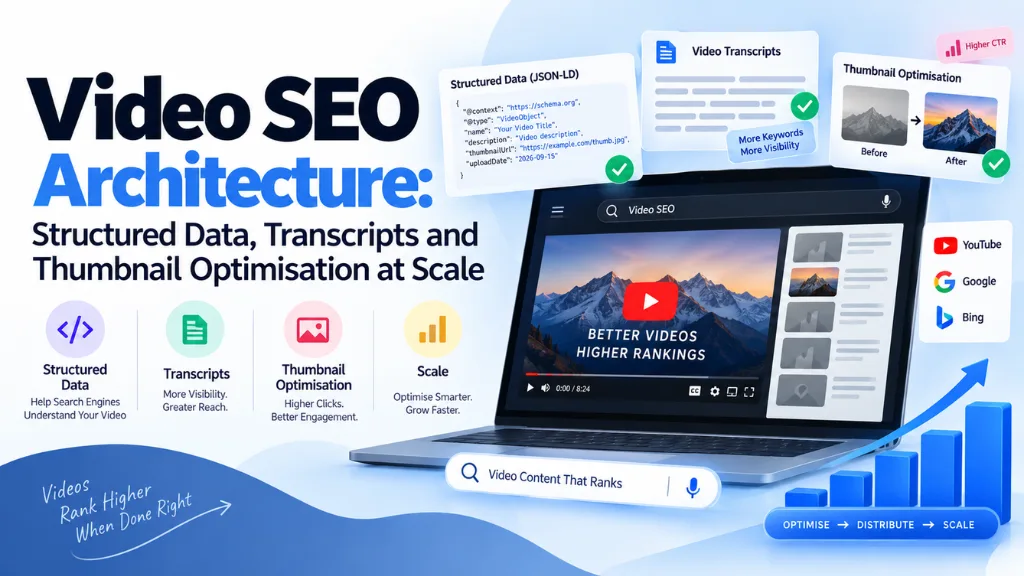

Optimising one video for search is a checklist. Optimising a library of a thousand videos is an architecture problem – and the difference matters, because a template that silently omits one required schema field doesn’t cost you one video’s visibility, it costs you the whole library’s. Video SEO architecture is the system that makes structured data, discovery infrastructure, and the transcript layer work consistently across an entire video catalogue, rather than being handled one-off, video by video, in a way that inevitably drifts and breaks at scale.
In this article12 sections
This guide covers the three pillars that architecture rests on – VideoObject schema and its scale failure modes, sitemap infrastructure with its actual technical limits, and the transcript and thumbnail pipelines that need to hold up across hundreds or thousands of videos – plus the hosting decisions that determine where all of this actually pays off.
The Three Pillars of Video SEO Architecture#
Video SEO at scale rests on three interlocking systems: structured data (VideoObject and its extensions, telling search engines and AI systems exactly what each video is), discovery infrastructure (video sitemaps, ensuring every video actually gets crawled), and the text layer (transcripts and descriptions, giving both search engines and AI systems something to actually read and cite). A library can have excellent video content and still be invisible in search if any one of these three systems is missing or inconsistent across the catalogue – this is fundamentally a systems problem, not a per-video checklist.
VideoObject Schema: Required Properties and Common Scale Failures#
A functioning VideoObject schema requires, at minimum: name, description, thumbnailUrl (as an absolute URL), and uploadDate (in ISO 8601 format), plus either contentUrl or embedUrl so the video itself can be identified. duration, also in ISO 8601 format (for example, PT8M30S for eight minutes thirty seconds), is strongly recommended alongside these, since Google uses it directly in rich result displays.
{
“@context”: “https://schema.org”,
“@type”: “VideoObject”,
“name”: “Video title here”,
“description”: “A clear, accurate description of the video’s content”,
“thumbnailUrl”: “https://www.example.com/thumbnails/video-1.jpg”,
“uploadDate”: “2026-08-15”,
“duration”: “PT8M30S”,
“contentUrl”: “https://www.example.com/videos/video-1.mp4”
}
The choice between contentUrl and embedUrl is an architectural decision, not a formality. contentUrl points directly to the video file itself, giving a site more control over where engagement and clicks actually land – its own domain, rather than a third party. embedUrl (commonly a YouTube embed link) is simpler to implement but routes some of that engagement value toward the hosting platform instead.
At scale, the most common failure isn’t a wrong property – it’s an inconsistent one. A CMS template that populates thumbnailUrl correctly for videos uploaded one way, but leaves it blank or relative (rather than absolute) for videos uploaded through a different workflow, silently invalidates schema across an entire subset of the library without triggering an obvious error anywhere. Popular SEO plugins like Yoast, RankMath, and AIOSEO can auto-generate VideoObject schema from a detected embed, which reduces this risk considerably for CMS-based sites, typically at a modest annual premium-tier cost – but auto-generation still needs periodic spot-checking, since a plugin update or a non-standard embed format can quietly break the pattern it was previously handling correctly.
Clip and Key Moments: Chapter-Level Structured Data#
For videos covering multiple distinct topics, Clip markup (and the related SeekToAction property) lets each meaningful segment be independently described and deep-linked, enabling the clickable timestamp results – Key Moments – visible in Google’s video search results. A video must be at least 30 seconds long and deep-linkable to a specific timestamp to qualify for Key Moments eligibility at all, which rules this feature out for very short clips regardless of how well-structured the rest of the markup is.
An important caveat worth stating plainly: correctly implementing Clip and SeekToAction markup makes a video eligible for Key Moments, it doesn’t guarantee Google actually displays them. As with most rich result features, eligibility and display are separate decisions, and treating correct markup as a guaranteed outcome leads to disappointment that isn’t actually a sign of broken implementation.
Chapter-level structuring has become more valuable in 2026 for a second reason beyond classic search: Google now indexes video timestamps as standalone, individually rankable results, which means a well-chaptered video with clearly named, question-format sections creates several distinct entry points into search results rather than a single one tied to the whole video.
Video Sitemaps at Scale#
A video sitemap uses dedicated XML tags – thumbnail_loc, content_loc, and player_loc – to tell Google exactly where each video’s actual assets live, submitted through both Google Search Console and Bing Webmaster Tools. Each individual sitemap file is capped at 50,000 videos, which is a genuinely relevant limit for any content library approaching that scale, not just a theoretical ceiling.
For a library expected to grow past this threshold, the fix mirrors standard XML sitemap practice: segment video sitemaps into multiple files organised logically (by content category, upload date range, or another sensible grouping), and reference them all through a sitemap index file, rather than discovering the 50,000-video cap only after a chunk of the library has silently stopped being submitted for crawling.
The Transcript Pipeline: Human-Verified vs. Auto-Generated at Scale#
Transcripts function as the primary text layer search engines and AI systems use to actually understand spoken video content – and their accuracy directly determines the quality of everything built on top of them, from on-page SEO to AI citation eligibility. Human-verified transcripts, uploaded as .SRT or .VTT caption files, consistently outperform purely auto-generated ones for both search indexing quality and viewer accessibility, since automated transcription still reliably mishandles industry terminology, brand names, and accented speech in ways that matter for accuracy.
At scale, a pure choice between “human-verified” and “auto-generated” understates the practical options. A reasonable, cost-effective pipeline uses automated transcription as a fast first draft, followed by a human review pass focused specifically on proper nouns, technical terminology, and any section flagged with low machine-confidence – capturing most of human-verification’s accuracy benefit without requiring a transcriptionist to work from scratch on every video in a large library.
One architectural point worth building into any transcript workflow: the transcript, the surrounding page copy, and the VideoObject description field should reinforce each other, not duplicate one another verbatim. A page where the transcript, the visible summary paragraph, and the schema description are all near-identical text gives search engines and AI systems less genuinely useful signal than a page where each element adds something distinct – the transcript as the full record, the visible copy as a scannable summary, and the schema description as a concise, accurate abstract.
Thumbnail Optimisation at Scale#
Custom thumbnails consistently outperform auto-generated frame grabs, since a purpose-designed thumbnail can highlight the actual value proposition of a video rather than whatever frame happened to land at a default timestamp. At scale, this needs governance as much as design skill: a consistent template – logo placement, text legibility at small sizes, colour treatment – keeps a large library visually coherent and recognisable, rather than looking like it was assembled from a dozen different unrelated workflows.
Technically, every thumbnailUrl needs to resolve to an absolute URL at a stable, correctly sized image, and the same image-delivery principles that apply to any other on-page image – modern formats, proper compression, and appropriately sized variants for different display contexts – apply just as directly to thumbnails serving hundreds or thousands of videos, where the cumulative weight of poorly optimised thumbnail images can measurably affect page load performance across the library.
Hosting Architecture: YouTube, Self-Hosted, or Hybrid#
| Approach | Advantage | Trade-off |
| YouTube-hosted (embedUrl) | Free hosting, broad built-in discovery, benefits from YouTube’s own search and recommendation ecosystem | Engagement, watch time, and authority accrue to YouTube’s domain rather than your own |
| Self-hosted (contentUrl) | Full control over the viewing experience; engagement and traffic stay on your own domain | Requires your own compression pipeline (modern codecs like H.265 or AV1) and CDN delivery infrastructure |
| Hybrid | Upload to YouTube for broad discovery and its ranking ecosystem, while embedding the same video on a dedicated watch page on your own site | Requires maintaining consistency between two hosting environments, but is the most common approach at scale for good reason |
A hybrid approach – publishing to YouTube for reach while embedding the same video on a dedicated, well-optimised watch page on your own site – captures most of the practical benefit of both models simultaneously, and has become the standard recommendation for organisations with the resources to maintain both channels rather than committing to one exclusively. Regardless of which hosting approach is chosen, the underlying architectural principle stays constant: build a dedicated watch page for every video that matters, with the video as the primary content element on that page, rather than embedding it as a secondary element inside an unrelated article where its schema and supporting text have to compete for relevance with other content.
Video SEO and AI Citation Visibility#
Video content has become a genuine factor in AI-generated search visibility, not just classic organic rankings. YouTube has been reported as the single most-cited domain across major AI answer engines, and Google’s AI Overviews increasingly surface video clips directly within generated responses rather than treating video purely as a separate search vertical. Well-structured video pages – accurate schema, a human-verified transcript, and clearly chaptered sections with question-format titles – create multiple distinct, citable entry points for an AI system constructing an answer, rather than a single undifferentiated video asset with no internal structure for a retrieval system to work with.
Building the System: A Scale Checklist#
- Standardise a VideoObject template mapped directly to CMS fields, ensuring name, description, thumbnailUrl, uploadDate, duration, and contentUrl/embedUrl populate consistently regardless of which workflow a video was uploaded through.
- Build video sitemap generation with index support from the start, rather than waiting until the library approaches the 50,000-video-per-file ceiling to discover the limit exists.
- Establish a transcript pipeline: automated first-pass transcription, followed by a targeted human review focused on proper nouns and low-confidence sections.
- Set thumbnail standards covering dimensions, branding consistency, and absolute-URL delivery, applied uniformly across the library rather than left to individual content creators’ discretion.
- Choose a hosting architecture per content type, defaulting to a hybrid YouTube-plus-owned-watch-page approach unless a specific content category has a clear reason to deviate.
- Validate a representative sample with Google’s Rich Results Test before a full rollout, then monitor ongoing indexing status through Search Console’s video-specific reports rather than assuming a one-time validation holds indefinitely as the library grows.
Common Mistakes at Scale#
- Trusting a template without periodically re-validating it. A CMS or plugin update can silently break schema generation for a subset of videos without producing any obvious front-end symptom.
- Relying entirely on auto-generated transcripts with no human review layer. Accuracy gaps in automated transcription directly degrade both accessibility and the quality of the text layer search engines and AI systems actually read.
- Letting the transcript, description, and visible page copy become near-duplicates of each other. This wastes an opportunity to reinforce a video’s topic with genuinely distinct, complementary signals.
- Ignoring the video sitemap’s 50,000-entry cap until a portion of the library silently drops out of crawling. Building sitemap-index support in from the beginning avoids this becoming a retroactive fire drill.
- Embedding videos with no dedicated watch page or supporting context. A video buried inside an unrelated page competes with that page’s other content for relevance rather than being clearly established as the page’s primary subject.
- Treating Clip and Key Moments markup as a guaranteed feature rather than an eligibility signal. Correct implementation increases the odds Google displays these features; it doesn’t obligate Google to do so.
Frequently Asked Questions#
What are the minimum required properties for VideoObject schema? At minimum, name, description, thumbnailUrl (as an absolute URL), and uploadDate in ISO 8601 format, along with either contentUrl or embedUrl so the video itself can be identified. duration is strongly recommended in addition to these, since Google displays it directly in rich results.
Should I host video on YouTube or on my own website? A hybrid approach – uploading to YouTube for its built-in discovery and search ecosystem, while also embedding the same video on a dedicated watch page on your own site – is the most common recommendation at scale, since it captures much of the benefit of both approaches rather than requiring a single exclusive choice.
How large can a video sitemap be before it needs to be split up? Each individual video sitemap file is capped at 50,000 videos. A library approaching or exceeding that number needs to segment its video sitemap into multiple files, referenced through a sitemap index, rather than relying on a single file that silently stops covering new additions once the cap is reached.
Do auto-generated transcripts hurt video SEO? They’re not inherently disqualifying, but accuracy gaps in automated transcription – particularly around proper nouns and technical terminology – reduce the quality of the primary text layer search engines and AI systems use to understand a video. A hybrid pipeline using automated transcription as a first draft, followed by a targeted human review pass, captures most of the accuracy benefit without the full cost of transcribing every video from scratch.
Does correctly implementing Clip and Key Moments markup guarantee that feature appears in search results? No. Correct implementation makes a video eligible for the feature, but Google separately decides whether to actually display it, the same way eligibility and display are distinct for most rich result types.
How does video SEO connect to visibility in AI-generated search answers? Well-structured video pages – accurate schema, a human-verified transcript, and clearly chaptered sections – give AI systems multiple distinct, citable entry points to reference when constructing an answer. YouTube specifically has been reported as one of the most heavily cited domains across major AI answer engines, making video a genuine channel for AI visibility, not just classic organic search.
The Bottom Line#
Video SEO architecture at scale succeeds or fails on consistency: a VideoObject template that populates every required field the same way across the entire library, a sitemap system that accounts for the 50,000-video cap before it becomes a problem, a transcript pipeline that balances accuracy against the realistic cost of reviewing hundreds of videos, and a hosting decision made deliberately rather than defaulting to whatever was easiest for the first video. Search Savvy’s video schema generator and schema markup validator support the structured data layer this architecture depends on, the free sitemap XML generator helps with the discovery infrastructure side, and Search Savvy’s technical SEO services build and audit exactly this kind of system across large video libraries.