How to Audit Structured Data After a Schema Update

On May 7, 2026, Google quietly added a banner to its FAQPage documentation stating that FAQ rich results were no longer appearing in Search – no announcement post, just a note at the top of a developer page. It followed a now-familiar pattern: HowTo rich results were removed from desktop and mobile back in 2023, and January 2026 saw Google quietly retire Search Console reporting for several more niche structured data types, including Practice Problems and Nutrition Facts. Each of these changes left thousands of sites carrying schema markup that no longer does what it was built to do.
In this article10 sections
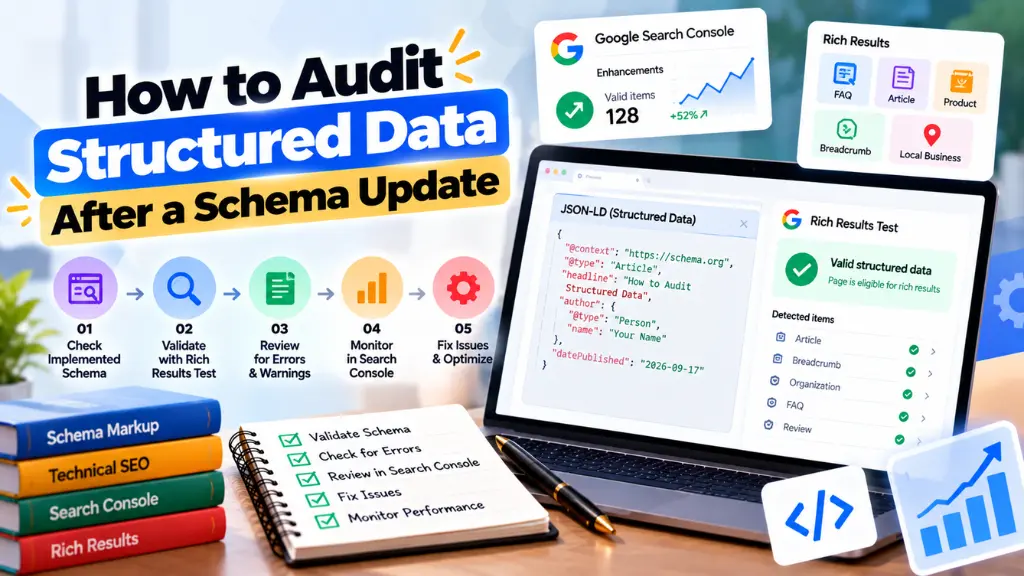
A structured data audit after any schema update isn’t optional maintenance – it’s the only way to know whether your markup is still earning rich results, still valid against current guidelines, or quietly doing nothing while a Search Console report that depended on it also disappears. This guide – reflecting the audit process Search Savvy runs for clients after every major Google structured data announcement – walks through a complete process: what to check, which tools to use, how to read the errors that actually matter, and how to build a recurring check so the next deprecation doesn’t catch you off guard.
Why You Need a Structured Data Audit After a Schema Update#
A structured data audit after a schema update confirms three things: whether your existing markup still validates correctly, whether it’s still eligible for the rich results you originally implemented it for, and whether any deprecated or changed properties are quietly failing without triggering an obvious error. Google has been explicit that unused or deprecated structured data doesn’t actively harm a site’s Search performance – but markup built around a feature that no longer exists is wasted engineering effort, and in some cases it masks real validation errors that do matter for schema types still in active use.
The risk isn’t limited to major announcements. Schema.org itself updates its vocabulary periodically – version 29.0, for example, deprecated the DeliveryTimeSettings and ShippingRateSettings types in favor of newer shipping vocabulary – and these changes rarely make SEO news the way a Google rich result removal does. A business relying on a schema plugin that hasn’t been updated to match can end up with product listings carrying deprecated properties that Google’s systems increasingly ignore or misread.
Step 1: Inventory Every Schema Type on Your Site#
Before testing anything, you need a complete list of what structured data currently exists across your site, not just what you remember implementing.
- Check page source directly. Search for application/ld+json in your HTML to see every JSON-LD block present on a given page. It’s common to find duplicate or conflicting markup when an SEO plugin, a theme, and a manually added script all generate schema independently.
- Pull a site-wide crawl. For anything beyond a handful of pages, a crawler that reports structured data types per URL (many standard SEO crawling tools include this) is faster and more reliable than manually checking pages one at a time.
- Cross-reference with Search Console. The Enhancements section of Google Search Console lists which structured data types Google has detected and is actively reporting on – compare this against what you believe you’ve implemented to catch gaps.
- Flag anything tied to a deprecated feature. If your inventory turns up FAQPage, HowTo, Course Info, Vehicle Listing, Special Announcement, Estimated Salary, Learning Video, or Book Action markup, treat these as priority review items, since Google has already removed or restricted rich result support for every one of them.
Step 2: Run the Rich Results Test for Eligibility#
The Rich Results Test (search.google.com/test/rich-results) checks whether a specific URL or code snippet qualifies for a Google-supported rich result – it’s an eligibility test, not a general correctness check, and it only evaluates schema types Google currently supports for visual search features. Run every page template that carries structured data through this tool, testing both the live URL and, where relevant, a pasted code snippet for anything not yet deployed.
What to look for in the results:
- Errors block a rich result from appearing entirely and require required fields or correct syntax to be fixed.
- Warnings indicate the rich result can still display, but a recommended field is missing – these are worth fixing but aren’t urgent.
- “Page is not eligible” for a schema type that used to work is often the clearest sign you’ve hit a recent deprecation rather than a markup bug – cross-check against Google’s current list of supported structured data before spending time debugging code that’s actually fine.
One detail worth knowing: the Rich Results Test only reports on schema types Google currently uses for rich results. If you’re testing FAQPage markup after May 2026, for example, the tool itself has begun removing support for showing FAQ eligibility results, which is expected behavior, not a sign something is broken on your end.
Step 3: Validate JSON-LD Syntax With a Schema Markup Validator#
JSON-LD validation checks whether your structured data is syntactically correct and conforms to the full schema.org vocabulary, independent of whether Google currently uses that type for a rich result. This is a different question from eligibility, and it’s important to use the right tool for it: the Schema Markup Validator at validator.schema.org (the successor to Google’s older Structured Data Testing Tool) checks all schema.org types, including ones – like Organization or WebSite markup – that were never eligible for a Google rich result in the first place but still matter for how search engines and AI systems understand your content.
Common JSON-LD errors a validator catches that the Rich Results Test won’t:
| Error Type | What It Means | Why It’s Easy to Miss |
| Malformed JSON syntax | A missing comma or bracket breaks the entire script block | The page may still render fine visually, hiding the issue |
| Invalid property values | A date, URL, or currency field doesn’t match the expected format | Often passes a casual read-through of the code |
| Wrong or misspelled property names | A typo in a field name means Google silently ignores that data point | No visible error on the page itself |
| Nested type mismatches | A property expects one schema type but receives another | Common when combining schema generators from different plugins |
| Deprecated property usage | A field marked deprecated in a newer schema.org release still being referenced | Rarely flagged unless you’re checking against the current vocabulary |
Run every unique template through a validator, not just a sample of pages, since a single templating error can silently break structured data across thousands of URLs on larger sites. For businesses managing this without a dedicated developer, a reliable schema markup generator can reduce the syntax-error risk considerably compared to hand-coding JSON-LD from scratch.
Step 4: Cross-Check Against Google’s Current Structured Data Guidelines#
Google maintains documentation listing exactly which structured data types currently produce rich results and what required and recommended properties each one needs – this is the authoritative source to check against, not a third-party guide that may be describing an older version of the guidelines. Because Google has deprecated or narrowed several rich result types in the past two years, a guide written even twelve months ago may recommend markup that no longer does anything.
A practical way to structure this check:
- For every schema type found in Step 1, open Google’s current documentation for that specific type.
- Confirm the feature still produces a rich result at all – several types retired in 2025 and 2026 remain valid schema.org vocabulary but no longer trigger any visual change in Search.
- Compare required and recommended properties against what your markup currently includes, since Google periodically adds new recommended fields (price formatting options and loyalty program fields have both seen updates recently).
- Note any type restricted to a narrow category of sites – FAQ rich results, for instance, were limited to authoritative government and health sites for roughly three years before being removed entirely, so markup built during that window for an ordinary commercial site was likely already producing nothing.
Step 5: Decide What to Fix, Remove, or Leave Alone#
Not every audit finding needs the same response. Triage findings into three categories:
Fix immediately: Syntax errors, missing required fields for schema types still eligible for rich results, and duplicate conflicting markup from multiple plugins. These actively suppress rich results you could otherwise be earning.
Remove or simplify: Markup built entirely around a feature Google has fully deprecated (FAQ rich results, HowTo rich results, and similar), where there’s no remaining benefit to maintaining the complexity. Google has stated unused structured data doesn’t harm Search performance, so removal is about engineering hygiene rather than SEO urgency – but if the markup is actively incorrect or inconsistent with visible page content, cleaning it up reduces risk during future audits.
Leave in place: Valid, correctly implemented schema still eligible for a rich result, even if Google isn’t currently displaying it for a specific query. Eligibility doesn’t guarantee display – Google’s own documentation is clear that valid markup is necessary but not sufficient for a rich result to actually appear.
Building a Recurring Structured Data Audit Process#
A one-time audit solves today’s problem but not next year’s deprecation. A few habits keep this from becoming a recurring fire drill:
- Subscribe to Google Search Central’s structured data documentation updates rather than relying on SEO news sites to notice a quiet banner change, since several recent deprecations – including the May 2026 FAQ change – were announced only through documentation edits.
- Re-run the Rich Results Test on key templates quarterly, not just after a known announcement, since narrow or niche deprecations don’t always get wide press coverage.
- Keep an internal inventory document of every schema type in use, which plugin or process generates it, and which rich result it’s meant to support – this turns future audits from a from-scratch investigation into a quick comparison.
- Treat schema maintenance as part of ongoing technical SEO, not a one-off project tied to a single update. This kind of recurring technical hygiene is a core part of the technical SEO services Search Savvy builds into longer engagements, since structured data tends to drift out of date quietly rather than breaking all at once.
Common Mistakes During a Structured Data Audit#
- Only testing the homepage. Templating errors in product, category, or blog post layouts often go unnoticed if the audit never checks beyond the homepage.
- Confusing the Rich Results Test with a general validator. A page can fail the Rich Results Test simply because Google no longer supports that rich result type, even when the underlying JSON-LD is perfectly valid – always run both tools before concluding something is broken.
- Panicking over a deprecation and deleting markup immediately without confirming whether the schema.org type itself is still useful for AI systems and search engines parsing page content, even without a visual rich result attached.
- Ignoring Search Console’s Enhancements reports after a known deprecation, which continue flagging errors for rich result types Google has already stopped displaying – wasting remediation effort on a feature that’s gone regardless of the fix.
- Assuming one plugin handles everything. Multiple schema sources (theme, SEO plugin, ecommerce plugin, manual code) frequently coexist and conflict without any obvious warning sign.
The Bottom Line#
A structured data audit after a schema update isn’t about reacting to headlines – it’s a repeatable process: inventory what’s on the site, run the Rich Results Test for eligibility, validate JSON-LD syntax separately, cross-check against Google’s current guidelines, and triage findings into fix, remove, or leave-alone. The May 2026 FAQ rich result removal won’t be the last deprecation, and sites that treat schema maintenance as ongoing technical hygiene will handle the next one in an afternoon rather than discovering months later that a chunk of their markup has been doing nothing. Search Savvy generally recommends building this audit into a standing quarterly checklist rather than waiting for the next schema markup validator run to surface a surprise.
Frequently Asked Questions#
What’s the difference between the Rich Results Test and a schema markup validator? The Rich Results Test checks whether a page qualifies for a specific Google rich result and only evaluates schema types Google currently supports. A schema markup validator checks general syntax and compliance with the full schema.org vocabulary, regardless of whether Google uses that type for any visual feature.
Does leaving deprecated schema markup on my site hurt my SEO? No. Google has stated that unused or deprecated structured data doesn’t negatively affect Search performance. The practical reason to remove it is reducing maintenance complexity, not avoiding a ranking penalty.
How often should I audit my structured data? A quarterly check on your key page templates is a reasonable baseline, with an additional audit any time you become aware of a Google documentation update or a schema.org vocabulary release affecting types you use.
Why did my FAQ rich results stop appearing even though my markup validates fine? Google removed FAQ rich results from Search entirely as of May 7, 2026. Valid FAQPage markup will still pass a schema.org syntax check, but it will no longer produce the expandable dropdown in search results, regardless of how correctly it’s implemented.
Can I still use FAQPage schema even though the rich result is gone? Yes. FAQPage remains a valid schema.org type, and Google’s own guidance notes the markup can be left in place. It won’t produce a visual rich result, but structured Q&A content can still help search engines and AI systems understand the page’s content.
What causes structured data to fail validation most often? Syntax errors like missing commas or brackets in JSON-LD, incorrect property value formats (dates, URLs, currency), and duplicate or conflicting markup from multiple plugins generating schema independently are the most common causes.