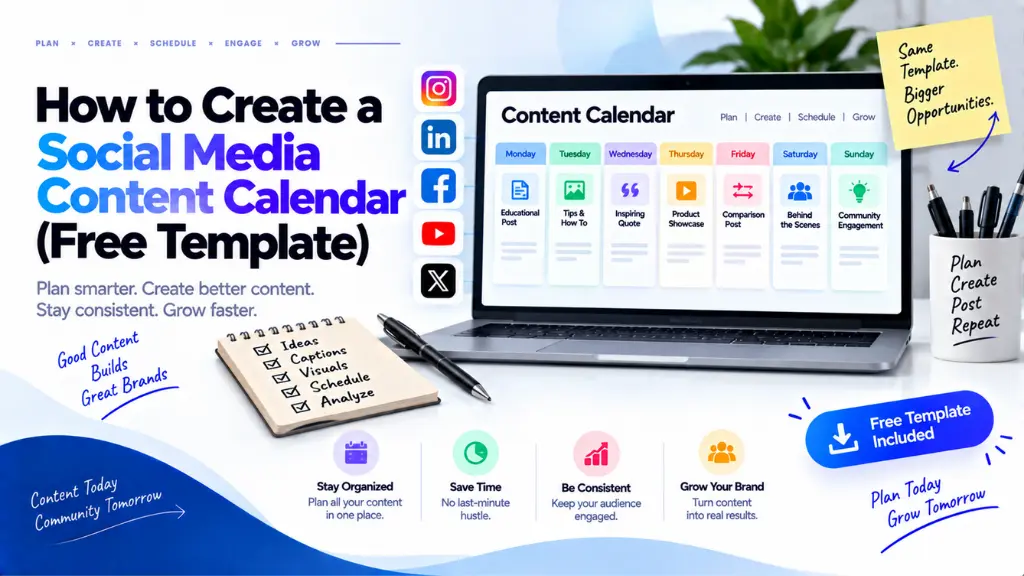
How to Create a Social Media Content Calendar (Free Template)

DataReportal’s Digital 2026 report counts 5.66 billion social media user identities worldwide, equal to 68.7% of the global population, though it cautions that identities are not always unique people. The same research finds the typical internet user spends more than 2.5 hours a day on social and video platforms. The audience is there. What most teams lack is a repeatable way to show up in front of it without last-minute scrambling.
In this article21 sections
A social media content calendar fixes that. It is a planned schedule of what you post, where, when, and who is responsible. This guide gives you a free template you can copy into Google Sheets or Excel, a six-step process for filling it, and a comparison of the tools worth using.
What Is a Social Media Content Calendar?#
A social media content calendar is a shared schedule that lists every planned post with its date, platform, format, topic, owner, and status. It turns posting from a daily scramble into a repeatable process, helps balance content types, and gives you a record to review what worked.
It is not a strategy. Strategy decides why you post and for whom. The calendar records what goes out and when, and a scheduling tool publishes it. If you want a quick refresher on terms like content pillar, engagement rate, or reach, Search Savvy’s social media marketing glossary covers them.
Planning also matters beyond the feed. Pew Research Center found that Wikipedia, YouTube, and Reddit were the most frequently cited sources in both Google AI summaries and standard search results in its March 2025 sample of U.S. adults. Social and video content increasingly shows up where people search, so choosing topics deliberately pays off twice.
Free Social Media Content Calendar Template#
Paste these column headings across row 1 of a spreadsheet and add one row per post.
| Column | What to enter |
| Date and time | The scheduled publishing slot in your audience’s time zone |
| Platform | Instagram, LinkedIn, YouTube, Facebook, or another channel |
| Content pillar | The recurring theme the post supports |
| Format | Reel, carousel, single image, text post, Short, live, or story |
| Hook or topic | The opening line or main point |
| Caption and call to action | Final copy and the one action you want |
| Assets or link | Folder link to images, video, and design files |
| Owner | The person responsible for the post |
| Status | Idea, Drafted, Approved, Scheduled, or Published |
| Disclosure needed? | Yes or No, for sponsored or affiliate content |
| Post link | The live URL, added after publishing |
| Result notes | Reach, engagement, clicks, and one line on what you learned |
Turn the Status column into a dropdown so nobody invents new labels. Add a second tab for key dates and a third for monthly results.
How to Create a Social Media Content Calendar in 6 Steps#
To create a social media content calendar, set goals and audit past posts, choose platforms and a realistic posting rhythm, define content pillars, build the calendar with key dates, batch-create and schedule content, then review results monthly and adjust the plan based on what performed.
- Set goals and audit what you have.
- Choose platforms and a posting rhythm.
- Define content pillars.
- Build the calendar and map key dates.
- Batch-create and schedule.
- Review monthly and adjust.
Step 1: Set goals and audit what you have#
Pick one primary goal per platform, such as awareness, leads, or community, and one metric that reflects it. Then review the last 30 to 90 days of posts in each platform’s native analytics. Note which formats and topics earned saves, shares, or clicks. If you want an outside review, Search Savvy offers social media strategy audit services.
Step 2: Choose platforms and a posting rhythm#
Choose one to three platforms where your audience already spends time, and be honest about capacity. Audience location changes the mix: DataReportal counts about 500 million social media user identities in India as of October 2025, for instance, while other markets lean differently.
There is no universal ideal frequency or perfect posting time. Choose a rhythm you can hold for 90 days, then adjust using your own analytics. If video production is the bottleneck, reels and short-form video production support can help.
Step 3: Define content pillars#
Content pillars are three to five recurring themes that keep your feed coherent. An illustrative example: a local coffee roaster might use brewing education, sourcing stories, customer features, and promotions. Decide roughly how much of the calendar each pillar gets, and keep promotional posts a minority so the feed stays useful.
Step 4: Build the calendar and map key dates#
Add fixed dates first: launches, sales, events, and holidays relevant to your audience. Festival dates often follow lunar calendars and vary by region, so check official sources for each market you serve. Then fill in weekly slots by pillar and format, and leave a few open slots for reactive content.
If you work with creators or affiliates, mark disclosure in the calendar. ASCI found that 69% of India’s top 100 digital stars fell short of its disclosure rules in a February 2025 review.
Step 5: Batch-create and schedule#
Write captions, design templates, and record video in batches. Then schedule in one primary tool. Meta’s Business Suite has a Planner tab with a calendar view for scheduled Facebook and Instagram posts, stories, and ads. Keep one source of truth, because a post scheduled in one tool will not appear in another tool’s calendar.
Step 6: Review monthly and adjust#
Once a month, compare results against your goal metric. Record the top three and bottom three posts, look for patterns in format, topic, and hook, and change the next month’s mix accordingly. Search Savvy’s analytics and performance reporting services are one option if you want reporting built for you.
Which Tool Should You Use to Manage a Social Media Content Calendar?#
Start with a spreadsheet for planning and each platform’s native scheduler for publishing. Add a paid scheduling tool only when you manage several accounts or need formal approvals, because a spreadsheet plus native scheduling covers the core workflow at no cost.
| Option | Suits | Limitation |
| Google Sheets or Excel | Planning across all platforms, free and flexible | Does not publish posts |
| Native schedulers (for example, Meta Business Suite) | Publishing and calendar views on that platform’s channels | Covers only its own platforms |
| Third-party scheduling tools | Multi-platform publishing and team workflows | Usually a subscription |
| Kanban or project boards | Approval stages and creative handoffs | Extra setup for small teams |
How Far Ahead Should You Plan Your Content?#
Plan the coming month in outline and the next one to two weeks in detail. Put fixed dates such as launches and sales on the calendar months ahead, and leave open slots for reactive posts, trends, and timely questions from your audience.
Overplanning creates stale posts, while underplanning brings back the scramble. A rolling window of detailed plans is easier to maintain.
How Do You Choose Topics That Also Work in Search?#
Use the same evidence you would for a blog. Read Google autocomplete and “People also ask” for your pillars, check Google Trends for seasonality, and turn real customer questions into posts. Videos and short explainers built on those questions can serve social feeds now and search later.
Common Mistakes When Building a Social Media Content Calendar#
- Copying one post to every platform without adapting the format or tone.
- Locking in three months of posts with no room for reactive content.
- Skipping the Owner and Status columns, so drafts stall unnoticed.
- Following generic “best time to post” lists instead of your own analytics.
- Forgetting disclosure on sponsored or affiliate content.
- Never reviewing results, so the calendar repeats the same mix.
The Bottom Line#
A good social media content calendar is simple: clear goals, a few pillars, realistic slots, one owner per post, and a monthly review. Copy the template above, fill the next four weeks, and schedule only what you can sustain. When you want help turning that plan into finished posts, Search Savvy’s content calendar and creative production services are a place to start.
Frequently Asked Questions#
How often should I post on social media?#
There is no universal answer. Choose a frequency you can sustain for at least 90 days, then compare results in each platform’s analytics. Consistency you can maintain usually matters more than an ambitious schedule that collapses in week three.
How many platforms should a small business start with?#
Start with one to three. Choose the platforms where your audience already is and where you can produce good content regularly. Add another only when the first ones run smoothly.
Should I use Google Sheets or Excel for my content calendar?#
Either works. Google Sheets makes sharing and simultaneous editing easier for teams, while Excel suits people who prefer working offline. What matters is that everyone uses the same file and columns.
Can I schedule social media posts for free?#
Often, yes. Meta Business Suite lets you schedule Facebook and Instagram content, and other platforms offer their own scheduling options. Features change, so check each platform’s current tools before you commit.
How do I plan around festivals and holidays?#
Add them to a key-dates tab first, using official calendars for each market. Festival dates can shift year to year, so confirm them a few weeks ahead and leave room to adjust creative.
Can AI tools help fill a content calendar?#
They can help with idea lists and first drafts, but generic output blends into every other feed. Add your own experience, examples, and brand voice, and check every fact before scheduling.