How to Do Keyword Research for Free Using Only Google Tools
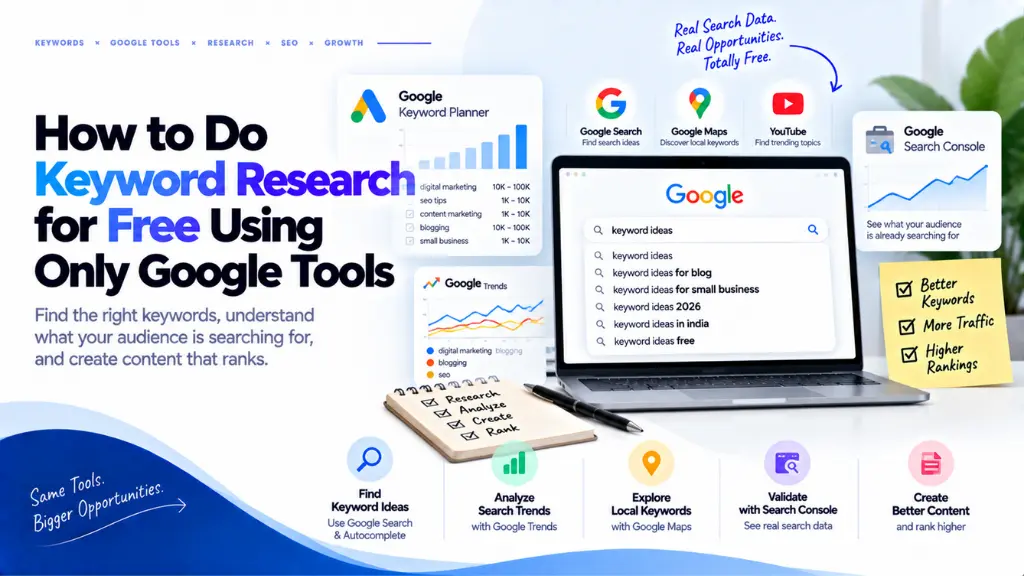

Google has said that about 15% of the searches it sees every day are new. No keyword database, free or paid, can list what people have never typed before, which is why Google’s own data is such a useful starting point. You can build a solid keyword plan without spending anything if you combine five free sources: Google Search itself, Google Trends, Keyword Planner, Search Console, and a spreadsheet.
In this article22 sections
This guide shows how to do keyword research for free step by step, what each Google tool can and cannot tell you, and how to avoid the mistakes that make free data misleading. It also covers a shift that matters in 2026: when an AI summary appears, people click fewer results, so picking queries that need more than a summary is part of the job.
What Does Keyword Research for Free Involve?#
Keyword research for free means finding, checking, and prioritising the phrases your audience searches without paid software. With Google alone, you gather ideas from Search, check direction in Trends, estimate demand in Keyword Planner, and confirm real performance in Search Console.
The goal is not a giant list. It is a short list of phrases where you understand the searcher’s intent, can see demand, and have a realistic chance of ranking. Search Savvy’s SEO glossary is a handy reference if terms like search intent or long-tail keyword are new to you.
Which Google Tools Can You Use for Keyword Research?#
| Google tool | Best for | What it cannot tell you |
| Search (autocomplete, People also ask, Related searches) | Real phrasing, questions, intent clues | Search volume |
| Google Trends | Seasonality, comparisons, rising queries, regional interest | Absolute search counts |
| Keyword Planner | Related ideas, volume bands, advertiser cost | Organic ranking difficulty |
| Search Console | Queries your own site already appears for | Demand for phrases you do not rank for |
| Google Sheets | Organising and scoring your list | Any search data itself |
How to Do Keyword Research for Free: 7 Steps#
To do keyword research for free with Google tools, list seed topics, mine Google Search for real phrasing, group phrases by intent, check trends, estimate demand in Keyword Planner, inspect the results page, then prioritise in a spreadsheet and refine with Search Console data after you publish.
- Define seed topics.
- Mine Google Search for phrasing.
- Group phrases by intent.
- Check direction in Google Trends.
- Size demand in Keyword Planner.
- Inspect the results page.
- Prioritise, publish, and refine in Search Console.
Step 1: Define seed topics from audience problems#
Write five to ten broad topics based on problems your audience needs solved, not on keywords. “Cold email for freelancers” is a seed; “cold email template” is a keyword you will find later.
Step 2: Mine Google Search for real phrasing#
Google says autocomplete predictions reflect real searches and take into account language, location, trending interest, and your past searches. So use a private window and set the country you care about. Type each seed, then add each letter of the alphabet and question words such as how, why, can, and should. Note the “People also ask” questions and the “Related searches” at the bottom. YouTube’s search bar is worth checking for how-to topics. If you serve readers in more than one country or language, repeat the exercise for each, because predictions and Trends interest change with location and language.
Step 3: Group phrases by intent#
Sort each phrase by what the searcher wants. Google’s Search Quality Rater Guidelines describe four intents: Know (find information), Do (accomplish something), Website (reach a specific site), and Visit-in-person. They also treat very short, factual “Know Simple” queries as answerable in a sentence or two. Those are the ones AI summaries handle best: a Pew Research Center study of U.S. adults found people clicked a traditional result in 8% of visits with an AI summary versus 15% without. Favour phrases that need depth, comparison, or first-hand experience.
Step 4: Check direction in Google Trends#
Google’s own training material explains that Trends numbers are normalised on a 0 to 100 scale, not absolute search volume. That makes it ideal for comparing two or three phrasings, spotting seasonality over five years, and reading the “Rising” list under related queries. Use the region view to see where interest is strongest.
Step 5: Size demand in Keyword Planner#
Google’s help page calls Keyword Planner a free tool but says you must enter billing information to finish account setup. Use the “Discover new keywords” option, enter your seeds or a competitor’s page, and set your location and language. Google’s language list includes Hindi, Tamil, Telugu, Bengali, Marathi, and other Indian languages.
Two cautions. Google has shown accounts with little or no ad spend broad ranges instead of exact volumes, such as 1K to 10K. And the competition column reflects advertisers, not how hard it is to rank organically.
Step 6: Inspect the results page#
Search each shortlisted phrase in a private window. Note who ranks, how recent the pages are, which formats appear (video, forums, product pages), and whether an AI summary shows. Small sites and outdated pages signal an opening. A page full of established brands means you need a sharper angle.
Step 7: Prioritise, publish, and refine#
In Google Sheets, record each phrase with its intent, Trends direction, Keyword Planner band, results-page notes, and a priority score. Then publish and let real data take over. Search Console’s Performance report groups data by query, and its help page advises that “you should focus more on impressions and clicks than on position.” Look for queries with many impressions but few clicks, then improve those titles. Search Savvy’s free Google SERP preview tool helps you check how a title and description will appear.
How Do You Find Long-Tail Keywords for Free?#
To find long-tail keywords for free, use alphabet-soup autocomplete, People also ask questions, Trends’ rising queries, and Search Console’s query list filtered to phrases of four or more words. These reveal specific, real searches that a smaller or newer site has a realistic chance of winning.
Long-tail phrases matter because so many searches are unique. Search Console is the strongest source here, since it shows the exact queries that already trigger your pages.
How Do You Choose Between Two Similar Keywords?#
Choose the keyword whose intent matches your page, whose Trends line is steady or rising, and whose results page shows weaker competition. If both pass, pick the phrase closer to what your audience actually says in autocomplete and People also ask.
Set up a simple sheet so the decision is visible rather than intuitive. Useful columns are:
- Phrase and the main question behind it
- Intent (Know, Do, Website, or Visit-in-person)
- Trends direction over five years
- Keyword Planner band and advertiser cost
- Results-page notes on who ranks and how recent they are
- Priority score from one to five
Scoring forces you to compare phrases on the same evidence, and it gives you something to revisit when Search Console starts showing real numbers.
What Are the Limits of Free Google Keyword Data?#
Free Google data has four gaps: volume is banded, Trends is relative, competition scores are about ads, and Search Console only covers your own site. Google may also omit some rare queries from Search Console for privacy. For projects that outgrow this, Search Savvy offers keyword research services and content strategy and topical authority work that turns raw phrases into a plan of connected pages.
Common Mistakes in Free Keyword Research#
- Treating a volume band as an exact number.
- Researching while signed in, so personalised predictions skew your list.
- Targeting broad head terms with a new site.
- Ignoring intent and writing a guide for someone who wants to buy.
- Repeating a keyword unnaturally, which helps nobody.
- Never returning to Search Console after publishing.
The Bottom Line#
Free keyword research works when you treat each Google tool as one piece of evidence: Search for phrasing, Trends for direction, Keyword Planner for rough scale, and Search Console for proof. This week, pick one topic, run the seven steps, and publish the single post with the clearest intent. If you later need difficulty scoring or visibility in AI answers, Search Savvy’s AI search optimisation (AEO and GEO) service is one place to start.
Frequently Asked Questions#
Is Google Keyword Planner really free?#
Yes, Google’s help page describes it as a free tool, but you need a Google Ads account with billing details completed. You do not pay unless you run ads. Accounts without ad spend usually see volume ranges rather than exact numbers.
Can I do keyword research without a Google Ads account?#
Yes. Autocomplete, People also ask, Related searches, and Google Trends need no account. Search Console needs a verified website, and it becomes useful once your pages start appearing in results.
Which Google tool shows exact search volume?#
None of the free options do reliably. Keyword Planner shows bands for low-spend accounts, Trends shows relative interest, and Search Console shows real impressions only for your own site.
How many keywords should one page target?#
There is no fixed number. Aim each page at one main intent, then include natural variations and related questions that a searcher with that intent would also ask.
How often should I redo keyword research?#
Review Search Console monthly and check Trends before seasonal peaks. Repeat the full process whenever you add a new topic area.
Does keyword research still matter with AI Overviews?#
Yes. It shows the words and questions people actually use, and it helps you choose queries where a summary is not enough. Aim for phrases that need comparison, examples, or first-hand experience.