
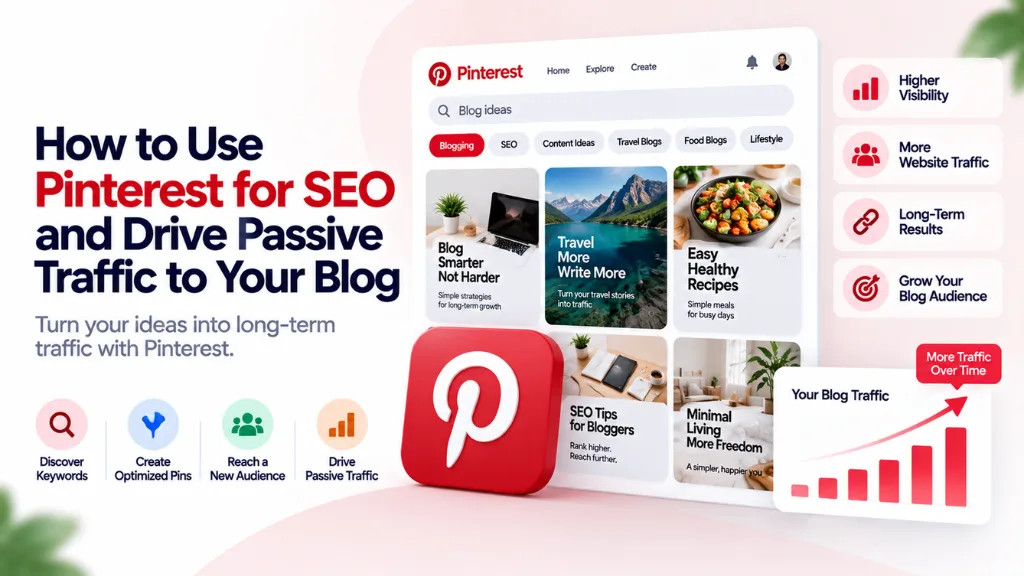

Most blog traffic sources demand constant output – publish, promote, watch the traffic fade within a day or two, repeat. Pinterest works on a different clock entirely. A well-optimized pin can keep sending visitors to a blog post for months after it was published, because Pinterest functions less like a social feed and more like a visual search engine, where content gets discovered through search intent rather than chronological posting. Pinterest for SEO is one of the few channels where a single piece of upfront optimization work keeps paying off long after you’ve moved on to the next post.
This guide covers how Pinterest’s search and ranking system actually works, the specific optimization steps for pins, boards, and profiles, and a realistic timeline for when the traffic actually shows up.
Is Pinterest Really a Search Engine?
Yes – Pinterest describes itself as a visual search and discovery platform, and it functions much more like Google than like Instagram or Facebook. Every query typed into the Pinterest search bar is a keyword signal, and pins are served in results based on relevance, engagement, and freshness, not follower count or posting recency the way a typical social feed operates.
This distinction changes the entire strategy. On most social platforms, content has a lifespan measured in hours. On Pinterest, a single optimized pin can continue driving traffic for months, because it’s being surfaced against ongoing searches rather than disappearing down a chronological feed. Follower count barely factors into whether a pin ranks – search optimization does almost all of the work.
How Pinterest’s Algorithm Actually Ranks Content
Pinterest ranks pins primarily on keyword relevance across several text fields – pin titles, descriptions, board names, and image alt text – combined with engagement signals like saves, clicks, and outbound traffic to the linked page. Getting keyword placement right in each of these fields is a distinct optimization opportunity, not a single setting to configure once.
Fresh pins matter more than most creators expect. A “fresh pin” is a new image linking to a URL, and Pinterest’s algorithm favors genuinely new visual content over reposting the same image repeatedly. This is why creating several distinct pin designs for the same blog post – different headlines, color treatments, or layouts, all linking to the same URL – is a standard tactic rather than a workaround: each design counts as fresh content in its own right.
Hashtags carry minimal ranking weight. Pinterest has deprioritized hashtags for years now, and its own guidance points toward descriptive, keyword-rich text in titles and descriptions instead. Effort spent stacking hashtags onto a pin description is largely wasted compared to the same space used for natural, keyword-relevant sentences.
Step 1: Set Up Your Account Correctly Before Optimizing Anything
- Convert to a business account, which unlocks analytics, Rich Pins, and additional profile features not available on a personal account.
- Claim your website in account settings. This links your domain to your Pinterest profile, attributes pins from your site back to your account automatically, and is a prerequisite for enabling Rich Pins.
- Enable Rich Pins, which pull additional metadata – like an article’s title and description – directly from your website and keep it updated automatically if that content changes later. This is treated as a foundational technical requirement, not an optional extra.
- Write a keyword-rich bio, naturally incorporating two or three of your core topic keywords into a genuine sentence rather than a keyword-stuffed list.
Step 2: Research Keywords Using Pinterest’s Own Search Data
Pinterest’s own search bar autocomplete is one of the most direct keyword research tools available for the platform, because it surfaces real queries ranked by actual on-platform search volume – not estimates borrowed from a general web search tool. Start typing a broad topic related to your blog into Pinterest’s search bar and note the autocomplete suggestions; these represent genuine phrasing Pinterest users are already searching for.
Pair this with Pinterest’s guided search filters, which appear as clickable refinement pills below the search bar once you run an initial query – these often reveal related sub-topics and audience angles worth targeting with dedicated pins or boards.
Step 3: Build Boards Around Keyword Clusters, Not Vague Themes
Boards function similarly to category pages on a website: Pinterest reads the board title and description to understand what the pins inside it are about, and a vague board name gives the algorithm little to work with. A board titled “Yummy Stuff” tells Pinterest nothing useful; a board titled “Vegan Dinner Recipes” clearly signals the topic and keyword the algorithm should associate with every pin placed inside it.
For each board:
- Use a clear, keyword-rich title without symbols, emoji, or stylized fonts that recognition systems can’t reliably parse.
- Write two to three full sentences in the board description, naturally incorporating the primary keyword and a couple of closely related terms.
- Select the correct board category in settings, which gives Pinterest an additional explicit signal about the topic.
- Organize boards around the specific keyword clusters your blog covers, rather than broad, catch-all categories that blur together unrelated content.
Step 4: Optimize Every Pin Individually
Each pin is effectively its own search result, and every text field attached to it is a distinct ranking opportunity:
| Field | Character Limit | Optimization Guidance |
| Pin title | 100 characters | Place the primary keyword as close to the front as possible; this is one of the strongest ranking signals on the platform |
| Pin description | 500 characters | Write two to four natural sentences including the primary keyword once and two or three secondary keywords, describing what the reader gets by clicking through |
| Alt text | No strict limit, keep concise | Describe the image accurately for accessibility, and use it as an additional keyword field rather than leaving it blank |
| On-image text overlay | N/A | Keep it bold, concise, and mobile-readable, aligned with the pin title and primary keyword |
| Board placement | N/A | Assign each pin to the board whose keyword cluster most closely matches its content |
The design itself matters alongside the text: a 2:3 aspect ratio (roughly 1000 by 1500 pixels) occupies the maximum vertical space in the Pinterest feed without being cropped or truncated, which affects how much of your text overlay and imagery actually gets seen.
Step 5: Publish Consistently, Not in Bursts
Pinterest rewards a steady, ongoing supply of fresh pins over sporadic bursts of activity followed by long gaps. A sustainable approach is publishing a handful of new pin designs per week – some for new blog content, some fresh designs for existing high-performing posts – rather than uploading dozens at once and going quiet for a month.
What Realistic Pinterest Traffic Timelines Look Like
Pinterest doesn’t move on the same clock as paid ads or even most organic search results. A realistic expectation: initial impressions typically begin appearing within roughly two weeks of consistent, optimized pinning, meaningful traffic tends to arrive somewhere in the 60-to-90-day range, and the compounding effect – where older pins keep contributing alongside new ones – usually becomes noticeable from around the third or fourth month onward.
This timeline is the tradeoff for Pinterest’s long content lifespan. Traffic builds slower than a viral social post, but a well-optimized pin published today can still be sending visitors to your blog well into next year, which is exactly the kind of passive, compounding channel most blogs are missing.
Common Mistakes That Slow Down Pinterest SEO
- Treating Pinterest like Instagram. Posting occasional, unoptimized images without keyword-rich titles and descriptions ignores how the platform’s search and ranking system actually works.
- Over-relying on hashtags. Pinterest has deprioritized hashtags for years; the character space is better spent on natural, keyword-rich descriptions.
- Using vague board names. A board title that doesn’t clearly signal a topic gives the algorithm little to associate with the pins inside it.
- Publishing the same image repeatedly. Reusing one pin design across multiple boards misses the “fresh pin” advantage that comes from creating genuinely new visual treatments for the same content.
- Skipping Rich Pins. Without claiming your website and enabling Rich Pins, you lose automatic metadata updates and a meaningful trust and distribution signal.
- Expecting immediate results. Pinterest traffic compounds over months, not days – judging a new pinning strategy after only a week or two doesn’t reflect how the platform actually surfaces content.
Frequently Asked Questions
Do I need a large following for Pinterest to drive traffic to my blog? No. Pinterest ranks content primarily on keyword relevance and engagement signals like saves and clicks, not follower count, which means a small or brand-new account can still rank well with properly optimized pins.
How is Pinterest SEO different from optimizing for Google? The underlying principle – matching content to search intent through keywords – is similar, but Pinterest’s ranking factors are specific to its own platform: pin titles, descriptions, board names, alt text, and fresh-pin creation, rather than backlinks and traditional on-page SEO signals.
What are Rich Pins, and are they necessary? Rich Pins automatically pull metadata like a title and description from your website and keep it synced if that content changes later. They require claiming your website first and are considered a foundational technical setup step rather than an optional enhancement.
How often should I post new pins to see results? A consistent, ongoing cadence – publishing new pin designs several times a week, mixing new content with fresh designs for existing posts – tends to outperform infrequent bursts of activity followed by long gaps.
How long does it take to see real traffic from Pinterest? Initial impressions often appear within about two weeks, but meaningful traffic typically takes 60 to 90 days to materialize, with compounding growth usually becoming noticeable from the third or fourth month of consistent activity onward.
Are hashtags still useful for Pinterest SEO in 2026? Not meaningfully. Pinterest has deprioritized hashtags as a ranking factor, and its own guidance favors descriptive, keyword-rich titles and descriptions over hashtag stacking.
The Bottom Line
Pinterest rewards the same fundamental discipline as any search engine – matching keyword-rich content to real search intent – but it operates on its own timeline and its own set of ranking fields, from pin titles and alt text to board organization and fresh-pin creation. Claim your website, enable Rich Pins, build boards around genuine keyword clusters instead of vague themes, and commit to a steady publishing cadence rather than expecting a quick win. Search Savvy’s keyword research services apply the same intent-first approach used here to Pinterest’s own search data, and pairing this channel with content strategy and topical authority services helps ensure the blog content you’re pinning is built to earn both Pinterest traffic and organic Google rankings at the same time.