How to Use Social Media to Drive Traffic to Your Blog
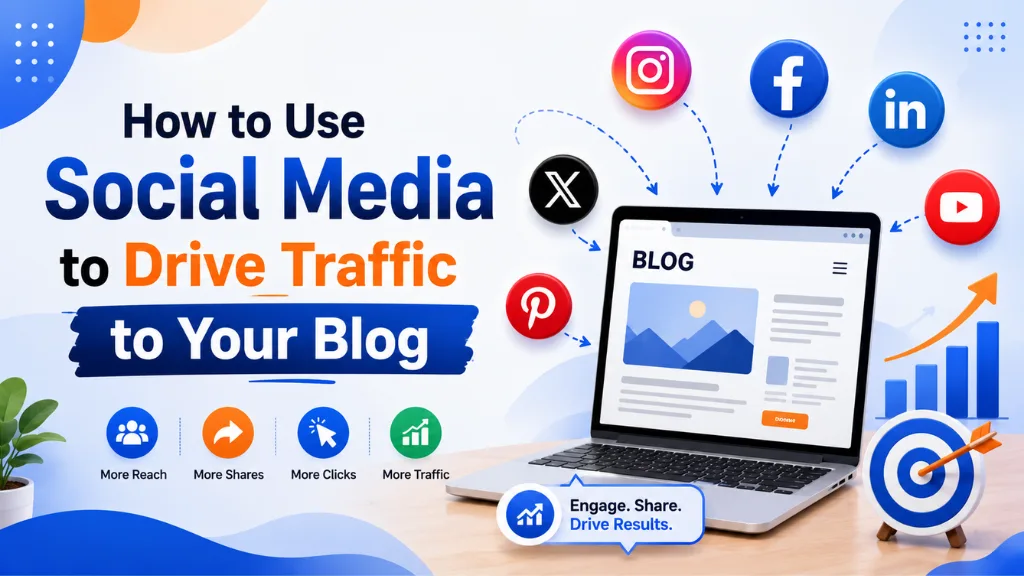

Here is the traffic problem every blogger eventually hits: you publish a post, share it once, get a brief spike, and then watch traffic quietly return to zero while the post sits unread.
In this article11 sections
Social media to drive traffic to a blog is one of the most reliable solutions to that cycle – but only when the approach is deliberate rather than reactive. Sharing a link with a one-line caption and hoping for clicks is not a social media traffic strategy. It is a habit that produces the exact flat line most bloggers are trying to escape.
Social media to drive traffic works through a combination of consistent distribution, format-specific content adaptation, and understanding which platforms deliver the kind of traffic that actually stays on your site long enough to read, engage, and return. The mechanics are different on every platform, and ignoring those differences is why most bloggers get minimal return from social media despite investing significant time in it.
Social media to drive traffic is also more important in 2026 than organic search alone can justify, because AI Overviews are now intercepting a growing share of informational search clicks. Blog content that would have driven thousands of organic clicks in 2023 now competes with AI-generated summaries that answer queries without any click-through required. Social media is the distribution channel that compensates for that declining click-through reality.
At Search Savvy, social distribution is a core part of every content strategy we build – because a blog post without a distribution plan is an investment without a return mechanism. This guide covers the exact approach that drives consistent, compounding traffic from social platforms.
Why Is Social Media the Best Traffic Channel for Blog Posts in 2026?#
Social media to drive traffic works better than many alternatives for blog content because it reaches audiences who did not know to search for your content yet. SEO captures existing demand – people who already know to search for the topic. Social media creates demand – exposing content to people who find it valuable once they see it, even if they would never have searched for it independently.
Social media to drive traffic also provides a faster feedback loop than SEO. A blog post shared on LinkedIn today generates data within 24 hours about whether the topic, headline, and angle resonate with an audience. That data feeds directly back into future content decisions, keyword priorities, and topic selection in a way that waiting three months for organic rankings cannot.
- Social media generates 31% of all blog referral traffic for content-led brands
- Content shared on social platforms reaches 3.5x more unique users than organic search alone for newly published posts before they rank
- Blogs that share content consistently on social platforms see 45% more organic traffic growth over 12 months than those relying on SEO alone
- A spike in social referral traffic followed by stronger SEO rankings within 7 to 14 days is a documented, measurable pattern
People Also Ask: Which social media platform drives the most blog traffic? Short Answer: Pinterest drives the highest volume of blog referral traffic per post for visual, lifestyle, and recipe content. LinkedIn drives the highest quality (longest session duration, lowest bounce rate) for professional and B2B content. YouTube drives the most sustained long-term traffic for educational content. The best platform depends on your blog’s niche and audience – no single platform is best for all content types.
How Does Social Media Drive Traffic to a Blog?#
Social media to drive traffic works through two distinct pathways that operate simultaneously but at different timescales.
The first is direct referral traffic: a user sees your post on social media, clicks the link, and arrives on your blog. This pathway is immediate and visible in analytics. It generates the traffic spike that appears on the day of sharing and tapers over the following 48 to 72 hours on most platforms.
The second is indirect traffic via content discovery: social distribution puts a post in front of writers, journalists, and bloggers who link to it from their own sites. Those editorial backlinks improve search rankings, which then drives sustained organic traffic to the same post for months or years. This pathway is slower to materialise but produces the compounding traffic that direct social sharing alone cannot generate.
Both pathways are worth activating – the direct pathway delivers immediate volume, the indirect pathway delivers the long-term organic authority that makes each new post perform better than the last.
How Do You Use LinkedIn to Drive Blog Traffic?#
Social media to drive traffic from LinkedIn works best for professional, B2B, educational, and industry-relevant content. LinkedIn’s algorithm strongly favours content that generates comments and conversation rather than passive likes – which means posts that invite genuine discussion outperform those that simply announce a new article.
The highest-performing LinkedIn approach for blog traffic combines native content with a strategic link placement. Write a 150 to 250-word post that extracts the most counterintuitive or surprising insight from the blog article, presents it as a standalone LinkedIn observation, and places the link to the full post in the first comment rather than the caption. LinkedIn’s algorithm gives reduced distribution to posts with outbound links in the caption – placing the link in a comment sidesteps this penalty while keeping the content front and centre.
LinkedIn carousels – slide-format PDF posts – perform exceptionally well for driving traffic to comprehensive blog posts, since they let you surface five to seven key insights visually before directing readers to the full article for depth. Carousel posts generate 3x more impressions than standard link posts on LinkedIn, making them one of the highest-distribution formats for blog promotion.
How Do You Use Instagram to Drive Blog Traffic?#
Social media to drive traffic from Instagram requires a different approach from every other platform, because Instagram does not allow clickable links in captions. The link must be in the bio, which means the caption’s job is to generate enough curiosity or interest that users actively navigate to the profile to find it.
Reels are Instagram’s highest-reach format in 2026 and the strongest driver of link-in-bio clicks for blog content. A 30 to 60-second Reel covering one specific, actionable insight from a blog post – structured as a problem-solution-payoff – drives profile visits from users who want the full detail.
The practical Instagram blog traffic workflow:
- Record a 30 to 60-second Reel presenting one insight from the blog post
- Use on-screen text to hook attention in the first two seconds
- End with a clear, specific CTA: “Full guide linked in bio” or “Template downloadable at the link in bio”
- Update the bio link to the specific blog post URL (not the homepage) for the first 48 hours after publishing
- Use Stories to drive link clicks directly after the Reel is live
People Also Ask: How do I add a blog link to Instagram when there’s no clickable link in posts? Short Answer: Place the URL in your bio and direct users there through your caption and Reel CTA. Instagram Stories with 10,000+ followers allow direct swipe- up links. For accounts without Stories links, third-party link-in-bio tools like Linktree allow multiple blog post links under one bio URL, preventing the need to update the single link for every new post.
How Do You Use Pinterest to Drive Sustained Blog Traffic?#
Social media to drive traffic consistently over many months – not just in the days after publishing – is Pinterest’s unique strength. Unlike Facebook, Instagram, or LinkedIn where content has a 24 to 72-hour visibility window, Pinterest pins continue driving traffic for months and years because they are indexed as a search engine, not a feed.
Social media to drive traffic through Pinterest works by creating multiple pin designs for each blog post – typically three to five vertical image pins per post – and uploading them at intervals over several weeks rather than all at once. Each pin targets a slightly different keyword phrase associated with the blog post’s topic, building multiple discovery pathways to the same content through Pinterest’s own search function.
Pinterest in 2026 is particularly strong for content in cooking, home improvement, DIY, personal finance, wellness, travel, and digital marketing – categories where visual presentation of information resonates and where users actively search within the platform for ideas to save and revisit later.
The minimum Pinterest traffic setup for any blog post:
- Create two to three pin designs using Canva’s 2:3 ratio (1000 x 1500px)
- Write a 200 to 400-character pin description with the primary keyword naturally placed in the first sentence
- Link each pin directly to the blog post URL, not the homepage
- Publish pins across relevant boards and consider one or two niche group boards for expanded initial distribution
How Do You Use YouTube to Drive the Most Durable Blog Traffic?#
Social media to drive traffic through YouTube is the highest-effort but highest- durability approach available to bloggers. A YouTube video covering the topic of a blog post can rank independently in Google search, drive subscribers directly to the blog through end-screen and description links, and continue generating views and clicks for years after upload.
Social media to drive traffic from YouTube to a blog works most effectively when the video and blog post are complementary rather than identical. The video covers the topic conversationally, explaining the concepts verbally and visually. The blog post provides the written depth, the downloadable templates, the full checklists, and the step-by-step detail that video format does not suit.
The YouTube description is where the blog traffic comes from: place the full blog post URL in the first two lines of the description, before the “Show more” truncation, so every viewer sees the link without clicking to expand. Add a verbal CTA in the video itself – “The full written guide with templates is linked in the description” – to convert engaged viewers into blog visitors.
How Do You Use X (Twitter) and Reddit for Niche Blog Traffic?#
Social media to drive traffic from X (Twitter) to a blog works through threads rather than single link tweets. A well-structured thread expanding on a blog post’s key insights – with the link appearing at the end after the value has been delivered – consistently outperforms a single tweet that simply shares the URL with a brief caption.
Social media to drive traffic from Reddit is the highest-trust but highest-risk option for bloggers. Reddit communities have zero tolerance for promotional posting, and attempting to share blog links without established community participation results in posts being removed and accounts being flagged. The correct approach: build genuine participation in relevant subreddits over weeks or months before sharing blog links, and only share links when the post genuinely answers a specific question being asked in the community.
When Reddit traffic lands correctly – when a link to a blog post is shared in response to a genuine community question – the quality is exceptionally high. Reddit users who click through to a blog via a specific thread recommendation have the lowest bounce rates and longest session durations of any social referral source.
People Also Ask: Is Reddit a good platform to drive blog traffic? Short Answer: Yes, for high-quality engaged traffic – but only with the correct approach. Sharing blog links without established community participation will result in removal and account flags. Building genuine participation over weeks before sharing a link, and only sharing when it directly answers a specific community question, generates some of the highest-quality blog traffic of any social platform.
What Is a Consistent Social Distribution Workflow for Blog Posts?#
Social media to drive traffic consistently requires a repeatable system rather than ad-hoc sharing on the day of publication and nothing thereafter. The same blog post can generate traffic across multiple platforms and multiple weeks when distributed systematically rather than used once.
A practical 30-day distribution workflow for a single blog post:
Day 1 (publication day):
- LinkedIn post with insight extracted + link in first comment
- Instagram Reel or Story with bio link updated
- X thread with full insight breakdown
- Pinterest first pin published
Day 3–5:
- LinkedIn carousel if the post has a clear step-by-step structure
- Second Pinterest pin published with different keyword angle
Week 2:
- Repurpose one section into a standalone LinkedIn text post
- Third Pinterest pin published
- Reddit submission if a relevant thread exists in your community
Week 3–4:
- Instagram Story series revisiting the post’s key points
- Email newsletter mention if you run one
- Final Pinterest pins published
This workflow extends the traffic period of a single blog post from one or two days to four to six weeks, without requiring any additional content creation – just format adaptation of the original post’s insights.
How Should Indian Bloggers Use Social Media for Blog Traffic?#
Social media to drive traffic for Indian bloggers benefits from a platform mix that reflects where Indian audiences actually spend time. Instagram Reels, YouTube Shorts, and LinkedIn collectively represent the three platforms with the highest organic reach for Indian content creators in 2026 – with WhatsApp Status as a supplementary channel for existing audience nurturing.
Social media to drive traffic through WhatsApp Status is unique to India’s market dynamics. Sharing a compelling visual from a blog post as a WhatsApp Status – with a short URL in the caption – reaches an existing personal and professional network that no other platform reaches, and typically generates the fastest initial click-through for new posts.
According to Search Savvy’s insights from managing content distribution for Indian bloggers and content brands, the most reliable single habit is publishing a LinkedIn post within six hours of every new blog post going live. LinkedIn consistently delivers the first wave of quality traffic and the first backlink discovery opportunities within the 48-hour window when distribution momentum matters most.
Conclusion: Distribution Is Half the Work#
Social media to drive traffic to a blog is not separate from the content strategy – it is half of it. Publishing a post without distributing it systematically is leaving the majority of its potential value unrealised. The content investment stays the same; the return compounds dramatically with a deliberate 30-day distribution workflow behind it.
Search Savvy builds distribution strategy alongside content strategy in every engagement, because the data consistently shows that the bloggers with growing traffic are not necessarily the ones publishing most frequently – they are the ones distributing most systematically.
FAQ: Using Social Media to Drive Blog Traffic – Your Questions Answered#
Q1: How many social platforms should a blogger focus on for traffic? Two or three platforms done well consistently outperform six platforms managed superficially. Choose based on where your target audience is most active and where your content format works naturally – then build one platform at a time before expanding. Trying to maintain active presence on six platforms simultaneously typically results in low-quality, low-frequency content on all of them.
Q2: How often should I share a blog post on social media? Once on publication day is the minimum. A 30-day distribution plan that repurposes the same post in different formats across different platforms extends the traffic period significantly without requiring new content. The same blog post can drive traffic across four to six weeks when distributed as a LinkedIn post, carousel, Instagram Reel, three Pinterest pins, and a Reddit community response.
Q3: Why does my social media sharing not drive much blog traffic? The three most common causes are: sharing a bare link with no compelling caption that gives users a reason to click; sharing only once on publication day rather than repurposing across multiple formats over weeks; and sharing on the wrong platform for the content type and audience. Analysing which platform your existing audience is most active on and adapting format to platform norms resolves most low-traffic social distribution problems.
Q4: Does sharing blog posts on social media help SEO? Yes, indirectly. Social distribution accelerates content discovery, which speeds up indexation. More importantly, social distribution puts content in front of writers and publishers who may link to it editorially, and those backlinks directly improve search rankings. A spike in social referral traffic within days of publishing often correlates with a ranking improvement within 7 to 14 days.
Q5: What is the best time to share blog content on social media? Platform-specific: LinkedIn performs best on Tuesday through Thursday between 9am and 12pm in your audience’s timezone. Instagram Reels perform best in evenings from 6pm to 9pm. Pinterest has no strong time dependency since it functions as a search engine. YouTube has no optimal upload time – the algorithm distributes based on engagement quality regardless of upload hour. Test your specific audience’s engagement patterns in your platform analytics rather than applying generic timing rules universally.
Q6: Should I share other people’s content on social media to grow my blog’s following? Yes. Sharing relevant, high-quality content from others builds community standing and positions your social profile as a curated resource rather than a promotional channel. A social profile that only shares its own blog posts is less likely to attract followers – and therefore less likely to generate blog traffic – than one that provides genuine curation value alongside self-promotion.
Publishing great blog content but struggling to drive consistent social traffic to it – or looking for a systematic distribution workflow built around your specific platform mix and audience? Visit Search Savvy for a content distribution strategy session that maps the right platforms, formats, and timing to your specific blog and audience.