What Is Crawl Budget and Why Does It Matter for Large Websites?
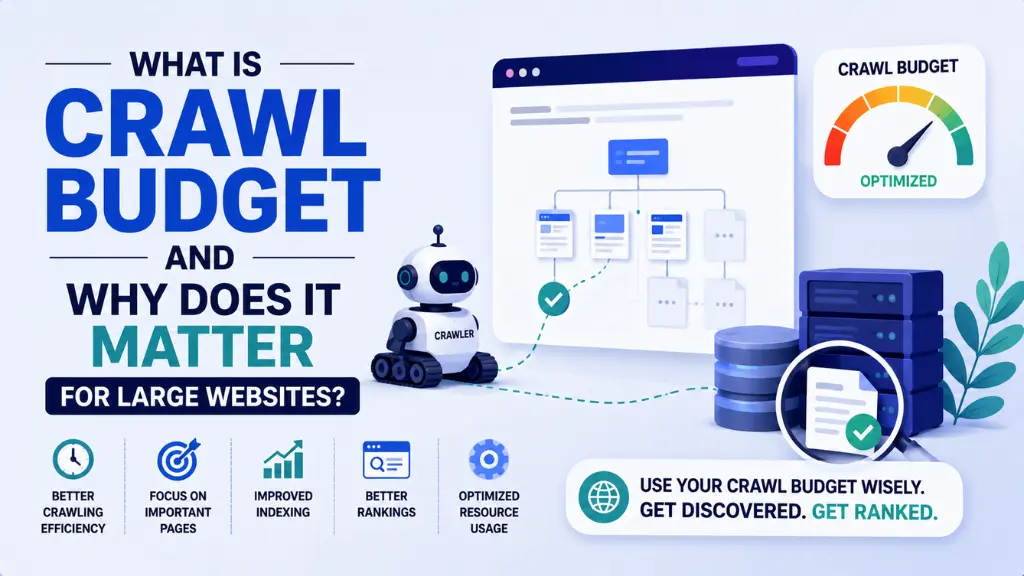

Here is a silent ranking killer hiding inside most large websites: Googlebot arrives with a finite amount of time and resources, and instead of spending that time on your best product pages, blog content, and priority landing pages, it gets consumed by thousands of filter URLs, redirect chains, session IDs, and sorting parameters that serve nobody.
In this article21 sections
Crawl budget is the number of pages Googlebot is willing and able to crawl on a website within a given timeframe. When that budget is wasted on low-value URLs, the pages that actually drive rankings and revenue get crawled less frequently – meaning they are updated in Google’s index more slowly, indexed less reliably, and rank lower than they should.
Crawl budget is not a concern for every website. Sites with fewer than a few thousand pages are typically fully crawled in a single session with no resource competition. But for large e-commerce sites, news portals, enterprise platforms, and any site generating thousands of URLs through filters, pagination, or dynamic parameters, crawl budget optimisation is one of the highest-impact technical SEO levers available – often the upstream problem blocking all other SEO investments from delivering their full return.
Crawl budget also matters for AI search visibility in 2026. AI crawlers including GPTBot, OAI-SearchBot, ClaudeBot, and PerplexityBot must also discover, render, and process pages before they can be cited in AI Overviews or LLM responses. Pages that are invisible to Googlebot due to crawl budget waste are typically invisible to AI crawlers too.
At Search Savvy, a crawl budget audit is part of every technical SEO engagement for sites with more than 10,000 URLs, because fixing crawl waste consistently unlocks indexing improvements that no amount of content or link work achieves on its own. This guide explains exactly how crawl budget works and how to optimise it.
What Is Crawl Budget Exactly?#
Crawl budget is determined by two factors working together: the crawl rate limit and the crawl demand.
The crawl rate limit is the maximum number of simultaneous connections Googlebot can make to a site before overloading the server. It rises when a site responds quickly and falls when server errors or slow responses signal that higher crawl rates would cause degradation. Google controls this limit to avoid causing performance problems on sites it crawls.
Crawl demand is Google’s assessment of how much it wants to crawl a site’s URLs, based on three factors Google has documented explicitly: perceived inventory (how many URLs Google knows about on the site), popularity (pages with more backlinks and higher engagement get crawled more frequently), and freshness (pages updated regularly are revisited more often to capture changes).
The practical formula is: Crawl Budget = min(Crawl Rate Limit, Crawl Demand). Even if your server can handle 500 requests per second, Google will not crawl more than it thinks is necessary. Conversely, if Google wants to crawl 10,000 pages but your server can only handle 2,000 per session without degrading, your effective crawl budget is capped at 2,000.
People Also Ask: Does crawl budget affect Google rankings directly? Short Answer: Not directly, but indirectly and significantly. Crawl budget affects whether important pages get indexed at all. Pages that are not crawled cannot be indexed, and pages that are not indexed cannot rank. Crawl budget waste means high-value content may rank lower or not at all – not because of a ranking algorithm decision, but because Googlebot never reached it in the first place.
When Does Crawl Budget Matter for a Website?#
Crawl budget becomes a meaningful SEO constraint at specific site sizes and content types. Google’s own documentation is explicit: for small sites where content gets indexed within days of publishing, crawl budget optimisation is unnecessary. The effort is better spent on content quality and technical fundamentals like site speed and internal linking.
Crawl budget becomes a real priority in three specific situations:
- Sites exceeding 10,000 URLs – especially when new content takes weeks to appear in Search Console’s index coverage rather than days
- Sites updating content at high frequency – news portals, job boards, and real-time inventory sites where freshness is commercially important
- Sites with faceted navigation – e-commerce stores where filter combinations generate exponential URL volumes
A site with 5 filter options and 3 values per option generates 243 possible URLs per category page. An e-commerce site with 100 categories and this navigation structure creates 24,300 filter URLs for Google to evaluate – most of which contain near-identical content and serve no independent ranking purpose.
People Also Ask: Does crawl budget matter for small websites? Short Answer: Generally no. Sites with fewer than a few thousand pages are typically fully crawled in a single Googlebot session with no resource competition. For sites under 10,000 pages where new content is indexed within a few days of publishing, improving content quality, site speed, and internal linking will deliver faster SEO gains than crawl budget optimisation.
What Wastes Crawl Budget on Large Websites?#
Crawl budget waste – often called “crawl waste” – is the proportion of Googlebot’s time spent on URLs that add no indexing or ranking value. The six highest-impact crawl budget killers in 2026 are:
1. Faceted Navigation and Filter Parameter URLs#
Crawl budget is consumed most heavily by faceted navigation on e-commerce sites, which generates unique URL combinations for every filter selection. Parameters like ?colour=black&size=9&sort=price-asc create a new URL string that Google may crawl even though the content is virtually identical to the base category page.
The fix is to block parameter URLs in robots.txt where they serve no independent ranking purpose, or to add canonical tags on filter URLs pointing to the primary category page, consolidating authority onto a single version of each category.
2. Redirect Chains#
Crawl budget is consumed by redirect chains where each hop in a sequence – from an old URL to a temporary redirect to another redirect to the final destination – requires a separate Googlebot request. A chain of three redirects costs three crawl requests to reach one final URL.
Fix redirect chains by auditing all redirects using Screaming Frog or Ahrefs, and flattening every chain to a single direct 301 redirect pointing straight to the final destination.
3. Soft 404 Errors#
Crawl budget is wasted on pages that return a 200 HTTP status code despite displaying content like “product not found” or “no results” – pages that should return a 404 or 410. Google crawls these pages repeatedly under the assumption they contain valid content, consuming budget without indexing anything useful.
4. Session IDs and Tracking Parameters in URLs#
Crawl budget is diluted when session IDs or UTM tracking parameters generate unique URL strings for every visitor session. A URL like /product/trainers?sessionid=abc123xyz is treated as a different URL from /product/trainers even though the content is identical.
5. Orphan Pages#
Crawl budget is not spent on pages with no internal links pointing to them, since Googlebot discovers most pages by following links. Orphan pages – either new content with no internal links or pages isolated after a site restructure – are crawled infrequently even if they appear in a sitemap.
6. Low-Value or Thin Content Pages#
Crawl budget allocated to thin pages – search results pages, tag archives, near-duplicate filtered views, and administrator interface pages – is crawl budget not spent on priority content. While these pages can be blocked in robots.txt or given noindex tags, note that noindex alone does not save crawl budget – Google still crawls a noindex page before choosing not to index it.
How Do You Check Your Crawl Budget in Google Search Console?#
Crawl budget analysis begins with data from two sources: Google Search Console and server log file analysis.
Google Search Console:
Navigate to Settings > Crawl Stats in Google Search Console to see the total crawl requests per day, average response time, and HTTP response code breakdown. Look specifically for:
- Total daily crawl requests – compare against your total indexable URL count to estimate how long a full crawl cycle takes
- High proportions of 3xx (redirect), 4xx (not found), or 5xx (server error) response codes – these indicate crawl waste in specific categories
- URL types being crawled – if images, CSS, and JavaScript are consuming a disproportionate share of crawl activity, asset optimisation is needed
The URL Inspection tool shows the last crawl date for specific URLs. If important high-value pages show crawl dates weeks in the past, crawl budget reallocation is needed.
Server log analysis:
Log file analysis provides the most accurate view of crawl budget usage, showing exactly which URLs Googlebot visits, in what order, and how often. Tools like Screaming Frog Log Analyser, Botify, JetOctopus, and OnCrawl provide structured analysis of log files without requiring manual log parsing.
People Also Ask: How do I tell if my site has a crawl budget problem? Short Answer: Key signals include: new content taking more than two to three weeks to appear in Google’s index, large volumes of “Discovered – currently not indexed” URLs in Search Console’s Index Coverage report, important pages showing very old crawl dates in the URL Inspection tool, and server log analysis revealing large proportions of Googlebot requests going to parameter URLs, redirect chains, or pages returning error status codes.
How Do You Optimise Crawl Budget on Large Websites?#
Crawl budget optimisation follows a clear priority sequence – fix the biggest crawl waste sources first, in order of their volume of wasted requests.
Step 1: Fix Robots.txt to Block Low-Value URL Patterns#
Crawl budget can be redirected from low-value URL patterns toward priority content by blocking those patterns in robots.txt. Candidates for robots.txt blocking include filter parameter combinations, search result pages, admin and login paths, and URL patterns that generate infinite combinations (calendar navigation, session IDs).
Note an important distinction: robots.txt is for permanent blocking of URLs that should never be crawled. It is not the right tool for pages you want to show in search results but simply not have crawled frequently – use noindex for those, understanding that noindex still costs a crawl request to enforce.
Step 2: Submit a Clean, Accurate XML Sitemap#
Crawl budget is used more efficiently when Google has a definitive list of the URLs worth indexing. Your XML sitemap should include only canonical, indexable, 200-status URLs – not redirected URLs, noindex pages, or parameter variants.
Submit the sitemap through Google Search Console and update it immediately when significant content is added or removed, since the sitemap is one of the primary inputs Google uses when prioritising discovery crawls for new content.
Step 3: Flatten Redirect Chains#
Crawl budget consumed by redirect chains is recovered by auditing every redirect on the site and ensuring each points directly to the final destination URL in a single hop. This is particularly important after site migrations, domain changes, or URL restructures where chains accumulate through successive changes applied over time.
Step 4: Resolve Duplicate Content with Canonical Tags#
Crawl budget allocated to near-duplicate pages is consolidated through canonical tags. Every filter URL, parameter variant, and duplicate page type should have a canonical tag pointing to the definitive version, telling Google to consolidate any crawl and indexing authority onto that single preferred URL.
Step 5: Improve Server Response Time#
Crawl budget – specifically the crawl rate limit – rises when a site responds quickly and consistently. Target Time to First Byte (TTFB) under 200 milliseconds for optimal crawl rate expansion. Slow server responses reduce the number of pages Google will crawl per session and can eventually suppress the crawl rate limit to protect server stability.
Step 6: Strengthen Internal Linking to Priority Pages#
Crawl budget is directed by internal links. Pages with no internal links pointing to them are discovered rarely and may never be crawled effectively even if they exist in a sitemap. Ensure every priority page is reachable within three to four clicks from the homepage through genuine contextual internal links, not just navigation menu entries.
How Does Crawl Budget Affect AI Search Visibility in 2026?#
Crawl budget optimisation directly affects AI search visibility because AI crawlers follow the same discovery paths as Googlebot. GPTBot (OpenAI’s training crawler), OAI-SearchBot (ChatGPT’s search crawler), ClaudeBot (Anthropic), and PerplexityBot all discover pages primarily through links and sitemaps – meaning pages wasting crawl budget through orphan status or parameter dilution are equally invisible to AI systems.
Crawl budget improvements that increase indexing frequency also improve the freshness of content available to AI systems. Since roughly 65% of AI bot crawling activity targets content published or updated within the past year, pages that are not recrawled frequently due to crawl budget constraints may be cited with outdated information or not cited at all.
How Should Indian Websites Manage Crawl Budget?#
Crawl budget is particularly important for Indian e-commerce websites and classifieds platforms, where faceted navigation and filter combinations are standard UX features that generate large volumes of parameter URLs if not managed carefully.
Crawl budget management for Indian SMB and D2C brands should also prioritise server response times, since Indian CDN nodes and shared hosting configurations sometimes deliver slower TTFB than equivalent configurations in Western markets – directly constraining the crawl rate limit Googlebot assigns to the site.
According to Search Savvy’s insights from auditing large Indian e-commerce and content sites, the most common crawl budget issue is filter URL proliferation combined with an absent or incomplete robots.txt configuration – a combination that allows thousands of near-duplicate category filter pages to consume crawl requests that should be allocated to product pages and new blog content.
Conclusion: Fix Crawl Waste Before Scaling Content#
Crawl budget is the upstream constraint that determines whether every other SEO investment – content, backlinks, schema markup – actually reaches Google’s index and produces the rankings it is capable of. On any site with more than 10,000 URLs, fixing crawl waste is the infrastructure work that makes everything else more efficient.
Search Savvy runs crawl budget audits for large websites as part of technical SEO engagements specifically because this is where the highest-leverage gains are hiding – not in publishing more content, but in ensuring Googlebot can find and index the content that already exists.
FAQ: Crawl Budget – Your Questions Answered#
Q1: What is the difference between crawl budget and crawlability? Crawlability asks “Can Google technically access this page?” Crawl budget asks “Does Google have enough time and resources to crawl this page soon?” A page can be fully crawlable in the technical sense but rarely or never crawled if crawl budget is consumed by lower-value URLs first.
Q2: Does adding new content to a site improve crawl budget? Not directly, but regularly publishing fresh, high-quality content increases crawl demand – Google’s assessment of how often your site is worth revisiting. Sites that update content frequently are recrawled more often than static sites, effectively expanding the practical crawl budget over time.
Q3: Will using noindex tags on low-value pages save crawl budget? Partially. Noindex prevents indexing but does not prevent crawling – Google still fetches a noindex page before deciding to exclude it from the index. The more effective crawl budget tool for pages that should never receive crawl resources is robots.txt, which prevents the page from being crawled at all.
Q4: Can JavaScript-heavy pages hurt crawl budget? Yes. JavaScript-rendered pages require additional rendering resources from Googlebot beyond a standard HTML page fetch. On large sites with extensive JavaScript frameworks, rendering overhead can reduce the effective number of pages Googlebot processes per session, compounding crawl budget constraints from other sources.
Q5: How quickly do crawl budget improvements show results in rankings? Crawl budget optimisations typically show results in the Index Coverage report within 4 to 12 weeks. After blocking large numbers of parameter URLs, Googlebot stops crawling those patterns within days, but Google needs several weeks to recalibrate its crawl patterns and redirect that budget toward priority content. Ranking improvements from better indexing frequency typically follow the indexing improvement by a further two to four weeks.
Q6: Should I be concerned about crawl budget for AI crawlers separately from Googlebot? Yes, increasingly. AI crawlers like OAI-SearchBot and PerplexityBot can also be managed through robots.txt, and their crawl behaviour is separate from Googlebot’s. Sites that block AI training crawlers (GPTBot, ClaudeBot) while allowing AI search crawlers (OAI-SearchBot, Claude-SearchBot) can control AI visibility without affecting traditional SEO – but this distinction requires separate robots.txt rules for each user-agent.
Running a large website and not sure whether crawl budget waste is silently preventing your best pages from being indexed as quickly as they should be? Visit Search Savvy for a crawl budget audit that identifies exactly where Googlebot is spending time it should not be spending, and maps a prioritised fix sequence for your specific site architecture.