What Is a CMS? A Beginner’s Guide to Content Management Systems

Before content management systems existed, updating a single sentence on a website meant editing raw code and re-uploading files to a server – a task that required a developer for even the smallest change. A CMS, or content management system, removes that barrier entirely: it lets anyone create, edit, and publish content through a visual interface, with no coding knowledge required for day-to-day updates.
In this article11 sections
This guide covers what a CMS actually is, how it works under the hood, the three main types available today, and how to choose the right one for a specific website – including why headless CMS platforms have become one of the fastest-growing categories in 2026.
What Is a CMS?#
A content management system is software that lets people create, manage, and publish digital content without needing to write or edit the underlying code themselves. It handles the technical plumbing – storing content, managing user permissions, generating pages – so that writers, marketers, and business owners can focus on the content itself rather than the infrastructure behind it.
Practically, this means a person can log into a dashboard, write a blog post in a familiar text-editor-style interface, upload an image, and click publish – with the CMS handling everything required to turn that input into a live, properly formatted web page.
How a CMS Actually Works#
Every CMS is built around two connected components. The content management application is the interface a person actually interacts with – the dashboard where content gets written, edited, and organised. The content delivery application is what takes that stored content and assembles it into the actual pages visitors see, applying templates, styling, and structure automatically.
Behind the scenes, content is typically stored in a database rather than as static files, which is what makes a CMS so much more flexible than a hand-coded site: the same underlying content can be reused across multiple pages, updated in one place and reflected everywhere it appears, and organised by type – blog posts, products, team members – in a structured, searchable way.
Why Businesses Use a CMS Instead of Coding a Site From Scratch#
A hand-coded website works, but every single update – a new blog post, a change to a business’s hours, a new product listing – requires someone comfortable editing code directly. A CMS removes that dependency, letting non-technical team members manage day-to-day content while developers focus on more substantial technical work: design changes, new features, and site architecture rather than routine content updates.
This division of labour is the core reason CMS platforms became standard for anything beyond a very small, static site. A marketing team can publish content independently and immediately, rather than submitting every change through a developer and waiting for it to be implemented.
The Three Main Types of CMS Today#
What used to be a single category – “content management system” – has split into three genuinely distinct approaches, each suited to different needs.
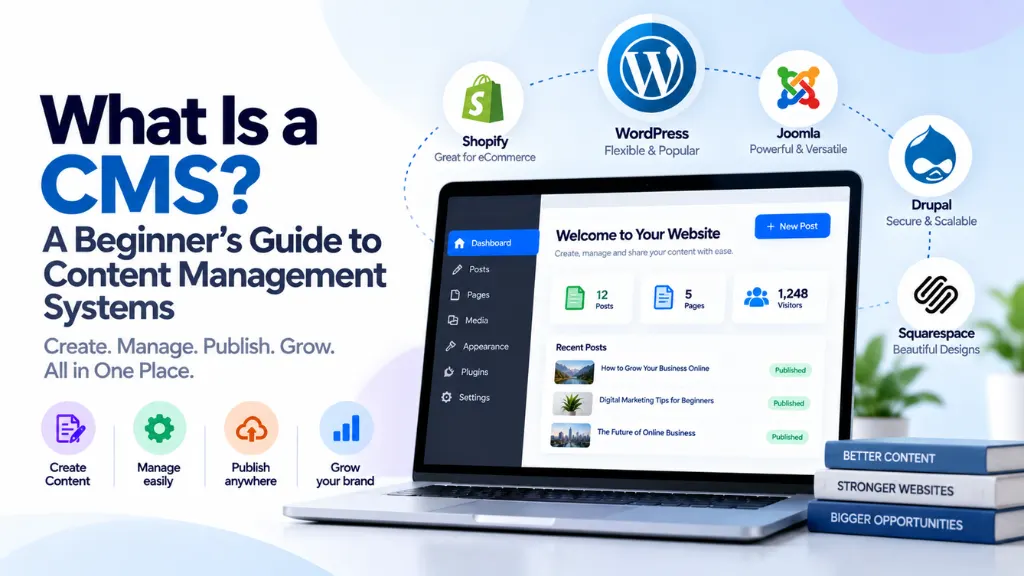
Traditional (coupled) CMS. Platforms like WordPress, Joomla, and Drupal bundle the content management backend and the page-rendering frontend together in a single system. This is the most familiar model, offers enormous ecosystems of themes and plugins, and remains the most widely used approach by a large margin – well suited to blogs, standard business websites, and many e-commerce setups.
SaaS website builders. Platforms like Wix, Squarespace, and Webflow bundle content management with hosting, design tools, and often e-commerce functionality into a single, fully hosted product. These are generally the most approachable option for a non-technical business owner, trading some flexibility and customisation for a simpler, more guided setup experience.
Headless (API-first) CMS. Platforms like Contentful, Sanity, and Strapi manage content on the backend only, with no built-in frontend at all – content is delivered to whatever frontend a development team builds, via an API, whether that’s a website, a mobile app, a smart display, or several of these simultaneously. This approach requires genuine development resources to implement, but offers the most flexibility for organisations delivering content across multiple channels at once.
Why WordPress Still Dominates – and Why the Numbers You See Vary#
WordPress remains the single most widely used CMS by a wide margin, though the exact percentage reported varies noticeably depending on what’s actually being measured – a detail worth understanding rather than taking any single headline figure at face value. Depending on the source and methodology, WordPress is reported as powering somewhere between roughly a third and just over 40% of all websites measured; among the narrower subset of websites that use any detectable CMS at all, WordPress’s share climbs considerably higher, commonly cited in the high-50s to low-60s percent range.
The discrepancy comes down to the denominator: one figure measures WordPress against every website on the internet, including the large share running no identifiable CMS at all (custom-built sites, static pages, and increasingly, headless/Jamstack sites whose rendered HTML carries no CMS fingerprint); the other measures WordPress specifically against other CMS platforms. Both figures are accurate – they’re just answering different questions, which is worth knowing whenever a specific market-share statistic gets cited without clarifying which base it’s measured against.
Headless CMS: Why It’s Growing So Fast in 2026#
Headless CMS adoption has been growing at a considerably faster rate than the CMS market overall, and two forces are driving that specifically in 2026.
Omnichannel content delivery is the original driver: a business increasingly needs the same core content – product descriptions, articles, company information – to appear consistently across a website, a mobile app, digital displays, and other surfaces, without maintaining separate, duplicated content for each. A headless architecture stores that content once and delivers it everywhere through an API, rather than locking it into a single frontend template.
AI search and answer-engine visibility has become a newer, related driver. Structured, well-organised content delivered through clean APIs – the exact strength of a headless setup – tends to be easier for AI systems like ChatGPT, Gemini, and Perplexity to parse, retrieve, and cite accurately compared to content embedded in a more monolithic traditional template. For organisations investing specifically in AI search visibility, the underlying CMS architecture has become a genuine variable in that strategy, not just a backend implementation detail.
This doesn’t mean every business needs to go headless – the added development overhead is real, and a traditional or SaaS CMS remains the right, simpler choice for most small and medium-sized businesses. It does explain why headless adoption is concentrated so heavily in larger, multi-channel organisations with the development resources to take advantage of it.
How to Choose the Right CMS for a Specific Website#
The right choice depends on a handful of concrete factors, more than on which platform is simply most popular:
- Technical comfort and available resources. A business without in-house development resources is generally better served by a traditional CMS with a large support ecosystem, or a fully hosted SaaS builder, rather than a headless platform that requires custom frontend development to use at all.
- Content complexity and volume. A simple brochure site with a handful of pages has very different needs than a large publisher managing thousands of articles across multiple content types.
- E-commerce requirements. Platforms like Shopify are purpose-built for online selling and often outperform a general-purpose CMS retrofitted with e-commerce plugins, particularly as product catalogues and order volume grow.
- Multi-channel delivery needs. A business only publishing to a single website has little practical need for a headless setup; one delivering the same content to a website, an app, and other digital surfaces has a much stronger case for it.
- Budget, both upfront and ongoing. Open-source platforms like WordPress are free to use but often carry hosting, theme, and plugin costs; SaaS builders bundle these into a predictable subscription; headless platforms typically require ongoing development investment beyond the platform’s own licensing cost.
Comparing the Main CMS Types#
| Type | Examples | Best For | Technical Requirement |
| Traditional (coupled) CMS | WordPress, Joomla, Drupal | Blogs, standard business sites, many e-commerce setups | Low to moderate – large plugin/theme ecosystems reduce custom coding needs |
| SaaS website builder | Wix, Squarespace, Webflow | Small businesses wanting an all-in-one, guided setup | Low – minimal technical skill required |
| Headless / API-first CMS | Contentful, Sanity, Strapi | Multi-channel content delivery, larger organisations, AI-visibility-focused strategies | High – requires custom frontend development |
Common Beginner Mistakes When Choosing or Setting Up a CMS#
- Choosing a platform based purely on popularity. WordPress’s dominant market share doesn’t automatically make it the right fit for every business – a simple SaaS builder or a purpose-built e-commerce platform may genuinely serve a specific need better.
- Underestimating the ongoing maintenance a self-hosted CMS requires. Open-source platforms like WordPress need regular updates to core software, themes, and plugins to stay secure – a responsibility a fully hosted SaaS platform generally handles automatically.
- Choosing headless without the development resources to support it. A headless CMS delivers no usable website on its own; without a development team to build and maintain the frontend, it isn’t a practical choice regardless of its technical advantages.
- Ignoring how content will need to scale. A CMS that works well for ten pages can become unwieldy at ten thousand if it wasn’t chosen with that growth in mind from the start.
- Overlooking SEO and technical structure when selecting a platform. Not every CMS handles clean URLs, sitemaps, and structured data equally well out of the box – a detail worth checking before committing to a platform, not after.
Frequently Asked Questions#
What does CMS stand for? CMS stands for Content Management System – software that lets people create, edit, and publish digital content without needing to write or manage the underlying code directly.
Is WordPress the best CMS for everyone? Not necessarily. WordPress is the most widely used CMS and a strong general-purpose choice for many businesses, but a SaaS builder may be simpler for a very small business, and a dedicated platform like Shopify may outperform WordPress-plus-plugins for a business focused primarily on e-commerce.
What’s the difference between a traditional CMS and a headless CMS? A traditional CMS bundles content management and the website’s frontend together in one system. A headless CMS manages content only, delivering it via an API to whatever frontend a development team builds – a website, an app, or multiple channels at once – which requires more development work but offers more flexibility.
Do I need coding skills to use a CMS? For a traditional CMS or a SaaS website builder, generally no – day-to-day content creation and publishing is designed for non-technical users. A headless CMS is the exception, since it requires a development team to build the frontend that actually displays the content.
Why is headless CMS adoption growing so quickly? Two main drivers: businesses increasingly need the same content delivered consistently across multiple channels (websites, apps, and other digital surfaces), and structured, API-delivered content tends to be easier for AI search tools to accurately parse and cite, making CMS architecture relevant to AI visibility strategy as well as traditional web delivery.
How do I know which CMS market-share statistic to trust? Check what base the percentage is measured against. A figure measuring a platform’s share of all websites will be lower than a figure measuring its share specifically among websites that use a detectable CMS – both can be accurate simultaneously while looking very different at a glance.
The Bottom Line#
A CMS exists to remove the technical barrier between having something to say and actually publishing it, letting content creators work independently of a development team for day-to-day updates. The right type – traditional, SaaS, or headless – depends far more on a business’s actual technical resources, content complexity, and multi-channel needs than on which platform happens to be most popular. Search Savvy’s website design and development services help businesses choose and implement the right CMS foundation for their specific needs, and the website design and development glossary is a useful reference for the terminology covered throughout this guide.