How to Turn a Podcast Episode Into a Fully Optimized Blog Post

Edison Research’s Infinite Dial 2026 found that 58% of Americans aged 12 and over consumed a podcast in the last month, and 45% did so in the last week. The survey was fielded in January 2026 with 2,050 respondents. Audio is clearly in demand. The problem is discovery: a spoken episode gives a search engine very little text to work with.
In this article20 sections
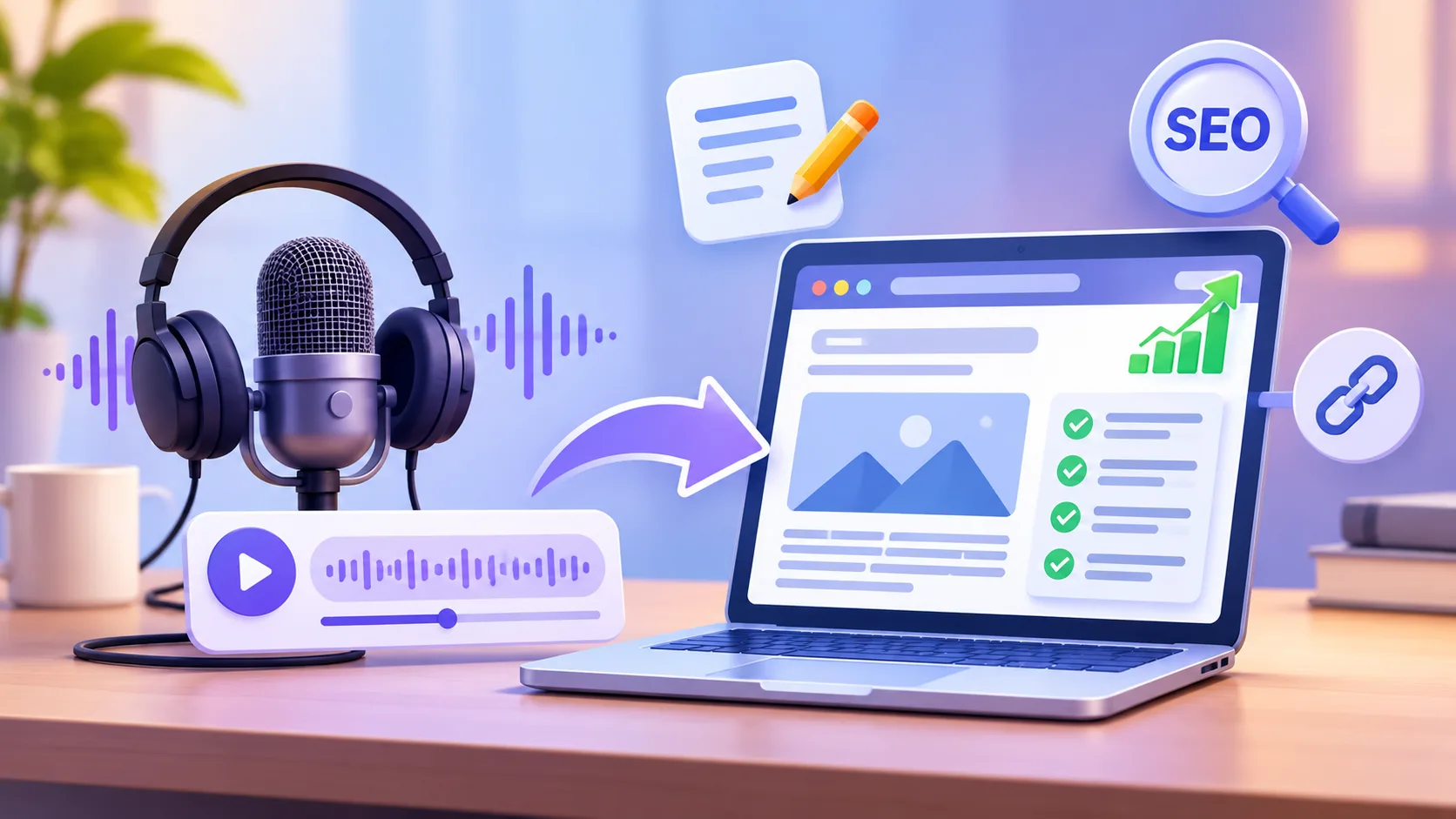
The short answer: do not paste a transcript and call it a post. A good podcast to blog post conversion starts with a clean transcript, then rewrites the episode as an article that answers one searchable question, adds what audio cannot show (sources, definitions, visuals), embeds the player, and marks up the page. This guide walks through the full process with an example.
What Does Turning a Podcast Into a Blog Post Involve?#
Turning a podcast into a blog post means converting spoken content into a written article built around a search topic. It includes transcribing the audio, editing it into a structured, original piece, embedding the episode player, writing show notes, and adding on-page SEO elements. The article should stand on its own, even if nobody presses play.
This is repurposing long-form audio, not duplicating it. The episode remains the source; the post is a new format for a different reader, often someone who would never open a podcast app.
Why Not Just Publish the Raw Transcript?#
A raw transcript is rarely the best page for readers or search. Spoken language is repetitive, full of fillers and tangents, and slow to scan. Visitors looking for an answer leave before finding it.
There is also a quality risk. Google’s Search Quality Rater Guidelines describe content reposted or paraphrased with little effort or added value as low quality, and the extreme cases as spam. Raters do not set rankings; their ratings evaluate how well search systems perform. Still, they show what Google considers unhelpful.
Accuracy is another reason. Google’s guidance on AI-generated content advises manually fact-checking and reviewing automated output, including metadata. Automatic transcription mishears names, brands, and numbers, and a wrong figure in a transcript becomes a wrong claim on your site.
How Do You Turn a Podcast Episode Into a Blog Post, Step by Step?#
Start with the search question, not the recording, and edit the episode to answer it. Here is a workflow you can repeat for every episode.
- Pick the search intent first. Decide which question the episode answers best, such as “how do clinics rank in local search?” Check what already ranks, and note what those pages miss.
- Get an accurate transcript. Use transcription software or a service, then correct names, terms, and numbers by listening again. Add speaker labels and timestamps for key moments.
- Mark the usable segments. Highlight direct answers, concrete examples, stories, and quotable lines. Cut small talk, ads, and detours.
- Outline around questions. Turn segments into headings that match how people search, with the answer first under each.
- Rewrite for the page. Convert speech to clear written sentences. Keep guest quotes verbatim, with their approval, and attribute them.
- Add what audio cannot carry. Include definitions, sourced data, screenshots, diagrams, and links to primary sources. This is where your post becomes more useful than the recording.
- Embed the episode and add show notes. Place the player near the top, and add timestamps, resources, and guest details.
- Optimize and publish. Write the title, meta description, headings, internal links, and schema, then promote.
Search Savvy’s content marketing services cover this kind of planning and editing for teams that produce more episodes than they have time to adapt.
A Worked Example#
Say you record a 40-minute episode with a dental-clinic owner on getting found in local search. A sensible conversion might look like this:
| Episode segment | Blog section |
| Guest explains why patients search “dentist near me” | Intro with the direct answer |
| Story about fixing wrong opening hours | “Common profile mistakes” with a numbered fix list |
| Discussion of reviews | “How reviews affect clinic visibility” with a cited source |
| Host and guest banter, sponsor reads | Removed |
| Final tips | “Quick checklist” and FAQ |
The post is about 1,500 words from a recording that may exceed 6,000. That compression is the point.
What Should Podcast Show Notes Include?#
Podcast show notes should give a one-paragraph summary, guest name and role, key takeaways, timestamped chapters, links to everything mentioned, and subscribe links. Written for readers, they also help listeners decide whether to play the episode.
| Show notes element | Why it helps |
| Summary paragraph | Gives search engines and readers the topic quickly |
| Guest bio with links | Establishes who is speaking and why they are credible |
| Timestamps | Lets readers jump to what they need |
| Resource links | Supports claims and sends readers to primary sources |
| Subscribe options | Turns readers into listeners |
Show notes belong in the post as supporting content below or beside the article, not as a replacement for it.
How Do You Embed an Audio Player Without Slowing the Page?#
To embed the audio player, copy the embed code from your podcast host, Spotify, or Apple Podcasts, paste it into the post, and place it after your opening answer. Use a descriptive title for the player, avoid autoplay, and lazy-load it if it sits below the fold. Then test page speed.
A few practical notes:
- Keep text outside the player. Content that lives only inside an iframe will not help the page’s own text.
- Add a plain link to the episode as a fallback.
- Use one player per page, since several can slow loading.
- Check the page on mobile, where heavy embeds hurt most.
How Do You Handle Transcript Optimization?#
Transcript optimization means cleaning, structuring, and placing the transcript so it helps readers and search without replacing the article. Correct errors, add speaker labels, break text with subheadings or timestamps, and decide where it lives.
| Option | Best for | Trade-off |
| Collapsible transcript below the article | Most posts | Keeps the page focused while serving readers who want it |
| Separate transcript page | Long episodes | Another URL to maintain and link |
| Downloadable file | Archive use | Little SEO benefit |
Transcripts also serve accessibility, since text alternatives help people who are deaf or hard of hearing. That reason alone justifies publishing one. For audio-to-text SEO, treat the transcript as supporting material, with the edited article as the page’s main content.
Which Schema Markup Fits a Podcast Post?#
Use Article markup for the post. Schema.org also defines a PodcastEpisode type and a transcript property for audio objects, which can describe the episode and its transcript to machines. Schema.org still labels PodcastEpisode as a “new” type, so treat it as clarity for machines, not a guaranteed search feature.
You can generate Article markup with the article schema generator, then add episode details if your CMS supports it. Validate the result before publishing, and make sure every value matches what is visible on the page.
How Do You Make the Post Work for AI Search?#
AI answer engines favor pages that state clear answers, name entities, and cite sources. Put a short answer under each question heading, define terms, attribute guest claims to named people, and link to primary sources. No one can promise citations, but a clear, well-sourced page is easier to retrieve and quote than a block of conversation. Search Savvy’s AI search optimization services cover this layer of structuring.
What Else Can You Repurpose From the Episode?#
One recording can feed several assets: short video or audiogram clips, quote graphics, a newsletter summary, and social posts. Pick the strongest 30 to 60 second moments for clips. Search Savvy’s short-form video production work can handle editing and captions for those. Link each clip back to the full post so social attention becomes search-friendly traffic.
For a series, tie episode posts together around a topic. A hub-and-cluster content structure lets each post support the others, and tightening the on-page basics, such as titles, headings, and links, is covered under on-page SEO.
What Mistakes Should You Avoid?#
- Publishing an unedited transcript. It is long, repetitive, and low in added value.
- Skipping the fact-check. Verify every name, number, and claim against the source.
- Forgetting permission. Get the guest’s approval for quotes, photos, and any edits to their words.
- Burying the answer. Put the main takeaway in the first paragraph.
- Hiding the player. If the audio is a feature, make it easy to find.
- No internal links. Connect each post to related episodes and guides.
How Do You Measure Results?#
Track organic clicks and impressions for the post in Google Search Console, then listens and downloads from your podcast host, newsletter signups, and time on page. Compare posts built from episodes with episode pages that only carry show notes. Judge over a few months, since new pages take time to gather data.
Frequently Asked Questions#
Is it bad for SEO to post a podcast transcript?#
Not in itself, but a raw transcript is rarely your best page. Use it as supporting content beside an edited article, and fix errors first.
Should a podcast have its own blog post for every episode?#
Usually yes, if each episode answers a distinct question. Short or sponsor-heavy episodes may only need show notes.
How long should a podcast blog post be?#
Long enough to answer the question fully. Many posts land between 1,000 and 2,000 words, but length is not a ranking target.
Do I need a transcription tool?#
Not necessarily, but automated tools save time. Always proofread, since errors in names and numbers are common.
Can AI rewrite my podcast into a blog post?#
It can help with drafts, but you remain responsible for accuracy, originality, and tone. Review and edit carefully before publishing.
What is the difference between show notes and a blog post?#
Show notes support the episode with summaries and links. A blog post is a standalone article built around a search topic and may include the player and a transcript.
Bottom Line#
A podcast episode already contains expertise and original examples. Your job is to turn them into a page that answers one question clearly, proves its claims, and invites people to listen. Start with your next episode: pick the question, correct the transcript, write the answer-first article, and embed the player. If you would like help building a repeatable workflow, Search Savvy can support the strategy and optimization behind it.