How to Optimise Your Website’s Page Speed for SEO (2026 Guide)
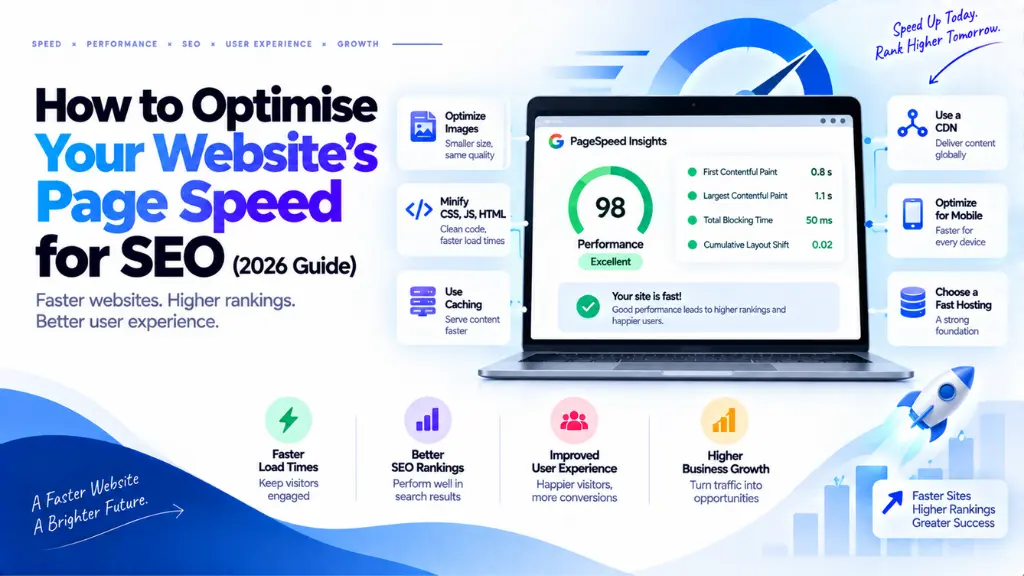

A one-second delay in page load time is widely cited across 2026 industry analyses as costing roughly 7% in conversions, and slow pages compete at a structural disadvantage in rankings whenever content quality between competitors is otherwise comparable. Page speed sits at a rare intersection in SEO: fixing it improves rankings, user experience, and revenue simultaneously, which is why it remains one of the highest-return technical investments a site can make. Optimising your website’s page speed in 2026 means working through a specific, prioritized set of fixes – server response, images, render-blocking code, and caching – rather than guessing at what “feels slow.”
In this article12 sections
This guide covers what Google actually measures, how to diagnose your biggest bottleneck before making any changes, and the specific fixes that consistently move the needle, in the order that typically delivers the fastest wins.
Why Page Speed Still Matters for SEO in 2026#
Google’s Core Web Vitals have been a confirmed part of the page experience ranking signal since 2021, and that hasn’t changed heading into 2026 – pages scoring “Poor” on Core Web Vitals face ranking suppression, particularly in competitive niches where other ranking factors are closely matched. Google evaluates this using real-user field data collected through the Chrome User Experience Report rather than isolated lab tests, which means a page needs to perform consistently across real devices, networks, and locations, not just on a fast development machine.
The revenue case is just as direct, and matters especially for ecommerce and other conversion-driven sites. Industry-aggregated A/B test data has put the cost of every 100 milliseconds of additional load time at roughly 1% in lost conversions, and slow websites have been estimated to cost retail businesses billions of dollars in lost sales annually across the sector. Whether or not those exact figures apply precisely to your site, the underlying pattern is consistent: speed differences of even one or two seconds reliably decide whether a visitor bounces or converts.
The Metrics Google Actually Measures#
Three Core Web Vitals form the technical backbone of the page experience signal, alongside one supporting metric worth tracking separately.
| Metric | What It Measures | “Good” Threshold |
| LCP (Largest Contentful Paint) | Time until the largest visible content element renders | Under 2.5 seconds |
| INP (Interaction to Next Paint) | Responsiveness across every user interaction, not just the first | Under 200 milliseconds |
| CLS (Cumulative Layout Shift) | Visual stability during load | Under 0.1 |
| TTFB (Time to First Byte) | How long the server takes to start responding after a request | Generally under 800ms; lower is better |
One correction worth making explicitly: INP replaced First Input Delay (FID) as an official Core Web Vital in March 2024. Any guidance still referencing FID as a current metric is out of date – INP measures the full responsiveness cycle across all interactions on a page, which makes JavaScript execution time a more consistently important factor than it was under FID’s narrower, first-click-only measurement.
Step 1: Diagnose Before You Optimize#
The single biggest mistake in page speed work is guessing at the fix before identifying the actual bottleneck. Running your site through Google’s PageSpeed Insights takes a few seconds and typically points directly at the largest opportunity – in most cases, either unoptimized images or slow server response time. Reviewing real-user Core Web Vitals data in Search Console alongside the lab-based PageSpeed report matters too, since lab and field data can diverge meaningfully, and Google ranks based on the field data specifically.
Should I Trust Lab Scores or Field Data More?#
Field data, when the two disagree. A page can score well in a controlled lab test and still show “Poor” Core Web Vitals in Search Console’s field report, because field data reflects real visitors on real devices and networks – often slower, older mobile hardware that a lab test on a fast machine doesn’t represent. Google’s ranking signal is built on field data, so that’s the number that ultimately matters for SEO.
Step 2: Fix Server Response Time First#
Time to First Byte measures how efficiently your server handles a request before any content even begins downloading, and it’s worth diagnosing early because a slow TTFB caps how fast every subsequent optimization can make a page feel, regardless of how well-optimized the front-end assets are. Common causes include underpowered shared hosting, an unoptimized database, or a server located far from a significant share of your visitors.
The fixes here are largely infrastructure decisions: upgrading from basic shared hosting to a VPS or cloud-based setup when traffic or complexity has outgrown it, enabling server-side caching so repeat requests don’t rebuild a page from scratch, and using a content delivery network (CDN) to serve static assets from a location physically closer to each visitor. For a site with a geographically distributed audience, a CDN in particular can meaningfully reduce load time for visitors far from the origin server, independent of any other optimization work.
Step 3: Optimize Images#
Unoptimized images remain one of the most common single causes of LCP failure, and typically the fastest win available once server response time is under control. A handful of practices consistently deliver the largest improvement for the least effort:
- Compress images before upload, targeting the smallest file size that doesn’t visibly degrade quality.
- Use modern formats like WebP or AVIF instead of legacy JPEG or PNG, which typically produce meaningfully smaller files at equivalent visual quality.
- Serve appropriately sized images per device, rather than shipping a desktop-sized image to a mobile visitor and relying on CSS to shrink it visually.
- Lazy-load below-the-fold images using native loading=”lazy”, so images outside the initial viewport don’t compete for bandwidth with what a visitor actually sees first.
- Prioritize the LCP image specifically, ensuring it isn’t lazy-loaded and is discoverable to the browser as early as possible in the page’s loading sequence.
Step 4: Reduce Render-Blocking CSS and JavaScript#
Heavy JavaScript execution is the primary driver behind poor INP scores, since a busy main thread delays how quickly a page responds to a click, tap, or keypress. Minifying CSS and JavaScript removes unnecessary characters and whitespace without changing functionality, and deferring non-critical scripts – analytics tags, chat widgets, and other render-blocking resources that don’t need to run immediately – keeps them from blocking the content a visitor is actually there to see.
Inlining critical CSS for above-the-fold content, while loading the remaining stylesheet asynchronously, lets the browser render visible content immediately rather than waiting for an entire stylesheet to download first. For sites with a genuinely large JavaScript footprint, code-splitting – loading only the JavaScript a specific page actually needs, rather than a single bundle shared across the whole site – is often the more structural fix once minification and deferral alone aren’t enough. Search Savvy’s technical SEO services include this kind of render-blocking diagnosis as part of a full Core Web Vitals assessment, identifying which specific assets are delaying LCP and INP rather than applying generic fixes across the board.
Step 5: Leverage Caching and a CDN#
Browser caching stores static assets – images, CSS, JavaScript – on a visitor’s device after their first visit, so a repeat visit loads noticeably faster without re-downloading unchanged files. Setting appropriate cache-control headers ensures browsers know how long to hold onto an asset before checking for an updated version, avoiding both stale content and unnecessary re-downloads. Combined with a CDN for first-time visitors, caching addresses both sides of the repeat-visit and first-visit speed equation, rather than only optimizing for one or the other.
Step 6: Monitor Continuously, Not Once#
Page speed optimization isn’t a project with a defined end point – it’s an ongoing practice, since new content, added scripts, and design changes can quietly reintroduce the same problems a previous round of optimization fixed. Reviewing Core Web Vitals field data in Search Console on a monthly cadence, rather than treating a single optimization sprint as permanent, catches regressions while they’re still small and easy to trace back to a specific recent change. Search Savvy’s website audit services build this kind of recurring performance check into ongoing site maintenance, rather than treating speed as a one-time deliverable.
Common Mistakes in Page Speed Optimization#
- Optimizing before diagnosing. Guessing at a fix without checking PageSpeed Insights or Search Console field data often means solving the wrong problem first.
- Ignoring server response time. Front-end optimizations have a hard ceiling on their impact if TTFB itself is slow, regardless of how well images and scripts are optimized.
- Referencing FID instead of INP. INP has been the official responsiveness metric since March 2024; guidance still built around FID is measuring a metric Google no longer scores.
- Trusting lab scores over field data. A page can look fast in an isolated lab test and still fail Core Web Vitals for real visitors, since Google ranks based on field data specifically.
- Treating optimization as a one-time project. New content and added scripts can quietly reintroduce regressions; ongoing monitoring is what catches this before it compounds.
The Bottom Line#
Optimising your website’s page speed for SEO in 2026 means working through server response time, image optimization, render-blocking code, and caching in that rough order of impact, diagnosing the actual bottleneck first rather than guessing, and monitoring field data continuously rather than treating a single sprint as a permanent fix. The sites maintaining consistently strong Core Web Vitals accumulate a ranking stability advantage that competitors with variable performance can’t easily match, on top of the direct conversion gains that come from simply loading faster.
The practical next step is running your site through PageSpeed Insights today, identifying your single biggest bottleneck, and fixing that one thing before moving to the next. Search Savvy’s Core Web Vitals audits and ongoing site audits build exactly this kind of prioritized, diagnosis-first performance work into a full technical SEO program, so speed improvements target the fixes that actually move rankings and revenue.
Frequently Asked Questions#
How fast should my website load for good SEO in 2026? Aim for an LCP under 2.5 seconds, INP under 200 milliseconds, and CLS under 0.1 – the current Core Web Vitals thresholds Google uses in its page experience ranking signal. Time to First Byte should generally stay under 800 milliseconds as a supporting benchmark.
Is page speed a direct Google ranking factor? Yes, through Core Web Vitals as part of the page experience signal, confirmed since 2021 and still in effect in 2026. It won’t make an otherwise irrelevant page rank well, but it can be the deciding factor when competing pages are similar in content quality.
What usually causes the biggest page speed problems? Unoptimized images are the most common cause of poor LCP, while heavy JavaScript execution is the primary driver of poor INP. Server response time (TTFB) is also a frequent bottleneck, particularly on underpowered shared hosting.
Should I fix images or server response time first? Diagnose first rather than assuming – running PageSpeed Insights typically reveals which one is the bigger issue for your specific site. That said, server response time is worth checking early, since a slow TTFB caps how much benefit front-end optimizations alone can deliver.
What replaced FID as a Core Web Vital? INP (Interaction to Next Paint) replaced First Input Delay in March 2024. It measures responsiveness across all interactions on a page rather than just the first one, making JavaScript execution time more consistently relevant to the score.
How often should I check my site’s page speed? Monthly, at minimum, using Search Console’s Core Web Vitals field data rather than a one-time lab test. New content, added scripts, and design changes can reintroduce speed regressions that a single past optimization sprint won’t catch going forward.