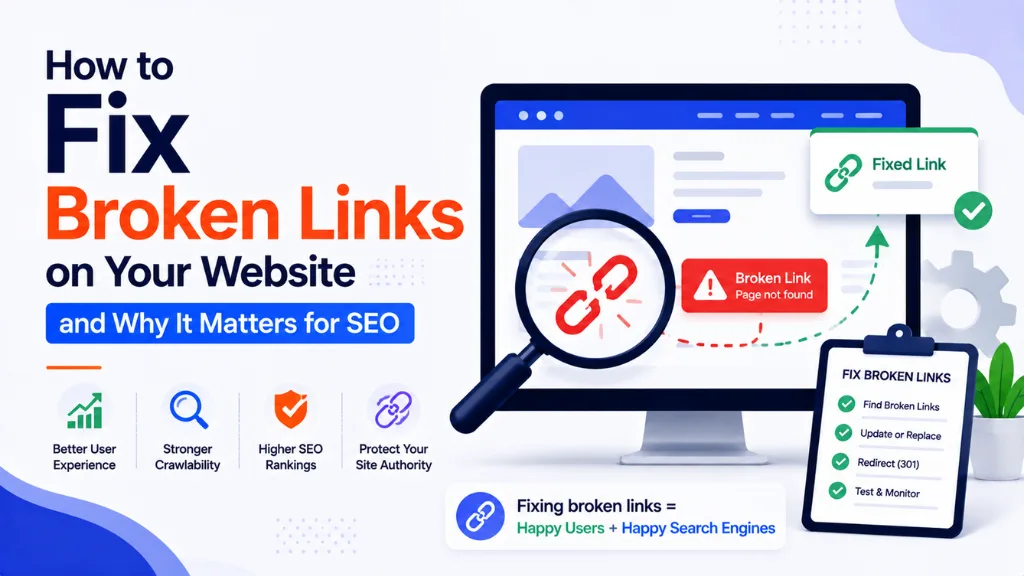
How to Fix Broken Links on Your Website and Why It Matters for SEO

Every website accumulates broken links over time, whether anyone notices or not. Pages get deleted, URLs change during a redesign, and external sites you once linked to quietly go offline – and unless someone is actively checking, those dead ends just sit there, silently working against your site.
In this article8 sections
Fix broken links before they compound into a genuine technical SEO problem, because they accumulate silently as pages are deleted, URLs change, and external websites go offline, according to Futuristic Marketing Services’ 2026 broken links guide. Broken links are consistently described as one of the most common, and most overlooked, technical SEO issues on the web.
At Search Savvy, broken link audits are a standard part of every technical SEO review we run, because the fix is usually straightforward once the problem is actually found. This guide breaks down exactly why broken links matter for SEO in 2026, and the step-by-step process to fix broken links before they cost you rankings.
Why Does It Matter So Much to Fix Broken Links?#
Fix broken links because they cause real, measurable ranking harm through three separate mechanisms, even though a single broken link rarely triggers a direct penalty on its own.
Broken links cause indirect ranking harm because wasted crawl budget prevents Googlebot from discovering important pages, broken internal links fragment your link equity distribution, and broken backlinks represent lost off-page authority quietly draining away, according to Futuristic Marketing Services’ 2026 analysis. None of these are single catastrophic events – they compound slowly over months of neglect.
Fix broken links also matters because of how they read as a quality signal. When links start returning 404 or 410 errors, especially on internal pages, search engines tend to notice fast – and if it keeps happening, it can look like the site is simply not being maintained, according to SEOZilla’s 2026 broken links guide. Sites that publish faster, change URLs more often, and rely heavily on automation are more prone to this kind of link decay, since there is rarely a real pause to catch it.
People Also Ask: Do broken links directly hurt Google rankings? Short Answer: Not through a direct penalty, but yes indirectly, through three mechanisms: wasted crawl budget, fragmented internal link equity, and lost authority from broken backlinks. These compound over time even though no single broken link causes an immediate ranking drop.
How Does Fixing Broken Links Protect Your Crawl Budget?#
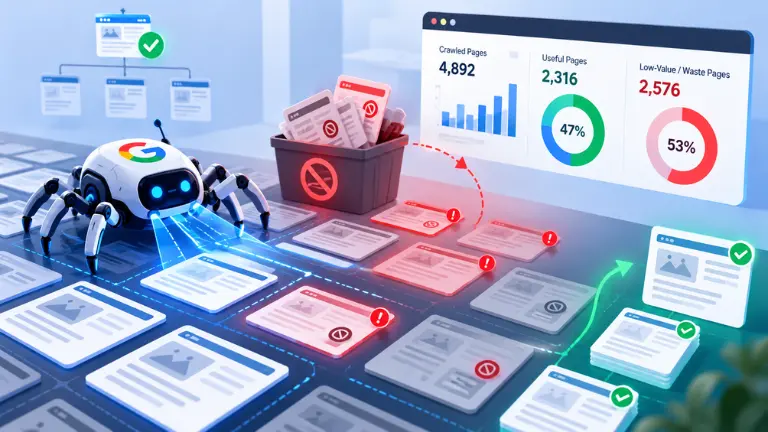
Fix broken links to protect crawl budget, which is the number of pages Googlebot is willing to crawl on your site within a given timeframe – a limited resource that broken links quietly waste.
When Googlebot follows a broken internal link and receives a 404 response, it has spent crawl budget without discovering any new content at all, according to Futuristic Marketing Services’ 2026 guide. For large sites with thousands of pages, a significant broken link count means genuinely important pages may go undiscovered and unindexed simply because Googlebot exhausted its budget on dead URLs before reaching them.
A useful diagnostic threshold: if 20% or more of your site’s crawl responses are 301s, 404s, or 5xx errors, Google is wasting a meaningful share of crawl budget on bad URLs, according to The Stacc’s 2026 crawl budget guide. Redirect chains compound this waste further – a chain of three redirects wastes three separate crawl requests just to reach one final destination page, per the same source.
People Also Ask: What percentage of crawl errors signals a real crawl budget problem? Short Answer: If 20% or more of your site’s crawl responses are 301 redirects, 404 errors, or 5xx server errors, Google is likely wasting significant crawl budget on broken or misconfigured URLs – a threshold worth checking regularly on larger sites.
How Does Fixing Broken Links Preserve Link Equity?#
Fix broken links to protect link equity – the authority and relevance signal that flows through your internal linking structure, directing ranking power from strong pages to the pages you actually want to rank.
Internal links distribute PageRank throughout your site, directing authority from high-performing pages to pages you want to rank higher, according to Futuristic Marketing Services’ 2026 analysis. When an internal link points to a broken URL, that authority flow simply terminates – instead of boosting an important page, the link equity disappears into a 404 response and is lost entirely.
Broken backlinks compound this problem from the outside. A broken backlink is a link from another website pointing to a page that no longer exists on your site, representing lost external authority that is simply draining away with no benefit to anyone, per the same source. Unlike an internal broken link, which you control directly, a broken backlink requires either restoring the original page or setting up a redirect to recapture that lost authority.
People Also Ask: What happens to link equity when an internal link points to a 404 page? Short Answer: The authority that link was meant to pass along is lost entirely – it terminates at the 404 response instead of reaching and boosting the intended page. Fixing the link or redirecting it restores that authority flow.
How Do You Actually Find Broken Links on Your Website?#
Fix broken links effectively starts with a systematic audit, since manually clicking through every page on a site is neither practical nor reliable for anything beyond the smallest websites.
Tools like Screaming Frog, Sitebulb, or Ahrefs Site Audit can scan your entire site and identify all internal links pointing to 404 pages, according to Thatware’s 2026 crawl budget guide. In 2026, most enterprise SEO teams use multiple tools in parallel for increased accuracy, since different crawlers can surface slightly different results depending on how they handle JavaScript-rendered content and redirect chains.
A practical audit process:
- Run a full site crawl using Screaming Frog, Sitebulb, Ahrefs, or Semrush to identify all 404 and error responses
- Check Google Search Console’s Crawl Stats report for patterns in how Googlebot is encountering errors on your site
- Review navigation menus, footers, and content sections specifically, since broken links embedded in templates get repeated across every page they appear on
- Identify soft 404s separately – pages returning a 200 OK status but showing “not found” content, which Googlebot keeps recrawling since the server claims the page is fine, according to Urllo’s 2026 404 SEO guide
- Prioritise fixes by page importance – a 404 on a key category or product page deserves attention before a 404 on a minor, low-traffic archive page
People Also Ask: What is a soft 404 and why is it worse than a regular 404? Short Answer: A soft 404 returns a 200 OK status code while showing “not found” or thin content. Because the server signals the page is fine, Googlebot keeps recrawling it repeatedly, wasting crawl budget in a way a proper 404 response does not.
What Is the Right Way to Fix Broken Links Once You Find Them?#
Fix broken links using the correct method for each specific situation – treating every broken link the same way, regardless of context, often creates new problems instead of solving the original one.
By properly managing 301 redirects, broken links can be resolved without negatively impacting your site’s crawl budget or user experience, according to Thatware’s 2026 guide. The specific fix depends on why the link broke in the first place, not a single universal solution.
- Content moved or renamed – set up a 301 redirect from the old URL directly to the new one
- Content permanently removed with no replacement – allow it to return a proper 404 or 410 status rather than redirecting to an unrelated page
- Redirect chains already exist – update all redirects to point directly to the final destination; Google’s updated 2025 guidance treats each hop as a separate, budget-costing crawl request, per The Stacc’s 2026 guide
- Internal links in navigation, footers, or content – update every instance directly, rather than relying solely on redirects to patch the problem
- Use relative URLs where practical instead of absolute URLs, reducing the risk of broken links during domain or protocol changes, according to Thatware’s 2026 guide
People Also Ask: Should every broken link be redirected somewhere? Short Answer: No. If the original content is genuinely gone with no relevant replacement, a proper 404 or 410 status is the correct response. Redirecting broken links to unrelated pages just to avoid a 404 can confuse both users and search engines.
Do 404 Errors Always Hurt SEO, or Are Some Actually Useful?#
Fix broken links selectively, because not every 404 error is a problem – some are actually a deliberate, useful signal that helps search engines manage your site correctly.
Google’s updated 2025 guidance states that 404s are a strong signal to Googlebot not to crawl that page again, meaning proper 404s actually optimise crawl budget by ensuring Googlebot focuses only on the pages you genuinely want indexed, according to Urllo’s 2026 404 SEO guide. The distinction that matters is between a deliberate, correctly returned 404 for content that should no longer exist, versus an accidental 404 on a page that should still be live and findable.
Soft 404s remain the genuine problem to fix, since they continue being crawled repeatedly because Googlebot has no clear signal to stop, per the same source. This is exactly why distinguishing between “this page should genuinely 404” and “this page broke by accident” matters more than treating every error identically.
People Also Ask: Are all 404 errors bad for a website’s SEO? Short Answer: No. A proper 404 for genuinely removed content is actually a useful signal that helps Google avoid recrawling pages that no longer exist. The real problem is accidental 404s on pages that should still be live, and soft 404s that keep getting recrawled unnecessarily.
How Often Should You Check for Broken Links Going Forward?#
Fix broken links proactively rather than treating link audits as a one-time cleanup project, since link decay happens continuously as content changes, gets deleted, or gets restructured.
Check crawl metrics weekly if your site has 10,000 or more pages, while monthly checks are sufficient for smaller sites, according to The Stacc’s 2026 crawl budget guide. Monitoring your Crawl Stats report regularly helps catch issues before they meaningfully affect how quickly new content gets indexed, per Upward Engine’s 2026 crawl budget analysis.
According to Search Savvy’s insights from managing ongoing technical SEO for clients, broken link audits are one of the easiest maintenance tasks to deprioritise – and one of the costliest to neglect, since the damage compounds quietly rather than announcing itself the way a sudden traffic drop does.
At Search Savvy, we recommend building a broken link check into every site redesign, URL restructure, and content deletion process – catching the break at the moment it happens is far cheaper than discovering it months later during a full audit.
FAQ: Fixing Broken Links for SEO#
Q1: How many broken links does it take to hurt a website’s SEO? A: There is no fixed number – impact depends on where the broken links sit. A handful of broken links in a footer or navigation template, repeated across every page, causes far more damage than the same number scattered across low-traffic archive pages.
Q2: What tools can I use to find broken links on my website? A: Screaming Frog, Sitebulb, and Ahrefs Site Audit are commonly used crawling tools that scan an entire site and identify broken internal and external links. Google Search Console’s Crawl Stats report also helps identify patterns in how Googlebot encounters errors.
Q3: Should I redirect every broken link to my homepage? A: No. Redirecting broken links to an unrelated page, including the homepage, often confuses both users and search engines. Redirect to the most relevant replacement page, or allow a proper 404 if no relevant replacement genuinely exists.
Q4: Do broken external links (links pointing away from my site) also hurt SEO? A: They can hurt user experience and site credibility, though the direct SEO impact is generally smaller than broken internal links or backlinks. Still, regularly checking outbound links is good practice for maintaining a trustworthy, well-maintained site.
Q5: How is a broken backlink different from a broken internal link? A: A broken internal link points from one page on your own site to another page on your site that no longer exists. A broken backlink is a link from an external website pointing to a page on your site that no longer exists, representing lost external authority.
Q6: Can too many redirects also cause SEO problems? A: Yes. Redirect chains, where one redirect leads to another before reaching the final page, waste crawl budget with each additional hop. Update redirects to point directly to the final destination whenever possible, keeping each redirect to a single hop.
Want a technical SEO audit to find and fix broken links across your website? Visit Search Savvy to speak with an expert who can identify exactly where your site is losing crawl budget and authority.