Hreflang Tags Explained: How to Use Them for Multilingual SEO
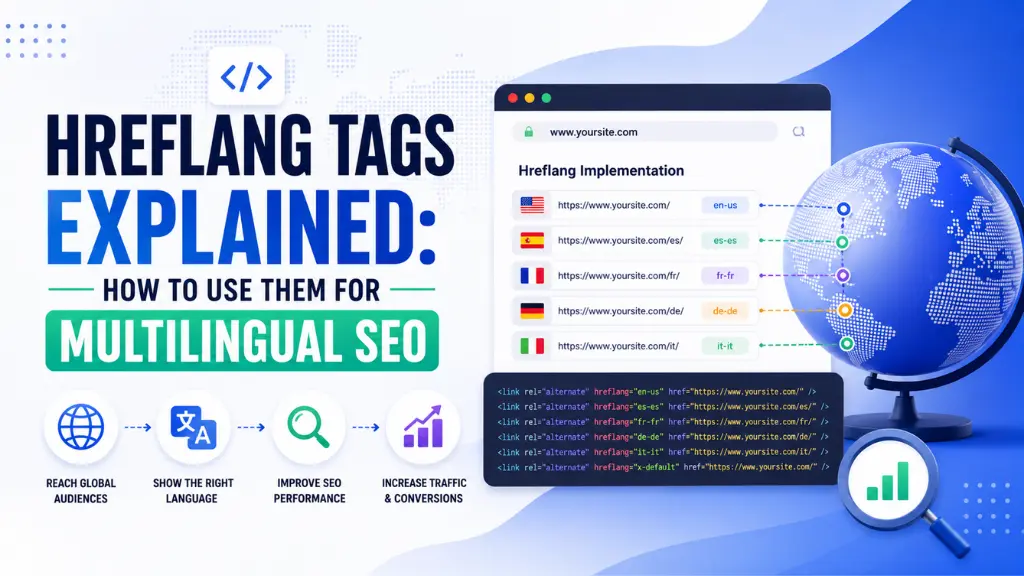

Here is the multilingual SEO problem that hreflang tags solve: you publish the same content in English, Hindi, and French, and Google serves the French version to users in India and the English version to users in Paris. The translations are correct. The hosting is fine. The content is excellent. The problem is that Google does not know which version belongs to which audience.
In this article18 sections
Hreflang tags are the HTML attribute that resolves this. They tell Google and Bing which language and region each page version targets, so the correct version surfaces for the right audience in the right search context – English for English- language speakers globally, Australian English for English speakers in Australia, Hindi for Hindi-speaking audiences, and so on.
Hreflang tags are simultaneously one of the most important technical SEO elements for any website serving multiple languages or regions, and one of the most commonly implemented incorrectly. A Search Engine Land analysis found that over 75% of websites using hreflang tags contain at least one error that prevents the implementation from working as intended. Most of those errors are avoidable once the underlying logic is clearly understood.
Hreflang tags matter even more in 2026 because global search has expanded alongside AI-driven personalisation. Google’s systems are increasingly sophisticated about serving regionally and linguistically appropriate results – which means a site with a broken hreflang implementation is competing against correctly implemented competitors for every query across every language it targets.
At Search Savvy, hreflang implementation is a standard component of every international SEO audit we conduct, because errors here affect visibility across entire markets rather than individual pages. This guide covers everything needed to implement hreflang tags correctly from the start.
What Are Hreflang Tags?#
Hreflang tags are HTML link attributes that specify the language and optional geographic targeting of a web page, and indicate to search engines which alternative versions of the page exist for different language or regional audiences.
Hreflang tags were introduced by Google in 2011 specifically to address the multilingual duplicate content problem – where multiple versions of similar or identical content in different languages caused Google uncertainty about which version to index and surface for any given query.
A basic hreflang tag looks like this:
<link rel=”alternate” hreflang=”en” href=”https://example.com/en/page/” />
<link rel=”alternate” hreflang=”hi” href=”https://example.com/hi/page/” />
<link rel=”alternate” hreflang=”fr” href=”https://example.com/fr/page/” />
<link rel=”alternate” hreflang=”x-default”
href=”https://example.com/page/” />
Each hreflang attribute value is an IETF language tag – a standardised code identifying the language (and optionally the region) the page is written for.
People Also Ask: What is the hreflang tag used for in SEO? Short Answer: Hreflang tags tell Google which language and regional version of a page should be served to users in specific language and location contexts. Without them, Google makes its own judgment about which version is appropriate – which frequently produces incorrect results, particularly for similar languages like British and American English or Spanish variants across different Latin American countries.
How Do Hreflang Tags Work?#
Hreflang tags work by creating a reciprocal linking network among all language and regional versions of a page, so that each version “confirms” the existence of the others. This bidirectional confirmation is what makes the implementation either work correctly or fail.
The logic is: every page in a hreflang set must include hreflang annotations pointing to every other page in that set – including a self-referencing hreflang pointing to the page itself. If page A points to page B in its hreflang set but page B does not point back to page A, Google invalidates the entire set for that pair.
When Google encounters a search query in French from a user in France, it checks the hreflang annotations on your site to find the version marked hreflang=”fr” or hreflang=”fr-FR” and serves that version – rather than defaulting to the English canonical. When no language-specific version is available or when the user’s language does not match any specific version, Google uses the hreflang=”x-default” page as the fallback.
What Are the Language and Region Codes Used in Hreflang Tags?#
Hreflang tags use ISO 639-1 two-letter language codes for language specification, optionally combined with ISO 3166-1 Alpha-2 two-letter country codes for regional targeting.
Language-only hreflang: Targets all users searching in that language, regardless of country.
<link rel=”alternate” hreflang=”en”
href=”https://example.com/en/page/” />
<link rel=”alternate” hreflang=”es”
href=”https://example.com/es/page/” />
<link rel=”alternate” hreflang=”hi”
href=”https://example.com/hi/page/” />
Language + region hreflang: Targets users of that language in a specific country, allowing different versions for, say, British and American English or Mexican and Spanish Spanish.
<link rel=”alternate” hreflang=”en-GB”
href=”https://example.com/en-gb/page/” />
<link rel=”alternate” hreflang=”en-US”
href=”https://example.com/en-us/page/” />
<link rel=”alternate” hreflang=”es-MX”
href=”https://example.com/es-mx/page/” />
<link rel=”alternate” hreflang=”es-ES”
href=”https://example.com/es-es/page/” />
Region-only hreflang (rarely correct): Targets all users in a country regardless of language. Only appropriate when targeting by country without language differentiation.
x-default hreflang: The fallback page shown to users whose language does not match any specific version, or as the default for any unmatched region. Every hreflang implementation should include one x-default annotation.
Common language codes for Indian multilingual SEO:
| Language | ISO Code | Example Hreflang Value |
| English (India) | en-IN | hreflang=”en-IN” |
| Hindi | hi | hreflang=”hi” |
| Tamil | ta | hreflang=”ta” |
| Bengali | bn | hreflang=”bn” |
| Marathi | mr | hreflang=”mr” |
| Telugu | te | hreflang=”te” |
| Kannada | kn | hreflang=”kn” |
| Malayalam | ml | hreflang=”ml” |
People Also Ask: What is hreflang x-default and when should you use it? Short Answer: hreflang=”x-default” is the fallback page shown to users whose language or region does not match any specific version in the hreflang set. Every multilingual site should include one x-default annotation – typically pointing to the English version, the homepage, or a language-selector page that helps users choose their preferred version. Without x-default, Google has no clear fallback instruction for unmatched audiences.
Where Should Hreflang Tags Be Placed?#
Hreflang tags can be implemented in three locations, and only one of them needs to be used – using more than one can create conflicting signals.
Option 1: HTML Head (Most Common)#
Hreflang tags placed in the <head> section of each page’s HTML are the most common implementation and work reliably for most sites.
<head>
<link rel=”alternate” hreflang=”en”
href=”https://example.com/en/page/” />
<link rel=”alternate” hreflang=”fr”
href=”https://example.com/fr/page/” />
<link rel=”alternate” hreflang=”x-default”
href=”https://example.com/page/” />
</head>
Option 2: HTTP Header (For PDFs and Non-HTML Resources)#
Hreflang tags cannot be placed in HTML head elements when the resource is a PDF or other non-HTML file. In these cases, the hreflang annotation is delivered as an HTTP header:
Link: <https://example.com/en/guide.pdf>; rel=”alternate”; hreflang=”en”,
<https://example.com/fr/guide.pdf>; rel=”alternate”; hreflang=”fr”
Option 3: XML Sitemap (For Large Sites)#
Hreflang tags placed in an XML sitemap are the most practical approach for large sites where adding head annotations to every page individually would require significant development effort. The format uses <xhtml:link> tags within each <url> entry:
<url>
<loc>https://example.com/en/page/</loc>
<xhtml:link rel=”alternate” hreflang=”en”
href=”https://example.com/en/page/”/>
<xhtml:link rel=”alternate” hreflang=”fr”
href=”https://example.com/fr/page/”/>
<xhtml:link rel=”alternate” hreflang=”x-default”
href=”https://example.com/page/”/>
</url>
What Are the Most Common Hreflang Tag Errors?#
Hreflang tags fail for predictable, avoidable reasons. The five errors that account for the majority of broken implementations:
Error 1: Missing Return Tags#
Hreflang tags require every page in the set to reference every other page in the set reciprocally. If your English page lists the French version in its hreflang set, but your French page does not include a return reference to the English version, Google invalidates both relationships.
Fix: Ensure every page in the hreflang set contains hreflang annotations for all other pages in the set, including a self-reference. If a set contains five language versions, each of the five pages must contain five hreflang link elements.
Error 2: Invalid Language or Country Codes#
Hreflang tags fail silently when the language or region codes are not exact ISO standard values. “EN” instead of “en”, “UK” instead of “GB”, or “ZH” alone when “zh-Hans” or “zh-Hant” (simplified vs. traditional Chinese) is needed all produce broken implementations.
Fix: Use Google’s official list of supported language codes and verify every code in the implementation against it before deployment. “GB” not “UK” for the United Kingdom is the single most common country code error.
Error 3: Non-Canonical URLs in Hreflang#
Hreflang tags should point to canonical URLs – the definitive version of each page, as specified by canonical tags elsewhere in the head. Pointing hreflang to a URL that redirects, returns a 404, or is itself marked as non-canonical breaks the implementation.
Fix: Confirm every URL in the hreflang set returns a 200 status code, matches the canonical URL declared on that page, and is not blocked in robots.txt.
Error 4: Missing x-default#
Hreflang tag sets without an x-default fallback leave users whose language or location does not match any specific version without a clear fallback instruction, causing Google to make an unsupported inference.
Fix: Add an hreflang=”x-default” annotation to every hreflang set, pointing to the language-selector page, the English version, or the most broadly relevant version for unmatched audiences.
Error 5: Inconsistent Implementation Across Only Some Pages#
Hreflang tags implemented on the homepage and a few top-level pages but not carried through to inner pages produce a partial implementation that confuses Google more than no implementation at all.
Fix: Apply hreflang annotations consistently across all pages that have language or regional equivalents – not just the homepage.
People Also Ask: What is the most common hreflang tag mistake? Short Answer: Missing return links is the most common hreflang error – where one page’s hreflang set points to alternative versions, but those alternative versions do not point back, breaking the confirmation Google needs. A Search Engine Land analysis found more than 75% of hreflang implementations contain at least one such error. Validating implementation with a dedicated hreflang checker tool before deployment catches this before it affects rankings.
When Do You Actually Need Hreflang Tags?#
Hreflang tags are needed in three specific scenarios and not in others. Applying them unnecessarily adds implementation complexity without benefit.
You need hreflang when:
- Your site serves content in multiple languages aimed at different linguistic audiences (English, Hindi, French, Spanish)
- Your site serves the same language for different regional audiences with meaningfully different content (en-US vs. en-GB vs. en-IN pricing, terminology, or product availability)
- Your site has a generic international version and specific country or language versions you want prioritised for different audiences
You do not need hreflang when:
- Your site is in one language serving one primary audience
- Minor regional adaptations are handled through content adjustments on a single-language site without separate URL structures
- You translate page titles and metadata but serve the same content to all users on the same URL
How Do You Validate Your Hreflang Implementation?#
Hreflang tags should be validated before deployment and monitored after, because errors are silent – a broken implementation does not generate a Search Console error, it simply produces no benefit.
Validation tools:
- Google Search Console URL Inspection Tool – inspect a specific URL to see which hreflang annotations Google has detected and whether any issues are flagged
- Screaming Frog – the Hreflang tab in a standard crawl exports all detected hreflang annotations with identified errors including missing return links and invalid codes
- Ahrefs Site Audit – flags hreflang errors in its technical audit report with explanations for each issue type
- Hreflang testing tools (various free web tools) – allow you to enter a URL and check the full hreflang set for common implementation errors before a live crawl
How Should Indian Businesses Use Hreflang Tags?#
Hreflang tags are particularly relevant for Indian businesses publishing content in both English and regional languages for audiences in India and internationally.
A business publishing in English for global audiences, English for Indian audiences, and Hindi for Hindi-speaking audiences would use:
<link rel=”alternate” hreflang=”en”
href=”https://example.com/en/page/” />
<link rel=”alternate” hreflang=”en-IN”
href=”https://example.com/en-in/page/” />
<link rel=”alternate” hreflang=”hi”
href=”https://example.com/hi/page/” />
<link rel=”alternate” hreflang=”x-default”
href=”https://example.com/page/” />
According to Search Savvy’s insights from implementing multilingual SEO for Indian digital brands and publishers, the highest-value hreflang use case for most Indian businesses is the en-IN vs. en-GB vs. en-US distinction – allowing Indian English content with INR pricing, local terminology, and India-specific examples to surface for Indian searchers rather than the US or UK version being served globally and the India version being deprioritised.
Conclusion: Get the Fundamentals Right Before Scaling Multilingual Content#
Hreflang tags are one of those technical SEO elements that either work entirely or fail entirely – there is no partial credit for a broken reciprocal link set. The implementation logic is not difficult once it is clearly understood, but getting it right from the start is significantly more efficient than diagnosing why your multilingual content is underperforming months after launch.
Search Savvy includes hreflang auditing in every international and multilingual SEO engagement, because this single technical element controls whether months of translation and localisation work ever reaches the right audience in search results.
FAQ: Hreflang Tags – Your Questions Answered#
Q1: Do hreflang tags affect rankings for monolingual sites? No. Hreflang tags are only relevant for sites with multiple language versions or regional variants of the same content. A single-language site targeting one primary audience has no need for hreflang implementation and gains nothing from adding it.
Q2: Do I need hreflang if I already have separate country-code top-level domains (ccTLDs) like .co.in and .co.uk? Yes. ccTLDs provide Google with a strong regional signal, but hreflang tags are still needed to specify the language of each version and to handle edge cases where the same language appears across multiple country domains. The two signals work together rather than one making the other redundant.
Q3: Can hreflang tags hurt SEO if implemented incorrectly? They rarely cause active harm, but a broken implementation provides no benefit while adding technical debt. The most common consequence of incorrect hreflang is that Google ignores the annotations entirely and continues making its own judgment about which page version to serve – meaning the effort of implementing them produces no improvement in multilingual search visibility.
Q4: How do I handle hreflang for a site with 50,000+ pages? Use the XML sitemap implementation method rather than per-page HTML head tags. Sitemap-based hreflang is specifically designed for large-scale implementations and is fully supported by Google. Each URL entry in the sitemap includes <xhtml:link> elements pointing to all language and regional variants, eliminating the need to modify individual page templates.
Q5: Does Bing support hreflang tags? Bing added support for hreflang tags in 2011 alongside Google. The implementation is identical, and a correctly implemented hreflang set works for both search engines simultaneously. Bing’s market share in India is significantly smaller than Google’s, but hreflang implementation serves both without additional effort.
Q6: Can I use hreflang tags to target specific Indian states or cities? No. Hreflang tags support targeting by country (using ISO 3166-1 Alpha-2 country codes) and by language (using ISO 639-1 codes), but not by sub-national regions like Indian states or cities. For hyper-local targeting at the city or state level, local SEO through Google Business Profile, local landing pages, and structured data is the appropriate mechanism rather than hreflang.
Running a multilingual or bilingual site in India and seeing the wrong language version surfacing for the wrong audience – or concerned your hreflang implementation may have errors you haven’t caught? Visit Search Savvy for a technical SEO audit that validates your hreflang setup and identifies any implementation errors affecting your multilingual search visibility.