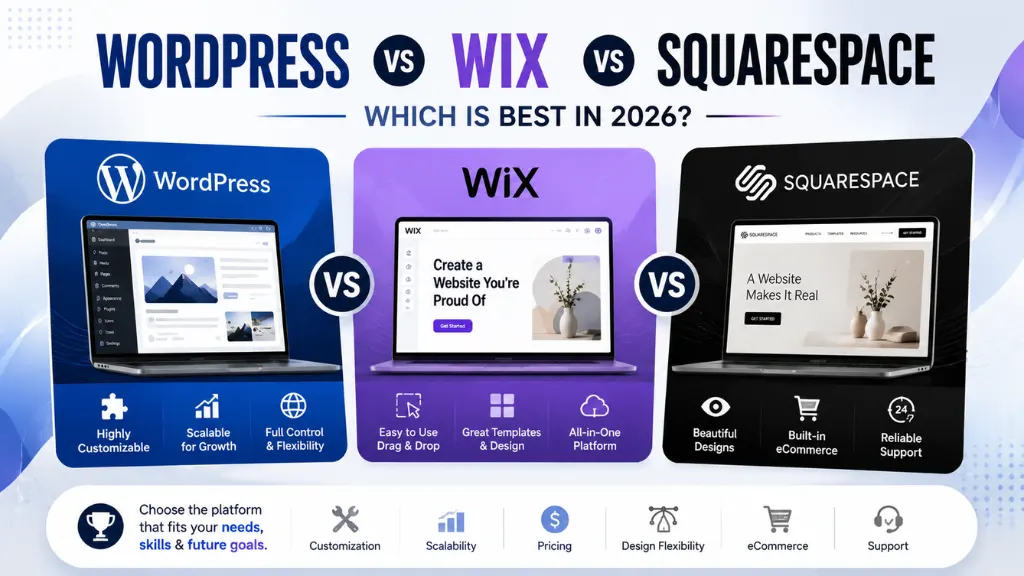

Every day, thousands of business owners type the same search into Google: “WordPress vs Wix vs Squarespace – which is best?” And every day, most of them get an answer that simply tells them to “just pick Wix” or insists “WordPress is for everyone.”
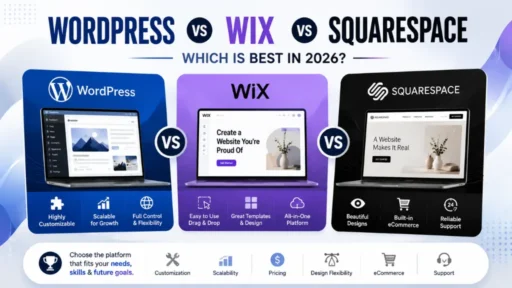
The truth is more nuanced – and getting this decision wrong costs you time, money, and SEO ground you may never fully recover. WordPress vs Wix vs Squarespace is not really a question with one universal answer. It is three different tools, each genuinely excellent at solving a different problem, and the platform that is “best” depends entirely on what you are actually trying to build.
At Search Savvy, we work with businesses across every one of these platforms – helping some scale their WordPress SEO strategy, helping others get more out of a Wix or Squarespace site they have already committed to. This article breaks WordPress vs Wix vs Squarespace down honestly, with real 2026 pricing, real testing data, and a clear recommendation for your specific situation – not a generic verdict that ignores what you are actually building.
What Is the Fundamental Difference Between WordPress, Wix, and Squarespace?
WordPress vs Wix vs Squarespace starts with one structural fact that shapes everything else in this comparison: WordPress is not a website builder in the traditional sense – it is a full content management system that you self-host. Wix and Squarespace are fully hosted, all-in-one platforms that handle your hosting, security, and software updates automatically, in exchange for a flat monthly fee.
This single difference explains nearly every other distinction between the three platforms:
- WordPress gives you full ownership of an open-source CMS. You choose your own hosting provider, install your own themes and plugins, and can migrate your entire site to a different host at any time without losing anything.
- Wix is a closed ecosystem – your site lives entirely on Wix’s servers and cannot be exported to another platform. Once you build on Wix, migrating away means rebuilding from scratch.
- Squarespace operates similarly to Wix as a fully hosted platform, but with a more structured, design-led editing approach and a narrower (though more consistently polished) template library.
WordPress vs Wix vs Squarespace, in other words, is really a choice between ownership-with-effort and convenience-with-constraints. Neither approach is universally correct – but understanding which trade-off you are making is the foundation for every other decision in this comparison.
People Also Ask: Is WordPress better than Wix and Squarespace? Short Answer: Not universally – each platform wins in different categories. WordPress is better for SEO-driven sites, blogs, content at scale, and businesses planning significant long-term growth, because it offers full ownership and nearly unlimited customisation. Wix and Squarespace are better for users who want a faster, simpler setup with hosting and security handled automatically. The right choice depends on your technical comfort level, growth plans, and how much customisation your specific business actually needs.
How Does Pricing Compare Between WordPress, Wix, and Squarespace in 2026?
WordPress vs Wix vs Squarespace pricing is more complicated to compare honestly than it first appears, because the three platforms structure their costs in fundamentally different ways.
Wix charges $17/month (Light), $29/month (Core), $39/month (Business), or $159/month (Business Elite), all billed annually. The Core plan at $29/month is generally the minimum for a professional business site – the Light plan restricts storage and removes the free custom domain. Wix also offers a genuinely free plan, though it includes Wix branding and ads.
Squarespace starts at $16/month (Basic), with a Core plan at $23/month for business-grade features. Squarespace tends to be slightly cheaper than Wix at comparable feature levels and includes a free custom domain on all paid plans. Critically, Squarespace is the only platform of the three with no free plan at all – you get a 14-day free trial, after which you must subscribe.
WordPress pricing depends entirely on which version you choose. WordPress.org (self-hosted, free, open-source software) requires you to pay separately for hosting ($4–$50+/month depending on quality), a domain ($12–$20/year), and any premium themes or plugins. A well-equipped small business WordPress site typically runs $25–$50/month all-in. WordPress.com (the hosted version run by Automattic) has its own tiered pricing: Free, Personal $4/month, Premium $8/month, Business $25/month, and Commerce $45/month, billed annually – with plugin support only unlocking at the Business tier and above.
The real comparison requires factoring in domains, plugins, themes, and ongoing maintenance – sticker prices alone are misleading. Wix and Squarespace bundle hosting, SSL, and support into one fee. WordPress hosting costs are separate, but you genuinely own the site and can switch hosts at any time without rebuilding.
People Also Ask: Which is cheaper – WordPress, Wix, or Squarespace? Short Answer: It depends on what you value. WordPress can be the cheapest option if you are comfortable shopping around for budget hosting and using free themes and plugins – but costs scale with complexity and require more hands-on management. Wix and Squarespace offer more predictable, structured pricing with hosting bundled in, generally landing between $16 and $39 per month for a professional business site. The true cost difference between all three is often small enough that features and long-term fit matter more than the sticker price alone.
How Does Ease of Use Compare Between the Three Platforms?
WordPress vs Wix vs Squarespace differs most dramatically in how quickly a beginner can get a working site live – and this is the category where the gap between the platforms is the widest.
Squarespace is widely considered the easiest of the three platforms to use, with a sleek, intuitive interface and its “Fluid Engine” drag-and-drop editor that allows content positioning across both desktop and mobile versions with minimal extra configuration. Its section-based, structured editor offers less placement freedom than Wix, but produces more consistent, professional-looking layouts by default – especially valuable for users without design experience.
Wix is the easiest platform for absolute beginners who want maximum creative freedom, using a true open-canvas, drag-and-drop editor that lets you place elements almost anywhere on the page. Most beginners can build a functional Wix site within a few hours. Wix’s native Harmony AI builder – described as the most advanced AI builder shipped natively in 2026 – further reduces setup time by generating a working draft from a short questionnaire.
WordPress has the steepest learning curve of the three by a meaningful margin. Editing in the WordPress block editor (Gutenberg) requires selecting the right block type before adding content, which adds a decision-making layer that Wix and Squarespace simply avoid. Budget at least 30 minutes before the interface starts to feel comfortable – and that is before factoring in choosing a host, installing a theme, and configuring your first plugins.
People Also Ask: Which platform is easiest for a complete beginner – WordPress, Wix, or Squarespace? Short Answer: Squarespace and Wix are both significantly easier than WordPress for a complete beginner. Squarespace’s structured, grid-based editor produces the most polished results with the least design experience required. Wix offers more creative freedom with its open-canvas editor and the most advanced native AI site builder of the three. WordPress requires the most upfront learning – choosing hosting, installing a theme, and learning the block editor – but offers the deepest long-term customisation once that initial learning curve is overcome.
How Does SEO Compare Between WordPress, Wix, and Squarespace?
WordPress vs Wix vs Squarespace is a comparison where the SEO gap matters more than almost any other factor for businesses depending on organic search traffic – and this is the area where the three platforms differ most consequentially for long-term growth.
WordPress offers the deepest technical SEO control of the three platforms by a clear margin. You can install SEO plugins like Yoast or Rank Math, giving you granular control over schema markup, redirect management, sitemap structure, and meta data – the kind of technical depth that becomes important once your SEO strategy goes beyond basic on-page optimisation. WordPress’s open plugin ecosystem of over 62,000 plugins includes dozens of dedicated SEO tools, giving you genuine flexibility to choose the exact technical setup your strategy requires.
Wix has significantly improved its SEO and e-commerce tools in recent years, closing much of the historical gap with WordPress for standard on-page SEO – meta titles, descriptions, alt text, and basic schema are all manageable within the native editor. However, Wix’s closed ecosystem still limits how deep your technical customisation can go compared to WordPress’s open plugin architecture.
Squarespace sits between the two in practical terms. What’s missing is granular schema control, advanced redirect management, and the ability to inspect and tune technical SEO to the depth WordPress allows. If your SEO strategy goes deeper than on-page optimisation, Squarespace will eventually box you in – a meaningful consideration for any business planning to scale its organic search investment significantly over time.
According to Search Savvy’s insights from managing SEO campaigns across all three platforms, the practical takeaway is this: for a small local business with modest content needs, Wix or Squarespace’s built-in SEO tools are genuinely sufficient. For a business planning to publish content at scale, build topical authority across dozens or hundreds of pages, or compete in a genuinely competitive organic search category, WordPress’s technical depth becomes a meaningful long-term advantage that compounds over years, not months.
People Also Ask: Is WordPress better for SEO than Wix or Squarespace? Short Answer: Yes, for businesses with serious or scaling SEO ambitions. WordPress offers the deepest technical SEO control through dedicated plugins like Yoast or Rank Math, giving granular access to schema markup, redirect management, and sitemap configuration. Wix has significantly closed the SEO gap for standard on-page optimisation. Squarespace is sufficient for basic SEO needs but lacks the granular technical control that becomes necessary once a strategy moves beyond on-page optimisation into more advanced technical territory.
How Does E-Commerce Compare Between WordPress, Wix, and Squarespace?
WordPress vs Wix vs Squarespace for online stores reveals genuinely different strengths – none of the three is a dedicated e-commerce platform in the way Shopify is, but all three handle stores of different sizes reasonably well.
Wix offers the most e-commerce features at the lowest entry tier among the three platforms. The Core plan at $29/month includes product variants, abandoned cart recovery, dropshipping integrations, multi-currency support, and built-in marketing automation tools (popups, email, SMS) – all included without additional charges. For a store with under 200 products, Wix outperforms Squarespace at the same price point in pure feature count, though the out-of-box visual polish tends to feel more “small business” by default.
Squarespace has made significant progress in e-commerce, with a clean, native toolkit for managing products, digital downloads, services, and memberships from a single dashboard. Product sales are supported across all plans, with transaction fees removed entirely from the Core plan – though standard payment processing fees of approximately 2.9% plus $0.30 per transaction still apply regardless of plan. Squarespace’s stores tend to look more polished by default than Wix’s, particularly for design-focused brands, though the feature set is comparatively more basic at lower tiers.
WordPress, via the WooCommerce plugin, offers the most extensible e-commerce setup of the three – but it requires the most configuration effort. WooCommerce’s plugin ecosystem allows nearly unlimited customisation of product types, checkout flows, and payment integrations, making it the strongest choice for businesses with complex or unusual e-commerce requirements that the templated approach of Wix or Squarespace cannot accommodate.
People Also Ask: Which platform is best for e-commerce – WordPress, Wix, or Squarespace? Short Answer: Wix offers the most built-in e-commerce features at its entry-level pricing tier, making it the strongest choice for straightforward online stores under roughly 200 products. Squarespace produces the most visually polished store fronts by default, particularly for design-led brands. WordPress, via WooCommerce, offers the deepest customisation for complex or unusual e-commerce requirements, but requires significantly more setup effort than the templated approach of Wix or Squarespace.
How Does Design Flexibility Compare Between the Three Platforms?
WordPress vs Wix vs Squarespace for design and templates comes down to a trade-off between quantity, consistency, and customisation depth.
WordPress offers by far the largest selection – over 12,000 themes across major marketplaces like ThemeForest, Astra, GeneratePress, and Kadence – giving genuinely unlimited design flexibility for those willing to invest the setup time. Custom post types, advanced layout control, and full code-level customisation are all available, making WordPress the only platform of the three with no practical ceiling on design complexity.
Wix provides over 2,700 templates spanning a wide range of industries, plus AI-generated layout options through Wix Harmony. Its open-canvas editor lets you place elements virtually anywhere, but that flexibility comes with responsibility – sites built without design discipline often look cluttered. The best Wix sites match Squarespace’s quality; the average Wix site looks like the average Wix site.
Squarespace has far fewer templates – roughly 180 – but they are consistently more polished and design-forward than Wix’s broader library, making it the clear go-to platform for photographers, designers, consultants, and creative businesses where visual presentation is the primary brand asset. The trade-off is that this polish is opinionated: building a layout that Squarespace’s templates do not anticipate means fighting the system.
People Also Ask: Which platform has the best design templates – Wix or Squarespace? Short Answer: It depends on your priority. Squarespace has fewer templates (around 180) but they are consistently more polished and visually refined out of the box, making it the preferred choice for design-led, creative businesses like photography, design, and consulting. Wix has a much larger library (2,700+) offering greater variety and customisation freedom, but achieving Squarespace-level polish requires more deliberate design effort and discipline from the user.
Which Platform Should You Choose for Your Specific Situation?
WordPress vs Wix vs Squarespace ultimately comes down to matching the platform to your specific business needs, technical comfort, and growth trajectory – not picking whichever platform a generic listicle ranks first.
Choose Wix if: You need a professional website live this week with minimal technical effort, you want built-in e-commerce features at the lowest entry price among the three, or you are a beginner who wants maximum creative freedom with strong native AI assistance and 24/7 live support.
Choose Squarespace if: Design is central to your brand and you want consistent, polished elegance with minimal decision-making, you run a photography, design, consulting, or other visually driven business, or you are a dedicated blogger who values Squarespace’s more mature blogging toolkit over Wix’s more limited blog editor.
Choose WordPress if: You are building a business website that needs to rank competitively on Google over the long term, you plan to scale to thousands of products or blog posts, you need to integrate with virtually any third-party tool or service, or you want your website to remain a fully owned digital asset that you can move, modify, or rebuild on your own terms for years to come.
At Search Savvy, the pattern we see most consistently across client engagements is this: businesses that choose Wix or Squarespace for speed and simplicity in their first year often outgrow the platform’s technical SEO ceiling within 18–24 months, once organic search becomes a serious growth channel. The cost of choosing the wrong platform is rarely measured in the subscription price today – it is measured in the rebuild cost, the SEO re-ramp, and the missed growth opportunities two or three years down the line.
People Also Ask: Can I switch from Wix or Squarespace to WordPress later if I outgrow them? Short Answer: Yes, but the migration is not simple. Wix is a closed ecosystem – your site content cannot be exported, meaning a switch to WordPress requires rebuilding the site from scratch, including recreating page layouts, content, and any SEO equity that was tied to the old URL structure. Squarespace allows a manual export of content, which makes migration somewhat easier than Wix, but still requires significant rebuilding work on WordPress’s side. If long-term scalability is a realistic possibility for your business, starting on WordPress avoids this migration cost entirely.
FAQ: WordPress vs Wix vs Squarespace – Your Questions Answered
Q1: Which platform is best for a small local business with a simple website? For a small local business that needs a straightforward online presence – a few pages, contact information, basic service descriptions – both Wix and Squarespace are excellent choices, offering faster setup and lower technical overhead than WordPress. Wix tends to be the better fit if you also need basic e-commerce or booking functionality, since Wix Bookings is included on the Core plan at $29/month, whereas Squarespace requires a separate Acuity Scheduling subscription for similar functionality. If your business has no near-term plans to invest heavily in SEO-driven content or scale significantly, the simplicity of either platform outweighs WordPress’s additional setup complexity.
Q2: Is WordPress more secure than Wix and Squarespace? Not inherently – it depends on how it is managed. Because WordPress’s plugin ecosystem is open and decentralised, sites can be more vulnerable to attacks if plugins are not kept updated or are sourced from unreliable developers. Wix and Squarespace are generally considered safer default options for less experienced users, since their internal app marketplaces are more carefully vetted before being made available. For WordPress users, installing a security plugin like Jetpack and keeping all themes and plugins updated significantly closes this gap, but it does require ongoing attention that Wix and Squarespace handle automatically on the user’s behalf.
Q3: Does Squarespace or Wix offer better customer support? Wix generally offers more comprehensive support, including 24/7 live chat on all paid plans and phone callback support – a meaningful advantage if something breaks outside business hours. Squarespace offers 24/7 email support, but live chat is limited to weekdays only (roughly 4am to 8pm ET), with no phone support option at all. For businesses that anticipate needing frequent or urgent support access, Wix’s broader support availability is a practical advantage worth factoring into the decision.
Q4: How do WordPress, Wix, and Squarespace compare for blogging specifically? WordPress remains the gold standard for blogging, with the most mature content tools, the deepest categorisation and tagging options, and the widest range of blog-specific plugins and themes available. Squarespace offers a genuinely capable blogging toolkit as a strong second option – including post scheduling, categories, integrated podcast hosting, and the ability to connect external comment services like Disqus. Wix’s blog editor is functional but comparatively limited, missing some building blocks that both WordPress and Squarespace offer natively for content-heavy publishing.
Q5: Which platform performs best for website speed and Core Web Vitals? Performance varies by specific implementation rather than platform alone, but general patterns exist. WordPress sites can achieve excellent Core Web Vitals scores with proper hosting and a lightweight theme, but require deliberate technical optimisation to do so. Squarespace and Wix handle baseline performance automatically through their managed hosting infrastructure, though heavily templated, image-dense designs on either platform can still produce slower load times if not carefully managed. For businesses where page speed is a competitive priority – particularly for SEO and conversion rate – WordPress combined with quality managed hosting and active performance monitoring typically offers the most controllable outcome.
Q6: Do I need to know how to code to use any of these three platforms? No – all three platforms are designed to be usable without coding knowledge for standard site-building tasks. Wix and Squarespace are built entirely around visual, drag-and-drop editing with no coding required at any point. WordPress can also be used entirely without code through its block editor and a well-chosen theme, though advanced customisation – building entirely custom layouts, modifying core functionality, or developing custom plugins – does typically require coding knowledge or a developer’s involvement once you move beyond what a theme and standard plugins can accomplish.
Trying to decide between WordPress, Wix, or Squarespace – or wondering whether your current platform is holding back your SEO and growth? Visit Search Savvy for an honest platform consultation that matches your specific business, budget, and growth plans to the right choice for 2026 and beyond.