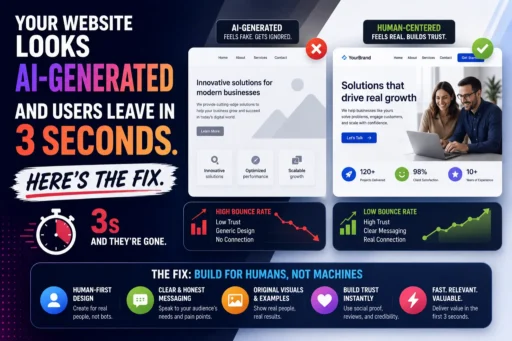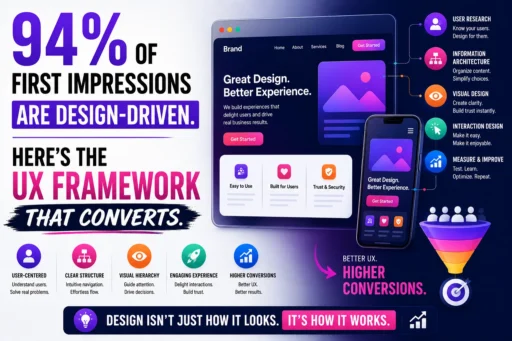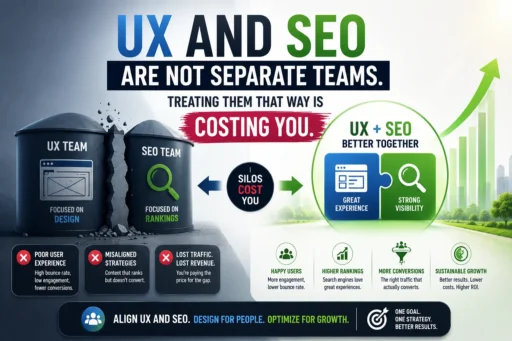
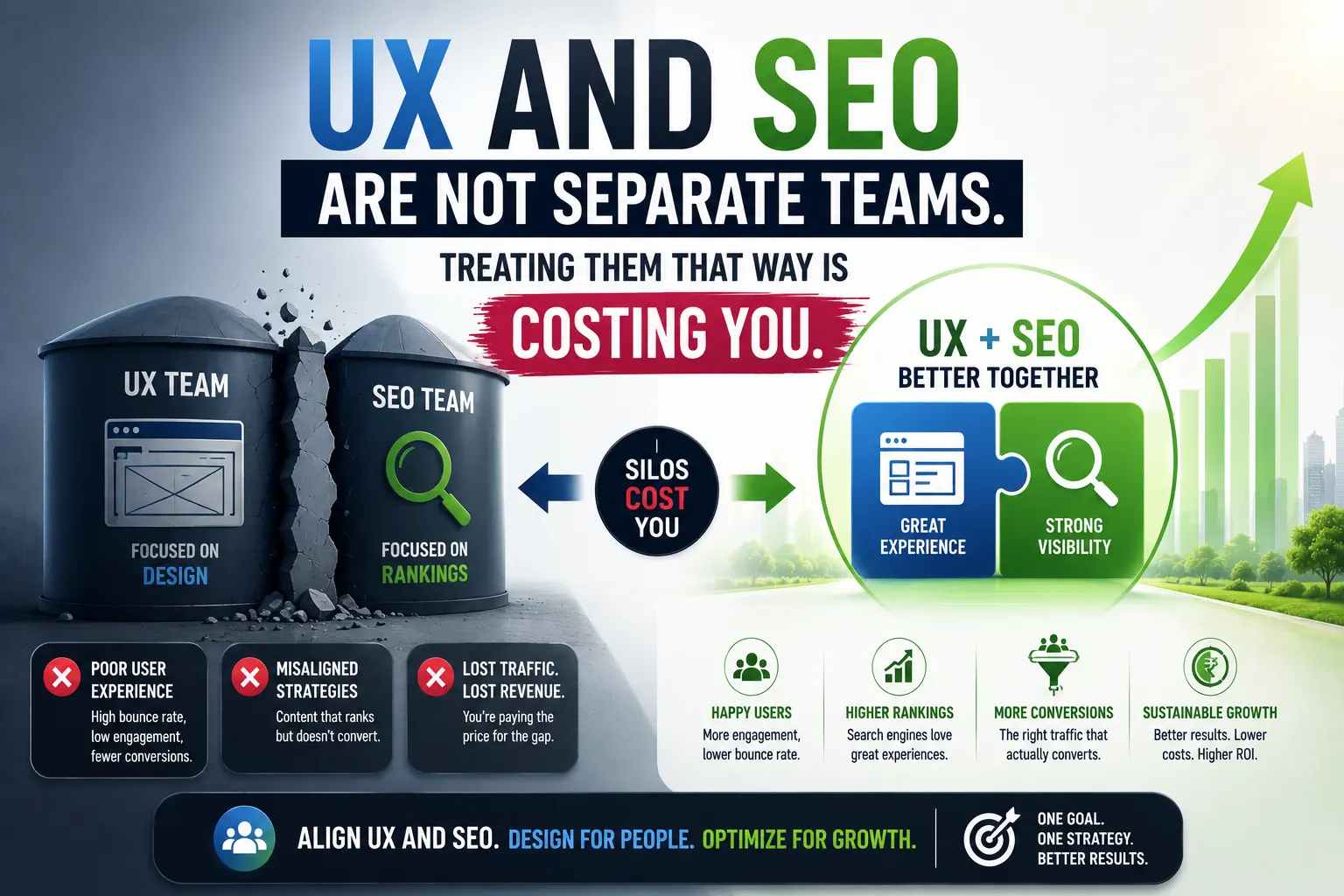

There is a familiar scene inside most growing businesses. The SEO team is focused on keywords, backlinks, and ranking reports. The design team is focused on layouts, aesthetics, and usability. The engineering team is shipping features. And somewhere in the middle – in the gap between all three – rankings drop after a redesign, traffic arrives and immediately leaves, and nobody can quite explain why.
This is what happens when UX and SEO integration is treated as optional rather than foundational.
The two disciplines are not separate channels with separate goals. They are the same goal measured from different angles: give the right person the right information in the right way, as efficiently as possible. Google’s mission is to surface the most helpful, satisfying result for any given query. Your UX mission is to ensure the person who arrives on your page gets what they came for. When these missions are pursued by siloed teams who never speak, the result is a website that ranks for the wrong reasons and loses the visitors it earns.
At Search Savvy, we see this structural problem consistently across client audits – and the businesses that unify their UX and SEO decision-making are the ones that pull ahead of competitors who are still running separate playbooks. This article explains exactly how UX and SEO overlap in 2026, what the separation costs, and how to build the integrated approach that Google increasingly demands.
What Is UX and SEO Integration – and Why Does It Matter in 2026?
UX and SEO integration is the strategic alignment of user experience design with search engine optimisation – recognising that the two disciplines are not separate but synergistic, and that you cannot achieve top-tier rankings in 2026 without integrating both.
Google’s ranking algorithms evaluate user experience signals – Core Web Vitals, mobile usability, page speed, and engagement metrics – alongside traditional factors like content relevance and backlinks. UX decisions – page speed, navigation structure, layout, and content hierarchy – directly affect SEO performance.
The scale of this overlap is now confirmed by data. In 2025, Google confirmed that over 70% of ranking signals are tied to user experience metrics – directly or indirectly – through systems like Core Web Vitals, helpful content signals, and engagement patterns. Rankings no longer depend on keywords alone. They depend on how people interact with your interface.
UX and SEO integration matters in 2026 because the cost of keeping them apart has become quantifiable and severe:
- If users hate your site, Google assumes it is not reliable enough to deserve a top spot. High bounce rates, poor dwell time, slow load speeds, and confusing navigation undermine even the best content strategy.
- Every bounced user represents wasted acquisition spend. Whether traffic comes from paid ads, SEO, or social campaigns, the cost of bringing that user to your platform is lost if they leave without engaging.
- Every additional 15 seconds of average dwell time on mid-funnel content raises lead form completions by approximately 8% – a direct revenue link from UX improvement to pipeline.
People Also Ask: Why is UX important for SEO in 2026? Short Answer: Over 70% of Google’s ranking signals in 2026 are tied to user experience metrics – directly or indirectly. Faster page loads improve conversions and Core Web Vitals. Clear content hierarchy improves readability and semantic indexing. Mobile-first design improves accessibility and mobile rankings. UX and SEO have merged into a single performance discipline. Optimising for one without the other produces diminishing returns.
How Does Google Measure UX as a Ranking Signal in 2026?
UX and SEO integration is only actionable when you understand the specific mechanisms Google uses to evaluate user experience – because these are the exact signals that connect design decisions to ranking outcomes.
Google tracks what are called “User Signals” – votes your visitors cast with their behaviour. A user who visits and leaves instantly sends a bad signal, causing rankings to drop. A user who stays and clicks around sends a good signal, causing rankings to rise. Every bounce, every quick exit, every frustrated user hitting the back button – Google sees it all.
The specific UX signals that translate directly into ranking data in 2026:
Dwell Time
UX and SEO integration shows most clearly in dwell time – the duration a visitor spends on your page after arriving from search results. Dwell time signals the content satisfied the search intent. Longer dwell time signals the content satisfied the search intent. High bounce rates may indicate the content did not match what the user expected.
UX friction removal is the most direct lever for dwell time improvement. Every 0.2 seconds shaved from Largest Contentful Paint adds approximately 3 seconds of dwell time, based on a Salesforce study. Interaction hooks – code snippets, calculators, or video placed at the 25–35% scroll mark – drive interaction rates of 15% or more when implemented correctly.
Bounce Rate
UX and SEO integration breaks down most visibly through bounce rate. A high CTR combined with low bounce rate signals a great match between the search query and the page content – indicating strong UX SEO alignment. Technically, Google uses Core Web Vitals as explicit, measurable indicators of page experience quality.
Confusing navigation increases bounce rate and signals to Google that the content did not satisfy the searcher. A well-structured page hierarchy helps users find information and helps Google understand what the page is about.
Core Web Vitals – The Formal Measurement Framework
UX and SEO integration has a precise technical expression in Core Web Vitals – Google’s three measurable indicators of page experience that are now confirmed ranking factors:
| Metric | What It Measures | 2026 Good Threshold |
| LCP (Largest Contentful Paint) | How fast the main content loads | Under 2.5 seconds |
| INP (Interaction to Next Paint) | Page responsiveness to user input | Under 200ms |
| CLS (Cumulative Layout Shift) | Visual stability during loading | Under 0.1 |
Only 47–48% of mobile websites and approximately 56% of desktop websites currently pass Core Web Vitals in 2026. Performance is no longer optional – it is a competitive advantage.
A newer concept gaining traction in 2026 is the Visual Stability Index (VSI). While CLS still measures layout shifts, VSI goes further by evaluating overall visual smoothness during page interactions – not just loading. CLS alone does not fully capture modern UX; VSI reflects how visually comfortable a site feels throughout the entire session.
People Also Ask: How do Core Web Vitals connect UX and SEO in 2026? Short Answer: Core Web Vitals – LCP, INP, and CLS – are Google’s primary metrics for measuring real user experience on websites. These performance signals directly influence how search engines evaluate page quality and matter significantly in competitive niches where content quality is similar between competing pages. They are the formal bridge between design decisions and ranking outcomes – every Core Web Vitals improvement is simultaneously a UX improvement and a ranking signal improvement.
What Are the Most Expensive Consequences of Keeping UX and SEO Separate?
UX and SEO integration failures have a direct cost that shows up in three places: rankings, traffic, and revenue.
Rankings Drop After Redesigns
UX and SEO integration failures are most catastrophic during website redesigns – the point at which UX and SEO teams are most likely to operate in complete isolation.
Many companies treat SEO and UX as separate initiatives. The marketing team focuses on keywords and backlinks. The design team focuses on aesthetics and usability. Engineering ships features. Then everyone wonders why traffic does not convert – or worse, why rankings drop after a redesign.
The mechanism is consistent: a designer rebuilds a page for visual clarity, removing “clutter” – including the specific heading structures, keyword placements, schema markup, and internal links that were driving rankings. An engineer migrates to a new framework that produces JavaScript-rendered content that Googlebot cannot efficiently parse. A developer changes URL slugs without implementing 301 redirects. Rankings collapse within weeks of launch, and the SEO team is brought in to investigate a problem they had no visibility over when it was being created.
Wasted Acquisition Budget
UX and SEO integration failures turn every marketing channel into a leaking bucket. In 2026, where user expectations are shaped by high-performing digital products, businesses cannot afford to overlook UX. High bounce rates, increased churn, and lost revenue are often symptoms of deeper experience problems within a digital product.
If your paid traffic, organic traffic, and social traffic all land on pages with poor UX – slow load times, confusing navigation, no clear CTA – every rupee spent acquiring that traffic is partially wasted. The acquisition works. The experience fails. The conversion never happens.
Average session duration increases of 78%, bounce rate dropping from 62% to 41%, and users viewing 3.4 pages per session versus 1.6 previously – all achieved through UX improvements focused on internal linking and content hierarchy – with organic keyword rankings improving for 10+ cluster topics within 60 days as a direct result. This is the compounding benefit of integration that siloed teams never unlock.
AI Overview and Generative Search Invisibility
UX and SEO integration now affects more than traditional rankings – it directly determines whether your content is cited in Google’s AI Overviews and generative search responses.
As third-party cookies disappear, user tracking will become harder, forcing SEOs to rely more on first-party data and intrinsic engagement signals. This means optimising the site experience itself will be the primary way to gather useful data and signal quality.
AI systems extract answers from content that is structured, fast, and clearly navigable. A page with poor heading hierarchy, unstable layout, or slow rendering is less likely to be selected for AI citation – regardless of how strong the content is. UX quality is now an AI visibility prerequisite.
People Also Ask: Does poor UX hurt your Google rankings in 2026? Short Answer: If users’ behaviour toward a site is negative – high bounce rate, low engagement, slow load – it affects search engine signals directly. The most notable examples are high bounce rates and low engagement, indicators of user dissatisfaction, which are among the critical factors that lead to long-term reduction in rankings. Poor UX does not just frustrate users – it sends measurable negative signals to Google that compound into lasting ranking damage.
How Do You Build Effective UX and SEO Integration in Practice?
UX and SEO integration is not achieved through a single meeting or a shared Slack channel. It is a structural change in how your teams plan, build, and measure together.
Here is the framework that produces measurable results:
Shared Discovery Before Any Design or Content Work Begins
UX and SEO integration starts before a single wireframe is drawn. The SEO team’s keyword and search intent data must inform the UX team’s information architecture – and the UX team’s user research must inform the content structure the SEO team plans.
Practically, this means:
- SEO provides the UX team with the primary search query, user intent type, and content format that the target SERP confirms users expect
- UX maps the page structure to satisfy that intent – heading hierarchy, visual priority, navigation paths, and CTA placement
- Both teams review the prototype against both UX usability criteria and SEO technical requirements before any development begins
UX designers can track Core Web Vitals in Google Search Console, measure engagement metrics – bounce rate, time on page, pages per session – in Google Analytics, audit page speed with PageSpeed Insights, and monitor search performance for key pages. Regular usability testing combined with SEO data reveals which design decisions move rankings.
Content Hierarchy That Serves Both Users and Crawlers
UX and SEO integration is most visible in content structure – and most often where the two disciplines create direct conflicts when they work separately.
Clear content hierarchy improves readability and semantic indexing simultaneously. SEO-friendly UI/UX design ensures: search engines can easily crawl and understand your site, users can quickly find what they need, pages load fast and remain stable, content is structured semantically, and design decisions support discoverability.
The specific elements that must satisfy both UX and SEO requirements simultaneously:
- H1 tag – One per page, front-loaded with the primary keyword, written as a clear user-facing value proposition, not a keyword string
- H2 and H3 subheadings – Structured as questions that match user intent and search queries, enabling both user navigation and featured snippet / AI Overview eligibility
- Image alt text – Descriptive for screen readers (UX accessibility requirement) and keyword-contextual for image search indexing (SEO requirement)
- Internal links – Navigation paths that guide users to the next logical step in their journey (UX requirement) while distributing PageRank to priority pages (SEO requirement)
- CTA placement – Positioned where user journey logic dictates (after establishing value) and where conversion intent is highest (typically after the primary benefit statement)
Mobile-First Design as a Joint Mandate
UX and SEO integration is most critical on mobile – the device on which the majority of searches, sessions, and conversions now occur.
Mobile-first design improves accessibility and mobile rankings simultaneously. Google’s mobile-first indexing means the mobile version of your page determines your rankings across all devices – making mobile UX not a secondary concern but the primary design constraint.
UX requirements and SEO requirements converge entirely on mobile:
- Touch targets of at least 44×44 pixels (UX accessibility standard) reduce tap errors that increase bounce rate (SEO signal)
- Readable font sizes of at least 16px (UX usability standard) prevent the “content too wide for screen” mobile usability error that Search Console flags
- Fast mobile LCP under 2.5 seconds (SEO Core Web Vitals threshold) is achieved by the same image compression and script deferral that creates the instant-feel experience users expect
Navigation Architecture That Reduces Bounce and Improves Crawlability
UX and SEO integration requires that your site structure is designed to solve the same problem for two different audiences – the human user and the search engine crawler.
Confusing navigation increases bounce rate and signals to Google that the content did not satisfy the searcher. A well-structured page hierarchy helps users find information and helps Google understand what the page is about.
Priority pages should be accessible within three clicks from the homepage – a UX usability principle that is simultaneously an SEO crawl efficiency requirement. Orphan pages with no internal navigation pointing to them are missed by users and by Googlebot. Breadcrumb navigation improves user orientation and provides BreadcrumbList schema that Google parses for site hierarchy understanding.
People Also Ask: What is the fastest way to align UX and SEO for better rankings? Short Answer: Start with a Core Web Vitals audit using Google Search Console and Google PageSpeed Insights. Fix LCP, INP, and CLS issues first – they represent the most direct overlap between UX performance and SEO ranking signals. Then audit your content hierarchy: verify one H1 per page, logical H2/H3 question-based subheadings, and descriptive internal link anchor text. These structural changes satisfy both user navigation needs and search engine indexing requirements simultaneously.
What Metrics Should UX and SEO Teams Measure Together?
UX and SEO integration needs a shared measurement framework – because the metrics that matter most to each discipline are actually the same metrics, viewed from different angles.
UX designers can track Core Web Vitals in Google Search Console, measure engagement metrics in Google Analytics, audit page speed with PageSpeed Insights, and monitor search performance for key pages. Regular usability testing combined with SEO data reveals which design decisions move rankings.
The unified dashboard that both teams should review together:
From Google Search Console:
- Core Web Vitals pass/fail rates by URL (directly shows which pages need UX performance work)
- Mobile usability errors (navigation overlap, text too small, clickable elements too close)
- CTR by page (a low CTR on a highly-ranked page signals a title/meta description UX mismatch)
From Google Analytics 4:
- Engagement rate by page (the GA4 equivalent of bounce rate – below 40% on commercial pages is a UX alarm)
- Average engagement time per session (dwell time proxy – below 45 seconds on long-form content signals poor UX)
- Pages per session (below 1.5 indicates navigation UX failures and missed internal linking opportunities)
- Scroll depth by page (reveals where users stop reading – a UX content structure signal and an SEO content depth signal)
From heatmapping tools like Hotjar or Microsoft Clarity:
- Click maps – which elements are receiving user attention vs. which are being ignored
- Scroll maps – how far users actually read before leaving
- Session recordings – direct evidence of UX friction points that cause exits
According to Search Savvy’s insights from running integrated UX and SEO audits, the metric that most reliably surfaces both UX failures and ranking opportunities simultaneously is the combination of low engagement time alongside high impressions in Search Console. It tells you exactly which pages Google is showing to large audiences that are failing to deliver a satisfying experience – and those are always the highest-ROI pages to fix first.
People Also Ask: Should UX designers learn SEO in 2026? Short Answer: UX designers working on websites and web applications cannot treat SEO as optional in 2026 – it is part of delivering a complete user experience. Google’s ranking algorithms evaluate UX design decisions – page speed, navigation structure, layout, and content hierarchy – as direct ranking signals. Every decision that makes a page more useful, readable, and navigable also helps that page rank better in search results. UX and SEO are now the same discipline, approached from different starting points.
Why Is UX and SEO Integration the Most Important Structural Decision for Growth in 2026?
UX and SEO integration is not a tactical recommendation – it is the most important structural change a growing business can make to its digital marketing approach in 2026.
The rules of digital competition are being rewritten by the intersection of user experience and SEO. Businesses building from a unified marketing strategy will see disproportionate gains, leveraging integrated data to achieve both immediate ranking signals and enduring customer relationships. Effective marketing strategies for 2026 demand an interdisciplinary mindset, fusing technical search optimisation, empathetic design, and continuous measurement. The result is not just higher rankings but websites that people remember, revisit, and recommend – securing leadership positions in an increasingly competitive digital market.
At Search Savvy, the clients seeing the fastest, most durable ranking improvements are not the ones adding more keywords or building more links – they are the ones rebuilding the connective tissue between how their site is designed and how it is discovered. The integrated approach is not an advanced strategy for large enterprises. It is the baseline requirement for any business that takes organic search seriously in 2026.
The modern SEO professional must master both the technical and the experiential, recognising that a well-optimised H1 tag is useless if the user immediately leaves because the page took five seconds to load. Businesses can future-proof their UX SEO strategy for 2026 and beyond by shifting their mindset from optimising for a machine to truly optimising for the human user.
The gap between businesses that have made this shift and those that have not is visible in their analytics, in their ranking trajectories, and in their conversion rates. It is a gap that widens every month the siloed approach continues.
At Search Savvy, we have seen UX and SEO integration consistently produce the same compounding pattern: rankings stabilise first, then engagement metrics improve, then conversion rates follow. Each improvement reinforces the next – because a website that genuinely serves users will be ranked, visited, and converted by them.
FAQ: UX and SEO Integration – Your Questions Answered
Q1: Do UX improvements directly improve Google rankings? Yes. Since Google’s Page Experience Update, UX metrics have officially become part of the ranking algorithm. Google tracks User Signals – votes your visitors cast with their behaviour. A user who stays and clicks around sends a good signal that causes rankings to rise. Every bounce, every quick exit, every frustrated user hitting the back button sends a negative signal Google measures and acts upon. UX improvements that reduce bounce rate, increase dwell time, and improve Core Web Vitals scores translate into measurable ranking improvements – typically visible within 4–8 weeks of implementation.
Q2: How do I convince my design team that SEO matters during a redesign? Frame it as a revenue protection conversation, not a technical compliance discussion. Show the design team the Search Console organic traffic data for the site’s top-performing pages – the specific URLs, their ranking positions, and their monthly traffic value. Then quantify what a 30% organic traffic decline would cost in paid media spend to replace. When a designer understands that removing a specific heading structure or changing a URL pattern can erase thousands of monthly organic visits, the priority calculation changes. Shared dashboards that show both UX metrics (engagement rate, session depth) and SEO metrics (rankings, organic traffic) are the most effective long-term alignment tool.
Q3: What should happen differently during a website redesign to protect SEO? Three non-negotiable steps: First, audit and document all current ranking URLs, their ranking keywords, and their existing title tags, meta descriptions, and heading structures before any design work begins. Second, map every URL that changes to its new equivalent and implement 301 redirects – without exception. Third, run a Core Web Vitals test on staging environment pages before go-live and fix any LCP, INP, or CLS regressions introduced by the new design before the site launches. These three steps prevent the most common and most severe ranking losses that occur during redesigns.
Q4: How does mobile UX affect SEO rankings specifically? Mobile-optimised layouts serve the majority of users and satisfy Google’s mobile-first indexing requirements – meaning Google uses your mobile site’s UX to determine your rankings across all devices, not just mobile searches. Specific mobile UX failures that Search Console flags as ranking signals include: text too small to read, clickable elements too close together, content wider than the screen, and mobile page speed below Core Web Vitals thresholds. Each of these is both a user frustration and a confirmed ranking signal – fixing them improves both simultaneously.
Q5: Which comes first – fixing UX or improving SEO content? They should be addressed simultaneously through a prioritised audit, but if sequencing is required, fix technical UX issues first – specifically Core Web Vitals and mobile usability errors. These are binary ranking eligibility factors in competitive niches. A page that fails LCP or INP thresholds is competing at a structural disadvantage that no amount of content improvement will overcome. Once the technical foundation is stable, content improvements – search intent alignment, heading structure, schema markup – compound on a solid UX base rather than a leaking one.
Q6: Can small businesses implement UX and SEO integration without a large team? Yes – and the highest-impact integrations are achievable without specialist UX or development resources. Start with three changes: run Google PageSpeed Insights on your homepage and fix the top three mobile performance recommendations; restructure your most-trafficked page with one H1, question-based H2 subheadings, and a clear CTA above the fold; and install Microsoft Clarity (free) to watch session recordings and identify where users are leaving. These three steps address the most common UX–SEO intersection failures without requiring design or engineering investment – and the impact on both engagement metrics and rankings is typically visible within 30 days.
Your design team and SEO team are solving the same problem from opposite ends – and the gap between them is costing you rankings and revenue. Visit Search Savvy for an integrated UX and SEO audit that identifies exactly where the disconnect is and what to fix first.