
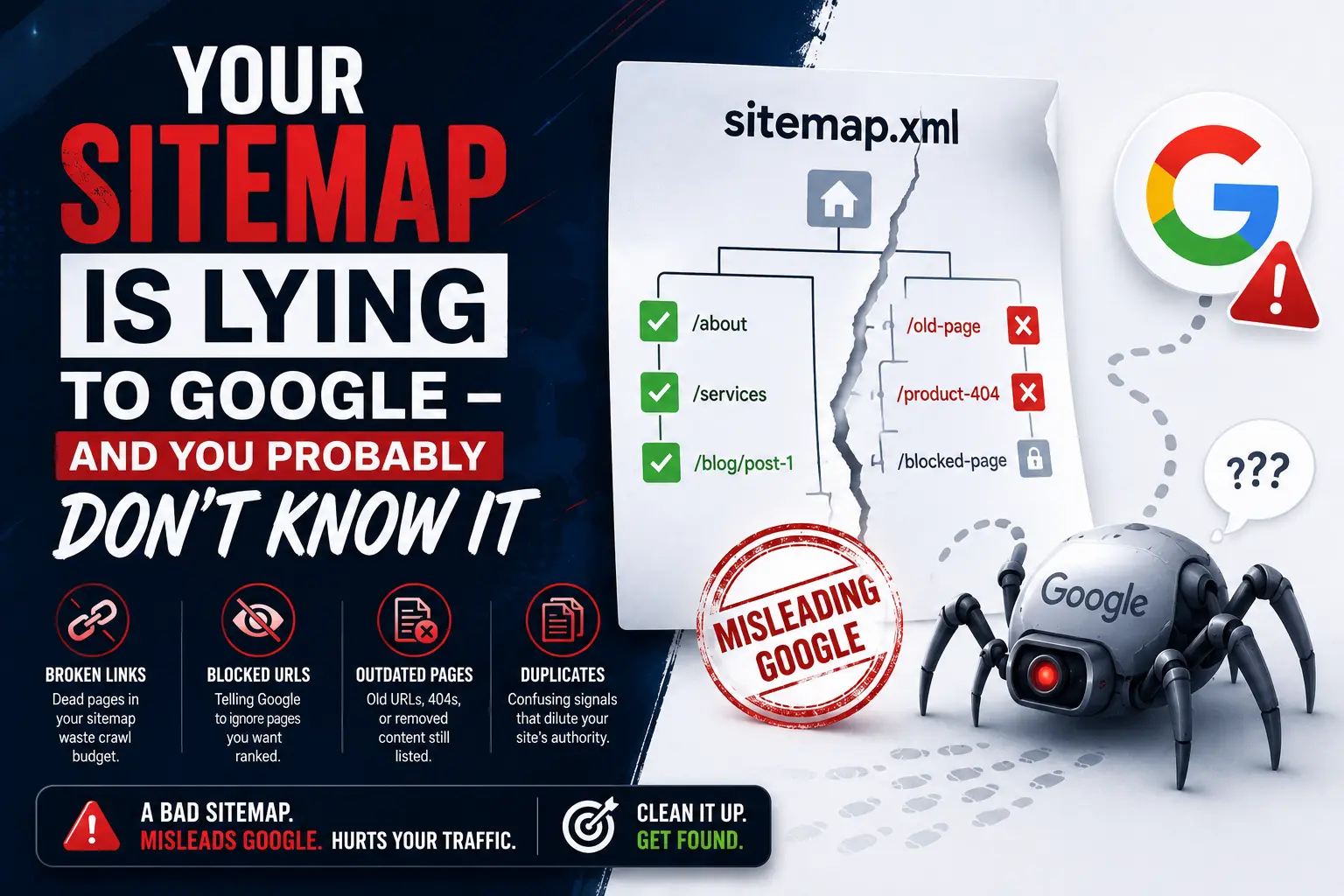

Your sitemap is submitted. The green checkmark is in Google Search Console. You submitted it months ago and assumed the job was done.
But what if your sitemap has been sending Google a steady stream of contradictory, outdated, and structurally broken signals ever since – and you have never been told?
XML sitemap errors Google encounters are one of the most consistently overlooked technical SEO problems in 2026. They are invisible in your analytics. They do not trigger manual actions. They do not send you an email. They simply sit there, quietly eroding your crawl trust and wasting the crawl budget that should be directed toward your most important pages.
A sitemap is supposed to be a guide – a clear, authoritative list of the pages you want Google to find, crawl, and index. When it contains errors, redirects, noindex pages, or stale date stamps, it stops being a guide and starts being a source of confusion. And Google, when confused, makes conservative choices – which almost always means crawling and indexing less of your site than you need.
At Search Savvy, we audit sitemaps in almost every technical SEO engagement – and the pattern is consistent. Businesses with submitted sitemaps that are technically present but functionally broken, silently capping the indexation of content they have invested real resources in producing. This article explains exactly what sitemap errors look like, why they happen, and how to fix them before they do more damage.
What Is an XML Sitemap and Why Does It Matter for Indexing in 2026?
XML sitemap errors Google encounters matter because a sitemap is the primary communication channel between your website and Google’s crawlers – and broken communication means broken indexation.
An XML sitemap file tells Google which canonical URLs you want crawled. It helps discovery but is not guaranteed for indexing. That distinction is critical: submitting a URL in your sitemap does not force Google to index it. It tells Google that the URL exists and that you consider it important. What Google does with that signal depends entirely on whether the sitemap is credible, clean, and consistent with the rest of your site’s technical signals.
Google discovers pages through three mechanisms: Googlebot crawling the web by following links, XML sitemaps that tell Google exactly which pages exist, and direct URL inspection via Search Console. New websites with no inbound links, no submitted sitemap, and no Search Console registration are invisible to Google’s crawlers. For established sites, sitemaps accelerate the discovery of new and updated content – making them particularly valuable for sites publishing regularly.
In 2026, sitemap health has become more consequential, not less. Quality over quantity applies in 2026 indexing algorithms – ten excellent pages index better than 100 mediocre pages. Google’s indexing systems are increasingly selective, and a sitemap full of signals that contradict other on-site technical directives makes those selective choices less favourable to your content.
People Also Ask: Does Google use XML sitemaps for indexing in 2026? Short Answer: Yes, but submitting a URL in your sitemap does not guarantee indexing. Google uses sitemaps to discover URLs and prioritise crawling, particularly for large sites and new content. The effectiveness of your sitemap depends entirely on its quality – a sitemap containing broken URLs, redirects, noindex pages, or stale date data reduces crawl trust and can cause Google to deprioritise pages it would otherwise index.
What Are the Most Damaging XML Sitemap Errors Google Encounters?
XML sitemap errors Google flags in Search Console are only the visible surface of the problem. The most damaging errors are often the ones that do not generate an explicit warning – they simply waste crawl budget and undermine the trust signals your sitemap is supposed to build.
Over 20% of large websites have at least one XML sitemap structure error that directly impacts crawlability or indexing, according to a recent industry audit. Here are the errors that do the most damage in 2026.
Error 1: Including Noindex Pages in Your Sitemap
XML sitemap errors Google most commonly flags as contradictions involve noindex pages. If your sitemap lists pages that are blocked by your robots.txt file or tagged with a noindex directive, it is a direct conflict. Google cannot crawl or index those pages, so having them in your sitemap sends mixed signals.
This is a frequent mistake that many sites make without realising. A common origin: pages that were once public and indexed, then marked noindex during a redesign or content audit, but were never removed from the sitemap. The sitemap still tells Google these pages are important. The noindex tag tells Google not to index them. Google, receiving both signals simultaneously, does not know which to trust – and its uncertainty costs you crawl budget with no indexation return.
Review your robots.txt file and meta tags to ensure they do not block important pages. Remove any blocked or noindexed URLs from your sitemap. Use Google Search Console’s URL Inspection Tool to confirm page status before assuming any URL belongs in your sitemap.
Error 2: Redirect URLs Instead of Canonical Final URLs
XML sitemap errors Google encounters most frequently in crawl logs are redirect chains within sitemaps. Replace any redirect URLs in your sitemap with the final URL. You can use a crawler like Screaming Frog to extract redirected URLs in bulk. Make it best practice not to include redirected URLs in your sitemap to avoid similar issues in the future.
When your sitemap contains a URL that 301-redirects to a different URL, Google must follow the redirect – consuming crawl budget for a journey that should have been direct. Every redirected URL in your sitemap is a small but compounding waste. For large sites where hundreds of pages have been moved and redirected over years of publishing, this waste accumulates into significant crawl budget inefficiency.
Additionally, use permanent redirects if you are redirecting one page to another and avoid JavaScript or meta-refresh redirects, which are harder for Googlebot to follow reliably.
Error 3: 404 URLs That No Longer Exist
XML sitemap errors Google flags most explicitly in Search Console are broken URLs – the “Submitted URL not found (404)” error is one of the most common sitemap warnings reported in Google Search Console, according to Conductor’s analysis.
This happens constantly during website migrations, URL restructuring, content pruning, and platform changes. Pages get deleted or moved. The sitemap is not updated to reflect these changes. Google follows the sitemap URL, receives a 404, and flags the error. Every 404 in your sitemap is not just a crawl budget waste – it is a trust signal that your sitemap is not maintained and cannot be relied upon as an authoritative source of URL information.
Search engines expect every URL in your sitemap to return a 200 OK status. Anything else gets flagged and ignored. Regular sitemap audits using Screaming Frog or SE Ranking are the fastest way to surface 404 sitemap entries at scale.
Error 4: Fake or Inaccurate <lastmod> Dates
XML sitemap errors Google has become increasingly sensitive to in 2026 involve the <lastmod> tag – and this is one that many development teams create through well-intentioned automation.
Some teams still update all <lastmod> values on every deployment, even when the page content has not changed. Google’s documentation is explicit on this: the value should reflect the last significant update, and Google uses it only when it can verify the accuracy. When Google crawls a page with a <lastmod> date that does not match any visible content change, it stops trusting <lastmod> signals from your sitemap entirely. That trust, once lost, is difficult to recover – and without it, Google cannot efficiently prioritise newly updated content for re-crawling.
The <lastmod> tag should reflect the actual date of the last meaningful content change. Add accurate <lastmod> tags for pages you update regularly. Automate this process to keep dates current. Avoid setting future dates or dates that do not match actual content changes.
Error 5: Including Non-Canonical Duplicate URLs
XML sitemap errors Google treats as indexation confusion include duplicate URL variants in the same sitemap. Most sites have multiple URL representations of the same page: HTTP and HTTPS, www and non-www, with and without trailing slashes, with and without URL parameters. If your sitemap includes multiple variants of the same canonical page, Google receives competing signals about which version to index.
Your sitemap should only contain canonically valid, indexable, 200-status pages. Only include the exact canonical URL – the same version specified in your <link rel=”canonical”> tags. Including both https://example.com/page/ and https://example.com/page for the same page tells Google you are uncertain about your own canonical preference.
Error 6: Sitemap Too Large or Exceeding URL Limits
XML sitemap errors Google handles through partial processing include oversized sitemaps. Google recommends keeping your XML sitemap under 50MB and fewer than 50,000 URLs per file. If your sitemap exceeds these limits, Google may ignore it or only partially crawl it, limiting your SEO benefits.
This issue particularly affects e-commerce sites with large catalogues, dynamically generated sitemaps, and sites that have never pruned old or low-value pages from their sitemap. Split very large sitemaps into smaller thematic chunks. Use a sitemap index file that lists multiple sitemaps, allowing Google to manage larger websites efficiently. Once done, submit the sitemap index file to Google Search Console rather than individual sitemaps.
People Also Ask: What are the most common XML sitemap errors in Google Search Console? Short Answer: The most common XML sitemap errors reported in Google Search Console are: “Submitted URL not found (404)” for broken or deleted URLs, “Submitted URL blocked by robots.txt” for crawl-blocked pages, “Submitted URL marked noindex” for pages with conflicting directives, redirect URLs that should be replaced with final destination URLs, and invalid date formats in <lastmod> tags. Each of these directly wastes crawl budget or undermines indexation trust.
Why Are These Errors So Common – and How Do They Happen?
XML sitemap errors Google encounters accumulate gradually, not all at once – which is why most businesses do not notice them until they conduct a deliberate audit.
The origin stories are predictable:
- Platform auto-generation without review. CMS platforms like WordPress, Wix, Shopify, and Squarespace generate sitemaps automatically – which is convenient, but auto-generated sitemaps include every URL the CMS knows about, including low-value tag pages, author archives, pagination URLs, and filtered category pages that should never be indexed. The auto-generated sitemap is a starting point, not a finished product.
- Content pruning without sitemap maintenance. A team audits their blog, marks 40 posts as noindex or deletes them entirely, but never updates the sitemap. Those 40 URLs remain in the sitemap, pointing to either 404s or noindex pages.
- Site migrations without URL reconciliation. URLs change during migrations. New URL structures are created. Old sitemaps are carried forward without updating every changed URL to its final destination.
- Development deployments that reset lastmod dates. Some build pipelines update all timestamps on every deployment as a side effect of how the sitemap is generated – creating the inaccurate <lastmod> pattern Google has explicitly called out as trust-damaging.
The practical result: a sitemap that was accurate at launch is rarely accurate six months later without deliberate maintenance. And nobody receives an alert when it stops being accurate.
People Also Ask: How does a bad XML sitemap affect Google ranking? Short Answer: A sitemap full of errors does not directly cause ranking drops – but it reduces crawl efficiency, wastes crawl budget on pages Google cannot or will not index, and undermines the trust signals that make Google prioritise your new and updated content. Pages with no incoming internal links where the sitemap is the only discovery mechanism are particularly vulnerable – Google assumes these pages have low value. Over time, poor sitemap health means important pages are crawled less frequently and indexed less reliably.
How Do You Audit and Fix XML Sitemap Errors in 2026?
XML sitemap errors Google has flagged can be systematically identified and fixed using a combination of free and paid tools. Here is the step-by-step audit process:
Step 1 – Check Google Search Console’s Sitemaps Report.
Open Google Search Console and navigate to Indexing → Sitemaps. This report shows every submitted sitemap, the last time Google fetched it, how many URLs were submitted, how many were indexed, and any errors or warnings flagged during processing. A large gap between submitted URLs and indexed URLs is the first alarm signal – it tells you Google is discovering your sitemap but choosing not to index significant portions of it.
Step 2 – Run a crawl of your sitemap URLs using Screaming Frog or SE Ranking.
Export every URL from your sitemap. Run a crawl using Screaming Frog SEO Spider (free up to 500 URLs, paid above) or SE Ranking to check the HTTP status code of every URL. Filter for 404s (broken pages), 301s and 302s (redirects), and any non-200 responses. Every URL returning anything other than a 200 status code should either be removed from the sitemap or updated to its correct final URL.
Step 3 – Check for noindex/robots.txt conflicts.
Cross-reference your sitemap URLs against your noindex tags and robots.txt directives. Use the URL Inspection Tool in Google Search Console to check individual pages if the list is manageable, or use Screaming Frog’s noindex filter to surface conflicts at scale. Any page that is both in your sitemap and tagged noindex must be removed from the sitemap immediately.
Step 4 – Audit for duplicate canonical variants.
Check whether your sitemap contains multiple URL representations of the same page – different protocol versions (HTTP/HTTPS), www/non-www variants, trailing slash/no trailing slash versions, or parameter-based duplicates. Retain only the exact canonical URL version – the same one specified in your <link rel=”canonical”> tags – and remove all variants.
Step 5 – Validate <lastmod> date accuracy.
Review your <lastmod> tags and confirm they reflect actual content update dates, not deployment dates or placeholder values. If your platform is setting all dates to today on every deployment, update your sitemap generation process to only modify <lastmod> when page content actually changes.
Step 6 – Resubmit and monitor.
Once you have fixed all sitemap errors mentioned in your Search Console report, resubmit your updated sitemap. Open the Sitemaps report in Google Search Console, add your sitemap URL to the “Add a new sitemap” box, and click Submit. Monitor the report weekly for the next 4–6 weeks to confirm the error count is declining and the indexed URL count is improving.
According to Search Savvy’s insights from running technical audits across Indian businesses and international clients, the most impactful single fix in almost every sitemap audit is removing noindex pages and 404 URLs. These two categories alone typically account for 60–70% of all sitemap errors found – and removing them immediately improves the signal quality of the remaining URLs in Google’s next crawl.
People Also Ask: How do I check my XML sitemap for errors? Short Answer: Open Google Search Console and navigate to Indexing → Sitemaps for a first-level error report. Then run a URL crawl using Screaming Frog or SE Ranking to check the HTTP status code of every sitemap URL. Cross-reference results against your noindex tags and canonical tags to identify conflicts. Free XML sitemap validators are also available online for syntax and structure validation. Quarterly audits using this combination catch the most impactful errors before they compound.
How Often Should You Audit Your XML Sitemap?
XML sitemap errors Google encounters accumulate in proportion to how frequently your site changes – and for most businesses, that means errors are building month by month without any review.
Established sites should run a full technical audit at least once per quarter. Any major site change – redesign, platform migration, significant content addition or deletion – should trigger an immediate sitemap audit.
The quarterly cadence should include: confirming all sitemap URLs return 200 status, verifying no noindex or robots.txt conflicts exist, checking <lastmod> accuracy, confirming the submitted URL count in Search Console is reasonable relative to your actual important page count, and reviewing the gap between submitted and indexed URLs for unexplained changes.
At Search Savvy, we treat sitemap health as a standing item in every quarterly SEO review – not an occasional audit task. The businesses with the most consistent indexation performance are the ones that maintain their sitemaps as living documents, not static files set-and-forgotten at launch. A clean, accurate sitemap is not a technical luxury – it is the foundation of Google’s ability to find and trust your content in the first place.
People Also Ask: How often should I update my XML sitemap? Short Answer: Your sitemap should be updated automatically when new pages are published or existing pages are changed – most CMS platforms handle this. But automated generation requires manual review at least quarterly. Check for noindex conflicts, 404 URLs, redirect chains, and <lastmod> accuracy every three months, and audit immediately after any significant site change. Submitting an updated sitemap to Google Search Console after each major change ensures Googlebot prioritises re-crawling your most important content.
FAQ: XML Sitemap Errors Google – Your Questions Answered
Q1: Will fixing my XML sitemap errors directly improve my Google rankings? Not directly – sitemap errors do not cause ranking penalties in the way that keyword stuffing or spammy backlinks can. But they reduce crawl efficiency and indexation reliability, which indirectly caps your ranking potential. Pages that are not being efficiently crawled and indexed cannot rank. Fixing sitemap errors ensures that the content you have invested in is actually discovered, crawled, and considered for ranking – removing a ceiling rather than adding a ranking boost. For sites where important new content is being published regularly, the improvement in crawl freshness after a sitemap cleanup is often visible in rankings within 4–8 weeks.
Q2: What is the difference between a sitemap error and a sitemap warning in Google Search Console? Errors are blocking issues – Google could not fetch or process the sitemap, or URLs within it are returning critical problems (404s, robots.txt blocks, noindex conflicts). These require immediate action. Warnings are advisory issues – Google fetched the sitemap but found something suboptimal, such as a URL that redirects rather than pointing directly to the final destination. Warnings should be fixed but are less urgent than errors. Both categories affect crawl efficiency and should be resolved in order of severity.
Q3: Should I include all pages on my website in the XML sitemap? No – and this is one of the most common misconceptions about sitemaps. Your sitemap should only contain pages you actively want Google to find and index. Exclude: noindex pages, paginated archive pages beyond page 2–3, filtered URL variants from faceted navigation, tag and category archive pages with no unique content, admin pages, login pages, and any page returning a non-200 HTTP status. Quality over quantity is the correct approach – a smaller sitemap with only your most valuable pages sends a clearer signal than a bloated sitemap that includes everything.
Q4: My sitemap was auto-generated by my CMS. Can I trust it? Not without reviewing it first. CMS platforms like WordPress, Wix, Shopify, and Squarespace generate sitemaps automatically as a convenience – but auto-generated sitemaps typically include every URL the platform knows about, which often includes tag pages, author archives, filtered category pages, draft-to-published transitions, and other low-value URLs that should not be indexed. Treat your auto-generated sitemap as a draft that requires review and editing before it accurately represents the pages you want Google to prioritise.
Q5: I have a large e-commerce site with thousands of product pages. How should I structure my sitemap? Use a sitemap index file that organises your URLs into multiple thematic sitemaps – one for core pages, one for product categories, one for product pages, one for blog content. Keep each individual sitemap file under 50,000 URLs and under 50MB. Submit the sitemap index file (not individual sitemaps) to Google Search Console. This structure allows Google to selectively crawl the sections of your site most relevant to each query type, and makes it easier to identify which sections of your site have indexation issues by reviewing each sub-sitemap’s performance separately.
Q6: What should I do if Google Search Console shows a large gap between submitted and indexed URLs? A large gap – for example, 800 URLs submitted but only 350 indexed – is a signal worth investigating before assuming all 450 non-indexed pages are problems. Some pages may be crawled but not yet indexed (normal for new content). Others may be legitimately excluded for quality reasons. Use the Pages report in Google Search Console to check the “Crawled – currently not indexed” and “Discovered – currently not indexed” categories for the specific reasons Google is providing. Common causes include: thin content, duplicate content, poor internal linking (orphan pages), noindex conflicts, and site-wide quality signals that make Google conservative about indexing new content. Fix the underlying cause before resubmitting.
Is your sitemap silently confusing Google and limiting your indexation? Visit Search Savvy for a technical sitemap audit and a clear, URL-level fix plan that restores crawl trust and ensures your most important pages are being found.