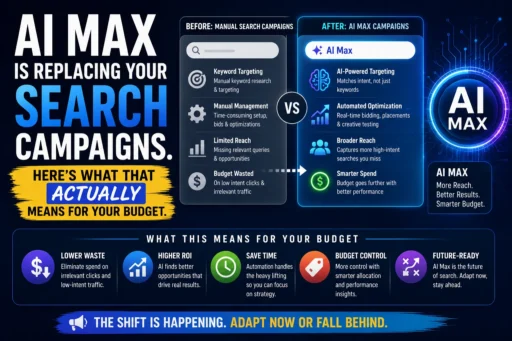
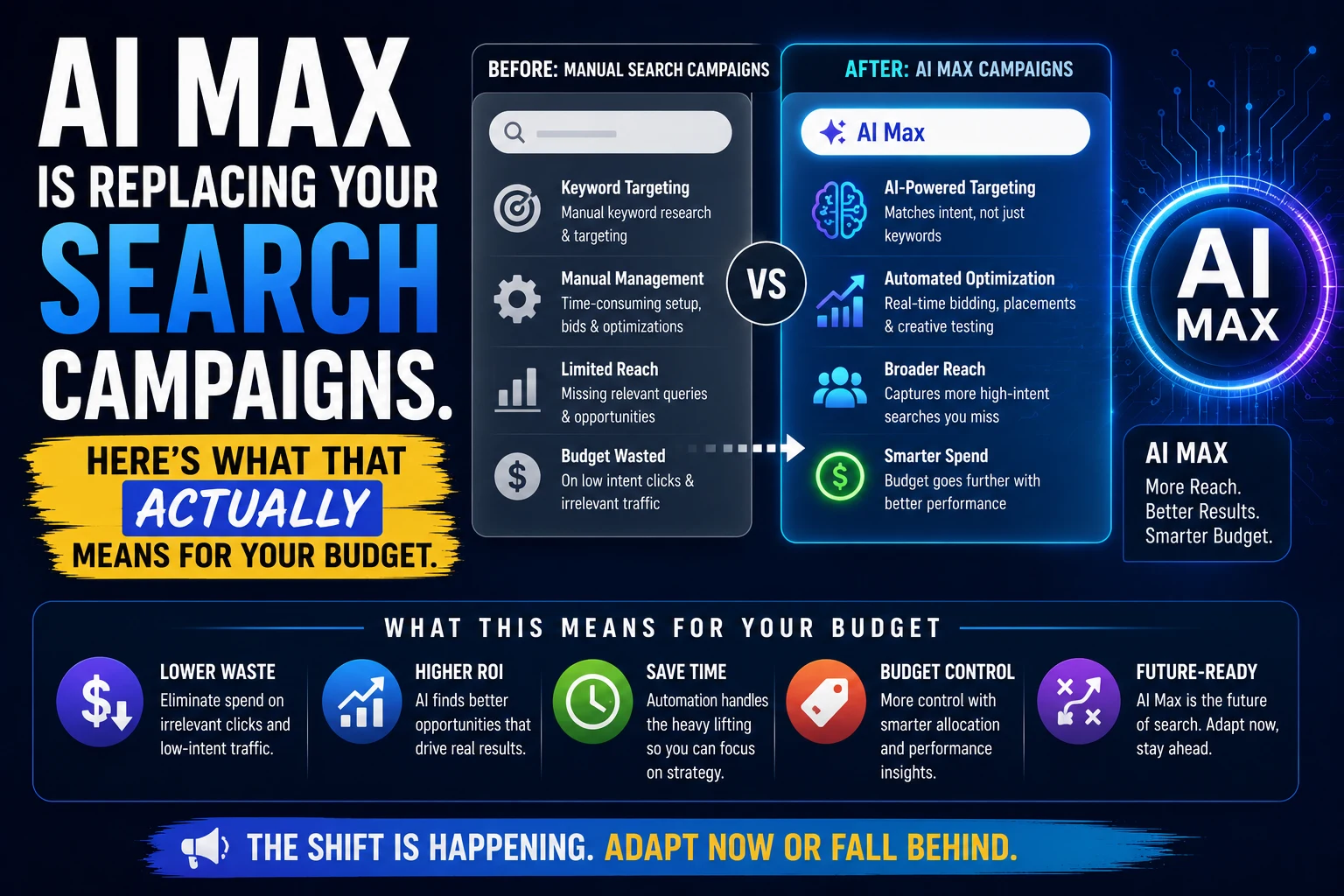

AI Max for Search campaigns is the most consequential change to Google’s paid search infrastructure in years – and the gap between what Google claims it will do for your budget and what independent data shows it actually does is significant enough to warrant serious attention before you activate it.
Google’s headline number is a 14% average conversion uplift at similar CPA/ROAS, with up to 27% improvement for campaigns previously reliant on exact and phrase match keywords. Those are compelling figures. What Google does not lead with is the context: independent testing across real advertiser accounts shows 84% of advertisers report neutral or negative results from AI Max. Not 84% who failed to set it up correctly. 84% of advertisers, period.
This is not an argument against AI Max. It is a mandatory upgrade for DSA users ahead of September 2026, and it has genuine potential in the right account conditions. But at Search Savvy, the advice we give clients is always grounded in what the data actually shows – not what a platform vendor’s marketing states. This post gives you the honest picture: what AI Max is, what it does to your budget, which accounts benefit, and the exact controls you need to protect your spend.
What Is AI Max for Search Campaigns and How Does It Work?
AI Max for Search campaigns is a suite of AI-powered features that Google layers on top of existing Search campaigns. Rather than creating an entirely new campaign type, it enhances your current Search campaigns by broadening keyword reach, dynamically matching landing pages, and generating ad copy in real time.
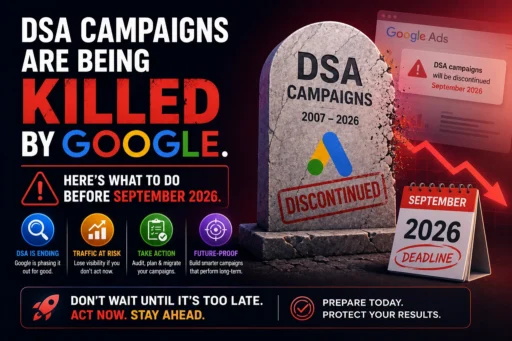
Google confirmed on April 15, 2026 that AI Max exited beta after adoption by hundreds of thousands of global advertisers, and simultaneously announced that Dynamic Search Ads will be automatically migrated to AI Max beginning September 2026. For advertisers currently running DSA, this transition is mandatory. For advertisers running standard Search campaigns, AI Max is an opt-in enhancement – at least until Google’s automation roadmap continues.
AI Max operates through three interlocking capabilities:
Search Theme Matching (formerly “Search Term Matching”): Instead of relying solely on your keyword list, AI Max uses real-time intent signals, session context, and behavioural data to identify relevant queries. You provide “Search Themes” – descriptive phrases about your product or service – and the AI expands matching beyond traditional keyword structures to capture conversational and long-tail queries that keyword-based campaigns would miss.
Text Customisation (Dynamic Ad Copy): AI Max generates and customises headlines and descriptions at auction time for each individual query, drawing from your existing ad assets, landing page content, and campaign-level asset library. The system composes the most relevant combination of assets for each specific user, in real time.
Final URL Expansion: AI Max can redirect users to any page on your website it determines is more relevant than your provided landing page URL. This is the feature with the largest potential performance upside – and the largest potential budget risk. More on this below.
Together, these three features represent a fundamental shift in what “running a Search campaign” means. You are no longer defining targeting rules. You are providing inputs – assets, themes, constraints, and brand guidance – and directing an AI system that makes thousands of bidding and matching decisions per day that you will never review individually.
What Does AI Max for Search Campaigns Actually Do to Your Budget?
AI Max for Search campaigns changes budget dynamics in ways that most advertiser guides understate. Understanding these mechanics before activation is the difference between AI Max working for your budget and AI Max burning through it.
Behaviour 1: Budget Shifts From Proven Keywords to Experimental Queries
AI Max may shift budget allocation away from your established, high-performing keywords toward new queries it is exploring during its learning phase. For campaigns with limited daily budgets, this can meaningfully reduce performance on your core terms while the AI tests its expanded matching.
The practical implication: consider increasing your daily budget by 15–20% when enabling AI Max to fund expansion without cannibalising existing performance. Activating AI Max on a capped budget without adjustment is one of the most common causes of early AI Max underperformance.
Behaviour 2: The System May Bid Aggressively on Competitor Brand Terms
In one documented account, AI Max scaled so aggressively into competitor brand search terms that it consumed 69% of total Search impressions for competitor queries. Many advertisers deliberately avoid competitor brand terms due to high CPCs, low conversion intent, and brand safety concerns. AI Max, optimising for conversion probability signals rather than competitive strategy, can override that approach entirely – by default, not by design.
This is not a bug. It is the system working as intended. AI Max’s optimisation objective is conversion probability. Competitor brand queries often carry high purchase-consideration intent. The system has no awareness of your competitive strategy, margin structure, or brand positioning considerations. Those constraints must be explicitly configured by you.
The fix: Set brand exclusions before activating AI Max to define which brand terms the system is and is not permitted to target.
Behaviour 3: Final URL Expansion Can Send Paid Traffic to Unintended Pages
Final URL Expansion is AI Max’s most powerful feature and its most immediate budget risk for accounts that haven’t prepared their site structure. The AI will send traffic to any page it determines is relevant – including outdated pages, thin content pages, product pages with low conversion rates, or pages that are technically reachable but were never intended as ad destinations.
Every impression sent to a low-converting page is wasted spend. At scale, Final URL Expansion on a site with patchy landing page quality can significantly increase your CPC without a corresponding increase in conversions.
The fix: Start with Final URL Expansion disabled or restricted to a curated URL feed. Enable it gradually after auditing your site’s page quality and conversion-readiness.
Behaviour 4: AI Max and Broad Match Keywords Together Create a Very Wide Net
AI Max Search Themes combined with broad match keywords produce an extremely expansive matching strategy. For accounts with strong budgets and robust conversion data, this combination can unlock significant incremental reach. For accounts with limited budgets or thin conversion histories, it creates a wide net that catches many low-quality queries alongside the valuable ones.
At Search Savvy, the account configuration we consistently recommend before activating AI Max is: start with phrase and exact match keywords only, add AI Max Search Themes on top, monitor query reports closely for the first four weeks, and build out negative keyword lists aggressively before introducing broad match.
What Does the Real Performance Data Show for AI Max in 2026?
AI Max for Search campaigns has generated some of the most varied independent performance data of any Google Ads feature in recent years. Understanding the full distribution – not just Google’s headline cases – is essential for setting realistic expectations.
Google’s published benchmark:
- Average +7% more conversions or conversion value at similar CPA/ROAS using the full AI Max feature suite vs. search term matching alone (confirmed April 2026)
- Average +14% conversion lift cited at earlier launch benchmarks
- Up to +27% improvement for campaigns previously using only exact and phrase match keywords
Independent testing reality:
- 84% of advertisers report neutral or negative results (ALM Corp analysis, 2026)
- SMEC: +13% revenue but +16% higher CPA – more conversions, worse efficiency
- Brainlabs: +40% success rate across tested accounts – meaning 60% did not see improvement
- ROAS outcomes in retail ranged from +42% to -35% in the same study population
- One documented case study: 99% of AI Max terms drove zero conversions in the first month
The honest framing: a 10% improvement with AI Max puts you ahead of 84% of advertisers. Do not measure your results against Google’s cherry-picked case studies. The benchmark is your own historical performance.
What Account Conditions Predict AI Max Success?
The accounts where AI Max for Search campaigns consistently performs well share specific characteristics:
Strong prerequisites:
- ₹5,000+/day (roughly $750+/day) budget – Google’s official $50/day minimum is technically enabled but practically ineffective for the AI’s learning requirements
- 50+ monthly conversions – AI Max’s optimisation quality degrades significantly below this conversion volume threshold
- Clean, comprehensive conversion tracking – the AI optimises for whatever signal you give it; polluted or incomplete conversion data produces poor targeting decisions
- Well-structured asset library – strong headlines, descriptions, and landing pages that give the AI high-quality inputs to work with
- Mature negative keyword lists – especially important for containing competitor query expansion
Industry context: Google explicitly excludes retail/e-commerce from its 14% benchmark – the most honest disclosure in the entire AI Max announcement. E-commerce accounts see the widest performance variance. Service businesses, lead generation accounts, and B2B advertisers with clear conversion signals tend to see more stable results.
How Should You Structure Your Budget Around AI Max for Search Campaigns?
AI Max for Search campaigns fits into a broader campaign architecture that Google is actively promoting as the “Power Pack” strategy for 2026:
- Performance Max for broad multi-channel reach – 60–70% of budget for e-commerce, 30–40% for B2B
- AI Max for Search for high-intent search coverage with meaningful transparency – 30–40% of budget
- Demand Gen for top-of-funnel awareness campaigns
This structure gives each campaign type a distinct role with minimal overlap – when properly configured with negative keywords preventing cannibalisation between them.
For Indian SMBs and mid-market advertisers operating at lower budgets:
- Under ₹25,000/month (approx. $3,000/month): Standard Search campaigns with tight keyword targeting typically deliver more predictable results. AI Max at this budget level does not have sufficient spend to train effectively and risks concentrating your limited budget on experimental queries.
- ₹25,000–1,00,000/month: AI Max becomes viable with conservative configuration – Search Themes only, Final URL Expansion disabled initially, aggressive negative keyword management from week one.
- ₹1,00,000+/month: Full AI Max feature activation is justified if conversion tracking is clean and site structure supports URL expansion. This is where the performance upside data is most relevant.
At lower budgets, the most important principle is: do not activate features you cannot afford to test. AI Max’s learning period requires meaningful spend. Activating it at a budget level that starves the learning phase produces poor data that makes the feature look ineffective – even when the issue is budget, not the system itself.
What Controls Do You Actually Have Over AI Max for Search Campaigns?
AI Max for Search campaigns is not a black box – a concern that many advertisers raised during beta. The control layer is meaningful, and using it correctly is what separates accounts where AI Max adds value from accounts where it creates waste.
Controls you retain with AI Max active:
- Brand inclusions – specify which brand terms your ads are permitted to appear on (including your own brand queries for brand protection)
- Brand exclusions – specify which competitor brand terms or brand-adjacent queries the system must not enter
- URL inclusions – restrict Final URL Expansion to a curated set of approved landing pages
- URL exclusions – explicitly block specific pages from receiving AI Max traffic (checkout pages, error pages, thin content pages)
- Text guidelines – up to 25 term exclusions (words that cannot appear in AI-generated copy) and 40 messaging restrictions (phrases or claims the system must not use)
- Location intent settings – granular geographic targeting at the ad group level
- AI Brief – a structured guidance feature for providing messaging direction, audience context, and matching parameters
What you cannot control:
- Individual auction-level decisions – the system makes thousands of bidding decisions per day that are not individually reviewable
- Which specific ad asset combinations are served for any given query
- Asset pinning – if both text customisation and Final URL Expansion are active, RSA asset pinning is not respected
The operational reality: AI Max creates more monitoring work, not less, especially in the first 60 days. More query patterns to review, more ad copy variants to evaluate, more landing page combinations to track, more negative keyword decisions to make. Accounts managed with weekly check-ins are not managing AI Max effectively. The system requires at minimum weekly query report reviews and responsive negative keyword additions during the learning phase.
What Is the Relationship Between AI Max for Search and Performance Max?
AI Max for Search campaigns and Performance Max are complementary, not competitive – but the interaction between them requires active management.
When a query is eligible for both AI Max and Performance Max, the one with the higher Ad Rank serves. This means:
- Both campaign types can coexist and serve the same queries, but only one serves per auction
- Without proper negative keyword architecture, the two campaigns can cannibalise each other’s budget
- AI Max is Search-only – it does not serve ads on YouTube, Display, Shopping, or Discover. If a query would serve on Search under AI Max but is also eligible for Performance Max, Ad Rank determines the winner
- For accounts running both, budget allocation between the two requires active monitoring and strategic intent – not a set-and-forget structure
The key distinction: AI Max provides search query-level transparency that Performance Max does not. You can see which search terms triggered your AI Max ads. Performance Max’s search term reporting is less granular. For advertisers who need visibility into query-level performance – service businesses, lead generation accounts, compliance-sensitive industries – AI Max is a meaningfully more transparent system than Performance Max for search inventory.
FAQ: AI Max for Search Campaigns in 2026
Q1: Is AI Max for Search campaigns mandatory in 2026?
For advertisers currently running Dynamic Search Ads (DSA), migration to AI Max is mandatory – Google will automatically upgrade all remaining DSA campaigns in September 2026, with no opt-out available. For advertisers running standard keyword-based Search campaigns without DSA, AI Max remains an opt-in feature enhancement as of May 2026. However, Google’s automation roadmap strongly suggests that AI Max-style features will become increasingly standard over time.
Q2: What is the minimum budget needed for AI Max to work effectively?
While Google states a $50/day minimum, independent testing consistently shows that AI Max requires a daily budget of approximately $750/day (roughly ₹62,000/day) or more to have sufficient spend for the AI’s learning phase and query expansion. At lower budgets, the system cannot generate enough data to optimise effectively. For Indian SMBs with monthly paid search budgets below ₹25,000, standard keyword-targeted Search campaigns typically deliver more predictable results.
Q3: Does AI Max increase or decrease cost per conversion?
Results vary significantly by account. Google’s benchmark claims a 7–14% improvement in conversions at similar CPA. Independent data shows 84% of advertisers report neutral or negative results. SMEC’s retail study found +13% revenue but +16% higher CPA – more conversions at lower efficiency. Accounts with strong conversion data (50+ monthly conversions), clean tracking, and well-configured controls tend to see the most favourable CPA outcomes.
Q4: What is Final URL Expansion and should I turn it on?
Final URL Expansion allows Google’s AI to redirect paid traffic to any page on your website it determines is more relevant than your provided URL. It is AI Max’s highest-upside and highest-risk feature. Search Savvy strongly recommends starting with Final URL Expansion disabled or restricted to a curated URL feed, then enabling it gradually after auditing your site’s landing page quality and ensuring poor-performing pages are excluded. Activating it immediately on a site with thin or inconsistent landing pages creates significant budget waste risk.
Q5: Can AI Max target my competitors’ brand terms?
Yes – by default. AI Max optimises for conversion probability signals, which can include competitor brand queries where users are in active purchase consideration mode. In one documented case, AI Max consumed 69% of an account’s total Search impressions on competitor brand terms. To prevent this, configure brand exclusions before activating AI Max. This is one of the most important pre-activation steps and one of the most frequently skipped.
Q6: How is AI Max different from Performance Max?
AI Max is Search-only – it does not serve ads on YouTube, Display, Shopping, or Discover. It provides significantly more transparency than Performance Max, including query-level search term reporting. Performance Max serves across the full Google ecosystem and is better suited for full-funnel e-commerce campaigns. Google’s recommended 2026 structure uses both: Performance Max for multi-channel reach and AI Max for high-intent search coverage, with careful negative keyword architecture to prevent cannibalization.
The Bottom Line
AI Max for Search campaigns is not optional for DSA users, and it is increasingly the direction Google’s entire paid search infrastructure is heading. The technology is genuinely capable – but the gap between Google’s headline performance claims and what independent testing shows across a broad population of advertiser accounts is too wide to ignore.
The brands that will benefit from AI Max are those that enter it with realistic expectations, strong account foundations (clean conversion tracking, quality assets, well-structured site pages), conservative initial configurations, and active monitoring throughout the learning phase. The brands that will be hurt by it are those who activate all features at once, assume the AI will figure it out, and check in two months later to find the budget has been redistributed in ways they never intended.
According to Search Savvy’s paid search practice, the single most important thing you can do with AI Max right now is not to activate it – it is to prepare your account for it. Audit your conversion tracking. Clean up your landing pages. Build your asset library. Configure your brand exclusions and URL restrictions. Then migrate, conservatively, with data.
If you want help building an AI Max migration and management strategy tailored to your account’s specific budget, structure, and performance history, get in touch with the Search Savvy team. We’ll tell you exactly what your account needs before the first AI Max impression is served.