Performance Max Now Shows You Where Your Budget Goes. Stop Wasting It
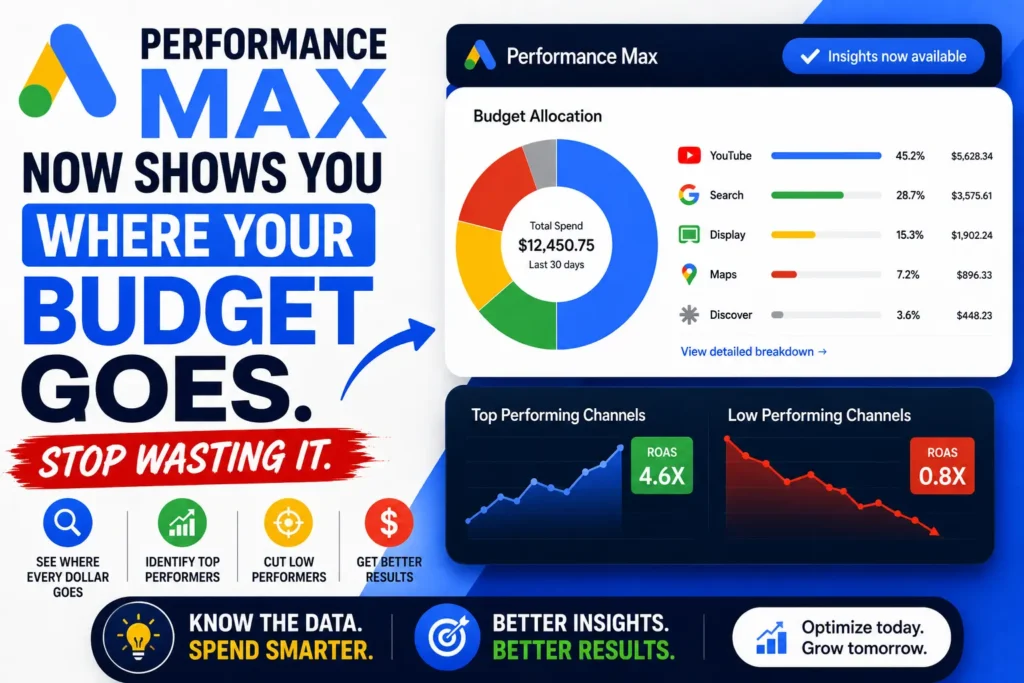

For the past four years, running Performance Max campaigns required a specific kind of tolerance for ambiguity.
In this article17 sections
You set a budget. You uploaded your assets. You handed Google the wheel – and then you watched aggregate numbers roll in with almost no way to answer the question every client, every marketing director, and every business owner invariably asks: “Where is my money actually going?”
You suspected YouTube was eating too much of it. You wondered whether Display was pulling weight or just producing impressions that looked good in a report. You had no way to know whether Search was carrying the campaign quietly at 5x ROAS while YouTube burned through 40% of your budget at 0.8x.
Performance Max channel reporting has changed that picture – and 2026 has brought the most significant transparency upgrades to PMax since the campaign type launched in 2021. The “black box” is not fully open. But it is now open enough to make decisions that actually matter. This article explains exactly what has changed, what Performance Max channel reporting now shows you, and how to use that data to stop wasting budget before your competitors figure it out first.
At Search Savvy, we manage Performance Max campaigns for businesses across e-commerce, lead generation, and local services – and the 2026 reporting updates have fundamentally changed what intelligent PMax management looks like. Here is everything you need to know.
What Is Performance Max Channel Reporting – and What Changed in 2026?#
Performance Max channel reporting is the new channel-level transparency feature that shows advertisers exactly how their budget is distributed across Search, Display, YouTube, Discover, Gmail, and Maps within a single PMax campaign.
Performance Max has been one of Google’s most polarising campaign types since its launch, largely because advertisers felt they had limited visibility into how their budgets were being spent. In 2026, Google addressed several of these concerns with meaningful improvements.
The transparency update timeline tells the full story of how Google responded to sustained advertiser pressure:
- November 2025: Google added channel performance reporting and Waze inventory for store campaigns as the first transparency framework instalment.
- January 2026: Google rolled out Performance Max channel reporting with Search Partner Network segmentation to all Customer IDs, extending the feature to Search Ads 360 – providing campaign-level performance summaries and data visualisations showing Search Partner contribution to conversion goals.
- February 2026: Google activated Search Partner placement visibility within Performance Max “When and where ads showed” reports, completing the transparency framework for automated campaign types.
- April 2026: Google launched a channel performance timeline view in Performance Max – a visual graph showing how each channel contributed to campaign performance over a selected time period, described by the PPC community as the most meaningful transparency update PMax has received since launch.
- March–April 2026: Google announced budget reporting, expanded audience reporting with demographic and segment-level performance views including age range and gender breakdowns, and placement reports segmented by network.
None of this changes how PMax fundamentally works. The algorithm still controls bidding, placements, and creative selection. But it gives you enough visibility to actually manage the campaign rather than just monitor it.
People Also Ask: What does Performance Max channel reporting show in 2026? Short Answer: Performance Max channel reporting shows exactly where budget is allocated across Search, Shopping, Display, YouTube, Discover, Gmail, and Maps within a single PMax campaign. The new channel performance timeline is a visual graph inside your PMax campaign reporting that shows how each channel contributed to your campaign performance over a selected time period. It also includes asset group-level performance by creative theme, demographic audience breakdowns, and placement reports segmented by network.
Why Does Performance Max Channel Reporting Matter So Much in 2026?#
Performance Max channel reporting matters because without it, even well-funded campaigns could be quietly destroying their own ROAS – and nobody would know until the quarterly review.
Before this update, understanding channel performance in PMax required downloading reports, cross-referencing data in spreadsheets, and making educated guesses. If YouTube was burning through 40% of your budget with a 0.8x ROAS while Search quietly carried the campaign at 5x ROAS, you had limited ways to catch that early.
The new timeline makes these imbalances visible at a glance. You can finally answer the question every PPC agency gets asked: “Where is my money actually going?”
Consider the compound problem that existed before this update. PMax campaigns allocate budget dynamically across all available channels in real time. The algorithm’s job is to optimise toward your conversion goal – but “optimising toward conversions” can mean dramatically different things on different channels:
- Search and Shopping conversions tend to be high-intent, transactional, and directly attributable
- YouTube conversions may be view-through or cross-device, with different attribution models that inflate apparent performance
- Display and Discover produce lower-intent conversions that may not reflect true business value
Performance Max was previously a “set it and monitor it loosely” campaign type for many advertisers. Without channel-level visibility, there was no reliable way to know whether the algorithm was finding your best customers or optimising toward the easiest conversions – which are not the same thing.
People Also Ask: Why was Performance Max called a “black box” before 2026? Short Answer: PMax has been used by more than one million advertisers globally, and the main complaint has always been the same: you hand Google your budget and trust the algorithm, but you cannot see enough of what is happening to make informed decisions. Before the 2026 transparency updates, advertisers received only aggregate campaign-level data with no visibility into channel-level spend distribution, individual placement performance, or demographic audience breakdowns – making intelligent optimisation nearly impossible.
What Are All the New Performance Max Reporting and Control Features in 2026?#
Performance Max channel reporting is the headline update – but it arrived alongside a broader set of transparency and control features that collectively transform how PMax campaigns can be managed. Here is the full picture:
Budget Report – Forecast and Scenario Planning#
Advertisers can now find the budget report directly within a Performance Max campaign to help forecast the end-of-month spend. It can also provide scenarios on how changing the daily budget impacts potential performance.
This is more significant than it sounds. Before this update, budget forecasting in PMax required external modelling or educated guesses based on historical spend velocity. The in-platform budget report allows you to model “what if I increase daily budget by ₹1,000?” and see projected impact before committing – a capability that previously required paid third-party tools or significant manual analysis.
Channel Performance Timeline – The Core Transparency Win#
The new timeline is a visual graph inside your PMax campaign reporting that shows how each channel – Search, YouTube, Display, Discover, Gmail, and Maps – contributed to your campaign performance over a selected time period.
The timeline format lets you spot week-over-week trends that aggregate data hides. A channel that was performing well in January might be trending downward by March – and now you can see that.
The practical value: you can identify the exact week a channel started underperforming relative to others, correlate it with creative changes or budget shifts, and make informed decisions about asset group composition that address the specific channel issue rather than adjusting the entire campaign.
Placement Report Segmented by Network#
Advertisers can now segment placement reports by network to show where ads have served, with more visibility to ensure brand safety across all Google-owned channels. The placement report lives under the “When and where ads showed” tab.
Maintain weekly placement audits: make it a habit to check the “Where ads showed” report on a weekly basis. If you detect low-value impressions spiking on the Google Search Partners network, deploy the new account-level placement exclusions immediately to protect your performance.
Brand safety implications are real here. Display placements in particular can include a wide range of websites – some of which you would not want your brand appearing on. The network-segmented placement report makes it possible to identify and exclude specific placements or entire placement categories that are producing impressions without conversions.
Expanded Audience Reporting – Demographics and Segments#
Google is expanding audience reporting with more detailed demographic and segment-level performance views, including breakdowns such as age range and gender. That should give advertisers more context around who the system is actually reaching, rather than just what overall campaign performance looks like.
Google is also launching new updates designed to help you reach your business goals by providing more ways to steer Google AI and see where your budget goes.
Demographic breakdowns reveal whether the algorithm is finding your actual target audience or optimising toward the demographic cohort that converts most easily – which may not be the same as your intended buyer. For Indian businesses targeting specific age groups or income brackets, this data is particularly actionable.
First-Party Audience Exclusions – The Most Actionable New Control#
You can now exclude specific customer lists from your Performance Max campaigns, and target the right customers for your business goals. For example, this can help your budget focus on acquiring new customers rather than re-engaging those who have already converted.
The audience exclusion is the most actionable of the four updates.
Before this feature, PMax campaigns would frequently serve ads to existing customers – spending acquisition budget on people who had already converted, producing conversions that looked good in reporting but represented zero incremental business value. First-party audience exclusions let you explicitly exclude your existing customer list, focusing the algorithm on genuine new customer acquisition.
Campaign-Level Negative Keywords – The Long-Awaited Structural Fix#
2026 PMax updates bring full negative keyword support at campaign and account levels, finally giving advertisers control over unwanted search queries.
The ability to apply negative keywords at the campaign level rather than requesting them through Google support was one of the most requested features in the entire history of PMax. Previously, adding negatives required filing a request with Google’s support team – a friction point that meant obvious irrelevant queries continued generating clicks for weeks or months before exclusions were applied. Campaign-level negatives are now self-serve.
Asset Group-Level Reporting – Creative Attribution at Last#
Expanded asset group-level reporting shows performance breakdowns by creative theme.
Video limits increased from 5 to 15 per Asset Group, allowing for a more competitive advantage on YouTube ads. Creative A/B testing: apply A/B testing on asset sets by splitting traffic between control and treatment groups.
Asset group-level reporting closes the loop between creative decisions and business outcomes – allowing you to identify which creative themes are producing qualified conversions and which are generating volume without value.
People Also Ask: How do I access the Performance Max channel report in Google Ads? Short Answer: The placement report lives under the “When and where ads showed” tab in your Performance Max campaign. The channel performance timeline and budget report are accessible directly within the PMax campaign interface. Navigate to your campaign, select the reporting view, and look for the channel performance breakdown and the budget pacing report as distinct sections within the updated PMax reporting interface.
How Should You Use Performance Max Channel Reporting to Optimise Campaigns?#
Performance Max channel reporting is only valuable if you act on what it shows you – and most advertisers are not yet doing so systematically.
The days of operating PMax campaigns based on blind trust are over. Google’s 2026 updates have fundamentally transformed the platform, making it a highly steerable, data-rich engine.
Here is the weekly and monthly optimisation workflow that makes full use of the new reporting:
Weekly: Channel Spend Audit#
Make it a habit to check the “Where ads showed” report on a weekly basis. Review the channel performance timeline to identify any shifts in channel distribution. Flag any channel where spend share increased significantly without a corresponding improvement in conversion volume or ROAS. Note which placements are receiving high impressions with zero conversions – and add them to your exclusion list.
Specific red flags to act on immediately:
- Display or Discover receiving more than 30% of budget with ROAS below your campaign target
- YouTube spend increasing without a corresponding uplift in conversion volume
- Search Partner Network placements producing high impressions on irrelevant sites
- Demographic cohorts receiving disproportionate spend that do not match your ICP
Monthly: Asset Group Performance Review#
Review asset group-level reporting to identify which creative themes are producing your best converting traffic. Pause asset groups consistently under-delivering and reallocate budget toward higher-performing themes. Use the new A/B testing feature to systematically test creative variants – measuring impact on channel-level conversion patterns, not just campaign-level totals.
Quarterly: Audience and Budget Scenario Planning#
Use the budget report’s scenario modelling to project how budget adjustments would affect end-of-month spend and estimated performance. Cross-reference demographic audience data against your CRM’s customer profile data – if the algorithm is consistently targeting a demographic cohort that does not match your highest-value customers, adjust your audience signals accordingly.
Review your first-party audience exclusion lists quarterly. Add recent converters to prevent acquisition budget from being spent on re-engagement that should be handled by separate retention campaigns.
What Are the Limits of Performance Max Channel Reporting in 2026?#
Performance Max channel reporting gives you significantly more visibility than existed before – but it does not give you full campaign control, and understanding the limits prevents misinterpretation of the data.
None of this changes how PMax fundamentally works. The algorithm still controls bidding, placements, and creative selection.
The consensus in the PPC community? It’s not full transparency, but it’s a meaningful step in the right direction.
Specific limitations to manage expectations around:
- You cannot manually control channel budget split. Channel-level reporting shows you the distribution – but you cannot set “40% to Search, 20% to YouTube” as an explicit parameter. The algorithm allocates budget dynamically. You can influence distribution through asset group composition, audience signals, and negative keywords – but not through direct channel budget controls.
- View-through and cross-device attribution inflate some channel metrics. YouTube conversions in particular can include view-through attributions – conversions that happened after someone saw (not clicked) your ad. These count in your ROAS calculation but represent different intent than a direct click-to-convert. Review YouTube conversions with this in mind before drawing conclusions from channel ROAS comparisons.
- Placement data has a reporting delay. Placement-level data in the “Where ads showed” report may lag actual serving by 24–48 hours. This is normal for all Google Ads placement reporting – it means same-day placement exclusions may not reflect in the report until the following day.
According to Search Savvy’s insights from managing PMax campaigns post-transparency update, the single most impactful use of the new data is identifying the channel split at the point when a campaign’s overall ROAS starts declining. In most cases, a ROAS decline in a previously stable PMax campaign maps directly to a specific channel increasing its spend share without a corresponding conversion lift – a pattern that was completely invisible before channel-level reporting existed.
People Also Ask: Can you control where Performance Max spends its budget across channels in 2026? Short Answer: Not directly – you cannot set explicit channel budget splits. The algorithm still controls bidding, placements, and creative selection. However, you can influence channel distribution indirectly through asset group composition (adding or removing video assets affects YouTube spend), audience signals, campaign-level negative keywords, placement exclusions, and first-party audience exclusions. Channel-level reporting tells you where to apply these levers – it does not give you a direct budget dial.
How Do the 2026 Performance Max Updates Change Campaign Strategy?#
Performance Max channel reporting has not just improved transparency – it has created new strategic obligations for any account running PMax.
Performance Max was previously a “set it and monitor it loosely” campaign type for many advertisers. These changes give advertisers significantly more visibility and control. However, they also mean there is more data to act on, making active management at the asset group level essential to getting full value from PMax campaigns.
The strategic implications of this shift:
First-party data quality has become a competitive differentiator. The audience exclusion and audience signal features in 2026 are only as powerful as the customer lists you feed them. Businesses with clean, segmented CRM data – differentiated by customer value, recency, and purchase category – can now steer the PMax algorithm with significantly more precision than businesses with generic audience lists.
Creative volume and quality now have a direct performance measurement mechanism. Video limits increased from 5 to 15 per Asset Group. With asset group-level reporting and A/B testing now available, the creative investment you make in PMax is directly measurable. Under-investing in creative – particularly video for YouTube – is now a quantifiable budget decision, not a vague qualitative risk.
Weekly management is now standard practice, not exceptional. The transparency data that previously required custom reporting workarounds is now in-platform and real-time. The days of operating PMax campaigns based on blind trust are over. Agencies and in-house teams that are not reviewing channel distribution weekly are leaving optimisation on the table that competitors reviewing the same data will capture.
At Search Savvy, we have rebuilt our PMax management workflow around the 2026 updates – treating channel reporting as a weekly standing agenda item rather than a quarterly audit. The accounts that are seeing the fastest improvement in ROAS after the transparency updates are the ones acting on the channel data within 48 hours of identifying an imbalance, rather than waiting for a monthly review cycle.
At Search Savvy, we also now include a Performance Max channel audit in every new Google Ads engagement – because the channel spend distribution often reveals budget waste that aggregate reporting had been hiding for months.
FAQ: Performance Max Channel Reporting – Your Questions Answered#
Q1: When did Performance Max get channel reporting and what triggered the change? Last year, Google introduced reporting and control features like channel performance reporting, search terms reporting, and campaign-level negative keywords. In 2026, Google launched new updates designed to help you reach your business goals by providing more ways to steer Google AI and see where your budget goes. January 2026 saw Performance Max channel reporting with Search Partner Network segmentation rolled out to all Customer IDs, extending the feature to Search Ads 360. In early April 2026, Google launched a channel performance timeline view – the most meaningful transparency update PMax has received since launch. The trigger was sustained, consistent advertiser pressure over four years of the campaign type’s existence.
Q2: Does Performance Max channel reporting work in Google Ads and Search Ads 360? The January 2026 rollout extended Performance Max channel reporting to Search Ads 360, providing campaign-level performance summaries and data visualisations showing Search Partner contribution to conversion goals. Channel performance reporting, placement reports, and audience breakdowns are available in the native Google Ads interface. Search Ads 360 users can access channel-level data in their SA360 reporting environment, with the same campaign-level visibility as the Google Ads interface. Third-party tools that integrate via the Google Ads API will receive the channel data as the API is updated to expose these new fields.
Q3: How should I respond if the channel report shows YouTube taking 50% of my budget? First, check the conversion and ROAS data associated with that YouTube spend – not just the impression and click data. YouTube conversions may include view-through attributions that inflate apparent performance. If YouTube ROAS is genuinely below your overall campaign target, the most effective levers are: removing video assets from the affected asset group to reduce YouTube serving, adding YouTube-specific audience exclusions, or shifting budget toward Search-dominant asset groups. If YouTube ROAS is healthy, the 50% spend share may be the algorithm correctly identifying your best-performing channel for the current bidding goal.
Q4: What is the difference between Performance Max placement reporting and channel reporting? Channel reporting shows the distribution of budget and conversions across Google’s six channel types – Search, Shopping, Display, YouTube, Discover, Gmail, and Maps. Placement reporting shows where within those channels your ads served, with the ability to segment by network to ensure brand safety across all Google-owned channels. The placement report lives under the “When and where ads showed” tab. Channel reporting answers “how much of my budget went to YouTube?” Placement reporting answers “which specific sites and apps on Display or Discover received my ads?” Both are now available natively in Performance Max – and both require weekly review.
Q5: Can I now use negative keywords in Performance Max without contacting Google support? Yes. The 2026 PMax updates bring full negative keyword support at campaign and account levels, finally giving advertisers control over unwanted search queries. The ability to apply negative keywords at the campaign level rather than requesting them through Google support is now fully self-serve. Navigate to your PMax campaign settings, find the negative keyword section, and add exclusions directly – the same workflow as traditional Search campaigns. Account-level negatives apply across all campaigns including PMax, making it possible to maintain a master exclusion list that protects all your Google Ads activity simultaneously.
Q6: How does the new budget report in Performance Max help with campaign forecasting? The budget report can be found directly within a Performance Max campaign to help forecast the end-of-month spend. It can also provide scenarios on how changing the daily budget impacts potential performance. Practically, this means you can model budget increase scenarios before implementing them – seeing projected impact on conversions and spend before committing to a change. For businesses with monthly budget caps or seasonal budget constraints, this forecasting capability removes the guesswork from PMax budget management. It is particularly useful for e-commerce businesses approaching peak periods who need to know precisely how a budget increase will affect month-end spend and projected return.