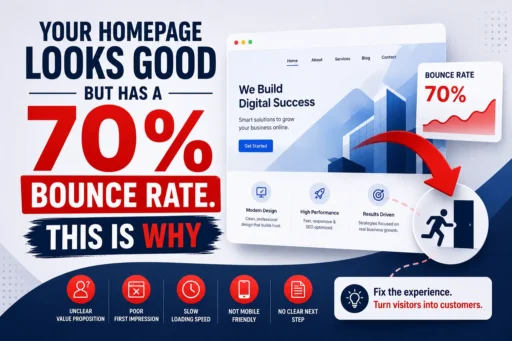
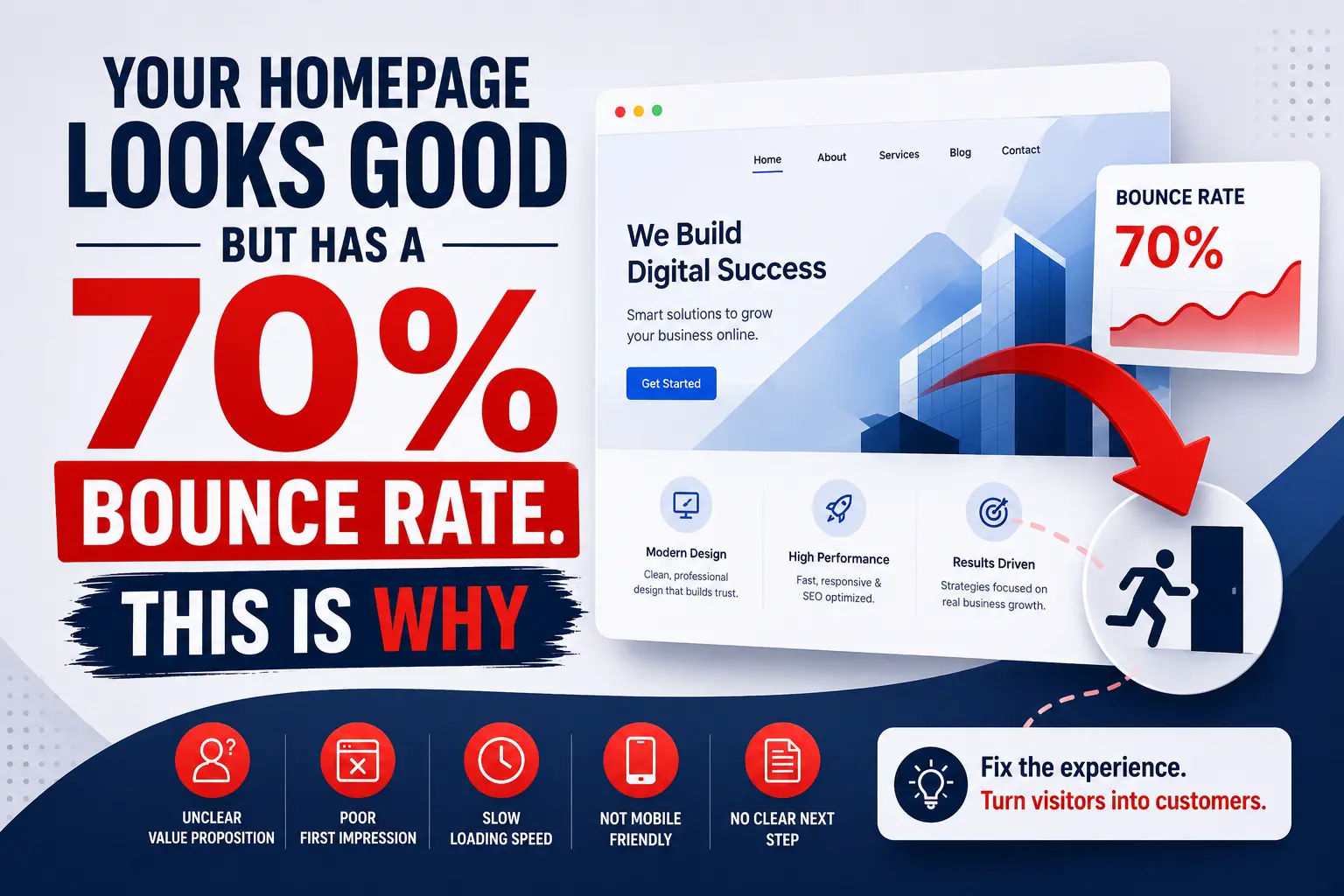

Your homepage has a clean hero image. The fonts are sharp. The colour palette is on-brand. You have spent real money on a designer, and the result looks genuinely impressive.
Yet your analytics tell a different, painful story.
Seven out of every ten visitors who land on your homepage leave without clicking a single thing. They arrive, they scan for a few seconds – sometimes fewer – and then they are gone. Back to Google. On to a competitor. Out of your funnel entirely.
A homepage bounce rate fix is not about making your website look better. In most cases, the design is not the problem at all. The problem is invisible to the naked eye and invisible to the designer who built it. It lives in the gap between how your homepage looks and what it actually does in the critical first three to five seconds a visitor spends on it.
At Search Savvy, we audit conversion performance for businesses across India every week, and a beautiful homepage with a catastrophic bounce rate is one of the most common – and most fixable – problems we encounter. This article explains exactly why it is happening and what to do about it.
What Is a Good Homepage Bounce Rate in 2026 – and How Worried Should You Be?
A homepage bounce rate fix starts with knowing whether your current rate is actually a problem – because context matters enormously here.
Here is how industry benchmarks currently compare:
| Page / Industry Type | Average Bounce Rate 2026 |
| E-commerce | 20–47% |
| SaaS / Software | 35–55% |
| Service businesses | 40–55% |
| B2B / Corporate | 45–60% |
| Blogs / News / Events | 70–90% (acceptable) |
| Landing pages | 60–90% (depends on intent) |
The distinction is important: 70%+ is perfectly normal for blog content and event pages, where users arrive, read, and leave having found what they needed. But for a commercial homepage – the page most responsible for converting interest into action – a 70% bounce rate means seven in ten potential customers arrived, found nothing compelling enough to engage with, and left.
The median bounce rate across all industries sits at 44.04%. If your homepage is sitting at 70%, you are not slightly below average. You are losing customers at nearly double the acceptable rate.
People Also Ask: Is a 70% bounce rate on a homepage bad? Short Answer: For a commercial homepage, yes – significantly. The industry average for business and service websites in 2026 is 41–55%. A 70%+ bounce rate on a homepage indicates that visitors are not finding what they expected, cannot quickly understand your value proposition, or are experiencing friction that sends them away before engaging. It is a direct conversion and revenue problem.
Why Does a Good-Looking Homepage Still Have a High Bounce Rate?
A homepage bounce rate fix requires understanding something that most business owners find counterintuitive: design quality and conversion quality are not the same thing.
A high bounce rate is almost always caused by a mismatch between user expectations and what your website delivers. A visitor arrives with a specific intent – they want to know if you solve their problem, if you are trustworthy, and what they should do next. If your homepage does not answer all three of those questions within the first few seconds, they leave. Your brand colours, font choices, and hero photography are completely irrelevant to that decision.
Here are the real reasons your homepage bounce rate is high – and none of them are design problems.
1. Your Value Proposition Is Missing or Buried
A homepage bounce rate fix almost always starts here. Your value proposition should be instantly clear above the fold – the first thing a visitor reads, in the main H1 headline and a supporting subheading, without any scrolling required.
Most homepages fail this test completely. They open with a vague tagline like “Transforming Businesses Through Innovation” or “Your Partner in Growth” – phrases that communicate nothing specific to the person who just arrived from a Google search about a very specific problem they need solved.
Your headline must answer three questions in eight words or fewer:
- What do you do?
- Who do you do it for?
- What outcome does the visitor get?
“SEO and Paid Ads for Indian D2C Brands That Want to Scale” is a value proposition. “Elevating Your Digital Presence” is wallpaper.
In 2026, a Hotjar heatmap analysis of 17,500 landing pages found that above-the-fold CTAs combined with a supporting value proposition headline of 10 words or fewer achieved a 96% engagement uplift and an average session-to-conversion rate of 11.3%. The words above the fold are the most commercially important real estate on your entire website.
2. There Is No Clear Primary CTA – or There Are Too Many
A homepage bounce rate fix always involves examining your calls to action – because CTAs are where most homepages make their second critical mistake.
Too many competing CTAs reduce decisions and lower conversions. A visitor confronted with six different buttons – “Learn More,” “View Services,” “Contact Us,” “Book a Call,” “Download Our Guide,” “See Pricing” – faces what psychologists call decision paralysis. Faced with too many choices and no clear signal of which one matters most, the easiest decision is to make no decision at all. And leave.
Every page should have one primary CTA that is visually dominant. Secondary actions should be styled as less prominent text links so they do not compete visually with the primary conversion goal.
And the text of that CTA matters more than most people realise. Mailchimp famously increased signups by changing button text from a generic “Submit” to the more engaging and specific “Sign Me Up”. Vague CTAs like “Learn More” or “Click Here” do not tell the visitor what they are getting. Specific CTAs – “Get My Free Audit,” “See Our Packages,” “Book a 30-Minute Call” – communicate value and reduce friction simultaneously.
People Also Ask: How many CTAs should a homepage have? Short Answer: One primary CTA, placed prominently above the fold, is the ideal homepage structure. Secondary CTAs can appear later on the page – after benefits sections, after testimonials, and at the page footer – but they should be styled as visually secondary so they support rather than compete with the primary conversion goal. Too many equal-weight CTAs cause decision paralysis and raise the bounce rate.
3. Your Page Is Slow on Mobile
A homepage bounce rate fix is incomplete without addressing mobile loading speed – because for most Indian businesses, more than 60–70% of homepage traffic arrives via mobile.
Mobile users have an average bounce rate of 56.8% – significantly higher than desktop’s 50%. And the causal relationship between load time and bounce is documented and severe. As page load time increases from 1 second to 10 seconds, the probability of a visitor bouncing increases by 123%. 46% of users will leave a website if it takes more than 4 seconds to load.
Here is the cruel irony: beautiful homepages are often the slowest ones. Large hero videos, high-resolution photography, complex animations, parallax scrolling effects – all of these are visual choices that add seconds to your mobile load time. Animated page transitions, parallax effects, and large hero videos can add 3–4 seconds of load time and push the content users actually came for below the fold.
Test your homepage right now in Google PageSpeed Insights on a mobile connection. If your score is below 70, or your Largest Contentful Paint (LCP) is above 2.5 seconds, your homepage is losing visitors before they have ever read a single word.
4. Your Messaging Mismatches the Traffic Source
A homepage bounce rate fix must consider where your visitors are coming from – because the same homepage can have wildly different bounce rates depending on the traffic source that delivers the visitor.
Align landing page content with the intent behind the traffic source. A visitor arriving from a Facebook ad about a specific offer has a different expectation than a visitor arriving from a branded Google search. If both land on the same generic homepage and see a headline that does not match what they clicked through expecting, the mismatch is instant – and so is the bounce.
Audit your bounce rate by traffic source in GA4 (Acquisition → Traffic Acquisition). If one specific channel – paid social, organic, direct, referral – shows a dramatically higher bounce rate than others, that is a messaging mismatch problem, not a homepage problem. The fix is either a dedicated landing page for that traffic source, or aligning your homepage headline with the most common intent across your highest-volume channels.
5. There Is No Trust Signal in the Visible Viewport
A homepage bounce rate fix for a newer or lesser-known brand must also address trust – because most purchase and enquiry decisions are blocked by anxiety and uncertainty, not by lack of interest.
Most homepages bury their trust signals below the fold: reviews are at the bottom, client logos are in section four, case study snippets appear after the services list. By the time a visitor reaches that social proof, they have already decided to leave.
The homepage bounce rate fix here is structural: move your most credible, specific trust signal above the fold or immediately beneath your hero section. A single real customer review with a name, photo, and specific outcome outperforms a generic “Trusted by 500+ businesses” badge every time.
People Also Ask: What trust signals reduce homepage bounce rate most effectively? Short Answer: The most effective trust signals are specific and credible – a named customer testimonial with a measurable outcome (“increased organic traffic by 140% in 4 months”), recognisable client logos, industry certifications, and real review scores from third-party platforms like Google Reviews. Generic trust badges and unattributed quotes have minimal impact on bounce rate or conversions.
6. Navigation Is Confusing or Overwhelming
A homepage bounce rate fix must also examine what happens when a visitor tries to find something beyond the hero section. Confused users do not ask for help – they leave.
Information overload above the fold tries to communicate everything and ends up communicating nothing effectively. Navigation menus with 10 top-level items, hero sections with four competing pieces of information, and sidebars packed with links – all of these create cognitive overload that increases bounce rate.
The fix is a clear visual hierarchy built on a single decision path:
- One H1 headline – your value proposition
- One supporting subheadline – your proof or differentiator
- One primary CTA – the most valuable next action
- One trust signal – your most credible social proof element
Everything else on the homepage should support this path, not compete with it.
How Do You Diagnose the Real Cause of Your Homepage Bounce Rate?
A homepage bounce rate fix needs data before it needs solutions. These are the tools that reveal what is actually happening on your page:
- Google Analytics 4 – Check Engagement Rate (the inverse of bounce rate in GA4), average session duration, and scroll depth for your homepage. Break down by device (mobile vs desktop) and traffic source to isolate where the problem is concentrated.
- Google Search Console – Review which queries bring visitors to your homepage. If high-volume queries have low-intent or misaligned expectations with your homepage content, you have a messaging match problem.
- Hotjar or Microsoft Clarity – Heatmaps show where users click (or don’t). Session recordings show exactly what a user does during their time on your homepage before leaving. These tools are invaluable for identifying where engagement drops and whether users are even reaching your CTA.
- Google PageSpeed Insights – Run your homepage URL specifically, on mobile. Your LCP, INP, and CLS scores tell you whether speed is the bounce driver.
According to Search Savvy’s insights from conversion audits, the diagnosis almost always reveals one dominant cause – either a messaging clarity problem, a speed problem, a trust gap, or a CTA structure issue. Rarely is it all four simultaneously. Finding the primary cause means fixing it first before making other changes, so you can measure impact accurately.
What Is the Fastest Homepage Bounce Rate Fix With the Highest Impact?
A homepage bounce rate fix that produces the fastest measurable results follows this priority order, based on 2026 conversion data:
Priority 1 – Rewrite your above-the-fold headline. This is the single highest-impact change on any homepage. Make it specific, benefit-led, and directly relevant to the primary audience segment driving your traffic. Test two versions with an A/B tool.
Priority 2 – Add one specific trust signal beneath the hero. A real testimonial with a name, role, and outcome – placed directly beneath or adjacent to your CTA. Do not bury social proof below the fold.
Priority 3 – Reduce your primary CTA to one option. Remove or de-emphasise competing CTAs. Make the primary conversion action visually unmistakable with a contrasting button colour.
Priority 4 – Fix your mobile load time. Compress your hero image, remove autoplay video backgrounds, and run PageSpeed Insights to identify quick wins. A 0.1-second improvement in load time increases engagement rates measurably.
Priority 5 – Audit your traffic source alignment. Check GA4 for which channel has the highest bounce rate. If it is paid social or Google Ads, ensure the ad copy and homepage headline say the same thing. Mismatched messages are invisible bounce rate drivers that no design change will fix.
At Search Savvy, we run structured CRO audits on homepages before recommending any design changes – because in most cases, the design does not need to change at all. The words, the structure, and the speed do.
People Also Ask: Can I fix my homepage bounce rate without rebuilding my website? Short Answer: Yes – and in most cases, a rebuild is not necessary. The highest-impact fixes (rewriting the headline, consolidating CTAs, adding above-the-fold social proof, improving page speed) can all be implemented without changing the design or structure. Start with a messaging and speed audit before commissioning any design work.
FAQ: Homepage Bounce Rate Fix – Your Questions Answered
Q1: What is the difference between bounce rate in Google Analytics 4 and Universal Analytics? In Universal Analytics, a bounce was any session with only one page view. In GA4, the metric was replaced by Engagement Rate – a session is considered “engaged” if it lasts over 10 seconds, has a conversion event, or includes two or more page views. This means a GA4 Engagement Rate of 40% is equivalent to a 60% bounce rate in old terminology. Always check which platform your data comes from before benchmarking, as the numbers are not directly comparable.
Q2: Could my high homepage bounce rate actually be a tracking problem? Yes – and this is worth checking before making any design or content changes. Common tracking issues that inflate bounce rates include: the GA4 tag firing twice (causing sessions to split), UTM parameters stripping on redirect, missing event tracking that fails to log interactions as engaged sessions, and misattribution from fast redirects. Verify your tag implementation in Google Tag Manager and check that key interactions – CTA clicks, form opens, scroll depth – are being tracked as events in GA4.
Q3: Should I use pop-ups on my homepage to reduce bounce rate? Pop-ups that appear within the first 3–5 seconds of a visit almost always increase bounce rate, not decrease it. They interrupt the visitor before they have had any chance to understand your value proposition and make an early departure feel justified. If you use pop-ups, set them to trigger based on exit intent (when the cursor moves toward the browser close button) or after a meaningful scroll depth (50–70%). A well-timed exit-intent pop-up with a genuine incentive can recover a percentage of visitors who were already leaving – without damaging the experience for visitors who were engaged.
Q4: Does a high homepage bounce rate hurt my SEO rankings? Google has stated that bounce rate as measured in Google Analytics is not a direct ranking signal. However, the underlying behaviours that cause high bounce rates – slow load time, poor mobile experience, low-quality content – are directly tied to Core Web Vitals and page experience signals that do influence rankings. Additionally, if visitors return immediately to Google after visiting your homepage (called “pogo-sticking”), Google’s systems may interpret this as a signal that your page did not satisfy user intent. Fixing your bounce rate and fixing your SEO often require the same underlying changes.
Q5: How long does it take to see results after implementing bounce rate fixes? Headline and CTA changes – if implemented correctly in GA4 with A/B testing – can show statistically significant results within 2–4 weeks, depending on your traffic volume. Speed improvements take effect immediately and are reflected in Core Web Vitals data within 28 days. Trust signal additions typically show impact in engagement metrics (session duration, pages per session) within the same analytics period. The key is implementing one change at a time and measuring its impact before making the next change.
Q6: My homepage bounce rate is high but my conversion rate is okay – should I still fix it? Yes – with caveats. A high bounce rate with an acceptable conversion rate means you are converting the small percentage of visitors who stay, but leaving significant revenue on the table from the majority who leave. Improving your bounce rate without hurting conversion rate (the key risk of over-optimising for engagement at the expense of quality) is the goal. Measure both metrics in parallel as you make changes. If your engagement rate improves but conversions drop, a change you made is attracting more browsers and fewer buyers – that needs to be reversed.Is your homepage losing more visitors than it should be? Visit Search Savvy for a professional conversion audit and a clear, data-backed plan to turn your homepage into your best-performing sales asset.