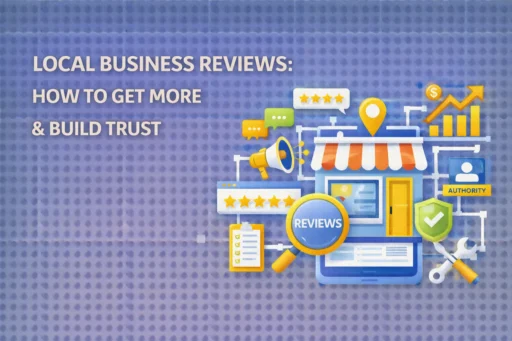

Google Reviews are the most visible, most trusted, and most directly impactful form of social proof available to any local business in 2026 – and yet the majority of businesses still treat review collection as an afterthought. According to a 2026 report from Clutch, 96% of consumers regularly look for reviews before buying something for the first time, up from 88% just five years ago. Nearly half of all consumers always check reviews before making a purchase decision. At Search Savvy, we treat Google Reviews as a core SEO asset – not just a reputation tool – because Google uses review signals directly to determine Local Pack rankings, AI Overview citations, and Maps placement.
This guide gives you a complete 2026 review strategy, copy-paste templates for every channel, and the critical rules you need to follow to build review volume safely, consistently, and at scale.
Why Do Google Reviews Matter So Much in 2026?
Google Reviews carry more weight than ever across three distinct dimensions – and understanding all three is what separates businesses with a passive review presence from those with a proactive review engine.
1. Local SEO Rankings
Google Reviews are one of Google’s three primary local ranking factors alongside relevance and distance. Review signals that Google’s algorithm evaluates include:
- Volume – total number of reviews
- Recency – how recently reviews were received (steady flow beats a historical spike)
- Rating – your average star score
- Sentiment and keywords – the specific language customers use in their reviews
A real-world example from industry data: a local plumbing company increased their review count from 12 to 150+ over 6 months. Their local search rankings jumped from page 3 to position #2, generating an additional $40,000 in monthly revenue.
2. Revenue Impact
Google Reviews directly affect revenue – not just rankings. Industry data for 2026 shows:
- Businesses with 50+ reviews see 35% more revenue than those with fewer
- One additional star in your average rating can increase revenue by 5–15%
- 86% of consumers are willing to pay more for a product with good reviews than for a cheaper alternative with mixed reviews
- Responding to negative reviews can recover 25% of lost customers
- Businesses that respond to ALL reviews earn 88% more consumer trust than those that don’t
3. AI Search Visibility
Google Reviews have become source material for AI-generated answers. In 2026, Google’s AI Overview, Gemini, and Google Maps AI features actively parse your review text to extract facts about your business – services offered, specific amenities, atmosphere, customer experience patterns. A business with dozens of detailed, keyword-rich reviews gives AI systems far more factual material to work with when answering local queries. A business with three generic star ratings is effectively invisible to the AI.
How Do You Get Your Google Review Link?
Google Reviews collection starts with one foundational tool: your direct review link. This link drops customers directly onto your review form – no searching, no scrolling, no friction. Without it, most customers will simply not complete the process.
How to get your Google review link:
- Sign in to your Google Business Profile dashboard
- Click “Ask for reviews” (found on your profile overview page)
- Copy the unique shareable review link Google generates for your profile
- Shorten it using Bitly – e.g., bit.ly/ReviewOurBusiness – for use in verbal requests, printed materials, and SMS
Where to store and share your review link:
- Pinned in your team’s WhatsApp/Slack group
- Added to every team member’s email signature
- Embedded on your website’s homepage, thank-you pages, and contact page
- Converted into a QR code for printed materials, counter cards, and receipts
At Search Savvy, we recommend generating a QR code version of your review link using a free tool like Bitly’s QR Code Generator and placing it at every physical customer touchpoint – counter, packaging, delivery notes, and loyalty cards. Businesses that implement this single change typically see new reviews within 48 hours.
When Is the Best Time to Ask for a Google Review?
Google Reviews are most successfully earned at what marketers call the “value moment” – the point in the customer journey when your customer is at peak satisfaction with your product or service. Timing your request correctly is the single most important variable in your conversion rate from ask to review.
High-conversion moments to ask for a review:
- Immediately after service completion – for tradespeople, cleaners, consultants, and service businesses, ask in person as you’re wrapping up, while the positive experience is fresh
- At checkout or point of sale – for retail businesses, prompt customers with a counter card or verbal ask
- 24–48 hours after delivery or service – for e-commerce or appointment-based businesses, a follow-up email or SMS sent at this window consistently outperforms same-day and week-later requests
- After a successful complaint resolution – a customer whose issue was resolved quickly and professionally is often more motivated to leave a positive review than a customer whose experience was simply “fine”
- After a customer compliments you – when a customer says something like “You’ve been so helpful, I’ll definitely recommend you,” that’s your cue: “We really appreciate that – would you be willing to share that on Google? Here’s the link.”
The rule of timing: Never ask cold. Only request a review immediately after you have confirmed the customer had a positive experience. Asking unhappy customers for reviews – or asking before you’ve delivered value – generates no reviews at best and angry one-star reviews at worst.
What Are the Best Templates for Requesting Google Reviews?
Google Reviews requests work best when they are personalised, brief, and frictionless. The templates below are proven frameworks – edit them with your business name, customer name, and specific details before sending.
Template 1: SMS / WhatsApp Request (Best for Trade, Food, Healthcare, Retail)
Hi [First Name], thank you for choosing [Business Name] today. We hope everything was exactly what you needed. If you have a moment, we’d love it if you could share your experience on Google – it genuinely helps us and helps others find us. Here’s the direct link: [Your Review Link]. Thank you so much!
When to send: Within 2 hours of service completion. Why it works: Short, personal, single link, no pressure.
Template 2: Email Follow-Up (Best for Professional Services, E-Commerce, Appointments)
Subject line: How was your experience with [Business Name]?
Hi [First Name],
Thank you for [choosing our service / your recent order / your appointment] with us. It was a pleasure working with you, and we hope the experience was everything you were looking for.
If you have 60 seconds, we’d be incredibly grateful if you could leave us a quick review on Google. Your feedback helps us improve and helps other customers find us with confidence.
[Leave a Review → Your Review Link]
Thank you for your support – it means the world to us.
Warm regards, [Your Name], [Business Name]
When to send: 24–48 hours after delivery or service completion. Why it works: Professional tone, specific time expectation (60 seconds), clear CTA.
Template 3: In-Person Verbal Script (Best for Restaurants, Salons, Retail, Clinics)
After confirming the customer is happy:
“I’m so glad to hear that. If you ever get a moment, it would mean a lot to us if you could leave us a quick Google review – we have a QR code right here that takes you straight to the form. It literally takes 30 seconds and helps us more than you’d know.”
Why it works: The QR code removes all friction. The “30 seconds” framing reduces perceived effort. The personal connection makes it feel like a favour, not a task.
Template 4: Review Request Card / Printed Insert
Design a small card (business card size or postcard) with:
- Your business logo
- The text: “Loved your experience? Tell us on Google!”
- Your QR code (linking directly to your review form)
- The shortened URL below the QR code for those who prefer typing
- Optional: A short note like “Your review helps us serve more customers like you.”
Place these cards at your counter, in delivery packaging, on dining tables, in appointment folders, and with every invoice or receipt.
Template 5: Email Signature Review Prompt
Add a one-line review nudge to every team member’s email signature:
Happy with our service? [Leave us a Google review →](Your Review Link) – it takes 30 seconds and helps us grow.
Why it works: Every email becomes a passive, always-on review request with zero additional effort.
How Should You Respond to Google Reviews in 2026?
Google Reviews response strategy matters as much as review collection. Google monitors how actively and how quickly businesses engage with their reviews – and uses this engagement as a local ranking signal. More importantly, 88% of consumers trust a business more when it responds to ALL reviews – positive and negative.
Responding to Positive Reviews
Respond within 24–48 hours. Thank the customer by name if possible. Reference a specific detail from their review – this proves you read it and aren’t using a copy-paste template. Include a natural keyword and location mention where it flows:
“Thank you so much, Priya! We’re delighted the team delivered exactly what you needed for your home in Pune. Feedback like yours is exactly what motivates us every day. We look forward to helping you again!”
Responding to Negative Reviews
Respond within 24 hours – ideally within 1 hour for serious complaints. Keep it short, empathetic, and constructive. Never argue or be defensive publicly. Take the conversation offline immediately:
“Thank you for sharing this, [Name]. We’re genuinely sorry this fell short of what you deserved. This is absolutely not the standard we hold ourselves to, and we want to make it right. Please contact us directly at [email/phone] so we can resolve this for you personally.”
Why this response works for undecided readers: It shows accountability, responsiveness, and professionalism – all of which convert fence-sitters into customers. A well-handled negative review often builds more trust than an unbroken stream of five-star ratings.
What Google Review Practices Are Prohibited in 2026?
Google Reviews policies are strictly enforced in 2026, with Google increasing automated and manual detection of manipulated reviews. Violations can result in review removal, profile suspension, or permanent deletion of your listing.
Never do the following:
- Buy reviews – The FTC now issues fines of up to $10,000 per violation for fake reviews. Google can and does permanently delete the listings of businesses caught purchasing them.
- Offer incentives (discounts, gifts, freebies) in exchange for reviews – even if you ask for an “honest” review, incentivised reviews violate Google’s policies.
- Ask only satisfied customers to review (review gating) – selectively directing happy customers to Google while filtering unhappy ones is explicitly prohibited.
- Ask for a “5-star review” specifically – you can ask for a review, but you cannot specify the rating. “Leave us a 5-star review” violates policy. “Leave us a review” is fine.
- Generate a sudden burst of reviews – 50 reviews in one week after months of silence triggers Google’s spam filters and often results in those reviews being removed. Aim for 2–4 new reviews per week, consistently, rather than periodic spikes.
According to Search Savvy’s compliance framework, building a review collection system – not a campaign – is what keeps your profile safe. A system runs continuously, requests reviews on every eligible customer interaction, and generates a natural, steady flow of new reviews that Google’s algorithm treats as authentic.
People Also Ask: Google Reviews Questions
How many Google reviews does a business need to rank in the Local Pack?
There’s no minimum threshold for Local Pack appearance, but competitive industries in major cities typically require 50–100+ reviews with a 4.0+ rating to rank consistently. The key variable is review velocity relative to competitors – if your nearest competitor is earning 10 new reviews per month and you’re earning 2, your competitive position will erode over time regardless of your total count.
Can I delete a negative Google review?
You cannot delete a Google review yourself unless it violates Google’s review policies (hate speech, spam, off-topic, fake content). For policy-violating reviews, you can flag them for removal through your Google Business Profile dashboard. For legitimate negative reviews, your best strategy is a professional, empathetic response – which can recover up to 25% of unhappy customers and demonstrates care to prospective customers reading your profile.
Do Google reviews expire or lose value over time?
Google reviews don’t expire, but their recency signals decay significantly. A profile with 200 reviews – all more than 2 years old – will consistently underperform a profile with 50 reviews earned in the last 6 months. Google’s algorithm weights recency heavily, prioritising businesses that demonstrate ongoing customer activity. This is why review velocity (consistent new reviews over time) matters more than historical volume.
Frequently Asked Questions (FAQ)
Q1: Is it against Google’s rules to ask customers for reviews?
No – asking customers to leave a review is explicitly permitted by Google’s policies. What is prohibited is offering incentives for reviews, asking only happy customers, requesting a specific star rating, or generating reviews through any form of manipulation. A simple, honest request for feedback is 100% compliant.
Q2: How quickly do Google reviews appear on my listing?
Most Google reviews appear within minutes of being submitted. Occasionally, reviews may be held for moderation – particularly if the reviewer’s account is new, if the review contains certain keywords, or if Google detects unusual patterns. If a review doesn’t appear within 48 hours, it may have been filtered. Unfortunately, there is no guaranteed way to force filtered reviews to appear.
Q3: Does responding to reviews improve my Google ranking?
Yes, indirectly. Google’s local ranking guidelines explicitly mention “engagement with reviews” as a positive signal. Consistently responding to reviews demonstrates that your business is active, attentive, and trustworthy – all of which contribute to the overall prominence signals Google uses for Local Pack rankings. Responding also improves the click-through and conversion rates of your profile, which generates additional positive engagement signals.
Q4: What should I do if I suddenly lose a lot of Google reviews?
Google periodically audits and removes reviews it identifies as potentially fake or policy-violating, even if those reviews were genuine. If you experience a sudden drop, check your Google Business Profile dashboard for any notifications, review your remaining reviews for any policy flags, and contact Google Business Profile Support if you believe legitimate reviews were removed in error. The best long-term protection is a continuous, policy-compliant review generation system so that any filtered reviews are quickly replaced by new legitimate ones.
Q5: How do I generate a QR code for my Google review link?
Log in to business.google.com, click “Ask for reviews,” and copy your review link. Then use a free QR code tool like Bitly’s QR Code Generator or QR Code Monkey to convert it into a downloadable QR code image. Print it on business cards, counter displays, packaging inserts, receipts, and any other customer-facing materials.
Q6: Should I ask for Google reviews on social media?
Yes – your social media audience is a warm audience that already knows and trusts your brand, making them ideal review candidates. Post a straightforward, genuine request 2–3 times per year with your direct review link. Avoid making it feel like a campaign or a desperate ask – a single honest post saying “If you’ve worked with us and had a great experience, we’d love to hear from you on Google” with your review link is highly effective and completely compliant.
Final Thoughts
Google Reviews are not a passive byproduct of good service – they are a strategic asset that you need to actively and systematically build. With 96% of consumers reading reviews before their first purchase, with reviews directly influencing your Local Pack rankings and AI search visibility, and with every additional star potentially adding 5–15% to your revenue, this is one of the highest-ROI marketing activities available to any local business.
The businesses winning local search in 2026 are the ones that have turned review collection into a repeatable, always-on system – not a campaign that runs for a month and then stops. Use the templates in this guide, train your team to ask at the right moment, respond to every review within 24 hours, and build a sustainable flow of 2–4 new reviews per week. The cumulative effect compounds month after month.
Search Savvy helps businesses build complete local SEO strategies that include review acquisition systems, GBP optimisation, and local ranking campaigns designed to deliver consistent, measurable growth.