
Google Business Profile is the single most powerful free tool available to any local business that wants to be found on Google – and in 2026, it has evolved far beyond a simple directory listing into an AI-powered local marketing hub that connects your business directly to customers at the exact moment they’re ready to buy, call, or visit. According to Birdeye’s State of Google Business Profile 2025 report, fully optimised profiles appear 80% more often in search and generate 4x more website visits than incomplete listings. At Search Savvy, we consistently find that Google Business Profile optimisation is the fastest, highest-ROI action a local business can take to improve its search visibility.
Yet despite its power, the majority of local businesses treat their Google Business Profile like a phone book listing – set up once, updated never. That gap is your competitive opportunity. This guide walks you through every stage of GBP optimisation in 2026, from the foundational setup to the AI-era strategies that most businesses are missing entirely.
What Is Google Business Profile and Why Does It Matter in 2026?
Google Business Profile (formerly Google My Business, rebranded in 2021) is a free tool from Google that controls how your business appears across Google Search and Google Maps. When someone searches “accountant near me” or “best restaurant in Mumbai,” the businesses that appear in the Local Pack – the prominent map and three-listing block at the top of results – are all powered by their Google Business Profiles.
Google Business Profile is important in 2026 for reasons that extend well beyond traditional local search:
- AI Overviews are citing GBP data directly. When users ask Google’s AI Overview, ChatGPT, or Gemini “where should I eat tonight?” or “best plumber near me,” these AI systems pull information from Google Business Profiles. An incomplete, inconsistent, or inactive profile gets skipped by the AI entirely.
- Google’s Vision AI now reads your photos. In 2026, Google’s image recognition technology scans and categorises your uploaded photos to understand your services – making high-quality, relevant imagery a direct local SEO signal, not just a cosmetic improvement.
- Engagement is now a ranking factor. Photo views, review clicks, post interactions, and messaging response times all directly influence your Local Pack ranking. Passive profiles lose visibility in 2026’s engagement-driven algorithm.
- 46% of all Google searches have local intent – meaning nearly half of every search performed on Google is looking for something nearby. If your GBP isn’t optimised, you’re invisible to almost half of all potential search-generated leads.
How Do You Set Up and Verify Your Google Business Profile?
Google Business Profile optimisation begins with verification – the non-negotiable prerequisite for everything else. Without a verified profile, you have limited access to features and reduced visibility in local results.
Step 1: Claim or Create Your Profile Go to business.google.com and search for your business name. If it already exists (Google often auto-creates listings from other data sources), claim it. If it doesn’t, create it from scratch.
Step 2: Complete Verification Google offers several verification methods in 2026:
- Phone or email verification – instant for eligible businesses
- Video verification – the most common new method in 2026; requires a short video showing your business location, signage, and operations
- Postcard verification – arrives in 5–14 days with a PIN code
- Live video call – Google may request this for higher-trust verification
Important for 2026: Re-verification is more frequent than in previous years. Google now re-verifies profiles that change critical details – address, phone number, category, or ownership. Keep your information consistent to avoid triggering unnecessary re-verification.
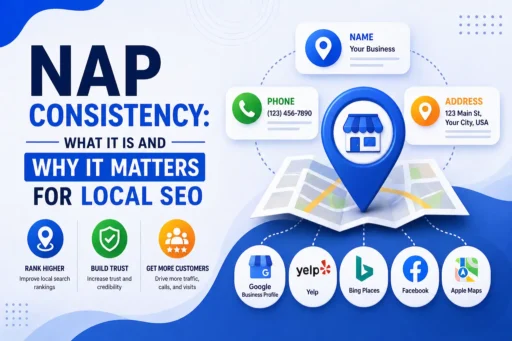
Step 3: Ensure NAP Consistency Your Name, Address, and Phone number (NAP) must be identical across your Google Business Profile, your website, and every other directory where your business is listed (Yelp, JustDial, Sulekha, IndiaMart, and others). Even minor discrepancies – “St.” vs “Street,” different phone number formats – weaken your local SEO signals.
How Do You Optimise Every Section of Your Google Business Profile?
Google Business Profile optimisation isn’t a single action – it’s the systematic completion and refinement of every available section. Here’s what each section does and how to get it right:
Business Name, Category, and Description
Google Business Profile rankings are heavily influenced by your primary business category – it determines which search queries your profile is eligible to appear for. Choose the most precise primary category available, then add relevant secondary categories to expand your reach. Audit your competitors’ profiles and use Google’s autocomplete to identify the categories that match real user search intent in your market.
Your business description (up to 750 characters) should naturally include your most important local keywords, clearly state what you do, who you serve, and where you’re located. Avoid keyword stuffing – write for the customer first, search engines second. In 2026, Google cross-references your GBP description against your website’s service pages – inconsistency between the two weakens your profile’s authority signals.
Services and Products
Google Business Profile allows you to list every service or product you offer, each with a name, description, and price. This is one of the most frequently overlooked optimisation opportunities. Google uses your service listings to match your profile with relevant searches – a plumber who lists “emergency drain unblocking,” “boiler installation,” and “bathroom fitting” as separate services will appear in far more relevant searches than one who simply lists “plumbing.”
Write short, declarative sentences in your service descriptions. In 2026, Google’s AI parses this “chunked” information to answer user queries directly – clear, specific service descriptions make your business the answer the AI surfaces.
Photos and Videos
Google Business Profile photos are a ranking factor in 2026 – not just social proof. According to industry research, businesses with more than 100 photos receive 520% more calls and 2,717% more direction requests than average. Google’s Vision AI actively scans uploaded images to categorise your business, so high-resolution, relevant photos of your premises, products, team, and work are direct SEO inputs.
Photo upload best practices for 2026:
- Upload at least 3 photos per category (exterior, interior, team, products/services, work in progress)
- Add new photos weekly – Google rewards freshness signals
- Use high resolution (minimum 720px × 720px)
- File names should be descriptive before uploading (e.g., dental-clinic-mumbai-reception.jpg)
- Encourage customers to upload their own photos – user-generated content carries additional social proof weight
Why Are Reviews the Most Important Google Business Profile Ranking Factor?
Google Business Profile reviews are the single most impactful ranking and conversion signal in local search – and their importance has increased significantly in 2026.
Google uses review signals – volume, recency, rating, and sentiment – as primary trust and prominence indicators for Local Pack rankings. An AI-era update means that Google now analyses the text content of reviews to extract facts about your business (services, amenities, atmosphere, specific products) and uses those facts to answer user queries in AI Overviews and Google Maps AI features.
Review strategy for 2026:
- Ask consistently, not occasionally. The single biggest mistake businesses make with reviews is asking once and then stopping. Review velocity – the steady arrival of new reviews over time – matters more than a single burst of activity.
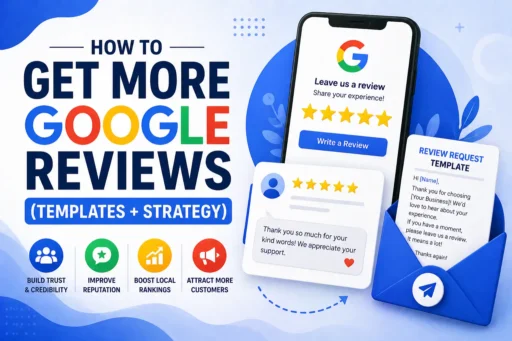
- Make it frictionless. Generate your direct review link in your Google Business Profile dashboard and share it via WhatsApp, email follow-up, or a card handed to customers after purchase. Fewer steps = more reviews.
- Respond to every review within 24–48 hours. Google monitors response speed as an engagement signal. Responding to positive reviews builds trust; responding professionally to negative reviews demonstrates accountability and can convert fence-sitters into customers.
- Guide detailed, specific review language. Encourage customers to mention specific services, locations, or experiences (“the team helped me with my GST filing in Pune last week”). AI systems treat customer reviews as the primary source of truth about your business – the more specific the language, the more factual material the AI has to work with.
According to Search Savvy’s local SEO experience, businesses that implement a consistent, systemised review request process – not a one-off campaign – see the most durable Local Pack rankings. A profile with 8–10 new reviews per month consistently outperforms a profile with 100 reviews and no activity in the past 6 months.
How Do You Use Google Business Profile Posts to Boost Local Rankings?
Google Business Profile posts are mini updates that appear directly on your listing in Google Search and Maps. In 2026, you can now schedule posts in advance – a significant time-saving feature for businesses managing multiple locations.
What to post:
- Weekly offers, promotions, or seasonal discounts
- New service or product announcements
- Community events, local news involvement
- Helpful tips related to your industry
- Behind-the-scenes content – team moments, new equipment, completed projects
Standard posts expire after 7 days for most types (event posts remain until the event date). Posting 1–2 times per week signals to Google that your business is active and engaged – profiles that haven’t posted in over 30 days show a measurable decline in impressions in 2026’s fresher algorithm.
Every post should include:
- A high-quality image (1200 × 900px minimum)
- A clear, benefit-led headline
- A call-to-action button (Call Now, Book, Learn More, Order Online)
- Relevant local keywords woven naturally into the copy
What Is the Q&A Section – and Why Does It Matter in 2026?
Google Business Profile’s Q&A feature is more powerful in 2026 than ever before, because Google’s AI systems use Q&A content to answer user queries directly in Maps and AI Overviews. Questions that users ask (and answers that appear in your Q&A section) become indexed content that Google uses to understand your business.
Do not leave your Q&A section unattended. Seed it proactively with the 8–10 questions customers most frequently ask:
- “Do you offer home visits?”
- “What payment methods do you accept?”
- “Is parking available?”
- “Do you serve [specific area]?”
- “What are your prices for [service]?”
Write answers in natural, specific language – the same language your customers use. AI systems treat Q&A content as factual data about your business and will surface it in response to matching user queries.
Monitor your Q&A section weekly. Anyone on Google can answer questions on your listing – and incorrect answers from well-meaning users can mislead customers and undermine your credibility.
How Do You Track Google Business Profile Performance?
Google Business Profile Insights provides free performance data directly in your GBP dashboard that is essential for ongoing optimisation. At Search Savvy, we recommend tracking these four core metrics monthly:
- Search queries – the exact terms customers used to find your profile. These reveal ranking opportunities you may not have known existed.
- Profile views – how often your profile appeared in search results and Maps, broken down by Search vs Maps.
- Customer actions – website clicks, phone calls, and direction requests. These are the conversion metrics that connect GBP visibility to real business outcomes.
- Photo views – which photos generate the most engagement, so you can add more of what works.
Set UTM parameters on your website link in your GBP to track traffic from your profile separately in Google Analytics 4. This lets you measure the direct revenue contribution of your Google Business Profile with precision.
People Also Ask: Google Business Profile Questions
How long does Google Business Profile verification take in 2026?
Verification time depends on the method. Phone and email verification can be instant. Video verification (the most commonly required method in 2026) typically processes within a few days. Postcard verification takes 5–14 days. Video call verification is completed in real time but requires scheduling with Google support.
Does having more Google reviews improve Local Pack rankings?
Yes – directly. Review signals (volume, recency, rating, and sentiment) are one of Google’s three primary local ranking factors alongside relevance and distance. Businesses with a consistent flow of recent, detailed, positive reviews rank higher and convert more clicks. Recency matters as much as volume in 2026 – a steady stream of new reviews beats a large historical count with no recent activity.
Can a service-area business get a Google Business Profile without a physical address?
Yes. Service-area businesses that travel to customers (plumbers, cleaners, personal trainers, mobile consultants) can create a Google Business Profile without displaying a street address. You define your service area by city, region, or distance radius. Your profile will appear in Local Pack results for users searching within your defined service area.
Frequently Asked Questions (FAQ)
Q1: Is Google Business Profile completely free?
Yes. Creating, claiming, and managing your Google Business Profile costs nothing. Google charges no fees for listing your business, uploading photos, publishing posts, or managing reviews. The only cost is your time – or the cost of a professional optimisation service if you choose to outsource it.
Q2: What is the difference between Google Business Profile and Google My Business?
They are the same product. Google rebranded Google My Business as Google Business Profile in November 2021. All features, functionality, and management tools remain the same – just under a new name. You manage it at business.google.com or directly within Google Search or Maps.
Q3: How many categories should I choose for my Google Business Profile?
Choose one primary category that precisely describes your main business activity – this is the most important category signal. Then add up to 9 secondary categories that cover your additional services or specialisations. Each category expands the range of search queries your profile can appear for, so filling out all relevant categories is one of the quickest optimisation wins available.
Q4: How often should I update my Google Business Profile?
Your core information (name, address, phone, hours) should be kept accurate at all times – update it immediately whenever it changes. For dynamic content, post 1–2 times per week, upload new photos weekly, respond to new reviews within 24–48 hours, and check your Q&A section weekly. Run a full profile audit at least once per quarter to ensure every section is complete, current, and aligned with your website.
Q5: Does my Google Business Profile affect my website’s organic rankings?
Your Google Business Profile and your website rankings are separate systems, but they are interdependent. A well-optimised GBP drives traffic to your website (improving engagement signals), and a well-optimised website reinforces your GBP’s authority signals. In 2026, Google cross-references your website’s service pages against your GBP’s Services section – consistency between the two strengthens both. Search Savvy recommends treating GBP optimisation and on-page SEO as a unified local search strategy, not two separate workstreams.
Q6: What is the fastest way to improve my Local Pack ranking?
The three highest-impact actions are: (1) complete every section of your profile with no blank fields, (2) build a consistent, ongoing review acquisition system – even 5–8 new reviews per month makes a measurable difference – and (3) post at least once per week with a relevant update, offer, or image. These three actions, done consistently over 4–8 weeks, typically produce the most visible Local Pack ranking improvements for businesses starting from an unoptimised or neglected profile.
Final Thoughts
Google Business Profile is not a set-and-forget listing – it’s the most active, dynamic, and rewarding local marketing asset available to any business in 2026. With AI Overviews now citing GBP data directly, with Google’s Vision AI reading your photos, and with engagement signals increasingly driving Local Pack rankings, a neglected profile isn’t just a missed opportunity – it’s an active competitive disadvantage.
The businesses dominating local search in 2026 are the ones treating their Google Business Profile as a live channel: posting weekly, earning reviews consistently, answering Q&As proactively, and monitoring their performance metrics monthly. Every competitor who treats their GBP as a static listing is leaving their position open.
Search Savvy helps local businesses build and maintain fully optimised Google Business Profiles as part of comprehensive local SEO strategies – from initial setup and verification to ongoing review management, post strategy, and GBP performance tracking.