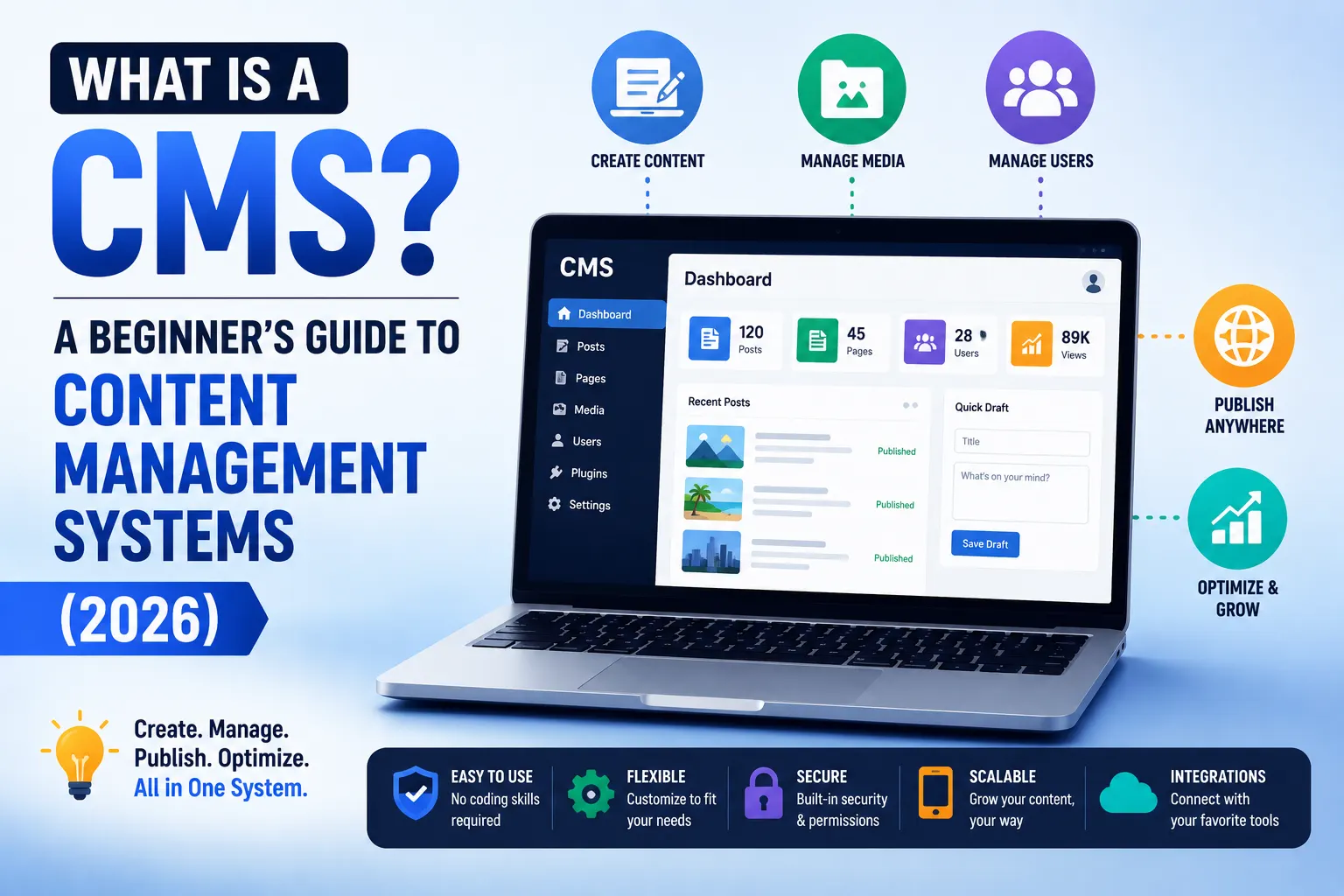

If you have ever updated a website without touching a single line of code – changing a headline, swapping a photo, publishing a blog post – you have used a content management system, whether you knew the term or not.
Content management systems are the invisible infrastructure behind almost every website you visit. As of 2026, approximately 68.7% of all websites on the internet run on a CMS – meaning more than two out of every three sites you browse today were built and are maintained using one of these platforms, rather than custom hand-coded HTML.
If you are starting a website, hiring a developer, or simply trying to understand what your marketing team means when they say “let’s check the CMS,” this guide explains exactly what content management systems are, how they actually work, and how to think about choosing one in 2026 – without assuming any prior technical knowledge.
At Search Savvy, we work with content management systems every day across client websites of every size – from single-page local business sites to large multi-author publishing platforms. This article is the foundational explainer we wish more business owners had access to before they made their first CMS decision.
What Is a CMS in Simple Terms?
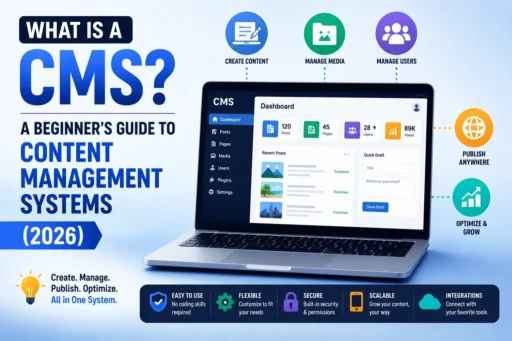
Content management systems are software applications that let you create, edit, organise, and publish digital content – typically a website – without needing to write or understand the underlying code.
Before content management systems existed, building a website meant writing HTML, CSS, and often server-side code by hand for every single page. Updating a headline meant opening a code file, finding the right line, editing it carefully, and re-uploading the file to a server. This was slow, error-prone, and required technical skill that most business owners and marketers simply did not have.
Content management systems solve this problem by separating two things that used to be tangled together: the content itself (your words, images, and data) and the presentation of that content (how it visually appears on the page). A CMS gives you an editing interface – usually a dashboard you log into through a web browser – where you type your content into clearly labelled fields, click a button, and the system handles the technical work of formatting and publishing it correctly on your live website.
In 2011, around 76% of all websites were hand-coded. By the end of 2022, that figure had fallen to roughly 33%, reflecting an average annual decline of about 3.9 percentage points per year as content management systems became the dominant way to build websites. That trend has continued through 2026, with the vast majority of new websites now built on a CMS rather than from scratch.
People Also Ask: What does CMS stand for? Short Answer: CMS stands for Content Management System. It refers to software that allows users to create, manage, and publish digital content – most commonly website content – without needing to write code directly. The “content” can include text, images, videos, and structured data; the “management” refers to organising and editing that content; and the “system” refers to the software platform that handles the technical publishing process behind the scenes.
How Does a Content Management System Actually Work?
Content management systems work by separating your website into two distinct components that operate together: the back-end and the front-end.
The back-end is where you, as the content creator or administrator, log in and manage everything. This is the dashboard – sometimes called an admin panel or control panel – where you write blog posts, upload images, edit page text, manage user accounts, and adjust settings. You never see this part as a regular website visitor; it exists purely for the people responsible for the site’s content.
The front-end is what every visitor actually sees when they load your website in their browser. This is the public-facing design – the layout, the fonts, the colours, the navigation menu – built from templates and themes that the CMS uses to automatically format and display whatever content you have entered into the back-end.
Here is the practical sequence of what happens when you use a content management system:
- You log into the CMS dashboard (the back-end)
- You create or edit content using a text editor, similar to using a word processor
- You click “Publish” or “Save”
- The CMS stores your content in a database – a structured digital filing system
- When a visitor requests your page, the CMS retrieves the relevant content from the database and inserts it into your site’s design template
- The visitor sees a fully formatted webpage – without ever knowing a database and a template worked together to build it in real time
Content management systems also typically include a database management layer that organises everything – every blog post, every product listing, every customer enquiry form submission – into a structured, searchable system, rather than as separate, disconnected files.
People Also Ask: What is the difference between the front-end and back-end of a CMS? Short Answer: The back-end of a content management system is the private dashboard where administrators and content editors log in to create, edit, and manage content. The front-end is the public-facing website that visitors see – the visual design and layout that displays the content stored in the back-end. The CMS’s core job is connecting these two layers automatically, so changes made in the back-end appear correctly formatted on the front-end without manual coding.
Why Are Content Management Systems So Important in 2026?
Content management systems matter in 2026 because they have become the default infrastructure for building and maintaining a digital presence – and the scale of their adoption confirms this is not a niche choice but the industry standard.
As of 2026, content management systems power approximately 68.7% to 71.3% of all websites globally, according to data tracked by W3Techs. WordPress alone – the single most popular content management system – powers over 43% of all websites on the internet and holds roughly 60–62% of the entire CMS market, meaning the majority of sites that use any CMS at all are using WordPress specifically.
The global content management system market was valued at $28.15 billion in 2023 and is projected to reach $54.16 billion by 2032 – a sustained growth trajectory that reflects how central these platforms have become to how businesses, publishers, and organisations operate online.
Content management systems matter for several practical reasons that affect any business considering one:
- No coding required for daily updates. Marketing teams, content writers, and business owners can publish and edit content directly without depending on a developer for every small change.
- Consistency across a website. Templates ensure every page maintains the same design, navigation, and branding automatically – rather than requiring manual formatting on every individual page.
- Built-in SEO and performance tools. Most modern content management systems include features supporting search engine optimisation, mobile responsiveness, and page speed out of the box.
- Multi-user collaboration. Teams can assign different roles and permissions – an editor might approve content that a writer drafted, while an administrator manages site-wide settings – all within one shared system.
- Faster website launches. Building a functional website from scratch with custom code takes significantly longer than configuring an existing CMS template, particularly for businesses without a large development budget.
People Also Ask: What percentage of websites use a content management system? Short Answer: Approximately 68.7% to 71.3% of all websites globally use a content management system, according to W3Techs data from late 2025 and early 2026. WordPress alone powers more than 43% of all websites on the internet, making it by far the most widely used content management system, followed by Shopify, Wix, and Squarespace as the next most significant platforms.
What Are the Different Types of Content Management Systems?
Content management systems are not all built the same way – and understanding the main categories helps explain why one type might suit your specific situation better than another.
Traditional (Coupled) Content Management Systems
Content management systems in this category combine the back-end content management and the front-end presentation layer into a single, tightly integrated system. WordPress, Joomla, and Drupal are the most widely known examples. A traditional CMS is one where the backend content repository is tightly coupled to the frontend presentation layer – meaning the system handles both storing your content and displaying it, all within one platform.
This is the most accessible category for beginners. You install the CMS, choose a theme, and the platform handles the technical connection between your content and its visual presentation automatically. Traditional content management systems have democratised the creation of websites, making them accessible to non-technical users without requiring separate development resources for the presentation layer.
Headless Content Management Systems
Content management systems in this category take a fundamentally different architectural approach. A headless CMS is a content management system where the backend content repository is completely separated from the frontend presentation layer – content is served via APIs to any platform, including websites, mobile apps, smart devices, and digital signage, rather than being tied to one specific website design.
In a headless setup, the content is stored in a raw, structured format and is not meant for direct human viewing until a developer builds a separate front-end that requests and displays it. This means the same piece of content – a product description, for example – can be published simultaneously to your website, your mobile app, and a partner’s digital display, all pulled from one central content source.
Headless content management systems require more development resources than traditional CMS platforms because you need to build the presentation layer separately, but they offer significantly more flexibility for businesses operating across multiple digital channels. It was predicted that approximately 20.6% of new websites would be built using a headless CMS by 2025, reflecting steadily growing adoption among larger organisations and multi-channel publishers.
Decoupled Content Management Systems
Content management systems in this third category sit between the traditional and headless approaches. A decoupled CMS separates the backend and frontend similarly to a headless system, but it comes bundled with an optional, built-in presentation layer that you can use if you choose to, rather than always requiring a custom-built front-end.
People Also Ask: What is the difference between a headless CMS and a traditional CMS? Short Answer: A traditional CMS combines content management and content presentation into one tightly integrated system – the platform manages both your content and how it visually appears on your website. A headless CMS separates these two functions entirely: it manages and stores your content, then delivers it via APIs to any presentation layer you build separately – a website, mobile app, or other digital channel. Traditional CMS platforms are more accessible for non-developers; headless CMS platforms offer more flexibility for multi-channel publishing but require more development resources.
What Are the Most Popular Content Management Systems in 2026?
Content management systems vary widely in popularity, and understanding the market landscape helps put any specific platform recommendation into context.
| Platform | Approximate CMS Market Share (2026) | Best Known For |
| WordPress | 60–62% | General-purpose websites, blogs, small business sites |
| Shopify | 6.7–26% (estimates vary by methodology) | E-commerce and online stores |
| Wix | 8% | Drag-and-drop website building for beginners |
| Squarespace | 5% | Design-focused websites for creatives and small businesses |
| Joomla | Under 2% | Mid-sized community and membership sites |
| Drupal | Under 2% (but strong in enterprise) | Large, complex, security-sensitive organisational websites |
WordPress’s dominance is the standout figure in any CMS market discussion. As of 2026, WordPress powers over 75 million websites worldwide and offers over 70,000 plugins, providing extensive customisation options that explain much of its continued popularity among businesses of every size, from personal blogs to large corporate portals.
Shopify has grown its market share substantially in recent years – increasing from just 1.0% in 2016 to 6.7% by 2025, according to W3Techs – surpassing older platforms like Joomla and Drupal in overall market position, specifically by capturing the e-commerce-focused segment of the CMS market that WordPress addresses through the separate WooCommerce plugin.
People Also Ask: What is the most popular content management system in 2026? Short Answer: WordPress is the most popular content management system in 2026, powering over 43% of all websites on the internet and holding approximately 60–62% of the overall CMS market – meaning roughly six out of every ten websites that use any CMS are using WordPress specifically. Shopify, Wix, and Squarespace follow as the next most widely adopted platforms, with Shopify particularly dominant for e-commerce-focused websites.
How Do You Choose the Right Content Management System for Your Needs?
Content management systems should be chosen based on your specific goals, technical comfort level, and content requirements – not based on which platform is simply the most popular overall.
Consider these factors before making a decision:
What type of website are you building? A content-focused blog or general business website typically suits a traditional CMS like WordPress. An online store with product listings, inventory, and payment processing typically suits a CMS purpose-built for e-commerce, like Shopify. A multi-channel digital presence spanning a website, mobile app, and other platforms may benefit from a headless CMS architecture.
How technical is your team? Traditional content management systems with visual editors are designed for non-technical users to manage content independently. Headless content management systems generally require a developer to build and maintain the presentation layer, making them less suitable if you do not have ongoing development resources.
How much customisation do you need? Content management systems with large plugin and theme ecosystems – WordPress is the clearest example, with over 70,000 plugins available – offer extensive customisation without custom development. More design-restrictive platforms like Wix or Squarespace trade some customisation flexibility for simplicity and speed of setup.
What is your budget? Open-source content management systems like WordPress are free to use, though you will pay separately for hosting, premium themes, and plugins as needed. Hosted platforms like Wix, Squarespace, and Shopify typically charge a recurring monthly subscription that bundles hosting and support together.
Do you need multi-channel content delivery? If your content needs to appear consistently across a website, a mobile app, and potentially other digital touchpoints, a headless or decoupled CMS architecture becomes increasingly worth the additional development investment as your channels multiply.
According to Search Savvy’s insights from advising businesses on their first CMS decision, the most common mistake is choosing a platform based on what a competitor uses rather than what the specific business actually needs. A content-heavy publishing business and a single-location service business have fundamentally different requirements, even if both are simply “building a website.”
People Also Ask: Should a small business use WordPress or a website builder like Wix? Short Answer: For small businesses that want full customisation flexibility, a large ecosystem of available plugins, and long-term scalability, WordPress is generally the stronger choice, despite requiring slightly more initial setup effort. For small businesses prioritising the fastest possible launch with minimal technical involvement, drag-and-drop website builders like Wix or Squarespace can be more accessible starting points, though they offer less flexibility for future growth and advanced customisation needs.
What Features Should You Expect From a Modern CMS in 2026?
Content management systems in 2026 have evolved well beyond simple text editing – most platforms now include a baseline set of features that businesses should expect as standard.
- Visual content editors – Drag-and-drop or WYSIWYG (“what you see is what you get”) editing interfaces that let you format content without writing HTML
- User roles and permissions – The ability to assign different access levels to different team members, from content writers to full administrators
- Built-in SEO tools – Meta title and description fields, sitemap generation, and URL customisation built directly into the publishing workflow
- Mobile responsiveness – Templates and themes designed to automatically adapt to different screen sizes without separate mobile-specific development
- Media library management – Centralised storage and organisation for images, videos, and documents used across the site
- Version history and content scheduling – The ability to save drafts, schedule future publication dates, and revert to previous versions of content if needed
- Security and update management – Regular software updates addressing security vulnerabilities, along with backup and recovery tools
At Search Savvy, we recommend evaluating any content management system against these baseline features before considering more advanced or platform-specific functionality – because a CMS missing fundamentals like SEO controls or mobile responsiveness will create technical debt that is expensive to fix later, regardless of how visually appealing its design templates may appear at first glance.
FAQ: Content Management Systems – Your Questions Answered
Q1: Do I need to know how to code to use a content management system? For traditional content management systems like WordPress, Wix, or Squarespace, no – these platforms are specifically designed so that non-technical users can create, edit, and publish content through a visual interface without writing code. Basic familiarity with using a computer and navigating a dashboard is generally sufficient. However, advanced customisation – such as building a custom theme, modifying core functionality, or working with a headless CMS architecture – typically does require coding knowledge or a developer’s involvement.
Q2: Is WordPress free to use? WordPress itself, as open-source software, is free to download and use. However, building a functional WordPress website requires separate costs for web hosting (where your website’s files are stored), a domain name, and often premium themes or plugins for advanced functionality. This differs from hosted platforms like Wix or Squarespace, which bundle hosting and the software together in a single recurring subscription fee.
Q3: Can I switch content management systems after my website is already built? Yes, though the complexity and cost of migration varies significantly depending on the platforms involved and how much content needs to be transferred. Migrating between two traditional content management systems (for example, from Joomla to WordPress) is generally more straightforward than migrating from a traditional CMS to a headless architecture, which often requires building an entirely new presentation layer. Proper planning – including redirecting old URLs to their new equivalents – is essential to avoid losing search engine rankings during any CMS migration.
Q4: What is the difference between a CMS and a website builder? The terms overlap significantly, but there is a general distinction. A content management system typically refers to a more flexible platform (like WordPress) that can be customised extensively through themes, plugins, and code. A website builder typically refers to a more simplified, all-in-one platform (like Wix or Squarespace) that prioritises ease of use and faster setup over deep customisation. In practice, many website builders are technically a type of CMS – the distinction is more about flexibility and target user than a strict technical category.
Q5: Do content management systems affect a website’s SEO performance? Yes, significantly. The CMS you choose affects your ability to control technical SEO elements including URL structure, page speed, schema markup implementation, and mobile responsiveness – all of which are confirmed factors in how search engines rank websites. Some content management systems offer more granular SEO control than others; WordPress, for example, supports detailed SEO customisation through plugins, while some simplified website builders offer more limited control over these technical elements.
Q6: Is a headless CMS better than a traditional CMS? Neither is universally “better” – they serve different needs. A traditional CMS is generally better for businesses building a single website with a team that wants to manage content without ongoing developer involvement. A headless CMS is generally better for organisations that need to deliver the same content consistently across multiple digital channels – a website, a mobile app, and other platforms simultaneously – and that have the development resources to build and maintain a separate presentation layer for each channel.
Trying to decide which content management system is right for your business, or considering a switch from your current platform? Visit Search Savvy for an honest CMS consultation that matches your specific goals, team, and budget to the right platform for 2026 and beyond.