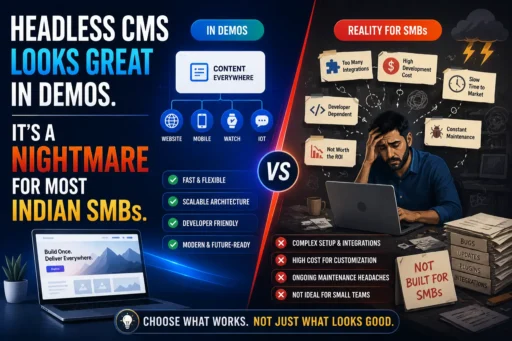
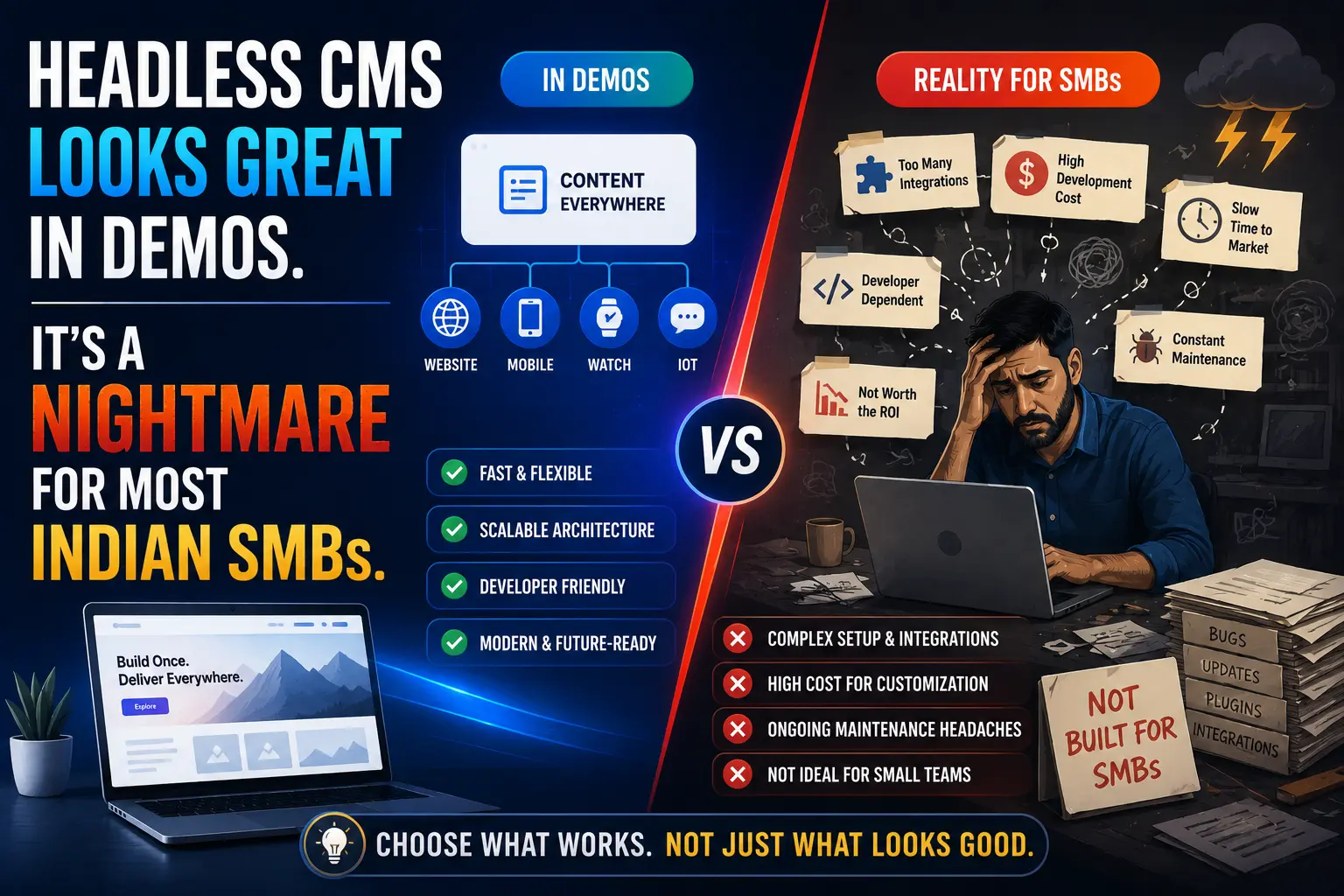

Headless CMS has the best marketing of any technology trend in digital right now. Every agency demo looks stunning. The pitch is compelling: deliver content to any device, any channel, blazing fast page speeds, total flexibility. Indian SMB owners sit through these presentations and think – yes, this is what we need. Then the invoice arrives, the developer disappears three months in, and the content team can’t figure out how to update the homepage without filing a support ticket.
At Search Savvy, we work with Indian small and medium businesses across e-commerce, professional services, retail, and D2C. And we’ve seen this story play out enough times to say it plainly: headless CMS is a genuinely powerful technology built for a problem most Indian SMBs do not have. This post will help you understand why – and what to use instead.
What Is a Headless CMS and Why Does It Sound So Appealing?
Headless CMS is a content management system where the backend (where you write and store content) is completely separated from the frontend (how it looks and is displayed to users). In a traditional CMS like WordPress, both layers are bundled together. In a headless setup, the frontend is built separately using modern JavaScript frameworks like Next.js, Gatsby, or Nuxt – and the CMS delivers content via API to whatever frontend or channel you choose.
The appeal is real, especially in a technology context:
- Multi-channel delivery – the same content can power your website, mobile app, and digital signage from a single source
- Developer freedom – frontend teams can build with any framework they prefer
- Faster page loads – modern frameworks like Next.js can produce exceptional Core Web Vitals scores
- Future-proofing – content is not locked to any single display format
By 2026, nearly 70% of large organisations have adopted composable digital experience technology. Enterprise brands like large media houses, fintech platforms, and global e-commerce companies are using headless CMS to manage content at enormous scale.
The keyword there is large organisations. For Indian SMBs, the picture is almost entirely different.
Why Is Headless CMS a Problem for Most Indian Small Businesses?
Headless CMS introduces a fundamental challenge that most demos conveniently skip: without a connected frontend, a headless CMS cannot display anything on its own. Unlike WordPress, where you install, choose a theme, and have a functioning website within hours, headless requires a complete, custom-built frontend before a single page goes live.
For Indian SMBs, this creates several compounding problems that Surface Savvy has documented consistently in client consultations:
1. The Developer Dependency Trap
Headless CMS requires ongoing developer involvement for tasks that are completely self-service in WordPress or Webflow. Need to add a new section to your homepage? Developer. Change the layout of your product page? Developer. Update a banner for a festival sale? Potentially developer.
The most frequently cited headless CMS disadvantages include: higher initial development cost and the need for developer involvement in layout and design changes, meaning non-technical users cannot modify templates independently.
In India’s SMB context, this is a serious operational problem. Most small businesses do not have an in-house developer. They rely on agencies or freelancers. Every design change becomes a billable task, and every platform update creates a potential breaking change that needs a developer to resolve.
2. The Real Cost Is Far Higher Than the Demo Suggests
Headless CMS platforms like Contentful, Sanity, and Storyblok look affordable in demos – many have free tiers or competitive starting plans. But the platform cost is only one line item in a headless project budget.
A realistic headless CMS implementation for an Indian SMB typically includes:
- Custom frontend development – ₹2–8 lakh or more for a professionally built Next.js or Gatsby frontend, depending on complexity
- Content migration – moving from an existing WordPress or Shopify setup can cost ₹1.5–8 lakh depending on content volume
- SEO & performance configuration – advanced caching, metadata management, schema markup, and sitemap generation all require custom development (estimated ₹40,000–2.5 lakh)
- Ongoing maintenance – every platform update, API change, or third-party integration can require developer intervention
- Frontend hosting – Vercel or Netlify at ₹0–₹8,000/month depending on traffic
For a small retailer in Pune or a D2C brand in Bengaluru operating on a ₹50,000–2 lakh digital budget, this cost structure is not sustainable.
3. SEO Becomes a Developer Task, Not a Marketing Task
Headless CMS creates a particularly painful SEO challenge that most agencies underestimate until they’re mid-project. In WordPress, plugins like Yoast or Rank Math handle meta titles, meta descriptions, schema markup, XML sitemaps, and canonical tags almost automatically – content teams manage them without touching code.
In a headless CMS setup, every one of these SEO functions must be custom-built into the frontend. Metadata management, structured data, sitemap generation, robots.txt – all of it requires developer implementation. And when you need to update schema markup or change your canonical strategy? Developer again.
As one 2026 comparison analysis noted: WordPress is faster for on-page SEO execution because SEO plugins handle schema, sitemap, and metadata without any coding. A headless CMS provides a technically cleaner environment but requires significant technical knowledge to achieve equivalent SEO output.
For Indian SMBs whose SEO and content teams are often the same one or two people, this dependency is a serious competitive disadvantage.
4. Your Content Team Will Struggle Without a Familiar Interface
Headless CMS platforms are built for developers first, content editors second. The editing experience – while improving – is still fundamentally more abstract than the visual, WYSIWYG interfaces that Indian SMB teams are accustomed to. Content editors in a headless setup often cannot see what their content will look like until it has been pushed through the build process and rendered on the frontend.
This slows down content production, increases errors, and creates a frustrating editorial workflow for teams who need to publish quickly during flash sales, seasonal campaigns, or news-driven moments.
Who Actually Benefits from Headless CMS in 2026?
Headless CMS is genuinely the right choice – but for a specific type of organisation. According to Search Savvy’s analysis of the current CMS landscape, the businesses that extract real value from headless architecture typically share these characteristics:
- Multi-channel content requirements – they need the same content on a website, mobile app, and possibly digital displays or IoT devices simultaneously
- Strong internal development capability – they have a full-time frontend developer or an in-house engineering team
- High content volume at scale – media companies, large e-commerce platforms, or SaaS businesses publishing hundreds of pieces of content per month
- Significant digital budget – they can sustain the higher upfront and ongoing developer costs without operational strain
Large enterprises dominate headless CMS adoption because their complex content needs and strong digital transformation teams justify the investment. For an Indian SMB without these conditions, headless CMS solves problems you don’t have while creating problems you can’t afford.
What Should Indian SMBs Use Instead of Headless CMS?
Headless CMS is not the only modern option. For most Indian SMBs, one of these alternatives will deliver better results at a fraction of the cost and complexity:
WordPress (with a modern theme or page builder)
The most pragmatic choice for most Indian SMBs in 2026. WordPress wins on every dimension that matters for small businesses: familiar interface, no developer dependency for content updates, a massive plugin ecosystem (WooCommerce for e-commerce, Yoast/Rank Math for SEO, Elementor or Bricks for design), and a huge talent pool in India for affordable support.
For performance, a well-configured WordPress site with a good hosting provider (Cloudways, SiteGround, or WP Engine), image optimisation, caching, and a lightweight theme can achieve excellent Core Web Vitals without touching a single line of code.
Best for: Blogs, service business websites, local e-commerce, professional portfolios, news sites
Webflow
Webflow sits between traditional CMS and headless – giving designers full visual control while maintaining a friendly content editing experience. It handles hosting, SEO, and performance automatically. For Indian SMBs with a design-forward requirement and no in-house developer, Webflow is a strong choice.
Best for: Agencies, SaaS landing pages, portfolio sites, visually distinctive brand sites
Shopify (for e-commerce)
Headless Shopify is a real option for large Indian D2C brands – but standard Shopify is almost always the smarter choice for SMBs. The platform handles hosting, security, payment gateways (including Razorpay and PayU), and inventory management out of the box. The SEO capabilities are solid for most e-commerce needs.
Best for: D2C brands, product-focused businesses, multi-SKU retail
Headless WordPress (a pragmatic middle ground)
For Indian SMBs that genuinely need better frontend performance but want to keep WordPress’s content editing experience, headless WordPress (WordPress as a backend API + Next.js frontend) is a compromise worth considering. You keep the familiar editorial interface and plugin ecosystem while gaining modern frontend performance.
However – and this is critical – headless WordPress still requires a skilled developer, doubles your infrastructure complexity, and partially breaks popular SEO plugins like Yoast. It is a middle ground, not a shortcut.
Best for: Established businesses with an existing WordPress investment and clear multi-channel requirements
How Do You Know If You’re Ready for Headless CMS?
Headless CMS is worth seriously evaluating only when you can answer yes to all three of these questions:
- Do you have a dedicated frontend developer (in-house or on long-term retainer) who will own the frontend codebase permanently?
- Do you have a genuine multi-channel content requirement – such as a mobile app and website that need to share the same content infrastructure?
- Do you have a digital development budget of at least ₹5–10 lakh for the initial build, plus ongoing monthly developer costs?
If you answered no to any of these, a traditional or hybrid CMS will serve you better, faster, and at lower cost.
FAQ: Headless CMS for Indian SMBs
Q1: Is headless CMS good for SEO? It can be – but only with significant developer effort. Unlike WordPress, where SEO plugins like Yoast or Rank Math handle metadata, schema, and sitemaps automatically, a headless CMS requires all SEO functions to be custom-built into the frontend framework. For Indian SMBs without a dedicated developer, this creates an ongoing SEO management burden that WordPress solves for a fraction of the cost.
Q2: What is the real cost of building a website with headless CMS in India? A realistic headless CMS project for an Indian SMB typically costs ₹3–15 lakh for initial development (frontend build + CMS setup + content migration), plus ongoing monthly developer costs of ₹15,000–50,000 for maintenance and updates. Platform fees are often the smallest line item. WordPress, by comparison, can be launched professionally for ₹30,000–1.5 lakh with minimal ongoing developer dependency.
Q3: Can I update my headless CMS website content without a developer? You can update the text content and media within the CMS itself – that part is manageable. But layout changes, new page templates, new content types, or any structural updates to the frontend require developer involvement. This is the most significant operational disadvantage for Indian SMBs compared to WordPress or Webflow.
Q4: Is WordPress still a good choice in 2026? Yes, for the vast majority of Indian SMBs, WordPress remains the most practical choice in 2026. It has the largest developer talent pool in India, the most comprehensive plugin ecosystem (including Yoast, Rank Math, WooCommerce, and hundreds of SEO tools), and allows content teams to work completely independently of developers for day-to-day updates. A properly configured WordPress site can match headless CMS performance for most SMB traffic levels.
Q5: Which companies actually benefit from headless CMS? Large enterprises with complex multi-channel content needs benefit most. These include major e-commerce platforms delivering content to web, app, and digital displays simultaneously; large media companies managing hundreds of content pieces daily; and SaaS companies with multiple product microsites sharing a single content infrastructure. For Indian SMBs, the technology overhead rarely justifies the performance gains that are achievable through simpler means.
Q6: What is headless WordPress and is it worth it for Indian SMBs? Headless WordPress uses WordPress as a content backend (via its REST API) while building a separate frontend in Next.js or a similar framework. It preserves the familiar WordPress editing experience while enabling modern frontend performance. However, it doubles infrastructure complexity, requires ongoing developer involvement, and partially breaks SEO plugin functionality. For most Indian SMBs, it adds cost and complexity without proportionate benefit – standard WordPress with quality hosting and caching achieves comparable performance for a fraction of the investment.
The Bottom Line
Headless CMS is a genuinely excellent technology – for the organisations it was designed for. Enterprise brands with multi-channel content requirements, in-house engineering teams, and large digital budgets have built remarkable things with it. But most Indian SMBs are not those organisations.
The right CMS for your business is the one your team can actually use, that your budget can actually sustain, and that your SEO and marketing strategies can actually operate without filing a developer ticket every time you want to change a headline.
At Search Savvy, the advice we give clients every day is the same: solve the problems you actually have. For most Indian SMBs, that means a well-configured WordPress, Webflow, or Shopify setup – not a demo-ready architecture that creates more complexity than it solves.
If you’re weighing your options and want a clear, honest recommendation based on your specific business context, reach out to the Search Savvy team. We’ll tell you exactly what you need – and what you don’t.