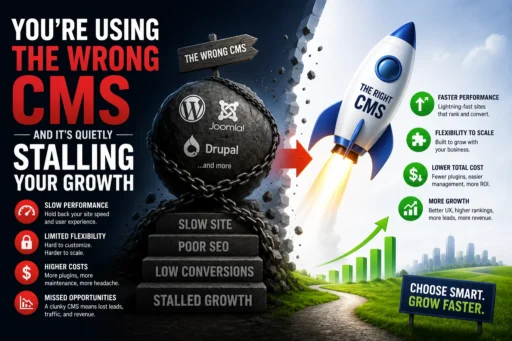
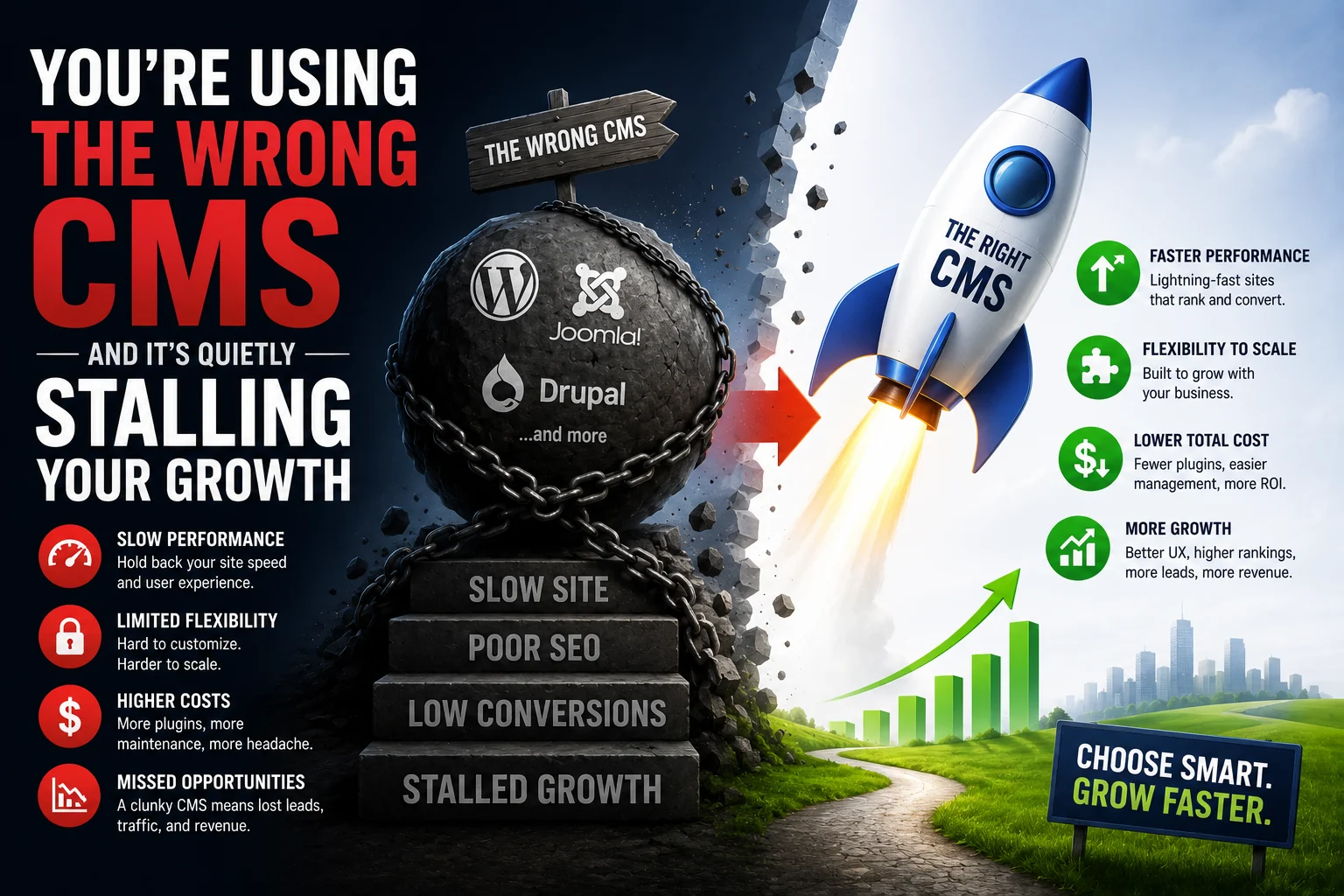

Your website looks professional. The design is clean, the copy is sharp, and the content is being published consistently. Yet your organic traffic has plateaued. Rankings are stagnant. The SEO team keeps identifying fixes that cannot be implemented. And somewhere in the background, a quiet but significant problem is compounding every single week.
Your CMS is the problem – and it is one that most businesses never consider until the damage is already done.
The best CMS for SEO is not the one that was easiest to launch on. It is not the one your web designer recommended in 2020. It is the one that gives you full control over the technical signals that Google and AI search systems evaluate in 2026 – and the right answer depends entirely on what your business needs to do with organic search at scale.
At Search Savvy, we see this pattern repeatedly: businesses investing heavily in SEO strategy, content, and backlinks – while running on a CMS that systematically caps how far those investments can take them. This article breaks down exactly how your CMS affects your rankings, what the major platforms do well and where they hit their ceiling, and how to decide whether migration is the right next move for your business.
Why Does Your CMS Choice Affect SEO in 2026?
The best CMS for SEO matters because your platform is not just the tool that publishes your content – it is the technical foundation that determines whether Google can find, understand, render, and rank every page on your site.
A CMS with poor URL structure, no structured data support, slow page speed, or missing metadata tools will limit your SEO results regardless of content quality. The most comprehensive, perfectly written article in the world will underperform if the platform delivering it generates bloated HTML, injects unnecessary scripts, or prevents you from implementing the schema markup AI search systems need to cite your content.
Your CMS affects SEO in four direct, measurable ways:
- Page speed and Core Web Vitals – Google uses Core Web Vitals as a confirmed ranking factor. A CMS with bloated template code or no server-level caching control means slower pages that rank lower, regardless of your content quality.
- URL structure – Google prefers short, readable, keyword-rich URLs. Some CMS platforms generate parameter-heavy URLs like /page?id=123 by default with no ability to override them – a structural handicap that compounds with every new page published.
- Technical SEO capability – Sitemaps, canonical tags, schema markup, robots.txt control, and 301 redirect management all directly affect rankings. Your CMS either supports these natively or forces workarounds that create ongoing technical debt.
- AI search readiness – AI search readiness is a new factor in 2026. Builders that support clean structured data, semantic HTML, and schema markup give you an edge in answer engines and AI Overviews. A CMS that limits schema markup implementation is not just an SEO problem – it is an AI visibility problem.
People Also Ask: Does your CMS actually affect your Google rankings? Short Answer: Yes, directly and significantly. Your CMS determines your ability to implement Core Web Vitals optimisation, schema markup, clean URL structures, canonical tags, and internal linking architecture – all confirmed ranking factors in 2026. A technically limiting CMS places a ceiling on your SEO results regardless of content quality, backlink profile, or investment in optimisation.
What Makes a CMS the Best Choice for SEO in 2026?
The best CMS for SEO must meet a specific set of technical requirements – not just cover the basics, but give you the control and scalability to compete in increasingly competitive organic search environments.
Beyond the feature checklist, the best CMS for SEO in 2026 must also satisfy two emerging requirements:
AI citation readiness. Google’s AI Overviews and tools like ChatGPT and Perplexity select content from sources they can cleanly extract and attribute. AI Overviews depend on technically clean, well-structured websites with consistent markup. Pages with inconsistent schema, slow performance, or unclear hierarchy are less likely to be cited. Your CMS must allow comprehensive schema implementation – not just basic Article markup, but Organisation, FAQPage, Product, and HowTo schema where relevant.
Content scalability. A CMS that works perfectly for a 10-page website often becomes a technical liability at 100 or 500 pages. URL conflicts, canonical tag management, sitemap bloat, and crawl budget issues all emerge at scale – and not every platform is designed to handle them.
How Do the Major CMS Platforms Compare for SEO in 2026?
The best CMS for SEO is not the same answer for every business – it depends on your site type, growth goals, and technical resources. Here is an honest comparison of the platforms most commonly used by Indian and global businesses.
WordPress – The Strongest Overall SEO Platform
The best CMS for SEO overall in 2026 remains WordPress. WordPress powers 43% of the web, has the most mature SEO plugin ecosystem, supports flexible content structures, and integrates with automated publishing tools. No other widely available platform offers the same combination of technical control, scalability, and ecosystem depth.
SEO strengths:
- Full control over URL structures, canonicals, redirects, and robots.txt
- Rank Math and Yoast SEO handle technical SEO, schema markup, and content analysis natively
- Custom post types, category taxonomies, and flexible permalink structures enable sophisticated content architectures
- Complete control over structured data implementation – including complex Organisation and entity schema
- Supports logical URL hierarchies, categories, sitemaps, and robots control
- Open ecosystem that integrates with any analytics, CRM, or marketing stack
Where it requires attention:
- Page speed requires caching plugins, optimised hosting, and ongoing maintenance – the platform does not handle performance automatically
- Requires more technical setup and ongoing maintenance than hosted builders
- Plugin bloat is a real risk – too many conflicting plugins can undermine the performance gains SEO requires
Best for: Content-heavy sites, service businesses, agencies, B2B companies, and any business building topical authority at scale.
Webflow – Clean Code, Fast by Default, Ceiling at Scale
The best CMS for SEO for design-led businesses with moderate content volume is increasingly Webflow. Webflow combines fast hosting, clean code, and built-in optimisation tools without requiring third-party plugins. Pages render in clean HTML that AI systems can extract efficiently – a meaningful advantage for AI search citation eligibility.
SEO strengths:
- Produces clean, semantic HTML with minimal code bloat
- Fast-loading pages with strong Core Web Vitals out of the box
- Native SSL, global CDN, and automatic image optimisation
- Visual design control with no developer dependency for most changes
Where it hits its ceiling:
- Fewer SEO plugins than WordPress, with limited blog functionality and a smaller content management ecosystem
- Becomes limiting when you need hundreds of SEO pages, large-scale content publishing, and advanced schema configurations
- Headless CMS setups are possible but require engineering investment
Best for: Design-led websites, marketing sites, SaaS landing pages, and businesses with 10–50 pages that prioritise design and speed over content volume.
Shopify – Excellent for E-Commerce, Weak for Content SEO
The best CMS for SEO for product-led businesses is Shopify – within the boundaries of its specific use case. Shopify leads in performance for e-commerce, is fully managed, and is optimised for transactional queries. But it has structural limitations that directly affect content SEO.
SEO strengths:
- Strong product schema and review markup support
- Fast managed hosting infrastructure
- Deep integration with Google Shopping and Meta Catalogues
- Excellent for ranking on high-intent commercial and transactional keywords
Where it creates SEO limitations:
- Rigid URL structure that cannot be fully customised – /products/, /collections/, /pages/ prefixes are hard-coded and affect crawl architecture
- Limited schema customisation beyond product-level markup
- Shopify stores often rank well for product terms but struggle with informational queries and AI Overview visibility
- Content marketing at scale – blogs, topic clusters, informational content – is significantly harder to execute on Shopify alone
Best for: E-commerce businesses prioritising product and category page rankings. Many successful Shopify brands run a separate WordPress site for content marketing to complement their Shopify store’s transactional SEO.
Wix – Improved, But With a Clear Growth Ceiling
The best CMS for SEO for early-stage small businesses is Wix for simplicity of setup – but it is also the platform that most businesses outgrow fastest.
Wix has improved significantly, achieving a 74% mobile Core Web Vitals pass rate in 2025, up from 55% in 2024 – one of the largest absolute gains of any major CMS in a single year. Custom URLs, meta tags, image alt text, 301 redirects, and Search Console integration are all available.
Where Wix creates SEO limitations:
- Wix generates bloated HTML, restricts URL structures, and limits full technical SEO control
- Advanced structured data, schema markup control, and URL structure flexibility remain areas where Webflow and WordPress have no equivalent restrictions
- No robots.txt editing capability
- Server-level caching and performance infrastructure are not customisable
- For a local business with a 5-page website and no blog, Wix works fine. For a growing business with content marketing goals, you will hit Wix’s ceiling quickly
Best for: Small local businesses with simple sites and no aggressive content marketing goals. Not recommended for businesses where SEO is a primary growth channel.
Squarespace – Solid for Design, Limited for Scale
The best CMS for SEO Squarespace is not – though it is a reasonable choice for content-light, design-heavy sites.
Squarespace provides clean HTML output, automatic sitemap management, and customisable meta fields that cover around 90% of what a small business needs. The 10% gap is where competitive SEO requirements live: no native way to add custom schema beyond platform-supported defaults, no bulk redirect management, no robots.txt editing, and limited control over JavaScript rendering order.
You cannot edit the robots.txt file, schema markup is limited, and URL structures are fixed in ways that can hinder long-term optimisation. For teams focused on content and demand generation, these are daily challenges. And critically, Squarespace does not support third-party SEO plugins – you work with what the platform provides, with no ability to extend its capabilities.
Best for: Portfolio sites, creative agencies, and businesses where design is the primary priority and SEO is a secondary consideration.
People Also Ask: Is WordPress still the best CMS for SEO in 2026? Short Answer: Yes, for most use cases. WordPress offers the most control over technical SEO, content structure, schema, internal linking, URL management, and scalability of any widely available CMS. The SEO plugin ecosystem – particularly Rank Math and Yoast SEO – adds depth that few competing platforms offer. For design-led sites with moderate content, Webflow is competitive. For e-commerce, Shopify leads. But for content-heavy sites and aggressive SEO strategies, WordPress remains the strongest overall choice.
How Do You Know If Your CMS Is Stalling Your SEO Growth?
The best CMS for SEO evaluation starts with honest diagnostic questions about what your current platform can and cannot do. These are the signs worth investigating immediately:
You cannot implement custom schema markup. If your CMS does not allow JSON-LD schema implementation – or restricts you to platform-default schema types – you are missing citations in Google AI Overviews that your competitors with full schema control are earning.
Your technical SEO fixes keep getting blocked. If your developer regularly tells you “we cannot do that on this platform,” you are experiencing the ceiling effect. Schema conflicts, URL structure limitations, canonical tag inflexibility, and robots.txt restrictions are the most common blockers.
Your Core Web Vitals are consistently failing. If your CMS injects template scripts you cannot control, uses server infrastructure you cannot configure, or prevents the performance optimisations that Google’s PageSpeed Insights recommends, speed is capping your rankings.
Content publishing at scale creates structural problems. At scale, URL conflicts, canonical tag management, sitemap bloat, and crawl budget issues all emerge – and not every platform is built to handle them gracefully.
Your competitors on WordPress are widening the gap. According to Search Savvy’s insights from competitive audits, the businesses consistently pulling ahead in organic search are almost always running on platforms with full technical control – not managed builders.
People Also Ask: How do I know if I should migrate to a different CMS for SEO? Short Answer: Migrate when your current CMS is blocking specific technical SEO requirements you have identified as priority fixes – particularly schema markup implementation, URL structure control, robots.txt editing, or Core Web Vitals optimisation. If your SEO strategy requires capabilities your platform cannot provide, migration is a strategic investment, not just a technical project. However, if your fundamentals – content quality, backlinks, and internal linking – are weak, fixing those should come before migration.
What Are the Risks of Migrating CMS for SEO?
The best CMS for SEO migration is a planned one – because a poorly executed migration is one of the fastest ways to lose organic rankings you have spent years building.
Every one of these risks is avoidable with a structured process:
- Audit all current URLs and map them to new equivalents before migration begins
- Implement 301 redirects for every changed URL – without exception
- Migrate all title tags, meta descriptions, and schema markup to the new platform before go-live
- Validate Core Web Vitals on the new platform before switching DNS
- Submit the updated XML sitemap to Google Search Console immediately after launch
- Monitor Search Console’s Coverage and Core Web Vitals reports weekly for 60 days post-migration
Migrations are expensive, slow, and risky for SEO equity. Choose your new platform with a 3–5 year growth horizon in mind, not just for what you need today.
At Search Savvy, we manage CMS migrations with SEO preservation as the primary constraint – not design or development speed. Every redirect is mapped, every piece of schema is validated, and every technical signal is verified before a single URL changes in the live environment. The investment in doing it correctly the first time is always less than recovering from a migration that was not.
People Also Ask: How long does it take to recover SEO rankings after a CMS migration? Short Answer: A well-executed migration with comprehensive 301 redirects, preserved metadata, and maintained URL structure typically sees minimal ranking impact, with any temporary fluctuations stabilising within 4–8 weeks. A poorly executed migration – with broken redirects, missing meta data, or URL structure changes without redirects – can result in ranking losses that take 3–6 months to recover, and some pages may never fully recover their pre-migration positions.
FAQ: Best CMS for SEO – Your Questions Answered
Q1: Can I improve my SEO significantly without migrating my CMS? It depends on which platform you are on and what your SEO goals require. If your current CMS allows title tag customisation, clean URLs, and basic schema implementation, you can improve your SEO considerably through content strategy, backlink building, and on-page optimisation without migrating. The point where migration becomes necessary is when specific technical requirements – advanced schema, robots.txt editing, URL restructuring, Core Web Vitals control – are blocked by platform limitations that cannot be worked around. If your technical SEO ceiling is preventing specific fixes you have already identified as priorities, migration is the answer.
Q2: Is WordPress too complex for a small Indian business without a technical team? WordPress has a learning curve, but the SEO advantages are accessible without deep technical expertise when paired with Rank Math or Yoast SEO, a well-configured managed hosting provider, and a lightweight theme. Many Indian businesses run highly effective SEO programmes on WordPress with minimal developer involvement after the initial setup. The complexity is front-loaded – configuration, hosting setup, plugin selection – but once established, the day-to-day content management is no more complex than Wix or Squarespace, with significantly more SEO capability.
Q3: Should a Shopify store build a separate WordPress blog for SEO? For most Shopify stores targeting competitive markets, yes. Shopify excels at product and category SEO, and its rigid URL structure and limited content architecture make scaling informational content – topic clusters, buying guides, comparison content – technically constraining. A WordPress subdomain or subdirectory blog (e.g., blog.yourstore.com or yourstore.com/blog/ running on WordPress) allows you to build the topical authority that supports your category page rankings, without interfering with Shopify’s e-commerce infrastructure. Many high-performing Shopify brands use this hybrid approach.
Q4: Will migrating from Wix to WordPress improve my Google rankings? It can – but not automatically and not immediately. WordPress gives you the technical tools to achieve better rankings; it does not achieve them on its own. After a properly executed migration, businesses typically see incremental ranking improvements over 3–6 months as they implement the technical SEO controls WordPress enables – schema markup, Core Web Vitals improvements, URL structure refinement, and content cluster architecture. WordPress, combined with a dedicated SEO plugin and proper hosting, allows granular control over every meta element, schema, sitemap, and canonical tag that Wix restricts.
Q5: Does my CMS choice affect my chances of appearing in Google AI Overviews? Directly, yes. AI Overviews rely on structurally clean, schema-rich content that can be extracted and cited by AI systems. A CMS that limits your ability to implement FAQPage schema, Article author entity markup, or Organisation schema reduces your eligibility for AI Overview citation. WordPress, with its full schema control through Rank Math or Yoast SEO, is the strongest platform for AI Overview citation eligibility. Webflow is competitive for smaller sites. Wix and Squarespace are limited in their structured data capabilities in ways that directly affect AI citation probability.
Q6: What is the first step if I think my CMS is limiting my SEO? Start with a technical SEO audit of your current site – specifically checking which SEO capabilities your platform supports and which are blocked or restricted. Use Google Search Console to identify current ranking positions and technical issues, Google PageSpeed Insights to assess Core Web Vitals performance, and Google’s Rich Results Test to check your current schema markup coverage. Then map the gap between what your SEO strategy requires and what your platform currently allows. That gap – the list of technical SEO capabilities you need but cannot implement – is the business case for migration.
Unsure whether your CMS is holding your SEO back – or ready to migrate but need it done without ranking loss? Visit Search Savvy for a CMS SEO audit and a clear migration roadmap built for how Google and AI search work in 2026.