
Canonical tag – two words that sit quietly in your website’s HTML and can make an enormous difference to how Google ranks your pages. If you’ve ever wondered why two nearly identical pages on your website are competing against each other, or why Google keeps indexing the wrong version of your content, a missing or misconfigured canonical tag is very likely the culprit. At Search Savvy, we regularly uncover canonical issues as a root cause of ranking stagnation, wasted crawl budget, and diluted link equity during technical SEO audits.
In this 2026 guide, we explain exactly what a canonical tag is, how it works, when you should use it, and the critical mistakes you need to avoid – so Google always knows which version of your page to rank.
What Is a Canonical Tag?
A canonical tag is a small piece of HTML code placed in the <head> section of a webpage that tells search engines which URL is the preferred, authoritative version of that page. Its technical syntax looks like this:
<link rel=”canonical” href=”https://www.yoursite.com/preferred-page/” />
Canonical tags signal to Google: “This is the main version of this content – please index and rank this URL, not the others.” According to Google Search Central, canonical tags are one of the clearest ways to consolidate duplicate or near-duplicate URLs and direct ranking signals to a single, preferred page.
One crucial thing to understand: Google treats a canonical tag as a strong hint, not a guaranteed directive. As Google’s John Mueller has confirmed, if your internal links, sitemaps, and other signals conflict with your declared canonical, Google may override it and choose a different URL as the canonical. This makes consistent implementation across your entire site architecture essential – not just on individual pages in isolation.
Why Are Canonical Tags Important for SEO in 2026?
Canonical tags have grown even more important as we move through 2026, for two compounding reasons:
1. Duplicate Content Is More Widespread Than Ever Dynamic websites, e-commerce platforms, CMS systems, and URL parameter variations generate duplicate or near-duplicate pages at scale – often without site owners even realising it. URLs with tracking parameters, filtering and sorting variations, HTTP vs. HTTPS versions, and www vs. non-www versions can all be interpreted as separate pages by search engines, creating duplicate content that confuses Google about which version to rank.
2. Canonical Tags Now Affect AI Search Visibility As AI Overviews, ChatGPT, Perplexity, and other generative systems shape how content is selected, summarised, and attributed, these AI engines rely on clear canonical signals to identify the “true” version of a page – which URLs to trust, which versions to ingest, and which pages to surface as authoritative answers. In 2026, a clean canonical structure doesn’t just help your Google rankings – it directly influences whether AI-powered search engines cite and surface your content.
The SEO consequences of ignoring canonical tags include:
- Diluted link equity – backlinks pointing to duplicate URLs split authority across multiple versions instead of consolidating it on the preferred page.
- Wasted crawl budget – Googlebot wastes resources crawling duplicate pages that should never have been indexed.
- Keyword cannibalization – multiple versions of the same page compete against each other in the SERPs, weakening all of them.
- Ranking instability – Google ranks an unintended version of your page, or fluctuates between versions unpredictably.
How Does a Canonical Tag Work?
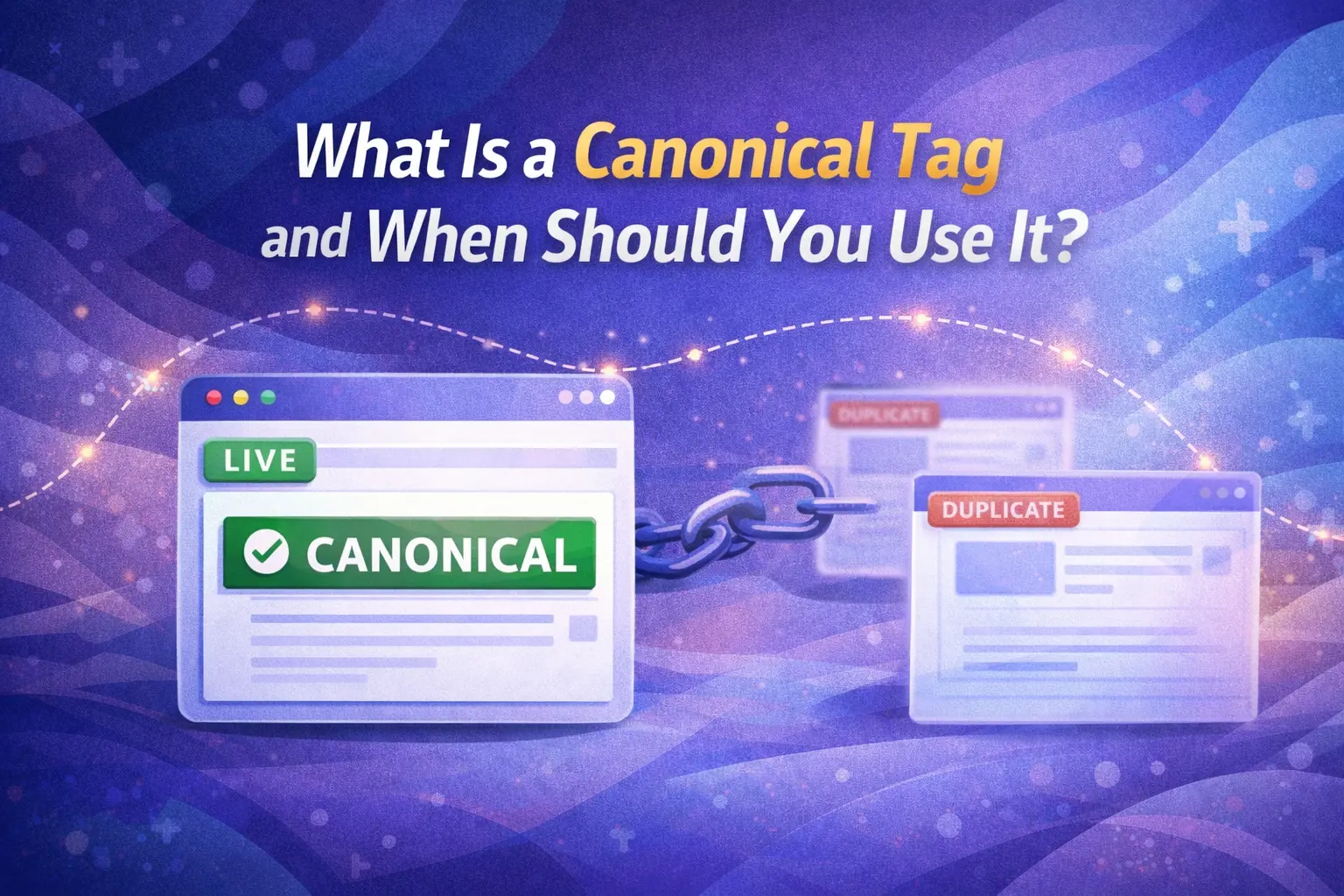
Canonical tags work by consolidating what Google calls a “cluster” of duplicate or near-duplicate URLs. When Googlebot encounters multiple URLs with similar or identical content, it groups them into a cluster and selects one URL as the canonical – the version it will index and use for ranking.
You can guide Google’s choice by using canonical tags and other signals. However, if those signals conflict or Google believes a different version better serves users, it may still select a different canonical URL than the one you declared.
This is why canonical tags cannot work in isolation. In 2026, the real win is architectural: canonicals must align with internal links, sitemaps, redirects, hreflang tags, and template rules. Otherwise, search engines may cluster your pages incorrectly and pick a different canonical than you intended.
Here’s a simplified view of how canonicalisation flows:
Without a canonical tag: /product?color=red ← Google picks randomly between these /product?color=blue /product ← Your preferred URL
With canonical tags: /product?color=red → points to /product ✅ /product?color=blue → points to /product ✅ /product → self-references /product ✅ (Google ranks this)
When Should You Use a Canonical Tag?
Canonical tag usage is most valuable in these specific situations:
1. When You Have URL Parameter Variations
Canonical tags are essential when your CMS or e-commerce platform generates multiple URLs for the same page through filtering, sorting, tracking, or session parameters. For example:
- https://yoursite.com/shoes
- https://yoursite.com/shoes?sort=price
- https://yoursite.com/shoes?utm_source=email
- https://yoursite.com/shoes?session=abc123
All four URLs display the same content. Use a canonical tag on each parameter variation pointing back to https://yoursite.com/shoes.
2. When You Have HTTP and HTTPS Versions
Canonical tags help clarify your preferred protocol when both versions of your site are accessible. However, the correct long-term fix is a 301 redirect from HTTP to HTTPS – canonical tags should reinforce, not replace, proper redirects for protocol consolidation.
3. When You Publish Syndicated or Guest Content
Canonical tags are used for cross-domain canonicalisation when your content appears on another website. If you publish a guest post or article on an external site, a cross-domain canonical tag on that external page pointing back to your original article preserves your link equity and prevents the syndicated version from outranking your source. This is a legitimate and widely used approach for content syndication in 2026.
4. When You Have E-Commerce Product Variants
In 2026, canonical tags are especially important for e-commerce sites with product variations, filters, and dynamic URLs that can easily create duplicate content. A product available in five colours and three sizes can generate 15+ separate URLs – all displaying essentially the same product information. Use a canonical tag on each variant page pointing to the main product URL.
5. On Every Single Page – As a Self-Referencing Canonical
Self-referencing canonicals – where a page includes a canonical tag pointing to itself – are a best practice. They help prevent indexing confusion, especially in environments using parameters or pagination.
Adding a self-referencing canonical to every page on your site creates a stable baseline signal, making it harder for Google to accidentally treat unexpected duplicate versions as the canonical. Most SEO plugins for WordPress, Shopify, and other platforms add these automatically.
How Do You Implement a Canonical Tag?
Canonical tag implementation differs slightly depending on your platform:
WordPress
Use the Yoast SEO or Rank Math plugin. Both automatically add self-referencing canonicals and allow you to set a custom canonical URL in the “Advanced” tab of any page or post editor – no coding required.
Shopify
Shopify adds canonical tags automatically to product, collection, and blog pages. Verify them using Google Search Console and check for any conflicting parameter-based duplicates that may need manual overrides.
Wix
Wix automatically adds self-referencing canonical tags across your entire site. You can override them for specific pages in the SEO Settings panel.
Manual HTML Implementation
Place the canonical tag inside the <head> section of your page HTML:
<head>
<link rel=”canonical” href=”https://www.yoursite.com/preferred-url/” />
</head>
According to Search Savvy’s best practice guidance: Always use absolute URLs (including https://) rather than relative paths. Relative URLs increase the risk of misconfiguration across different environments and staging servers.
What Are the Most Common Canonical Tag Mistakes?
Canonical tag errors are surprisingly common – even on well-maintained websites. Here are the mistakes to avoid:
- Pointing canonicals to non-existent or redirecting URLs – Your canonical target must be a live, accessible URL. Never point a canonical to a 404 page or a URL that itself redirects.
- Using multiple canonical tags on a single page – Only one canonical tag should exist per page. Multiple tags send conflicting instructions that search engines may ignore entirely.
- Canonicalising paginated pages to Page 1 – Canonicalising all paginated URLs back to Page 1 effectively tells Google that all deeper pages are duplicates and should be ignored, creating a major discoverability problem for any content only accessible through deeper pagination. Each paginated page should carry its own self-referencing canonical.
- Using relative URLs instead of absolute URLs – Always include the full URL with the https:// protocol.
- Mixing noindex and canonical tags – If a page has a noindex directive and a canonical pointing to another page, these signals conflict. Choose one strategy and apply it consistently.
- Forgetting to update canonicals when URLs change – If you restructure your site, always audit your canonical tags to ensure they point to the new, correct URLs.
Canonical Tag vs. 301 Redirect – What’s the Difference?
Canonical tags and 301 redirects both address duplicate content, but they work differently and serve distinct purposes:
| Canonical Tag | 301 Redirect | |
| User experience | Both versions remain accessible to users | Users are automatically sent to the new URL |
| Signal strength | Strong hint (Google may override) | Permanent directive (Google always follows) |
| Link equity | Consolidates to canonical URL | Transfers ~100% to new URL |
| Best for | Keeping duplicate URLs accessible | Permanently replacing an old URL |
| When to use | Product variants, parameter URLs, syndication | Deleted pages, site restructures, domain migrations |
At Search Savvy, we recommend using a 301 redirect when you no longer need the original URL to exist – for example, after deleting a page or changing a domain. Use a canonical tag when you need the duplicate URL to remain accessible to users but want search engines to consolidate ranking credit on the preferred version.
People Also Ask: Canonical Tag Questions
Does a canonical tag directly improve Google rankings?
Not directly – a canonical tag doesn’t boost rankings on its own. What it does is consolidate link equity and ranking signals onto your preferred URL, preventing them from being diluted across duplicates. This means your preferred page competes more strongly, with all its authority in one place.
Can Google ignore a canonical tag?
Yes. Google treats canonical tags as a strong hint, not an absolute directive. If your internal links, sitemap entries, or other signals strongly favour a different URL, Google may choose that URL as the canonical instead. Consistent signals across your entire site architecture are essential to ensure Google respects your declared canonical.
Should every page on my website have a canonical tag?
Yes. Every page – including your homepage, blog posts, product pages, and category pages – should have a canonical tag. If the page is the preferred version, it should have a self-referencing canonical pointing to itself. This prevents Google from treating any unexpected duplicate versions as the canonical.
What is a cross-domain canonical tag?
A cross-domain canonical tag is placed on content published on an external website (such as a guest post or syndicated article) and points back to the original URL on your own domain. This tells search engines that your original page is the authoritative source, preventing the external version from outranking your own content or being treated as the primary version.
Frequently Asked Questions (FAQ)
Q1: What is the correct HTML syntax for a canonical tag?
The canonical tag belongs inside the <head> section of your HTML: <link rel=”canonical” href=”https://www.yoursite.com/preferred-url/” />. Always use the full absolute URL including https://.
Q2: Do canonical tags work across different domains?
Yes. Cross-domain canonical tags are valid and widely used for syndicated content. Place the canonical tag on the external version of your content, pointing to your original URL. This consolidates ranking authority back to your own domain.
Q3: How do I check if my canonical tags are set up correctly?
Use Google Search Console’s URL Inspection Tool to see which canonical Google has selected for any given page. Use Screaming Frog SEO Spider to crawl your entire site and audit canonical consistency at scale. Semrush Site Audit also flags canonical conflicts and missing tags automatically.
Q4: Does a canonical tag pass PageRank (link equity)?
Yes – canonical tags consolidate link equity from all duplicate versions to the preferred canonical URL. This means backlinks pointing to any version of a duplicate page contribute their authority to the single canonical URL, strengthening its ranking potential.
Q5: Can I use a canonical tag and a noindex tag on the same page?
These two signals conflict with each other and should not be used simultaneously. A canonical tag says “rank this preferred URL instead.” A noindex tag says “don’t index this page at all.” If you don’t want a page indexed, use noindex. If you want ranking credit consolidated elsewhere, use canonical. Never use both on the same page.
Q6: How long does it take Google to respect a newly added canonical tag?
Google needs to re-crawl and re-process the affected pages before respecting a new canonical tag. This can take anywhere from a few days to several weeks, depending on your site’s crawl frequency. You can speed up the process by submitting the affected URLs via the URL Inspection Tool in Google Search Console to request a re-crawl.
Final Thoughts
Canonical tag implementation is one of those technical SEO fundamentals that pays compounding dividends over time. Get it right, and you protect your link equity, eliminate crawl budget waste, and give Google a clear, unambiguous signal about which pages deserve to rank. Get it wrong – or ignore it entirely – and you risk diluted rankings, wasted authority, and Google indexing the wrong pages altogether.
In 2026, with AI-driven search engines relying on canonical signals to determine authoritative sources for their generated answers, clean canonicalisation is no longer just an SEO best practice. It’s a fundamental requirement for visibility across both traditional and AI-powered search.
Search Savvy helps businesses implement clean, scalable canonical tag strategies as part of comprehensive technical SEO audits – so every page on your site sends Google exactly the right signals.