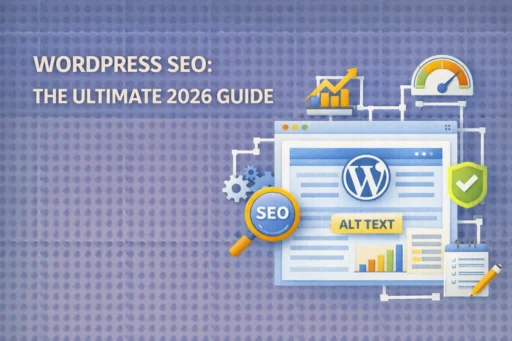

WordPress SEO remains one of the most critical factors for online success in 2026. At Search Savvy, we’ve witnessed countless websites transform their organic traffic simply by implementing strategic optimization techniques. Whether you’re launching a new blog, running an e-commerce store, or managing a business website, understanding WordPress SEO fundamentals can dramatically improve your search engine visibility and drive qualified traffic to your digital doorstep.
WordPress SEO involves optimizing your WordPress-powered website to rank higher in search engine results pages (SERPs). The practice encompasses everything from technical configurations to content optimization, all designed to improve your site’s visibility and drive organic traffic. At Search Savvy, we recognize that effective WordPress SEO isn’t just about pleasing algorithms-it’s about creating exceptional user experiences that naturally attract both search engines and human visitors.
The beauty of WordPress lies in its SEO-friendly foundation. WordPress is built with clean code that follows SEO best practices, making it easier for search engines to understand and index your content. However, having a WordPress site doesn’t automatically guarantee top rankings. Success requires deliberate optimization strategies and consistent implementation of proven techniques.
Why Is WordPress SEO Important in 2026?
WordPress SEO has become even more crucial as competition intensifies across digital landscapes. Daily, Google processes over 5.5 billion searches, making high rankings increasingly valuable for driving traffic. According to Search Savvy’s insights, websites implementing comprehensive WordPress SEO strategies typically see traffic increases of 50-200% within six months.
The importance extends beyond mere traffic numbers. WordPress SEO directly influences your website’s credibility, user experience, and conversion rates. When your site appears on page one of search results, users perceive your brand as more authoritative and trustworthy. Additionally, proper SEO practices improve site speed, mobile responsiveness, and overall functionality-factors that significantly impact user satisfaction and engagement.
In 2026, search engines have become increasingly sophisticated, utilizing AI-driven algorithms that prioritize user intent, content quality, and technical excellence. WordPress SEO helps your website align with these evolving standards, ensuring your content reaches the right audience at the right time.
How Does WordPress SEO Work?
WordPress SEO operates through three fundamental search engine processes that determine your visibility online. Search engines crawl to discover content, index to organize found content for quick retrieval, and rank by ordering indexed content so the most relevant appears at the top.
Understanding this workflow helps clarify why certain optimizations matter. When search engine crawlers visit your WordPress site, they analyze hundreds of factors including content quality, site structure, loading speed, mobile compatibility, and backlink profiles. The better optimized your site is across these dimensions, the more favorably search engines will rank your pages.
At Search Savvy, we emphasize that WordPress SEO isn’t a one-time task but an ongoing commitment. Search algorithms constantly evolve, competitor strategies shift, and user behaviors change. Maintaining strong WordPress SEO requires regular audits, content updates, and technical refinements to stay ahead of the curve.
What Are the Best WordPress SEO Plugins for 2026?
WordPress SEO plugins serve as essential tools for streamlining optimization tasks without requiring extensive technical knowledge. The best plugins help you optimize content, manage metadata, improve technical SEO and track performance, without needing to code. Selecting the right plugin can save countless hours while ensuring your site meets current SEO standards.
Yoast SEO
Yoast SEO is one of the most popular and trusted plugins, perfect for those who prefer hands-on content optimization support on their WordPress website. Its traffic light system provides instant visual feedback on your SEO efforts, making optimization accessible for beginners while offering advanced features for experienced users.
The plugin’s readability analysis helps you write clear, user-friendly content that keeps visitors engaged, while its SEO score and keyword tracking show how well optimized the content is for your target keywords. Yoast SEO Premium adds smart internal linking suggestions, a redirect manager, and the ability to optimize content for multiple focus keywords.
Rank Math
Rank Math has emerged as a powerful contender with over 3 million active installations, offering advanced features like built-in analytics, schema markup and integrated Google Search Console support. One of its biggest advantages is providing premium-level features in its free version, including support for unlimited keywords and advanced schema options.
Rank Math includes internal linking suggestions that automatically recommend relevant posts to link to as you write, along with a keyword ranking tracker that gives you a straightforward view of how your content is performing for specific keywords over time.
All in One SEO (AIOSEO)
All In One SEO (AIOSEO) is considered by many experts as the best WordPress SEO plugin, with many features to help you optimize your site and content for better rankings. Created by the team behind WPForms and MonsterInsists, AIOSEO excels in technical SEO customization and offers deep control for advanced users.
The choice between these plugins depends on your specific needs, technical comfort level, and budget. At Search Savvy, we recommend evaluating each plugin’s interface, feature set, and pricing structure before committing to ensure it aligns with your optimization goals.
How Can You Optimize WordPress Permalinks for SEO?
WordPress SEO begins with proper permalink structure configuration. Permalinks are the permanent URLs for your posts and pages, and their format significantly impacts search engine crawling and user experience. WordPress provides default URL structures, but not all of them are SEO-friendly.
The ideal permalink structure is clean, descriptive, and includes your target keywords. Instead of generic URLs like yoursite.com/?p=123, opt for descriptive structures like yoursite.com/wordpress-seo-guide/. This approach helps search engines understand page content while providing users with clear expectations about destination content.
To configure SEO-friendly permalinks, navigate to Settings → Permalinks in your WordPress dashboard and select the “Post name” option. This structure creates URLs based on your post titles, which typically contain relevant keywords naturally. Once set, avoid changing permalink structures on established sites, as this can create broken links and damage your SEO efforts.
What Role Do Categories and Tags Play in WordPress SEO?
WordPress SEO optimization extends to how you organize content through taxonomies. Categories are meant for broad grouping of posts, like a table of contents in a book, while tags help users find more specific topics. Proper implementation helps search engines understand your site’s structure and content relationships.
Posts or pages should be kept to one category to avoid possible SEO drawbacks like duplicate content or unnecessary web crawling, while multiple tags can be added to a post as long as they’re used purposefully and consistently. This disciplined approach prevents confusing search engines with conflicting signals about content organization.
At Search Savvy, we recommend creating a logical category hierarchy that reflects your content strategy. Limit yourself to 5-10 main categories, then use tags to highlight specific subtopics within those categories. This structure creates a clear content architecture that benefits both search engines and human visitors.
How Does Site Speed Impact WordPress SEO?
WordPress SEO performance heavily depends on site speed, which has become an increasingly critical ranking factor. Search engines like Google use several core web vitals and metrics to determine how well your site performs, which can significantly impact your rankings. In 2026’s competitive landscape, every second of loading time can mean the difference between ranking on page one or page two.
Several strategies can dramatically improve WordPress site speed:
Fast Hosting: Using a fast WordPress hosting provider can take seconds off your page load times without doing anything else. Quality hosting services provide optimized server configurations, CDN integration, and caching mechanisms that enhance performance automatically.
Image Optimization: Compress images using tools like ShortPixel or Smush to reduce file sizes without losing quality, ensuring faster load times. Large, unoptimized images are among the most common culprits of slow-loading pages.
Caching Plugins: Plugins like WP Rocket, Nitropack, and W3 Total Cache can significantly improve your site’s performance by caching, minifying files, and optimizing images.
Reliable Themes and Plugins: Some WordPress themes and plugins will perform better and load faster than others. Choose lightweight, well-coded options that prioritize performance.
To check your current site speed, use tools like GTmetrix or Google PageSpeed Insights. These free tools provide detailed performance reports with specific recommendations for improvement.
Why Are Internal Links Crucial for WordPress SEO?
WordPress SEO strategies must include robust internal linking practices to maximize content visibility and authority distribution. Internal links help search engines discover your content by allowing crawlers to follow links from one page to another, while also passing authority from high-authority pages to other pages on your site.
Some best practices for adding internal links include linking between related pages grouped together in the same menu columns, linking between related blog posts to help readers find interesting content, and adding links from blogs to landing pages where users might sign up or make purchases.
Strategic internal linking offers multiple benefits. It distributes page authority throughout your site, helps search engines understand content relationships, improves user navigation, increases time on site, and boosts pages that deserve higher rankings. At Search Savvy, we’ve seen internal linking campaigns increase organic traffic by 20-30% without creating any new content.
WordPress Link Assistant automatically crawls links on your site and gives you relevant internal linking suggestions that you can add to your content in one click, automating the process of bulk adding internal links which is a huge time saver. This feature is available through All in One SEO and similar plugins.
How Should You Optimize Images for WordPress SEO?
WordPress SEO image optimization impacts both search rankings and user experience significantly. Image optimization is crucial as it directly impacts page load speed and user experience, both of which are important ranking factors for search engines.
Key image optimization practices include:
Descriptive Filenames: Name your image files with descriptive, keyword-rich names instead of generic ones. Change “IMG_1234.jpg” to “wordpress-seo-best-practices.jpg” before uploading.
Alt Text: Alt text is a short description of your image used by screen readers for visually impaired users and by search engines to understand image content. Make alt text descriptive and include target keywords when relevant.
Compression: Use appropriate formats such as JPEG for photos and PNG for graphics, and consider using WebP for better compression. This reduces file sizes while maintaining visual quality.
Responsive Images: Leverage WordPress’s automatic size generation and implement lazy loading to improve page load speeds. Lazy loading ensures images only load as users scroll down the page.
These optimization techniques collectively improve page speed, enhance accessibility, and help your images appear in search results, contributing to overall WordPress SEO performance.
What Is Schema Markup and How Does It Help WordPress SEO?
WordPress SEO benefits tremendously from schema markup implementation, which helps search engines understand your content context and purpose. Schema markup is structured data that communicates directly with search engines, enabling rich snippets, knowledge panels, and enhanced search results that stand out visually.
Schema markup enables certain website listings to stand out more in Google search results, displaying additional information like star ratings, pricing, availability, or event details directly in search results. These enhanced listings typically achieve higher click-through rates than standard results.
Modern WordPress SEO plugins like Yoast, Rank Math, and AIOSEO include built-in schema markup tools, making implementation straightforward even for non-technical users. Common schema types for WordPress sites include Article, FAQ, How-To, Recipe, Product, Review, and Local Business schemas.
At Search Savvy, we recommend implementing schema markup on all key pages, particularly product pages, blog posts, and service pages. This additional layer of optimization can significantly improve your visibility in search results while providing search engines with clearer signals about your content’s purpose and value.
How Can You Fix Broken Links to Improve WordPress SEO?
WordPress SEO maintenance requires regular broken link monitoring and fixes. Broken links that lead to 404 error pages are bad for both user experience and SEO, frustrating users and preventing search engines from crawling your site effectively.
When you discover broken links, you have several remediation options:
Correct the link: If it’s a simple typo, edit the link to point to the correct URL.
Remove the link: If the destination page no longer exists and there’s no suitable replacement, simply remove the link.
Set up a 301 redirect: If you’ve moved a page to a new URL, you should set up a 301 redirect from the old URL to the new one, which tells search engines that the page has permanently moved and passes most of the link equity to the new page.
All in One SEO has released the free Broken Link Checker plugin that automatically scans all of your internal links to make sure they are working correctly, allowing you to quickly fix URLs right inside the plugin. Regular broken link audits should be part of your ongoing WordPress SEO maintenance routine.
What Are Long-Tail Keywords and Why Do They Matter for WordPress SEO?
WordPress SEO keyword strategy should prioritize long-tail keywords alongside broader search terms. Long-tail keywords reflect user intent and are more specific, such as aiming for “best WordPress SEO plugins for small businesses” instead of just “WordPress plugins”.
Long-tail keywords offer several advantages for WordPress SEO:
- Lower Competition: Longer, more specific phrases face less competition, making it easier to rank.
- Higher Intent: Users searching with specific phrases typically have clearer intentions and are closer to conversion.
- Better Relevance: Long-tail keywords allow you to create highly targeted content that precisely matches user needs.
- Voice Search Optimization: Conversational long-tail phrases align perfectly with how people use voice search.
Utilize tools like Google Keyword Planner, Ahrefs, or SEMrush to identify relevant keywords that have substantial search volume but manageable competition, focusing on user intent to understand what users are looking for. This research forms the foundation of effective WordPress SEO content creation.
How Does Mobile Optimization Affect WordPress SEO?
WordPress SEO in 2026 demands mobile-first optimization, as mobile traffic continues dominating internet usage. Ensure your site is mobile-friendly and loads quickly on mobile devices, as mobile traffic is growing and a fast-loading mobile site can improve user experience and search engine rankings.
Google’s mobile-first indexing means the search engine primarily uses the mobile version of your site for indexing and ranking. If your mobile experience is poor, your rankings will suffer regardless of how excellent your desktop version performs.
Key mobile optimization elements include:
- Responsive Design: Your theme must adapt seamlessly to different screen sizes.
- Touch-Friendly Navigation: Buttons and links should be easily tappable on smaller screens.
- Fast Mobile Loading: Mobile users expect even faster loading times than desktop users.
- Readable Text: Font sizes should be legible without zooming.
- Simplified Forms: Mobile forms should be concise and easy to complete.
Use Google’s Mobile-Friendly Test to evaluate your site’s mobile performance and identify improvement opportunities.
What Content Strategies Boost WordPress SEO?
WordPress SEO content creation requires strategic planning and execution. Writing and publishing high-quality content is a cornerstone of on-page SEO best practices, with strategic integration of keywords naturally improving content’s relevance and boosting chances of ranking higher in search engine results pages.
Effective content strategies include:
Answer User Questions: Create content that directly addresses questions your target audience is searching for. This approach aligns with search engine priorities and user needs.
Maintain Readability: The classic best practice suggests keeping sentences under 25 words long and paragraphs under three sentences to make writing easier for readers to digest.
Update Regularly: Google favors content that stays accurate and updated, which directly benefits your WordPress site’s SEO. Regular content refreshes signal to search engines that your site provides current, relevant information.
Use Header Tags Properly: Header tags impact readability and SEO by making pages and posts easier to read and understand, with headers following proper hierarchy without jumping from H1 directly to H4.
Create Comprehensive Content: Longer, more thorough content typically ranks better than superficial articles. Aim for depth and completeness when covering topics.
At Search Savvy, we recommend creating a content calendar that balances evergreen topics with timely, trending subjects to maintain consistent visibility across diverse search queries.
How Should You Handle WordPress SEO for Multiple Sites?
WordPress SEO management becomes more complex when handling multiple websites. Rank Math’s premium plan supports unlimited websites while offering all features in a single plan, whereas Yoast SEO doesn’t offer an unlimited license and has multiple premium extensions as separate purchases.
For agencies or individuals managing multiple WordPress sites, consider these factors:
Plugin Licensing: Choose plugins that offer multi-site licenses at reasonable prices to avoid excessive costs.
Standardized Processes: Develop consistent WordPress SEO workflows that can be applied across all sites while allowing for customization.
Centralized Monitoring: Use tools that allow monitoring multiple sites from a single dashboard to streamline maintenance.
Documentation: Maintain detailed documentation of SEO strategies and configurations for each site to ensure consistency and knowledge preservation.
WordPress multisite installations offer another option for managing multiple sites under a single WordPress installation, potentially simplifying updates and management while maintaining individual site identities.
What Role Does Social Media Play in WordPress SEO?
WordPress SEO extends beyond on-site optimization to include social signals and sharing. While social media engagement doesn’t directly impact search rankings, it influences WordPress SEO through several indirect mechanisms:
Increased Visibility: Content shared on social platforms reaches broader audiences, generating traffic and potential backlinks.
Brand Authority: Active social presence enhances brand recognition, which can influence click-through rates from search results.
Content Distribution: Social media serves as a distribution channel that can amplify your content’s reach beyond organic search.
Engagement Signals: High engagement rates on social platforms may correlate with content quality, potentially influencing how search engines evaluate your content.
Most WordPress SEO plugins include social media integration features that allow you to customize how your content appears when shared on platforms like Facebook, Twitter, and LinkedIn. Optimizing these social previews ensures your content looks appealing when shared, potentially increasing engagement and traffic.
Frequently Asked Questions About WordPress SEO
Q: How long does it take to see results from WordPress SEO efforts?
WordPress SEO results typically appear within 3-6 months for new sites, though established sites may see improvements faster. The timeline depends on factors including competition level, content quality, technical optimization, and consistent implementation. Search engines need time to crawl updated content, evaluate changes, and adjust rankings accordingly. At Search Savvy, we emphasize that WordPress SEO is a long-term investment rather than a quick fix.
Q: Can I do WordPress SEO myself, or do I need to hire an expert?
WordPress SEO fundamentals can be handled by motivated beginners using plugins like Yoast SEO or Rank Math. These tools provide guidance and automate many technical aspects. However, complex technical issues, competitive industries, or large-scale optimization projects may benefit from professional expertise. Start with basic optimizations using available tools, then consider professional assistance if you encounter persistent challenges or need advanced strategies.
Q: Do WordPress SEO plugins slow down my website?
Quality WordPress SEO plugins have minimal impact on site performance when properly configured. Tests show Rank Math typically adds just 0.2-0.5 seconds to page load times, a significant improvement over some alternatives. Choose well-coded plugins from reputable developers and disable features you don’t actively use to minimize performance impact. The SEO benefits far outweigh minor speed considerations for most sites.
Q: How often should I update my WordPress SEO strategy?
WordPress SEO requires ongoing attention with minor updates weekly or monthly and comprehensive audits quarterly. Regular tasks include monitoring rankings, fixing broken links, updating outdated content, and adding internal links to new content. Major algorithm updates or significant traffic changes warrant immediate strategy reviews. At Search Savvy, we recommend establishing a consistent maintenance schedule to maintain and improve rankings over time.
Q: What’s the difference between on-page and technical WordPress SEO?
On-page WordPress SEO focuses on content optimization including keyword usage, meta descriptions, headers, and internal linking-elements visible to users. Technical WordPress SEO addresses backend factors like site speed, mobile responsiveness, XML sitemaps, schema markup, and crawlability-elements primarily affecting search engines. Both are essential for comprehensive optimization, and modern WordPress SEO plugins help manage both aspects effectively.
Q: Should I use WordPress.com or WordPress.org for better SEO?
WordPress.com offers SEO-friendly features right out of the box including fast and secure hosting, automatic version updates, built-in Jetpack CDN, and automatically generated XML sitemaps. However, WordPress.org (self-hosted) provides more flexibility and control for advanced optimization. For serious SEO efforts, self-hosted WordPress.org typically offers better long-term potential, though WordPress.com can work well for beginners or smaller projects with its Business plan or higher.
Conclusion
WordPress SEO represents one of the most valuable investments you can make in your website’s future. By implementing the strategies outlined in this guide-from choosing the right SEO plugin to optimizing content, improving site speed, and building internal links-you create a strong foundation for search engine visibility and organic growth.
Remember that WordPress SEO is an ongoing journey rather than a destination. Search algorithms evolve, competition intensifies, and user behaviors shift. Success requires consistent effort, regular monitoring, and willingness to adapt strategies based on performance data.
At Search Savvy, we’ve witnessed countless WordPress sites transform from obscure web pages to dominant industry players through strategic SEO implementation. Whether you’re just starting your WordPress SEO journey or refining existing strategies, the principles covered in this guide will help you build sustainable organic visibility and achieve your digital marketing goals.
Start with the fundamentals-proper permalinks, quality content, and mobile optimization-then progressively implement more advanced techniques as you grow more comfortable with WordPress SEO. With patience, persistence, and proven strategies, you’ll see your search rankings climb and organic traffic flourish.
For more resources and expert insights on WordPress SEO, continue exploring Search Savvy’s comprehensive guides and stay informed about the latest optimization techniques shaping digital success in 2026 and beyond.