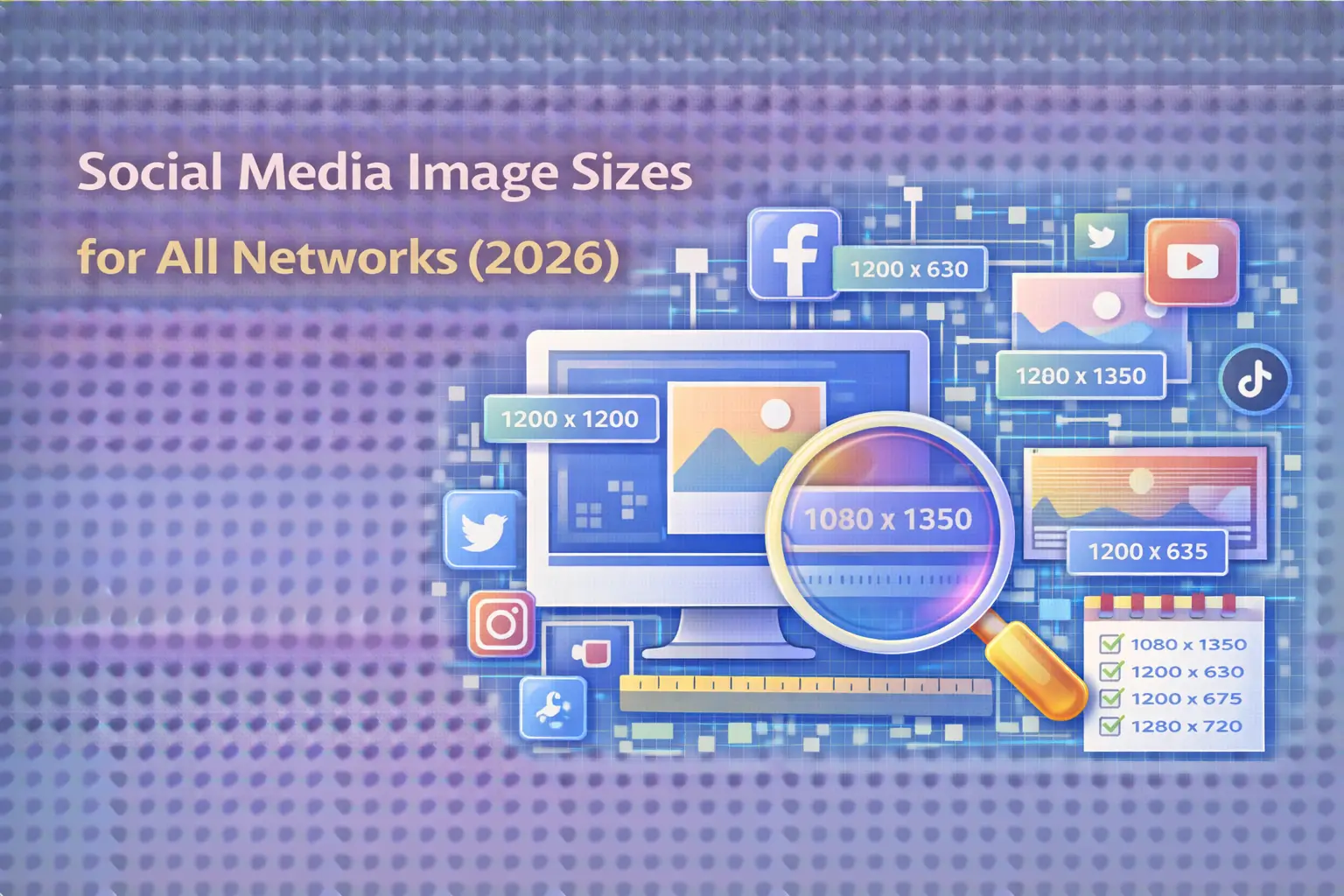

Social media image sizes can make or break your content strategy in 2026. With platforms constantly updating their specifications and algorithms prioritizing visual content more than ever, getting your dimensions right isn’t just about aesthetics-it’s about maximizing engagement, maintaining brand consistency, and ensuring your content displays perfectly across every device. At Search Savvy, we’ve compiled this comprehensive guide to help you navigate the ever-changing landscape of social media image requirements.
Why Are Social Media Image Sizes Important in 2026?
Social media image sizes directly impact how your content performs across platforms. When you upload images that don’t meet platform specifications, you risk blurry visuals, awkward cropping, cut-off text, or even reduced reach as algorithms may deprioritize poorly formatted content. According to Search Savvy’s latest research, posts with properly optimized images generate up to 40% higher engagement rates compared to those with incorrect dimensions.
The importance of correct sizing extends beyond just visual appeal. Platforms like Instagram, Facebook, and TikTok have introduced new aspect ratios and display formats throughout 2025, making it essential for marketers and creators to stay updated. Mobile-first design has become the standard, with vertical formats (9:16 and 4:5 aspect ratios) consistently outperforming traditional square or landscape orientations across most networks.
How Do Social Media Image Sizes Work?
Social media image sizes work through a combination of pixel dimensions and aspect ratios. Pixel dimensions refer to the width and height of an image measured in pixels (the tiny dots that make up digital images), while aspect ratios represent the proportional relationship between width and height. For example, a 1:1 aspect ratio creates a perfect square, while 9:16 produces a vertical format ideal for Stories and Reels.
Understanding these concepts is crucial because platforms automatically compress and resize uploaded images to fit their display requirements. At Search Savvy, we recommend always uploading images at the highest quality possible within platform limits, allowing the networks to handle compression rather than uploading at minimum sizes, which often results in pixelated or blurry visuals.
Instagram Image Sizes for 2026
Social media image sizes for Instagram have evolved significantly in 2026, with the platform introducing a new 3:4 aspect ratio that’s now grid-friendly and recommended for most feed posts.
Instagram Feed Posts:
- New Tall Format: 1080 x 1440 px (3:4 aspect ratio) – the newest and most recommended option for maximum vertical real estate
- Portrait: 1080 x 1350 px (4:5 aspect ratio) – still excellent for vertical posts, but design carefully to avoid grid cropping
- Square: 1080 x 1080 px (1:1 aspect ratio) – classic format that ensures uniform grid appearance
- Landscape: 1080 x 566 px (1.91:1 aspect ratio) – best for wide, cinematic shots
Instagram Stories & Reels:
- Dimensions: 1080 x 1920 px (9:16 aspect ratio)
- Recommendation: Keep key elements centered within a safe zone of 1080 x 1420 px to avoid cropping
Instagram Profile Picture:
- Upload Size: 320 x 320 px (displays at 110 x 110 px)
- Format: Circular display, so center your logo or image
Instagram Carousel Posts:
- Follow the same dimensions as feed posts
- All slides crop to match the first slide’s aspect ratio
The shift to 3:4 for grid previews is particularly important, as many 4:5 uploads now appear awkwardly cropped on profile grids. This update reflects Instagram’s continued emphasis on vertical content that maximizes screen real estate and stops the scroll.
Facebook Image Sizes for 2026
Social media image sizes for Facebook remain critical for the platform’s 3.06 billion monthly active users. Facebook’s specifications ensure your content displays clearly on both desktop and mobile devices.
Facebook Profile Picture:
- Dimensions: 170 x 170 px (displays at 170 x 170 px on desktop, 128 x 128 px on mobile)
- Format: Circular display, minimum 180 x 180 px recommended
Facebook Cover Photo:
- Dimensions: 820 x 312 px (desktop), 640 x 360 px (mobile)
- Recommendation: Design for mobile-first, as most users access Facebook via smartphones
Facebook Feed Posts:
- Landscape: 1200 x 630 px (1.91:1 aspect ratio)
- Square: 1200 x 1200 px (1:1 aspect ratio)
- Portrait: 1080 x 1350 px (4:5 aspect ratio)
Facebook Stories:
- Dimensions: 1080 x 1920 px (9:16 aspect ratio)
- File Size: Maximum 5 MB
Facebook Event Cover:
- Dimensions: 1920 x 1005 px
- Note: Ensure key elements are centered to avoid cropping variations
Facebook Carousel Posts:
- Dimensions: 1200 x 1200 px per image
- Recommendation: Use square format for consistency
TikTok Image Sizes for 2026
Social media image sizes on TikTok prioritize vertical, full-screen content that captures attention in the For You feed. While TikTok is primarily a video platform, understanding image specifications remains crucial for profile optimization and photo carousels.
TikTok Profile Picture:
- Minimum: 20 x 20 px
- Recommended: 200 x 200 px or higher for sharp display
TikTok Photo Posts:
- Dimensions: 1080 x 1920 px (9:16 aspect ratio)
- Alternative: 4:5 aspect ratio also supported
- Maximum Images: Up to 35 photos per carousel
TikTok Videos:
- Dimensions: 1080 x 1920 px (9:16 aspect ratio)
- Safe Zone: Leave 150px margin on top and bottom, 64px on each side for text overlays
TikTok Stories:
- Dimensions: 1080 x 1920 px
- Duration: Disappear after 24 hours
TikTok’s algorithm heavily favors vertical content, making 9:16 the gold standard. Horizontal or square formats perform significantly worse and are not recommended for maximizing engagement.
LinkedIn Image Sizes for 2026
Social media image sizes for LinkedIn differ between personal profiles and company pages, with professional, high-resolution images being essential for credibility.
LinkedIn Profile Picture (Personal):
- Dimensions: 400 x 400 px (minimum 200 x 200 px)
- Maximum: 7680 x 4320 px or 8 MB
- Format: Circular on personal profiles, square on company pages
LinkedIn Cover Photo (Personal):
- Dimensions: 1584 x 396 px (4:1 aspect ratio)
- Maximum: 8 MB
- Note: Cropping varies between mobile and desktop
LinkedIn Company Page Logo:
- Dimensions: 300 x 300 px
- Maximum: 3 MB
LinkedIn Company Cover Photo:
- Dimensions: 1128 x 191 px
- Note: Logo covers left section, so keep important content centered
LinkedIn Feed Posts:
- Landscape: 1200 x 628 px (recommended)
- Square: 1200 x 1200 px
- Vertical: 720 x 900 px (mobile only)
LinkedIn Carousel Posts:
- Dimensions: 1080 x 1080 px per slide
- Maximum: 20 slides
- File Type: PDF format, maximum 10 MB
LinkedIn users expect professional, polished content, making proper image sizing crucial for establishing authority and trust in B2B spaces.
X (Twitter) Image Sizes for 2026
Social media image sizes on X (formerly Twitter) focus on quick, visual impact that complements the platform’s fast-paced, conversation-driven nature.
X Profile Picture:
- Dimensions: 400 x 400 px (minimum 200 x 200 px)
- Format: Circular display
- File Type: JPG, PNG, or GIF (non-animated)
X Header Photo:
- Dimensions: 1500 x 500 px (3:1 aspect ratio)
- Note: Responsive design that crops based on screen size
X Feed Posts:
- Single Image: 1200 x 675 px (16:9 aspect ratio ideal)
- Minimum: 600 x 335 px
- Maximum File Size: 5 MB (2 MB recommended for optimal display)
X Multiple Images:
- Two Images: Both at 7:8 aspect ratio, displayed side by side
- Three Images: One 7:8 on left, two 4:7 on right
- Four Images: Four 2:1 images in a grid
X Card Image (Link Previews):
- Dimensions: 1200 x 628 px
- Aspect Ratio: 1.91:1
Visual posts consistently outperform text-only content on X, with properly sized images driving higher engagement and retweets.
Pinterest Image Sizes for 2026
Social media image sizes for Pinterest heavily favor tall, vertical formats that stand out in the discovery feed. As a visual search platform, Pinterest requires careful attention to dimensions for maximum visibility.
Pinterest Profile Picture:
- Dimensions: 165 x 165 px
- Format: Circular display
Pinterest Cover Photo:
- Minimum: 800 x 450 px
- Aspect Ratio: 16:9 (horizontal)
Pinterest Pins:
- Recommended: 1000 x 1500 px (2:3 aspect ratio)
- Maximum Height: Pinterest discourages excessively tall pins; stick close to 2:3
- Alternative Sizes: 1080 x 1920 px or 1080 x 1080 px accepted
Pinterest Idea Pins:
- Dimensions: 1080 x 1920 px (9:16 aspect ratio)
- Maximum: 20 pages per Idea Pin
Pinterest Video Pins:
- Square: 1080 x 1080 px
- Vertical: 1080 x 1920 px
- Standard Width: 720 x 1080 px or 864 x 1080 px
Pinterest shoppers have 85% larger online baskets than users on other platforms, making proper image optimization crucial for e-commerce brands. The 2:3 vertical format remains the gold standard for driving traffic and engagement.
YouTube Image Sizes for 2026
Social media image sizes for YouTube extend beyond video content to include channel branding and thumbnails that impact discoverability and click-through rates.
YouTube Channel Banner:
- Dimensions: 2560 x 1440 px
- Safe Area: 1235 x 338 px (ensure text and logos stay within this zone)
- Minimum: 2048 x 1152 px
YouTube Profile Picture:
- Dimensions: 800 x 800 px
- Display Size: 98 x 98 px
YouTube Video Thumbnails:
- Dimensions: 1280 x 720 px (16:9 aspect ratio)
- Minimum: 640 x 360 px
- File Size: Maximum 2 MB
- Format: JPG, PNG, GIF
YouTube Shorts Thumbnails:
- Aspect Ratio: 9:16
- Dimensions: 1080 x 1920 px
- Note: Cannot upload custom thumbnails; select a frame from your video
YouTube’s channel banner displays differently across devices (TV, desktop, tablet, mobile), so keeping critical elements within the safe zone ensures consistent branding across all screens.
What Are the Most Common Mistakes with Social Media Image Sizes?
At Search Savvy, we’ve identified several recurring mistakes that harm content performance. The most common error is uploading horizontal listing photos or graphics into vertical-only formats, resulting in significant cropping or black bars. Another frequent mistake is ignoring safe zones in Stories and Reels, causing CTA text or important information to be hidden.
Many creators also fall into the trap of using the same square image across all platforms, not realizing that vertical formats (4:5 and 9:16) consistently outperform square posts in modern algorithms. Additionally, uploading images that are too small or heavily compressed before upload leads to pixelated, unprofessional-looking content that algorithms may deprioritize.
How Can You Optimize Images for Multiple Platforms?
Social media image sizes require a strategic approach when managing multi-channel campaigns. The key is to design with the most restrictive format first, then adapt for other platforms. Start by creating vertical content at 1080 x 1920 px (9:16), which works across Instagram Stories, TikTok, Facebook Stories, and Pinterest Idea Pins.
For feed posts, Search Savvy recommends maintaining a library of templates at common sizes: 1080 x 1080 px (square), 1080 x 1350 px (portrait), and 1200 x 628 px (landscape). Tools like Canva, Adobe Express, or platform-specific scheduling software often include built-in resizing features and templates for each network.
Always upload the highest quality image possible within platform limits. Most networks compress images automatically, so starting with superior quality ensures the final result remains sharp. Design with mobile-first in mind, as the majority of social media consumption happens on smartphones. Keep text minimal and use large font sizes (minimum 40-60pt) to ensure readability on small screens.
What Tools Can Help Manage Social Media Image Sizes?
Several professional tools streamline the process of creating and optimizing images across platforms. Canva offers platform-specific templates with pre-set dimensions, while Adobe Express provides professional-grade design capabilities with social media presets.
Scheduling platforms like Hootsuite, Buffer, and Sked Social include built-in image editors that automatically resize content for each network. These tools often feature grid preview functionality, allowing you to visualize how posts will appear on your profile before publishing.
For bulk resizing, tools like Landscape by Sprout Social can resize a single image for all social networks simultaneously. Design tools such as Figma and Adobe Photoshop offer downloadable templates with all major social media sizes pre-configured.
Best Practices for Social Media Image Sizes in 2026
Maintaining consistent, high-quality visuals across platforms requires following proven best practices. First, prioritize aspect ratios over pixel dimensions-platforms care more about the shape (1:1, 4:5, 9:16) than exact pixel counts, though 1080px width remains the standard minimum.
Always test your visuals before publishing. Use platform-specific preview tools or scheduling software to see how images will display in feeds, grids, and Stories. Keep key visual elements centered to account for circular profile pictures and varying crop zones across devices.
Create a brand style guide that includes your preferred dimensions, color schemes, and design templates. This ensures consistency across all team members and campaigns. Batch-create content when possible, designing multiple posts at once using the same dimensions to streamline your workflow.
Update your asset library regularly as platforms evolve. Bookmark authoritative resources (like official platform help centers and this Search Savvy guide) and check for updates quarterly. Subscribe to updates from social media scheduling tools, as they often notify users when platforms change specifications.
Frequently Asked Questions About Social Media Image Sizes
What is the best universal image size for social media in 2026?
There is no truly universal image size across all platforms, but 1080 x 1080 px (square, 1:1 ratio) is the most versatile, working well on Facebook, Instagram, LinkedIn, and X. However, vertical formats (1080 x 1350 px for 4:5 and 1080 x 1920 px for 9:16) consistently achieve higher engagement on most platforms, particularly Instagram, TikTok, and Pinterest.
How often do social media image sizes change?
Social media image sizes typically change 1-2 times per year on major platforms as they introduce new features or update their interfaces. Instagram’s 2025-2026 shift to support 3:4 aspect ratio for grid previews is a recent example. At Search Savvy, we recommend reviewing platform specifications quarterly and subscribing to official announcements to stay current.
Do social media platforms compress my images?
Yes, all major social media platforms automatically compress uploaded images to optimize loading times and storage. This is why uploading high-quality images at recommended dimensions is crucial-starting with better quality ensures the compressed version remains sharp. Platforms like Instagram automatically resize images wider than 1080 px, while Facebook and LinkedIn have similar compression algorithms.
Should I design for mobile or desktop first?
Always design for mobile first in 2026. Over 90% of social media usage occurs on mobile devices, and platforms like Instagram and TikTok are predominantly mobile experiences. Vertical formats (9:16 and 4:5) are optimized for smartphone screens and perform significantly better than landscape orientations designed for desktop viewing.
What file formats work best for social media images?
JPG (JPEG) is best for photographs as it provides excellent compression with minimal quality loss. PNG should be used for graphics, logos, or images requiring transparency. Most platforms accept both formats, but keep file sizes under 5 MB for optimal upload and display. For animated content, GIF is widely supported, though video formats often perform better algorithmically.
How can I avoid my images being cropped on social media?
To avoid unwanted cropping, always use platform-recommended aspect ratios and keep important content (text, faces, logos) centered within safe zones. For Instagram Stories and Reels, keep key elements within the center 1080 x 1420 px area. For circular profile pictures across all platforms, center your subject or logo to prevent edge cropping. Using preview tools before publishing helps identify potential cropping issues.
Conclusion
Social media image sizes continue to evolve as platforms prioritize mobile-first, vertical content that maximizes screen real estate and engagement. By understanding the specific requirements for each network-from Instagram’s new 3:4 feed format to TikTok’s 9:16 standard and LinkedIn’s professional dimensions-you can ensure your visual content displays perfectly, performs optimally, and maintains brand consistency across all channels.
At Search Savvy, we believe that mastering these technical details frees you to focus on what truly matters: creating compelling, authentic content that resonates with your audience. Bookmark this guide, update your templates, and implement these specifications to elevate your social media strategy in 2026. With the right dimensions and a mobile-first approach, your visuals will stand out in crowded feeds, drive higher engagement, and deliver the results your brand deserves.
For the latest updates on social media specifications and digital marketing best practices, visit official platform help centers including Meta Business Help Center, Instagram Creator Guidelines, TikTok Business Help Center, and LinkedIn Marketing Solutions. Stay informed, stay optimized, and let Search Savvy be your trusted guide in the ever-changing world of social media marketing.