
Noindex vs Nofollow – two directives that look deceptively similar but perform completely different jobs in your SEO strategy. Get them mixed up, and you can accidentally hide your most important pages from Google, bleed link authority to pages that don’t deserve it, or waste your crawl budget on content that should never have been indexed in the first place. At Search Savvy, these are among the most frequently misapplied technical SEO settings we encounter during site audits – and the damage they cause is almost always silent, building up over months before it shows up as a ranking drop.
In this guide, we break down exactly what noindex and nofollow mean, how each one works in 2026, and – critically – when to use each one so you’re always sending Google the right signals.
What Is a Noindex Tag – and What Does It Do?
Noindex vs Nofollow starts with understanding what each directive actually controls. The noindex tag is a meta directive placed in the <head> section of a webpage’s HTML that tells search engines: “Do not include this page in your index.” A page with a noindex tag will not appear in Google’s search results – even if it’s publicly accessible via a direct URL or a link from another site.
The HTML syntax looks like this:
<meta name=”robots” content=”noindex”>
Here’s an important nuance: noindex does not block crawling. Google can still visit and crawl a noindexed page – it simply won’t add it to the search index. This means Googlebot will read the page, see the noindex instruction, and then exclude it from the SERPs. The page exists on the web; it just won’t appear when someone searches for it.
When Should You Use Noindex?
Noindex vs Nofollow decisions for the noindex tag come down to identifying pages that need to exist for users but should never appear in search results. The most common use cases include:
- Thank-you pages after form submissions or purchases – users need them, but they serve no search intent.
- Internal search results pages – thin, duplicate content generated dynamically by on-site search.
- Staging or preview pages – development versions of content that isn’t ready for indexing.
- Thin or duplicate content pages – tag archive pages, author pages on small blogs, or filtered e-commerce URLs that duplicate existing content.
- Login and admin pages – these are functional for users but valueless in search results.
- Paginated pages beyond a certain depth where content becomes highly repetitive.
At Search Savvy, we recommend auditing your noindex pages in Google Search Console regularly using the Page Indexing Report. Use the URL Inspection Tool to confirm pages show the status “Excluded by ‘noindex’ tag” – and double-check that pages you want indexed haven’t been accidentally caught by site-wide noindex rules.
What Is a Nofollow Tag – and What Does It Do?
Noindex vs Nofollow diverges at the link level. While noindex controls whether a page appears in search results, the nofollow attribute controls how Google treats the links on or pointing to a page. A nofollow instruction tells search engines: “Don’t follow this link and don’t pass any link authority (PageRank) through it.”
Nofollow can be applied in two ways:
On an individual link:
<a href=”https://example.com” rel=”nofollow”>Link text</a>
On all links across an entire page (via meta tag):
<meta name=”robots” content=”nofollow”>
The critical distinction: nofollow does not prevent a page from being indexed. A page linked with a nofollow attribute can still be crawled, indexed, and ranked by Google – it simply won’t receive PageRank credit from that specific link.
When Should You Use Nofollow?
Noindex vs Nofollow decisions for the nofollow attribute apply whenever you’re linking to content you don’t want to editorially endorse or pass authority to:
- Paid or sponsored links – Google requires that all paid links use rel=”nofollow” or the more specific rel=”sponsored” attribute to avoid link scheme violations.
- User-generated content (UGC) – Links in blog comments, forum posts, and community submissions should use rel=”nofollow” or rel=”ugc” to prevent comment spammers from gaining authority through your site.
- Untrusted external links – If you’re linking to a source you can’t fully vouch for, nofollow is the appropriate safeguard.
- Widget or embed links – Links in third-party widgets or infographics distributed across many sites should be nofollowed to avoid triggering Google’s spam policies.
- Login, cart, and checkout links – Internal pages that serve functional purposes but don’t need to accumulate PageRank.
Noindex vs Nofollow: What’s the Core Difference?
Noindex vs Nofollow comes down to a single, clear distinction:
| Noindex | Nofollow | |
| What it controls | Whether a page appears in search results | Whether links pass authority (PageRank) |
| Applied to | Pages (via meta tag or HTTP header) | Links (individual or page-wide) |
| Does it stop crawling? | No – page can still be crawled | No – links can still be discovered |
| Does it affect link equity? | Indirectly (indexed pages pass more equity) | Directly – blocks PageRank flow |
| Does it affect rankings? | Yes – noindexed pages can’t rank | Indirectly – affects authority distribution |
| Common use case | Thank-you pages, thin content, staging | Paid links, UGC, untrusted external links |
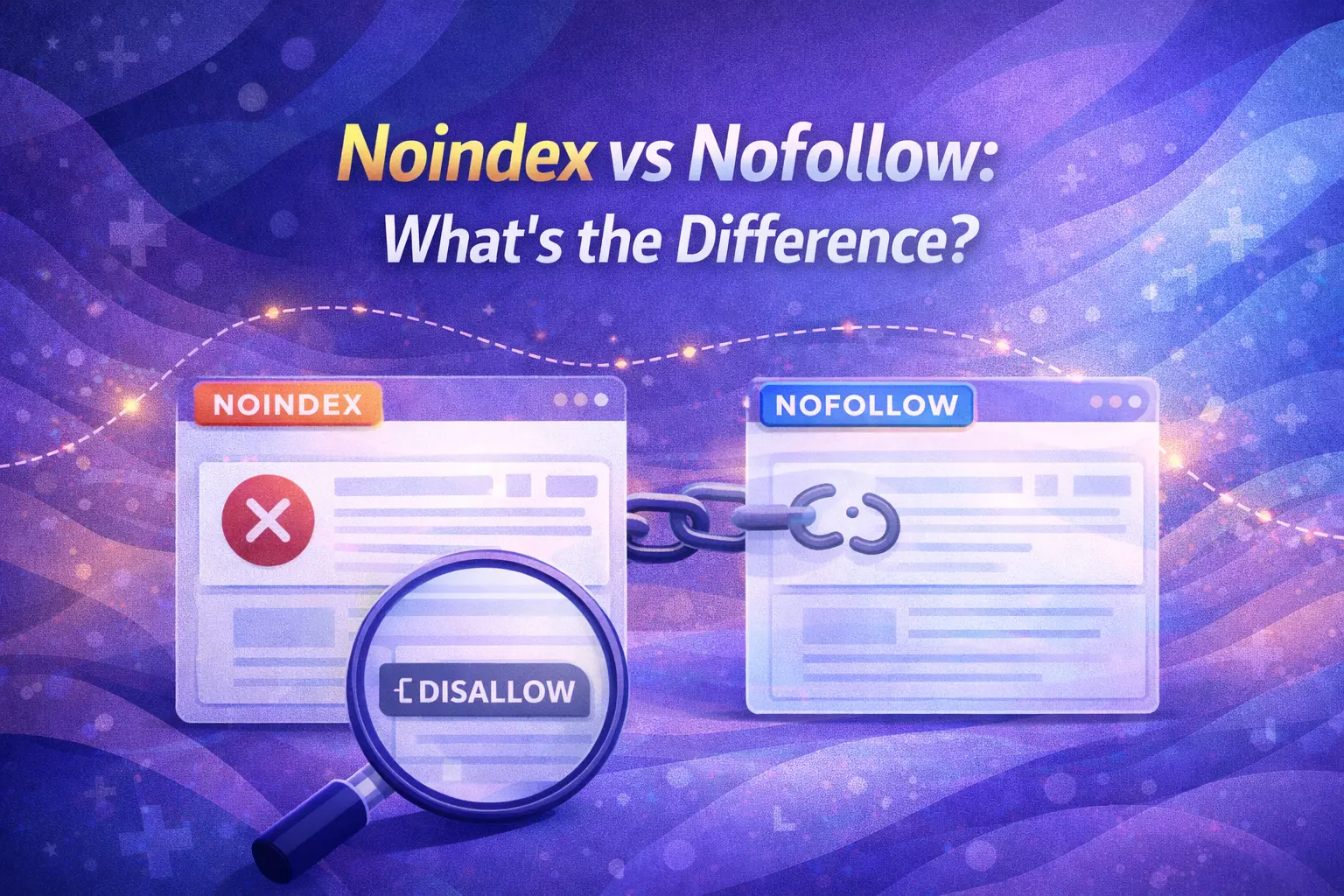
The simplest summary: noindex is about visibility in search results. Nofollow is about link authority flow.
How Does Google Actually Interpret Noindex and Nofollow in 2026?
Noindex vs Nofollow interpretation has evolved significantly, and understanding the 2026 reality matters for avoiding costly mistakes.
Noindex Is Respected, But Not Immediate
Google will respect a noindex tag – but only after it crawls the page and reads the directive. This typically takes several days to several weeks depending on your site’s crawl frequency. During this window, the page may still appear in search results. After Google processes the noindex signal, the page is removed from the index. However, if you also block crawling via robots.txt, Google cannot see the noindex tag – and the page may remain indexed or even be indexed through external links. This is a critical trap.
Never combine robots.txt disallow with noindex. If crawling is blocked, Google never reads your noindex tag – making it completely ineffective.
Nofollow Is a Hint, Not a Command
In 2026, Google treats nofollow as a hint rather than a strict directive. Google reserves the right to follow nofollowed links if it determines the linked content adds value to its understanding of the web. In practice, this means nofollow does not guarantee that a linked page won’t be discovered or indexed via that link – it simply means PageRank is not formally passed through it.
Since Google’s “Link Spam Update” era, the nofollow attribute has evolved from a hard command into a signal that Google weighs alongside other contextual factors. For high-authority sites, Google may still crawl and process nofollowed links – especially when they represent the only accessible path to valuable content.
The AI Search Dimension
Noindex vs Nofollow takes on a new layer of meaning in the era of AI-powered search. In 2026, generative engines like Google AI Overviews, ChatGPT Browse, and Perplexity ingest web content as part of their knowledge base. A noindex tag tells search engines not to list a page – but it does not instruct AI crawlers (like GPTBot) to avoid the page entirely. If an AI system crawled your content before you applied noindex, that knowledge may already be embedded in the model’s understanding.
For truly sensitive content you want excluded from all AI training and citation, noindex alone is insufficient. You need to also block specific AI crawlers using robots.txt with directives targeting bots like GPTBot and Google-Extended.
What Are the Most Dangerous Mistakes With Noindex and Nofollow?
Noindex vs Nofollow errors can silently suppress rankings for months before they’re detected. Here are the most damaging combinations to avoid:
Using Robots.txt Disallow + Noindex Together
If robots.txt blocks Googlebot from crawling a page, Google never reads the noindex meta tag. The result: the page may stay indexed, or – worse – remain indexed with no way for you to update or remove it without changing the robots.txt rule first.
Using Canonical + Noindex on the Same Page
These two signals conflict. A canonical tag says “rank my preferred version of this content.” A noindex tag says “don’t index this page at all.” Using both together sends contradictory instructions. Choose one strategy: use canonical for duplicate content consolidation, and noindex for pages you want fully removed from search results.
Using Nofollow to Try to Control PageRank Internally
This tactic – selectively nofollowing internal links to channel PageRank to specific pages – was widely used in early SEO but is now counterproductive. Internal link nofollow does not concentrate PageRank; it simply removes it from the flow entirely. If a page shouldn’t rank, use noindex. If it should rank, let internal links flow naturally.
Leaving Noindex on Live Templates After Development
One of the most common and damaging mistakes in website launches: a site-wide noindex applied during staging is never removed before going live. The result is an entire website invisible to Google. Always verify your live site’s indexation status in Google Search Console immediately after launch.
People Also Ask: Noindex and Nofollow Questions
What is the difference between noindex and nofollow in simple terms?
Noindex tells Google not to show a page in search results. Nofollow tells Google not to pass link authority through a specific link. They operate on different levels – noindex controls page visibility; nofollow controls link equity flow.
Can a page be noindex but still be crawled by Google?
Yes. A noindex tag does not block crawling – it only prevents indexing. Googlebot will still visit and crawl a noindexed page to read the directive. If you want to prevent crawling entirely, you need to use robots.txt – but be aware that doing so will prevent Google from reading your noindex tag.
Does nofollow affect Google rankings?
Not directly. Nofollow prevents PageRank from flowing through a link, which affects the authority distribution across your site. Pages that accumulate less PageRank due to widespread nofollow may rank lower than they otherwise would. Strategically over-using internal nofollow can quietly reduce the ranking potential of your most important pages.
A Quick Decision Guide: When to Use Noindex vs Nofollow
Use this simple checklist to choose the right directive:
Use Noindex when: ✅ The page should exist for users but not appear in search results ✅ The page contains thin, duplicate, or low-value content ✅ The page is a thank-you, login, checkout, or admin page ✅ The page is a staging or preview version of content not yet ready to rank
Use Nofollow (or rel=”sponsored” / rel=”ugc”) when: ✅ The link is paid, sponsored, or part of an affiliate arrangement ✅ The link is in user-generated content (comments, forums, reviews) ✅ The link points to untrusted or unverified external content ✅ The link is in a third-party widget, badge, or distributed embed
Use Neither when: ✅ The page is important, unique, and should rank – let it flow freely ✅ Internal links between core pages – allow full PageRank to pass naturally
Frequently Asked Questions (FAQ)
Q1: Can I use noindex and nofollow on the same page?
Yes, but use this combination sparingly. Applying both noindex and nofollow tells Google not to index the page and not to follow its links or pass any authority through them. This is appropriate for truly low-value pages – like temporary test pages, short-term campaign pages, or staging URLs – that you plan to delete. Don’t apply this combination to any page that provides internal linking value to the rest of your site.
Q2: Does noindex remove a page from Google immediately?
No. After applying a noindex tag, Google must re-crawl the page and process the directive before removing it from the index. This typically takes several days to several weeks depending on your site’s crawl frequency. To accelerate removal, use the URL Removal Tool in Google Search Console for urgent cases.
Q3: Is nofollow a Google ranking signal?
Not directly. Nofollow itself is not a ranking signal for the destination page. However, the flow of PageRank across your site’s internal link structure does influence rankings. Widespread internal nofollow use reduces the available PageRank pool and can weaken the authority of your most important pages over time.
Q4: Should I noindex paginated pages on my website?
This depends on the content. Paginated pages with unique, valuable content (like deep product category pages on an e-commerce site) should generally be indexable. Highly repetitive paginated pages with thin or near-duplicate content may benefit from noindex. According to Search Savvy’s technical SEO framework, always evaluate the unique value of each paginated page before applying a blanket noindex rule.
Q5: What’s the difference between nofollow and disallow?
Nofollow is applied at the link or page level via HTML to prevent PageRank from passing through a specific link. Disallow is applied in your robots.txt file to prevent Googlebot from crawling a URL or directory entirely. They operate at different stages of Google’s process: disallow blocks access before crawling; nofollow operates during the link evaluation stage after crawling has occurred.
Q6: What tools can I use to audit noindex and nofollow tags on my site?
Use Google Search Console’s Page Indexing Report to identify noindexed pages across your site. Use Screaming Frog SEO Spider to crawl your entire site and surface noindex directives, nofollow links, and conflicting signals at scale. Ahrefs Site Audit and Semrush Site Audit also flag noindex/nofollow conflicts and misapplications automatically.
Final Thoughts
Noindex vs Nofollow is one of the most consequential distinctions in technical SEO – and one of the most commonly misunderstood. Used correctly, these two directives give you precise control over what Google indexes, what it ranks, and how link authority flows across your entire website. Used incorrectly, they can silently suppress rankings, bleed authority from your best pages, and hide your most important content from search results.
The golden rule: noindex is about search visibility; nofollow is about link authority. They operate independently, serve different purposes, and should be applied with clear intent – never by default, never as a precaution, and always verified through Google Search Console after implementation.
Search Savvy helps businesses audit, clean up, and correctly implement technical SEO directives like noindex and nofollow as part of comprehensive site health reviews – ensuring every signal you send to Google is intentional, consistent, and working in your favour.