
Title tags that rank are not written by accident. They are crafted with a precise understanding of how Google reads them, how users react to them, and how AI-powered search engines now interpret them as signals of authority and relevance. At Search Savvy, we see title tag mistakes on the majority of websites we audit – and fixing them is one of the fastest, highest-impact wins available in SEO. Yet despite being a single line of HTML code, a title tag carries enormous weight. It is the first thing a searcher reads. It determines whether they click – or scroll past to your competitor.
In this guide, we break down exactly how to write title tags that rank and get clicked in 2026, backed by the latest data and real-world best practices.
What Is a Title Tag – and Why Does It Still Matter in 2026?
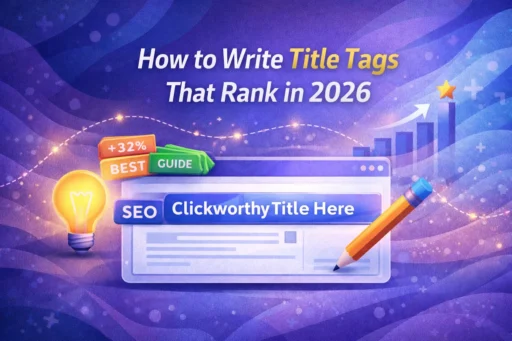
Title tags that rank start with understanding what a title tag actually is and what job it does. A title tag is the HTML element placed in the <head> section of your page that defines the clickable headline shown in Google’s search results. It also appears in browser tabs and when your page is shared on social platforms.
<title>How to Write Title Tags That Rank in 2026 | Search Savvy</title>
Title tags are a confirmed Google ranking factor. They are one of the primary signals Google uses to understand what your page is about and match it to relevant search queries. But in 2026, their role has expanded:
- For search rankings – Title tags tell Google’s algorithm the topic and keyword focus of your page.
- For click-through rate (CTR) – They are your first impression in the SERP. A compelling title can be the difference between a click and a scroll.
- For AI-powered search – ChatGPT, Google AI Overviews, Perplexity, and other generative engines use title tags as citation anchors when referencing content. A clear, authoritative title signals to AI systems that your page is a credible, indexable source.
Here is the challenge in 2026: Google rewrites title tags in approximately 60–70% of results, according to multiple recent studies. A 2025 Zyppy analysis of over 80,000 title tags found that titles shorter than 20 characters are rewritten more than 50% of the time, while titles in the 51–60 character range had the lowest rewrite rate. When Google rewrites your title, you lose control of your SERP presentation – and your CTR often suffers as a result.
The goal of this guide is to help you write titles Google won’t need to rewrite.
How Do Title Tags That Rank Actually Work?
Title tags that rank work by sending a coherent, consistent signal across multiple on-page elements simultaneously. Google’s title selection system doesn’t evaluate your <title> tag in isolation. It looks at a “constellation of signals” – including your <h1> heading, URL, opening paragraph, and the overall thematic coherence of the page – to decide what the best title for that page is.
This means your title tag can only perform at its best when it aligns with:
- Your H1 heading – ideally the same or closely matched wording
- Your URL slug – which should reflect your primary keyword
- Your opening paragraph – which should reinforce the topic introduced in the title
- Your internal links – anchor text pointing to the page should echo your title’s keyword focus
When all these signals align, Google has no ambiguity to resolve – and no reason to rewrite your title. This is the architecture behind title tags that rank consistently and stay ranked.
What Is the Ideal Title Tag Length in 2026?
Title tags that rank consistently stay within the pixel-width constraints Google displays in desktop and mobile SERPs. While there is no hard character limit enforced by Google, the SEO community benchmark – backed by data – is:
- 50–60 characters for optimal display and the lowest rewrite rate
- Under 580 pixels wide in rendered pixel width (roughly equivalent to 60 characters)
- Minimum 20 characters – titles shorter than this are rewritten by Google over 50% of the time
The 2025 Zyppy study confirmed that the 51–60 character range is the sweet spot: titles in this window had the lowest Google rewrite rate across their sample of 80,000+ title tags. Additionally, current data shows that 68% of titles are cut short on mobile screens – another reason to front-load your most important information.
What Happens When Your Title Tag Is Too Long?
Title tags that exceed the pixel display limit are truncated in search results, often mid-sentence, cutting off your keyword or value proposition before a searcher can read it. Worse, Google may replace the truncated title with one it generates itself – typically pulled from your <h1> or page body content.
At Search Savvy, we recommend using a SERP preview tool like Yoast SEO, Semrush’s SERP Simulator, or Moz’s Title Tag Preview Tool before publishing any page. Seeing exactly how your title renders in desktop and mobile results takes less than 60 seconds and prevents costly truncation mistakes.
Where Should Your Primary Keyword Appear in a Title Tag?
Title tags that rank almost always place the primary keyword as close to the beginning as possible. This is one of the most consistent and well-supported title tag best practices, for two reasons:
- Search engines use the early words in a title as the strongest relevance signal for ranking purposes.
- Users scan search results from left to right – keywords at the front are immediately visible, even on truncated mobile displays.
Here is a practical comparison:
| ❌ Weaker | ✅ Stronger |
| The Ultimate Guide to Technical SEO for Beginners | Technical SEO for Beginners: The Ultimate Guide |
| Everything You Need to Know About Title Tags | Title Tags Explained: How to Rank in 2026 |
| Our Services for Digital Marketing in Mumbai | `Digital Marketing Services in Mumbai |
The stronger versions lead with the keyword, follow with a clarifying phrase, and use a separator (pipe | or dash -) before the brand name or secondary modifier.
How Do You Write a Title Tag That Gets Clicked?
Title tags that rank are only half the battle – a title that ranks on page one but doesn’t get clicked is not delivering value. Optimising for CTR is where technical SEO meets persuasion, and in 2026, click-through rate is a meaningful ranking signal in its own right. Higher CTR tells Google your page is satisfying user intent, which positively reinforces your ranking over time.
Here are the most effective techniques for writing title tags that earn the click:
Use Numbers and Specifics
Numbers make titles more concrete and scannable. A title like “7 Ways to Fix Crawl Errors” outperforms “Ways to Fix Crawl Errors” because specificity signals substance. Adding the current year – “(2026 Guide)” – signals freshness and increases CTR, particularly for informational and how-to content.
Use Power Words Strategically
Power words – “Proven,” “Ultimate,” “Complete,” “Expert,” “Fast,” “Free” – create urgency and signal value. A 2024 case study by SEO specialist Tomislav Horvat found that adding specific power words to existing titles drove CTR improvements ranging from 37% to 640% across a portfolio of updated articles. Use them purposefully, not as filler.
Match the Search Intent Precisely
Title tags that rank align the wording of the title with the type of result a user expects. Informational queries (“How to…”, “What is…”) need titles that promise clarity and learning. Transactional queries (“Buy…”, “Best…”) need titles that signal options and decision support. A mismatch between title promise and page content drives bounce rates – which hurts rankings.
Use Parentheses, Not Brackets
A 2025 Zyppy analysis found that Google is significantly less likely to remove content placed in parentheses () compared to brackets [] when rewriting titles. If you use modifiers like “(2026)”, “(Free)”, or “(Complete Guide)”, prefer parentheses for the lowest rewrite risk.
Include Your Brand Name (Where It Fits)
Title tags that rank on high-visibility, high-intent pages benefit from brand inclusion – particularly for your homepage and key service pages. Place the brand name at the end, separated by a pipe symbol: Primary Keyword: Descriptor | Brand Name. For blog posts on topics where you’re competing for high-volume terms, prioritise descriptive content over branding in the limited character space.
What Are the Biggest Title Tag Mistakes to Avoid in 2026?
Title tags that rank require avoiding several common pitfalls that consistently undermine performance:
- Keyword stuffing – Cramming multiple keyword variations into one title (“SEO Services, Best SEO Agency, Affordable SEO Mumbai”) looks spammy to both users and Google, reduces CTR, and triggers rewrites. Use one primary keyword, used naturally.
- Duplicate title tags – 50% of websites use duplicate meta descriptions, and 54% use duplicate title tags. Duplicate titles confuse Google about which page to rank for a given query, causing keyword cannibalization where your own pages compete against each other.
- Titles that don’t match page content – A misleading title may generate clicks, but high bounce rates signal to Google that your page didn’t satisfy the query – actively harming your ranking. Your title is a promise; your page must deliver on it.
- Ignoring mobile truncation – With over 60% of Google searches happening on mobile in 2026, titles that are too long get cut off before the keyword or value proposition lands. Always preview your titles on mobile.
- Setting and forgetting – Title tags are not a one-time task. At Search Savvy, we recommend auditing your title tags at least quarterly using Google Search Console to identify pages with falling CTR, rising impressions with no clicks, or titles that Google is frequently overriding.
People Also Ask: Title Tag Questions
Does my title tag directly affect my Google ranking?
Yes. Title tags are a confirmed direct ranking factor. They tell Google’s algorithm your page’s primary topic and keyword relevance. While their influence has evolved as Google’s algorithms have become more sophisticated, a well-optimised title tag that clearly matches the page’s content and target keyword remains one of the highest-leverage on-page SEO elements.
Why does Google keep rewriting my title tags?
Google rewrites title tags when it determines that a different version would better represent the page content or better serve the user’s query. Common triggers include: titles that are too long or too short, titles that don’t match the page’s <h1> or main content, keyword-stuffed titles, and titles that don’t align with the search intent of queries the page is ranking for. Fixing these issues reduces rewrite frequency and restores your control over SERP presentation.
Should I include my brand name in every title tag?
Not necessarily. Include your brand name on high-priority pages (homepage, main service pages, key landing pages) where brand recognition adds trust and value. For blog posts and informational content targeting competitive keywords, prioritise the keyword and descriptive phrase within your 50–60 character limit – there may not be room for the brand name without sacrificing more important content.
A Quick-Reference Title Tag Formula for 2026
Use this formula as a starting point for any page:
[Primary Keyword]: [Supporting Phrase or Modifier] | [Brand Name]
Examples:
- Technical SEO Audit: Step-by-Step Guide for 2026 | Search Savvy
- Core Web Vitals Explained: LCP, CLS & INP (2026)
- Digital Marketing Agency in Mumbai | Search Savvy
- How to Fix 404 Errors in Google Search Console (Fast)
Adjust based on your page type, keyword length, and available character space. Always preview in a SERP simulator before publishing.
Frequently Asked Questions (FAQ)
Q1: What is the ideal title tag length in 2026?
The optimal title tag length is 50–60 characters (or under 580 pixels in rendered width). Titles in this range have the lowest Google rewrite rate, according to a 2025 Zyppy study of 80,000+ title tags. Titles shorter than 20 characters are rewritten more than 50% of the time.
Q2: How do I check if Google is rewriting my title tags?
Use the Google Search Console Performance Report. Compare your HTML title tags with the titles actually showing in search results. Discrepancies indicate Google rewrites. You can also use Semrush Site Audit or Screaming Frog to flag title tag issues at scale across your site.
Q3: Can I use the same title tag on multiple pages?
No. Every page must have a unique title tag. Duplicate title tags cause keyword cannibalization – your own pages compete against each other for the same query – and reduce the ranking potential of all affected pages. Check for duplicates using Google Search Console’s Coverage Report or an SEO audit tool.
Q4: Where should my primary keyword appear in a title tag?
Your primary keyword should appear as close to the beginning of the title as possible. Front-loading your keyword signals immediate relevance to both Google and users who are scanning results. Avoid burying your keyword after filler phrases like “The Ultimate Guide to…” or “Everything You Need to Know About…”
Q5: Do title tags affect CTR as well as rankings?
Yes – significantly. Title tags are your SERP headline and directly determine whether a searcher clicks your result. Well-crafted title tags that use power words, numbers, and clear intent alignment can boost CTR by up to 37% or more. Since higher CTR is itself a positive ranking signal, title tag optimisation creates a compounding benefit: better titles → more clicks → stronger rankings.
Q6: How often should I update my title tags?
Review and update title tags at least quarterly for your most important pages. Update them immediately if: Google is consistently rewriting them, the page’s CTR has dropped in Search Console, you’ve updated the core content of the page, or a competitor’s title is outperforming yours in the SERPs. Title optimisation is an ongoing process, not a one-time setup.
Final Thoughts
Title tags that rank in 2026 require equal parts technical precision and human persuasion. Your title tag needs to be the right length, lead with the right keyword, match the page’s content and intent, and compel a real person to click – all within 60 characters. That’s a deceptively demanding brief.
The good news is that title tag optimisation is one of the fastest and most impactful improvements you can make to an existing page. No new content required, no backlinks needed – just a clearer, more strategic headline, implemented consistently across your site.
Search Savvy helps businesses turn underperforming title tags into high-CTR, high-ranking assets – through technical SEO audits, data-driven optimisation, and a deep understanding of how Google reads and rewards great on-page signals.