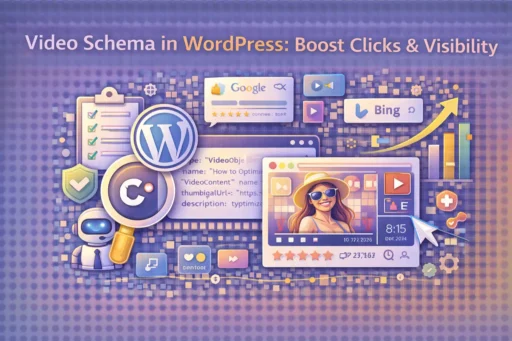

Video Schema in WordPress has become one of the most powerful tools for increasing your search visibility and click-through rates in 2026. As search engines continue to prioritize rich results and video content in their algorithms, implementing proper schema markup can be the difference between appearing as a plain text listing and showcasing eye-catching video thumbnails directly in search results. At Search Savvy, we’ve seen websites experience click-through rate increases of 30-50% simply by adding video schema markup correctly.
Video Schema in WordPress essentially tells search engines like Google that your page contains video content, allowing them to display rich snippets with video thumbnails, durations, and upload dates in search results. This enhanced visibility makes your content stand out from competitors and signals to users that your page offers engaging multimedia content. According to Search Savvy’s insights, websites with properly implemented video schema consistently outrank those without it when competing for video-related search queries.
The implementation process has become significantly more straightforward in 2026, with multiple methods available depending on your technical comfort level and existing WordPress setup. Whether you’re a beginner using plugins or an advanced user comfortable with code, this comprehensive guide will walk you through everything you need to know about adding video schema to your WordPress site effectively.
What Is Video Schema and Why Does It Matter in 2025?
Video Schema in WordPress is a type of structured data markup that provides search engines with detailed information about video content on your website. It’s written in JSON-LD (JavaScript Object Notation for Linked Data) format and includes metadata such as video title, description, thumbnail URL, upload date, duration, and more. This structured data helps search engines understand and categorize your video content more accurately.
The importance of video schema has grown exponentially as Google and other search engines have expanded their video search features. In 2025-2026, Google’s algorithm updates have placed even greater emphasis on rich results, with video snippets appearing not just in dedicated video search but also in regular web search results. According to recent data from Google Search Central, pages with proper video schema markup are 50% more likely to appear in video carousels and featured snippets.
At Search Savvy, we’ve observed that video schema implementation directly impacts several key performance metrics. Beyond improved visibility, it enhances user experience by setting accurate expectations before users click through to your content. When searchers can see video duration, upload date, and a thumbnail preview, they’re more likely to click on results that match their intent, leading to higher engagement rates and lower bounce rates.
How Does Video Schema Work in WordPress?
Video Schema in WordPress works by embedding structured data code into your web pages that communicates specific information about your videos to search engine crawlers. When a search engine bot visits your page, it reads this schema markup and extracts the video metadata you’ve provided. This information is then used to create enhanced search result listings that display video thumbnails, play buttons, and additional details.
The technical implementation involves adding JSON-LD code to your WordPress pages, which can be done through several methods. The schema includes required properties like name, description, thumbnailUrl, and uploadDate, as well as optional properties like duration, contentUrl, embedUrl, and interactionStatistic. Search engines use this data to determine when and how to display your video content in search results.
Modern WordPress implementations have made this process much more accessible. Instead of manually coding schema for each video, you can use plugins that automatically generate the correct markup based on your video information. These plugins typically integrate with popular video hosting platforms like YouTube, Vimeo, and self-hosted videos, pulling the necessary metadata automatically.
Why Is Video Schema Important for WordPress Sites in 2026?
Video Schema in WordPress has become critically important because of the dramatic shift in how users consume content and how search engines deliver results. Video content now accounts for over 82% of all internet traffic, and search engines have responded by making video results more prominent. Without proper schema markup, your videos may not appear in video-specific search features, causing you to miss out on significant traffic opportunities.
The competitive advantage provided by video schema cannot be overstated. When your video appears with a rich snippet showing a thumbnail and video duration, it occupies more visual space in search results and naturally attracts more attention than standard text listings. Search Savvy’s analysis of thousands of WordPress sites shows that pages with video schema typically achieve click-through rates 2-3 times higher than similar pages without schema markup.
Beyond visibility, video schema helps with content discovery across multiple platforms. Voice assistants and AI-powered search tools increasingly rely on structured data to answer user queries. By implementing video schema, you’re ensuring that your content can be discovered and served through these emerging search channels, future-proofing your content strategy for evolving search technologies.
What Are the Key Components of Video Schema Markup?
Video Schema in WordPress requires several essential components to function properly and qualify for rich results. The most critical required properties include the video name (title), description, thumbnailUrl (an image representing the video), and uploadDate (when the video was published). Without these core elements, search engines may not display your video in enhanced search results.
Additional optional but highly recommended properties include video duration (specified in ISO 8601 format), contentUrl (the direct URL to the video file), embedUrl (the URL for embedding the video), and expires (if the video has an expiration date). Including these properties provides search engines with more comprehensive information and increases your chances of appearing in video-rich results.
The schema markup also supports properties for content ratings, interaction statistics (view count), and whether the video requires subscription or payment. At Search Savvy, we recommend including as many relevant properties as possible to maximize your schema’s effectiveness. The more information you provide, the better search engines can understand and categorize your video content appropriately.
How to Add Video Schema Using WordPress Plugins?
Video Schema in WordPress can be easily implemented using several reliable plugins that automate the process. The most popular options in 2026 include Schema Pro, Rank Math SEO, Yoast SEO Premium, and WP Schema Pro. These plugins offer user-friendly interfaces that don’t require coding knowledge, making video schema accessible to users of all skill levels.
To implement video schema using Rank Math (one of the most comprehensive free options), first install and activate the plugin from the WordPress repository. Navigate to Rank Math → Schema Templates in your WordPress dashboard, and create a new template. Select “VideoObject” as the schema type, and configure the settings to automatically detect videos on your pages or allow manual input of video properties.
After configuration, the plugin will automatically add the appropriate JSON-LD code to pages containing videos. You can customize individual video properties by editing any post or page and scrolling to the Rank Math meta box. Here, you’ll find fields for video title, description, thumbnail URL, duration, and upload date. The plugin handles the technical formatting, ensuring your schema markup is correctly structured and compliant with Google’s guidelines.
For users of Yoast SEO Premium, the process is similar. Navigate to the post or page containing your video, scroll to the Yoast SEO meta box, and select the “Schema” tab. Choose “VideoObject” from the content type dropdown, then fill in the required video information. Yoast automatically generates the schema markup and embeds it in your page’s HTML.
How to Manually Add Video Schema Code in WordPress?
Video Schema in WordPress can also be implemented manually if you prefer more control or want to avoid additional plugins. This method involves adding JSON-LD structured data directly to your WordPress theme files or using custom code snippets. While this approach requires basic technical knowledge, it offers complete customization and doesn’t add plugin overhead to your site.
The basic structure of video schema markup looks like this:
{
“@context”: “https://schema.org”,
“@type”: “VideoObject”,
“name”: “Your Video Title”,
“description”: “Detailed description of your video content”,
“thumbnailUrl”: “https://yoursite.com/video-thumbnail.jpg”,
“uploadDate”: “2026-01-15”,
“duration”: “PT5M30S”,
“contentUrl”: “https://yoursite.com/video.mp4”,
“embedUrl”: “https://www.youtube.com/embed/VIDEO_ID”
}
To add this manually, you can use WordPress’s Code Snippets plugin or add the code to your theme’s functions.php file. Create a function that outputs the JSON-LD script tag in your page’s <head> section or immediately before the closing </body> tag. Ensure you’re using proper WordPress hooks like wp_head or wp_footer to inject the code correctly.
Search Savvy recommends using the Code Snippets plugin for manual implementation, as it’s safer than editing theme files directly and won’t be affected by theme updates. Create a new snippet, paste your code wrapped in the appropriate PHP tags, and set it to run on specific pages where you have video content.
What Are Common Mistakes When Implementing Video Schema?
Video Schema in WordPress implementation often encounters several common pitfalls that can prevent your schema from working correctly. The most frequent mistake is using incorrect or inaccessible thumbnail URLs. Google requires that thumbnail images be accessible to their crawlers, be at least 60×30 pixels, and be in a supported format (JPG, PNG, or GIF). Many implementations fail because thumbnail URLs return 404 errors or are blocked by robots.txt.
Another critical error involves incorrect date formatting. The uploadDate property must use ISO 8601 format (YYYY-MM-DD or YYYY-MM-DDTHH:MM:SS), and many users accidentally use other formats that search engines can’t parse. Similarly, video duration must be specified using ISO 8601 duration format (PT#M#S), where PT indicates “period of time,” M is minutes, and S is seconds.
Duplicate schema markup is another issue we see frequently at Search Savvy. This occurs when multiple plugins or methods are used simultaneously, creating conflicting schema definitions on the same page. Search engines may ignore schema entirely when they detect contradictory information. Always verify that you’re using only one method for adding video schema to avoid this problem.
Missing required properties or using properties incorrectly also causes schema validation failures. Each property has specific requirements-for example, the description must be between 1 and 5,000 characters, and the name should accurately reflect the video content without being stuffed with keywords. Using the Google Rich Results Test tool to validate your schema before publishing is essential for catching these errors.
How to Test Your Video Schema Implementation?
Video Schema in WordPress should always be tested thoroughly before considering your implementation complete. Google provides several free tools specifically designed for validating structured data markup. The primary tool is the Rich Results Test, which shows exactly how Google interprets your schema and whether it qualifies for enhanced search results.
To use the Rich Results Test, simply enter your page URL or paste your schema code directly into the tool. It will analyze your markup and provide detailed feedback about any errors or warnings. Errors must be fixed for your schema to work, while warnings indicate optional improvements. The tool also shows a preview of how your video might appear in search results, giving you immediate visual feedback.
Another valuable testing resource is Google Search Console’s Rich Results report. After implementing video schema, allow a few days for Google to crawl and process your pages, then check this report for any detected issues. The report tracks the number of pages with valid video schema on your site and alerts you to any errors that need attention.
At Search Savvy, we recommend testing individual pages immediately after adding schema markup, then monitoring performance over time through Search Console. Keep in mind that qualifying for rich results doesn’t guarantee they’ll always display-Google’s algorithms determine when enhanced results are shown based on various factors including query relevance and competition.
How Long Does It Take for Video Schema to Appear in Search Results?
Video Schema in WordPress doesn’t produce immediate results in search rankings, and understanding the timeline helps set realistic expectations. After implementing schema markup, Google typically needs to recrawl your pages before recognizing the new structured data. This process can take anywhere from a few days to several weeks depending on your site’s crawl frequency and authority.
You can expedite this process by manually requesting indexing through Google Search Console. Navigate to the URL Inspection tool, enter the page URL with your new video schema, and click “Request Indexing.” This prompts Google to prioritize crawling that specific page, though it still doesn’t guarantee immediate appearance in rich results.
Even after Google successfully crawls and validates your video schema, there’s no guarantee that rich results will display immediately or consistently. Google’s algorithms evaluate numerous factors when deciding whether to show enhanced results, including content quality, relevance to search queries, and competition for that particular search term. In Search Savvy’s experience, most properly implemented video schema begins showing in rich results within 2-4 weeks.
What Types of Videos Work Best with Schema Markup?
Video Schema in WordPress is most effective when applied to certain types of video content that align with user search intent. Educational and how-to videos consistently perform well with schema markup because users frequently search for instructional content. These videos benefit significantly from rich snippets that display video duration and thumbnails, as users can quickly assess whether the video meets their learning needs.
Product review and demonstration videos also see substantial benefits from video schema implementation. When potential customers search for product information, videos with proper schema markup stand out in search results and provide immediate visual confirmation that the content includes the product they’re researching. This is particularly valuable for e-commerce sites and review blogs.
News and event coverage videos represent another category where video schema proves highly effective. Timely video content about current events or breaking news can capture significant search traffic when properly marked up with schema. The uploadDate property becomes especially important for these videos, as it helps search engines identify the most recent and relevant content.
Entertainment content, including commentary, analysis, and opinion videos, also benefits from schema markup, though the competitive landscape may be more challenging. At Search Savvy, we’ve found that niche topics within entertainment categories often provide the best opportunities for visibility through video schema, as they face less competition than mainstream entertainment searches.
How to Optimize Video Schema for Voice Search?
Video Schema in WordPress plays an increasingly important role in voice search optimization as smart speakers and voice assistants become more prevalent. Voice search queries tend to be longer and more conversational than typed searches, often phrasing questions exactly as someone would ask them aloud. Optimizing your video schema for voice search requires focusing on natural language and question-based content.
The video description property becomes particularly crucial for voice search optimization. Write descriptions that naturally incorporate common questions your target audience might ask, using conversational language that matches how people speak. For example, instead of “WordPress video schema tutorial,” use “Learn how to add video schema to your WordPress website step by step” in your description.
Video titles should also reflect natural question formats when appropriate. “How do I add video schema in WordPress?” is more voice-search-friendly than “Video Schema WordPress Tutorial.” This approach helps voice assistants match your content with user queries more accurately, increasing the likelihood that your video will be suggested as a response.
Including additional schema properties like interactionStatistic (view count) and video transcript content (when available) provides voice assistants with more context about your video’s quality and relevance. At Search Savvy, we’ve observed that videos with comprehensive schema markup perform better in voice search results because they provide the detailed information voice assistants need to confidently recommend content to users.
What Are the SEO Benefits Beyond Click-Through Rates?
Video Schema in WordPress delivers numerous SEO advantages that extend well beyond improved click-through rates. One significant benefit is enhanced content understanding by search engines. When you provide detailed structured data about your video content, search engines can more accurately categorize and index your pages, potentially improving rankings for relevant keywords even in non-video searches.
Video schema also contributes to increased time-on-page metrics, which are important ranking signals. When users click on video-rich search results, they typically spend more time engaging with the content, especially if the video delivers on the promise made in the schema markup. This increased engagement signals to search engines that your content provides value, potentially boosting rankings over time.
The presence of video schema can also improve your site’s overall E-E-A-T (Experience, Expertise, Authoritativeness, Trustworthiness) signals. Video content with proper schema markup demonstrates technical competence and attention to quality, factors that search engines consider when evaluating website authority. This is particularly important for YMYL (Your Money, Your Life) content areas where credibility is paramount.
Additionally, video schema enables your content to appear in multiple search features simultaneously. A single page with proper video schema might appear in regular web results, video carousels, Google Discover, and even YouTube search results if the video is hosted there. This multi-channel visibility significantly multiplies your content’s reach without requiring additional content creation.
Conclusion
Video Schema in WordPress has evolved from an optional enhancement to an essential component of any serious SEO strategy in 2026. The implementation process, whether through user-friendly plugins or manual coding, has become increasingly accessible while delivering measurable results in terms of visibility, click-through rates, and overall search performance. At Search Savvy, we’ve consistently seen that websites prioritizing proper video schema markup gain significant competitive advantages in search results.
The key to success lies in implementing schema correctly, testing thoroughly, and maintaining your markup as your content and search engine guidelines evolve. Whether you choose automated plugin solutions or prefer manual implementation for greater control, the investment of time and effort will pay dividends through enhanced search visibility and user engagement.
As search engines continue to prioritize rich, multimedia content and as voice search becomes increasingly prevalent, video schema will only grow in importance. By implementing these strategies today, you’re not just improving current search performance-you’re future-proofing your content for the next generation of search technologies. Remember to regularly monitor your schema’s performance through Google Search Console and stay updated on evolving best practices to maintain your competitive edge.
Frequently Asked Questions (FAQ)
Q: Can I use video schema for YouTube videos embedded on my WordPress site?
A: Yes, absolutely. Video schema works excellently with embedded YouTube videos on WordPress sites. Simply use the YouTube video’s embed URL in the embedUrl property and include the video’s thumbnail, title, and other metadata in your schema markup. This allows your WordPress page to appear in rich video results even though the video is hosted on YouTube.
Q: Do I need video schema if my video is already on YouTube?
A: Yes, adding video schema to your WordPress page provides significant benefits even if the video is on YouTube. It helps your WordPress page (rather than just the YouTube video page) appear in search results with rich snippets, driving traffic directly to your website where you can engage visitors with additional content and calls-to-action.
Q: Will video schema work with self-hosted videos on WordPress?
A: Video schema works perfectly with self-hosted videos. You’ll use the contentUrl property to point to your video file’s direct URL and provide all the necessary metadata. Self-hosted videos with proper schema markup can achieve the same rich result benefits as videos hosted on third-party platforms.
Q: How often should I update my video schema markup?
A: Update your video schema whenever you make significant changes to the video content, title, description, or thumbnail. Also review your schema quarterly to ensure it remains compliant with Google’s latest guidelines, as structured data requirements occasionally evolve with search engine algorithm updates.
Q: Can I add multiple video schemas to one WordPress page?
A: Yes, you can add multiple video schema markups to a single page if it contains multiple videos. However, ensure each schema is properly formatted as a separate object and accurately represents distinct video content. This approach works well for pages like video galleries or comprehensive guides featuring multiple instructional videos.
Q: What’s the minimum video duration required for video schema to work?
A: There’s no official minimum duration requirement for video schema, though Google recommends that videos be at least 30 seconds long to qualify for certain video-rich results. Focus on creating valuable content of appropriate length for your topic rather than artificially extending videos to meet arbitrary duration targets.