Social Media Content Calendar: How to Plan 30 Days of Posts in 2 Hours
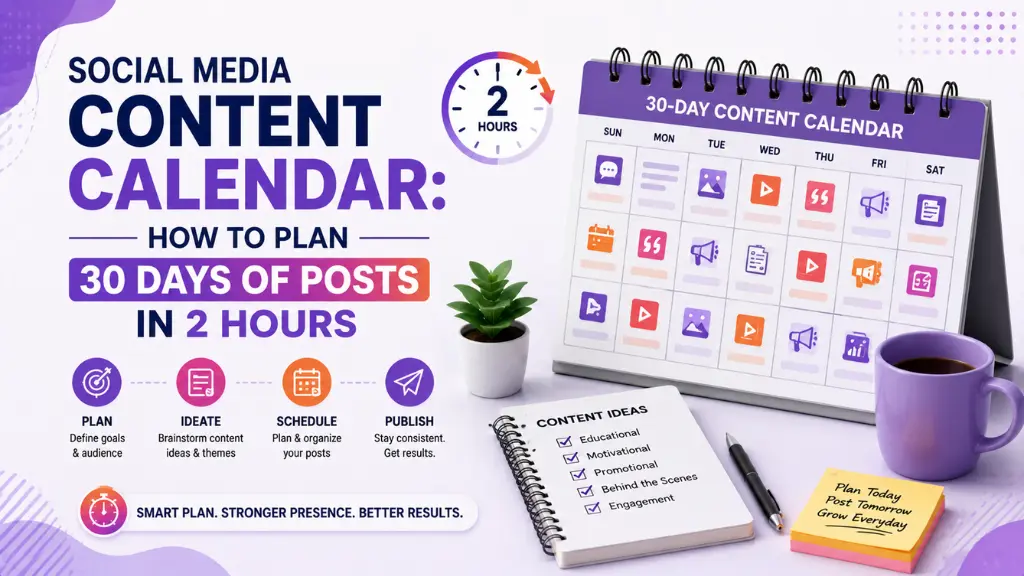

Here is the content planning trap most brands fall into: they sit down to post something, stare at a blank screen for twenty minutes, produce something mediocre under pressure, and repeat the same inefficient cycle every single day.
In this article10 sections
A social media content calendar breaks that cycle entirely. Instead of deciding what to post in the moment, you make all your creative decisions in one focused session, then spend the rest of the month simply executing a plan that already exists.
A social media content calendar does not just save time – it changes the quality of what gets posted. Content planned with a clear framework, a week or more in advance, is more strategic, more consistent in tone, and more aligned with actual business goals than content created reactively under a daily deadline.
A social media content calendar has also become easier to build in 2026 than ever before, with AI tools capable of generating post drafts, caption variations, and hashtag clusters in seconds once a theme and framework are defined. Teams that used to spend full days planning a month of social content can now get the same result in a focused two-hour session.
At Search Savvy, a social media content calendar is the first thing we build for any client starting a social strategy, because consistency and intentionality are the two factors that most reliably separate social accounts that grow from those that plateau. This guide gives you the exact two-hour framework we use.
What Is a Social Media Content Calendar?#
A social media content calendar is a planning document – spreadsheet, tool, or template – that maps out every post a brand will publish across its social platforms for a set period, typically a week, a month, or a quarter.
A social media content calendar records not just the topic of each post, but the format, the platform, the publish date and time, the copy or caption draft, any creative assets needed, and the goal each post is serving – whether that is awareness, engagement, lead generation, or conversion.
People Also Ask: What is the difference between a content calendar and a content strategy? Short Answer: A content strategy defines your goals, audience, content pillars, and brand voice – the “why” and “what” of your content. A social media content calendar is the operational tool that schedules and tracks the specific posts that bring that strategy to life day by day.
Why Is a Social Media Content Calendar Important in 2026?#
A social media content calendar matters more in 2026 because the number of platforms a typical brand maintains has grown – most teams now manage Instagram, LinkedIn, YouTube, X, and WhatsApp simultaneously – making ad hoc daily posting completely unsustainable.
A social media content calendar also supports algorithm performance. Every major platform in 2026 rewards posting consistency with better organic reach. Instagram, LinkedIn, and YouTube all factor posting frequency and engagement patterns into how widely they distribute content, meaning an account that posts sporadically is algorithmically penalised relative to one that posts on a predictable schedule.
A social media content calendar is equally important for team coordination. When designers, copywriters, and approvers all work from the same calendar, nothing gets missed, nothing goes live unreviewed, and the brand voice stays consistent across every post even when multiple people contribute.
- Brands that post consistently see up to 67% more leads per month than those posting sporadically
- A planned calendar reduces content creation time by an average of 40% compared to reactive daily posting
- Scheduled posts get 28% more engagement on average than spontaneously published ones, according to Later’s 2026 Social Media Benchmark Report
- Consistent posting cadence is a confirmed factor in LinkedIn’s and Instagram’s organic reach algorithms
How Do You Build a Social Media Content Calendar in 2 Hours?#
A social media content calendar for a full month can be built in a two-hour session by following a structured process – not by generating every post from scratch, but by making all the strategic decisions first and letting AI tools handle the drafting afterwards.
Hour One: Strategy and Structure (60 Minutes)#
A social media content calendar starts with the decisions that take the longest when left to the moment of posting. Locking these down upfront is what makes the second hour efficient.
Step 1: Define Your Content Pillars (15 Minutes)
A social media content calendar built around three to five content pillars eliminates the daily “what do I post?” question permanently. A content pillar is a recurring theme that stays consistently relevant to your brand and audience – for a digital marketing blog, pillars might be SEO tips, tool reviews, client results, behind-the-scenes, and industry news.
Three to five pillars is the right range. Too few and the feed feels repetitive; too many and the brand loses topical focus that algorithms and audiences both respond to.
Step 2: Map Your Posting Frequency Per Platform (10 Minutes)
A social media content calendar should reflect a posting schedule you can genuinely sustain, not an ambitious ideal frequency that collapses by week two.
Recommended starting frequencies for 2026 based on platform algorithm behaviour:
| Platform | Recommended Weekly Frequency | Best Formats |
| 4–5 posts (Reels + carousels) | Reels, carousels, Stories | |
| 3–4 posts | Text posts, carousels, short video | |
| YouTube | 1–2 videos | Long-form tutorials, Shorts |
| X (Twitter) | 5–7 posts | Threads, single tweets, replies |
| WhatsApp Channel | 3–5 updates | Tips, links, short videos |
Step 3: Build a 30-Day Pillar Rotation Grid (20 Minutes)
A social media content calendar grid assigns each day a specific pillar and format, giving you a clear brief for every post before you write a single word. A simple rotation for five pillars across five weekly posts looks like this: Monday (educational tip), Wednesday (engagement question or poll), Thursday (behind the scenes or personal story), Friday (promotional or CTA-driven), Saturday (curated content or industry news).
A social media content calendar grid does not need to be rigid – leave two to three buffer slots each week for reactive posts tied to trending topics or unexpected news in your industry.
Step 4: Plan Campaign and Seasonal Hooks (15 Minutes)
A social media content calendar should flag key dates before any drafting begins – national holidays, industry events, product launches, and cultural moments relevant to your audience. For Indian brands in 2026, this includes Diwali, Holi, Republic Day, Independence Day, major cricket series, budget announcements, and any brand-specific anniversary dates.
Hooking content to these moments consistently drives higher engagement than standard evergreen posts, and planning them a month in advance means the creative quality is significantly better than rushed reactive content.
Hour Two: AI-Assisted Drafting (60 Minutes)#
A social media content calendar is fast to populate once the structure is defined, and AI tools make the drafting stage dramatically quicker than writing each post from scratch.
Step 5: Generate Caption Drafts With AI (30 Minutes)
A social media content calendar’s captions can be drafted efficiently by feeding your content pillar, target audience, tone, and the specific post brief into a tool like ChatGPT or Claude with a clear prompt. A reliable prompt structure:
“Write a [LinkedIn / Instagram] caption for a [brand type] account. Topic: [specific pillar post topic]. Tone: [professional/conversational]. Target audience: [audience description]. Include a call to action at the end. Around 150 words.”
A social media content calendar built this way needs one round of human editing per post – reviewing for brand voice, adding specific examples or data only your brand has, and adjusting the CTA – which takes roughly three minutes per caption. For thirty posts, that is ninety minutes, so batch the most important platforms first and move outward.
Step 6: Map Assets to Posts (15 Minutes)
A social media content calendar should note what visual or video asset each post needs alongside the caption draft. Rather than designing from scratch, use Canva’s template library to assign a template style to each recurring pillar – the same visual format every Monday, a different one every Wednesday – creating brand consistency without starting from zero each time.
Step 7: Schedule Everything in One Tool (15 Minutes)
A social media content calendar becomes fully operational when every post is loaded into a scheduling tool before the session ends. Buffer, Later, or Hootsuite all allow bulk scheduling, meaning a month’s posts can be queued in minutes once captions and assets are ready.
People Also Ask: Can I plan a social media content calendar for free? Short Answer: Yes. A simple Google Sheets template covers the planning and tracking side at no cost. Free tiers of Buffer and Later handle scheduling for one to three social profiles, and ChatGPT’s free tier drafts captions effectively. A complete monthly calendar can be built and scheduled without any paid subscriptions for small-to-medium posting volumes.
What Should a Social Media Content Calendar Template Include?#
A social media content calendar template needs seven core columns to be functional rather than decorative.
- Date and day – the scheduled publish date
- Platform – where the post goes live
- Content pillar – which recurring theme the post serves
- Format – Reel, carousel, static, text post, Story, Short
- Caption or script draft – the full written content
- Visual asset – file name, Canva link, or video reference
- Goal and CTA – what the post is trying to achieve and what action it asks for
A social media content calendar template should also include a status column – Draft, In Review, Approved, Scheduled, Published – so teams always know exactly where each post sits in the workflow without needing to chase anyone for updates.
People Also Ask: What is the best free tool for building a social media content calendar? Short Answer: Google Sheets or Notion work best for planning and collaboration without any cost. For scheduling, Buffer’s free plan covers three platforms with up to ten scheduled posts each. Notion’s free tier allows full calendar views, team collaboration, and content tracking in one place, making it the most versatile free option for small teams.
How Do You Measure Whether Your Social Media Content Calendar Is Working?#
A social media content calendar is only as useful as the data you pull from it, and most brands review performance far too infrequently to catch what is working before they pivot away from it.
A social media content calendar review should happen monthly, right before the next month’s planning session. Check which content pillars generated the most reach, which formats drove the most saves and shares, and which posting days and times consistently outperformed. Feed those findings back into the next month’s grid.
At Search Savvy, we recommend Indian businesses track three metrics per platform rather than ten: reach per post, saves or shares per post (the clearest quality signals), and profile visits or link clicks, since these directly reflect whether content is driving discovery interest beyond the existing follower base.
How Should Indian Brands Adapt Their Social Media Content Calendar?#
A social media content calendar for Indian brands should build cultural hooks into the grid at the start of every quarter rather than planning them week by week. India’s cultural calendar is rich with events – Diwali, Navratri, Republic Day, IPL season, regional festivals – and brands that plan content around these moments at least two weeks in advance consistently outperform those reacting to them the night before.
A social media content calendar for Indian audiences should also account for WhatsApp specifically. WhatsApp Channels have become a significant content distribution surface in India, and a simple repurposing step – sharing the week’s top LinkedIn or Instagram post to WhatsApp Channel – extends reach to an audience that rarely sees the same content on either primary platform.
Conclusion: Two Hours Now Saves Thirty Days of Stress#
A social media content calendar is the simplest operational change a brand can make to improve the consistency, quality, and strategic alignment of everything it posts. Two focused hours at the start of each month replaces thirty days of reactive, last-minute decisions.
Search Savvy builds social media content calendars for clients across India and uses the same two-hour framework internally – because the best social media presence is not built by posting more, it is built by planning smarter.
FAQ: Social Media Content Calendar – Your Questions Answered#
Q1: How far in advance should a social media content calendar be planned? One month in advance is the practical standard for most brands. Quarterly planning works well for campaign and seasonal hooks, with monthly sessions filling in the specific post topics and caption drafts within that framework.
Q2: How many posts should a social media content calendar include per platform per week? Start with a cadence you can sustain with quality rather than an ambitious volume. Instagram and LinkedIn perform well at three to five posts per week, while YouTube at one to two videos per week and X at five to seven posts per week are effective starting frequencies for most brands.
Q3: What is the best social media scheduling tool in 2026? Buffer, Later, and Hootsuite each offer solid free tiers covering three to four platforms. For larger teams or agencies managing multiple client accounts, Hootsuite and Sprout Social offer the most comprehensive workflow and approval features, though both require paid plans at that scale.
Q4: Should every platform have a completely different content calendar? Not necessarily. A core content calendar can plan the pillar topic and message for each week, with platform-specific adaptations applied at the drafting stage – a LinkedIn post becomes longer and more professional, while the same topic becomes a 60-second Reel on Instagram. Building from one brief per week rather than per platform dramatically reduces planning time.
Q5: How do I handle trending topics within a pre-planned social media content calendar? Leave two to three flexible slots per week – marked “reactive” in the calendar – that can be filled with timely content when a trending topic, news event, or viral moment is relevant to your brand. This keeps the planned calendar intact while allowing agility for real-time opportunities.
Q6: Can AI write all the captions in my social media content calendar? AI can draft all captions effectively, but human editing is essential before publishing. Each AI-drafted caption needs a review pass to add brand-specific examples, accurate data, genuine voice, and platform-appropriate tone – typically two to three minutes per post, which still delivers a significant time saving over writing from scratch.
Spending more time figuring out what to post than actually growing your brand? Visit Search Savvy for a social media strategy session that gets your content calendar built, your pillars defined, and your first month of posts planned before we’re done.